Chatting with AI Plus
approvedby Mssion
Chat with Anthropic, OpenAI, or your ChatGPT account, manage named conversations, attach images, and work with Markdown notes. - This plugin has not been manually reviewed by Obsidian staff.
Chatting with AI Plus




An agentic AI assistant that lives in your Obsidian vault — same experience on phone, tablet, and desktop.
Chatting with AI Plus is an independent MIT-licensed fork of Chatting with AI. It preserves the upstream authors' copyright and adds named conversation history, image input, Markdown math rendering, and a stable mobile chat layout.
Special thanks to the maintainers of o1xhack/obsidian-chatting for creating the open-source foundation on which this project is built.
✨ Why?
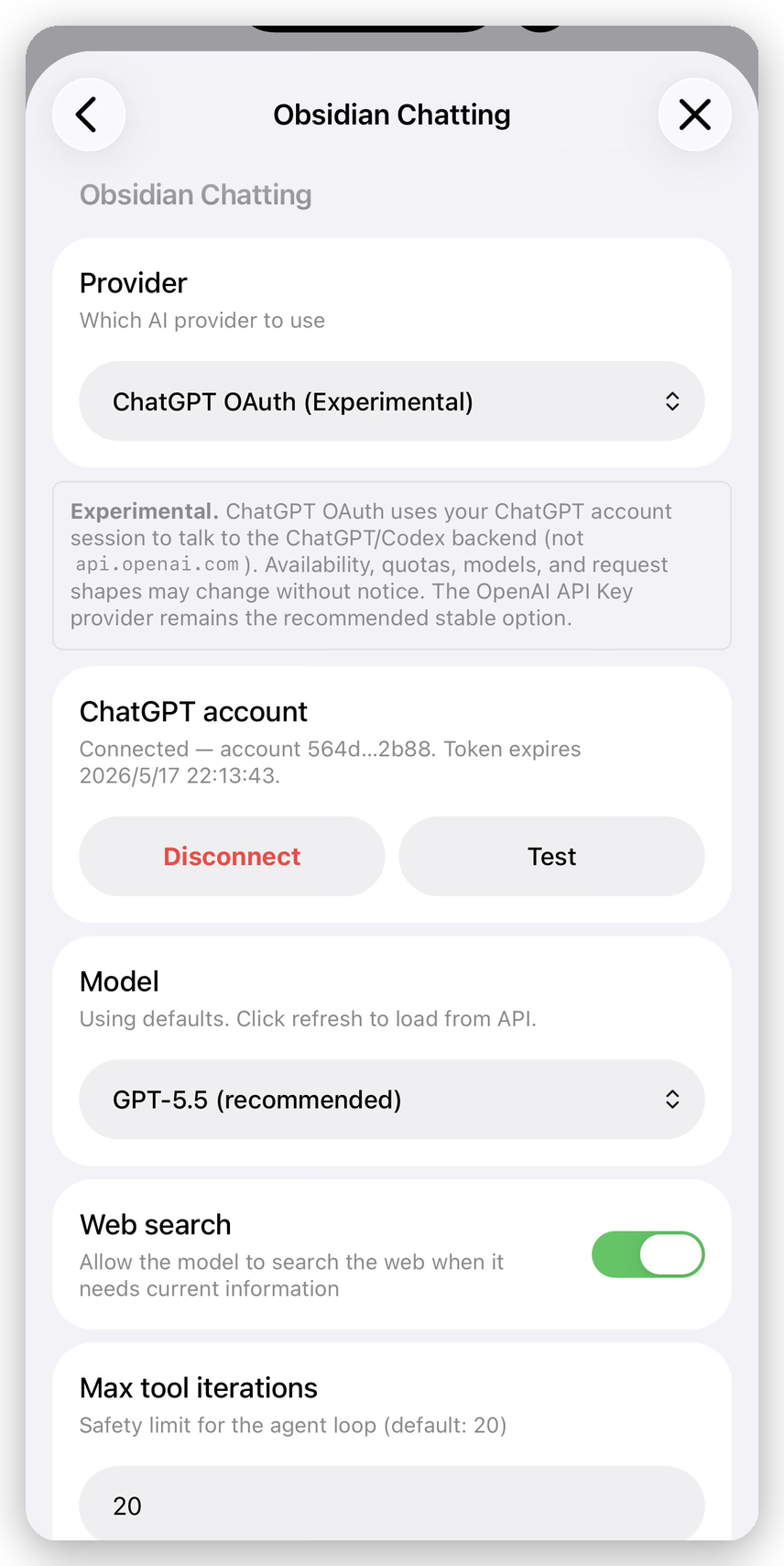
- Three providers, your choice — Anthropic API, OpenAI API, or sign in with your ChatGPT account. No marketplace of half-broken providers.
- 14 vault-native tools — read, edit, search, create, rename, frontmatter, backlinks. The agent goes from idea to changed files without leaving the chat.
- Mobile-parity, by design — no streaming, no Node-only modules, no localhost callbacks. iOS and Android behave the same as desktop.
- Selection scope — highlight text in any note, send it to chat, the assistant edits only inside the selection.
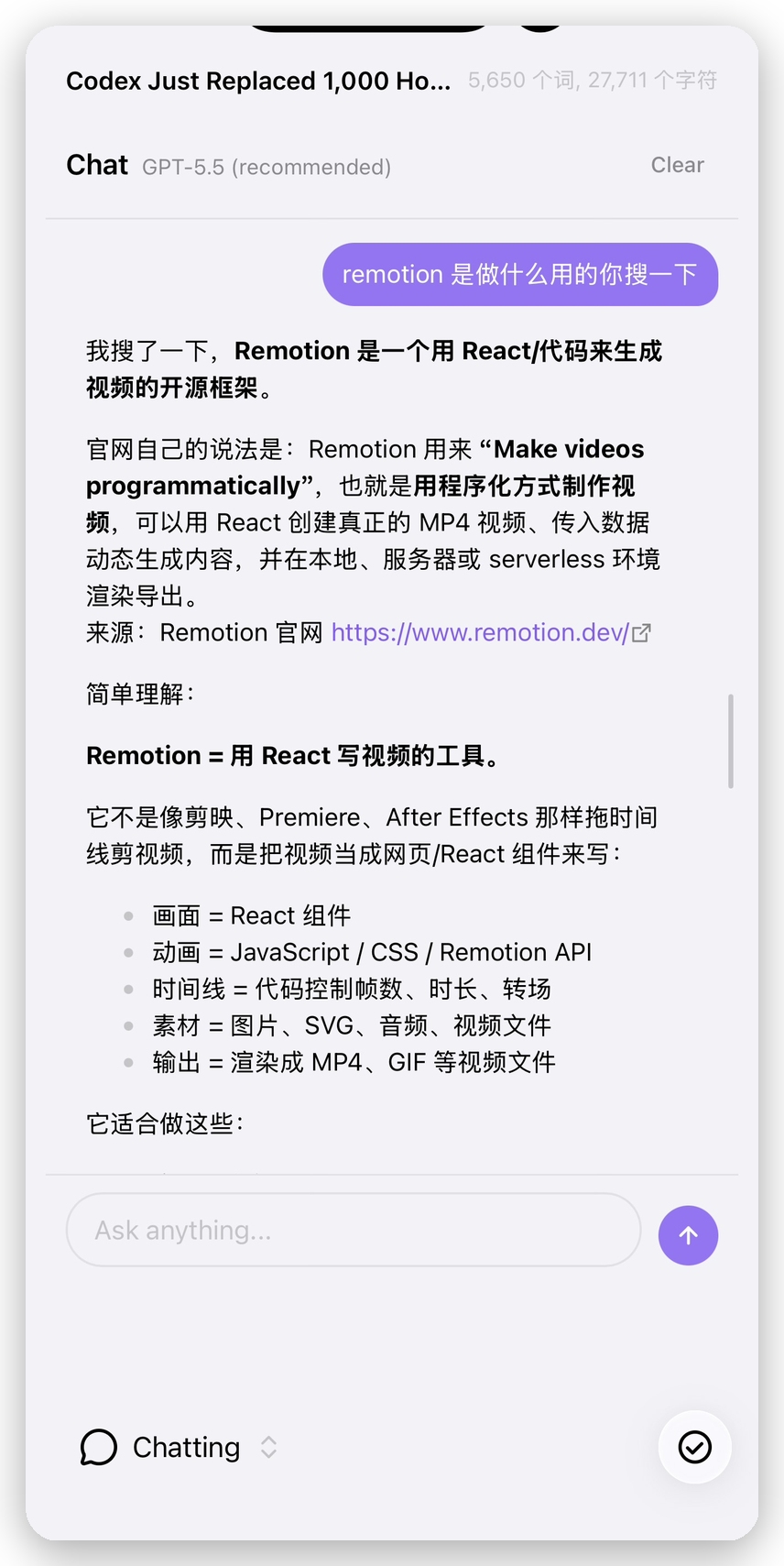
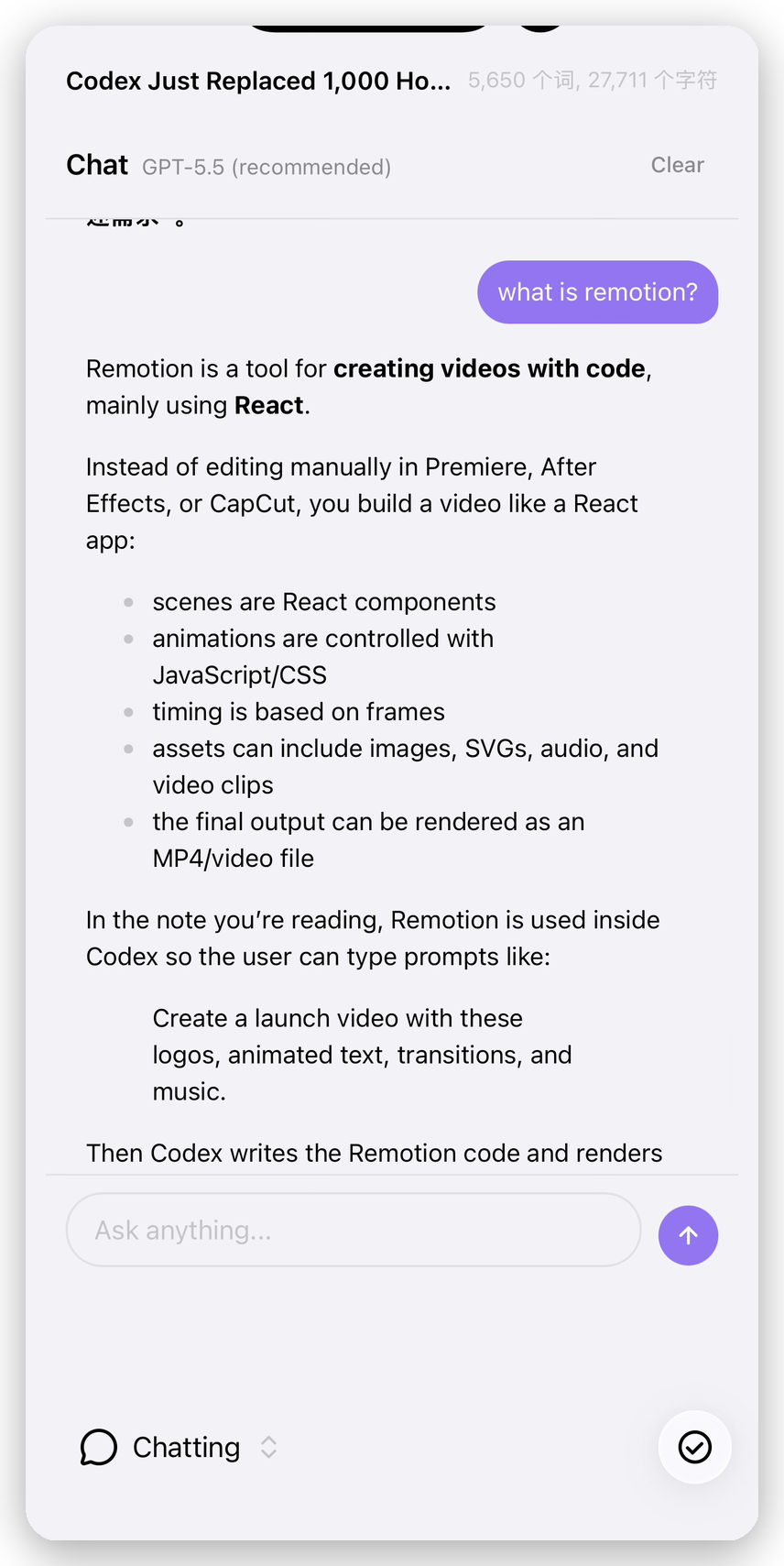
- Named conversation history — create, switch, rename, and delete independent conversations from a compact history drawer.
- Image-aware chat — attach or paste images for supported Anthropic, OpenAI, and ChatGPT account models.
- Rendered Markdown and math — answers use Obsidian's native Markdown renderer, including common LaTeX delimiters.
- Secrets in the OS keychain — never in
data.json, never synced across devices.
🎬 One conversation, many tools
Ask once, the agent figures out which tools to call:
You: Find every note in /Books that's missing a `rating` property and add `rating: ?`.

Assistant
  → search_vault("/Books")               → 12 files
  → get_properties("Books/Sapiens.md")   → has rating
  → get_properties("Books/Hail Mary.md") → no rating
  → set_properties("Books/Hail Mary.md", { rating: "?" })
  → ... (5 more)

  Done — added `rating: ?` to 6 notes:
  - Books/Hail Mary.md
  - Books/Klara and the Sun.md
  - ...
The agent reads before it edits, prefers small surgical changes over rewrites, and doesn't re-ask once you confirm.
🎯 Selection scope
Highlight text in any note, right-click, choose Send selection to Chat. The selection becomes a pill above the input and the assistant edits only inside the selected range — leaving the rest of the document byte-identical.
[ pill: "...the introduction was a bit dry, and..."  ✕ ]

You: tighten this — keep my voice
The agent uses find-and-replace scoped to the selection text. Everything outside the highlight stays untouched.
💬 Conversation history
Use the New conversation button in the chat header to name and start a separate conversation. Open History to switch conversations, rename them, or delete conversations you no longer need. Each conversation keeps its own visible transcript and model context, and the most recently active conversation is restored after Obsidian restarts.
🖼️ Image attachments
Select the image button beside the composer or paste images directly into the input. A message can contain up to four PNG, JPEG, WebP, or GIF images, with an 8 MB limit per image. Images are sent to the selected AI provider as part of the conversation; make sure you are comfortable sharing their contents with that provider.
∑ Markdown and math
Assistant responses are rendered with Obsidian's Markdown renderer. Inline and display math work with $...$ and $$...$$; common AI output using \(...\), \[...\], or fenced math, latex, and tex blocks is normalized automatically without rewriting examples inside ordinary code blocks.
🛠️ 14 vault-native tools
| Group | Tools | What they do |
|---|---|---|
| Read | read_document, read_file, search_vault, list_files, get_backlinks, get_properties, get_current_datetime | Open notes/files, search by name and content, browse the tree, find backlinks, read frontmatter, fetch the current time in your locale. |
| Write | edit_document, create_file, set_properties | Surgical find-and-replace / insert / full replace; create new notes (parent folders auto-created); safe YAML frontmatter merge or remove. |
| Manage | rename_file, delete_file, open_document, ask_user | Rename or move (links auto-update); move to trash (respects your trash setting); open a file in the editor; pause and ask you when something is ambiguous. |
⚙️ Providers
| Provider | Auth | Default model | Notes |
|---|---|---|---|
| Anthropic | API key | Claude Sonnet 4.6 | Adaptive thinking, web search, prompt caching. |
| OpenAI | API key | Codex 5.3 | Responses API, reasoning, web search. |
| ChatGPT account | Sign in with ChatGPT | GPT-5.5 | Uses your ChatGPT plan instead of an OpenAI API key. |
About ChatGPT account login. This provider signs you in with your ChatGPT account and routes requests through the ChatGPT/Codex backend (not
api.openai.com). It requires an active ChatGPT plan with Codex access. The available models mirror the Codex CLI catalog.
🚀 Quick start
- Open Settings → Community plugins → Browse.
- Search for Chatting with AI Plus.
- Click Install, then Enable.
- Settings → Chatting with AI Plus → pick a provider, paste an API key (or click Connect ChatGPT).
- Open the chat from the ribbon icon or the command palette.
📦 Install
Community Plugins
After the initial release is accepted into the Community Plugins directory:
- In Obsidian, open Settings → Community plugins.
- If prompted, turn off Restricted Mode / turn on community plugins.
- Click Browse and search for Chatting with AI Plus.
- Click Install, then Enable.
Installing alongside the upstream plugin
Chatting with AI Plus uses its own plugin ID, settings, chat history, view type, and SecretStorage keys. It can be installed alongside Chatting with AI without reading, moving, or deleting the upstream plugin's data. Provider credentials must be configured separately on each device.
Manual release install
- Download
main.js,manifest.json,styles.cssfrom the latest release - Place them in
<vault>/.obsidian/plugins/chatting-with-ai-plus/ - Reload Obsidian and enable Chatting with AI Plus in Community Plugins
Build from source
git clone https://github.com/nagisa525/obsidian-chatting-plus.git
cd obsidian-chatting-plus
npm install
npm run build
Symlink into a test vault:
ln -s "$(pwd)" /path/to/vault/.obsidian/plugins/chatting-with-ai-plus
🧭 Design principles
| Principle | What it means |
|---|---|
| Mobile is not an afterthought | Every change is validated on iOS and Android. No streaming, no Node-only modules, no localhost callbacks. |
| Three sane providers | Anthropic + OpenAI for stability, ChatGPT account for users who'd rather not manage an API key. |
| Secrets in the keychain | API keys and OAuth credentials go through Obsidian SecretStorage. They never land in data.json, so they never sync to other devices. |
| No vault indexing | Linear search, capped. Predictable, no background work, no memory pressure on phones. |
| Conversations persist | Named conversation histories survive Obsidian restarts. Stored locally in chat-state.json, never synced. |
| Right sidebar on mobile | Slides in from the edge — your document stays visible underneath. |
🗺️ Roadmap
- Three providers (Anthropic, OpenAI, ChatGPT account)
- 14 vault-native tools
- iOS / Android parity
- Selection scope
- Official Obsidian Community Plugins listing
- Multi-conversation history with rename and delete
- Image attachments where the provider supports them
- Conversation archive and search
- More upstream provider models picked up automatically as they ship
Have a request? Open an issue.
❓ FAQ
Will my notes be uploaded somewhere?
Only what the agent needs for the current turn. When you ask a question, the agent decides which tools to call — read_document, search_vault, etc. — and the contents fetched by those calls (plus the active note context) are sent to your chosen provider. Nothing is uploaded in the background. There is no vault index.
Does it really work on mobile?
Yes — that's the design constraint everything else is built around. Requests go through Obsidian's requestUrl() (mobile WebViews enforce CORS), there's no streaming, no Node-only modules, no localhost callback for OAuth. iOS and Android run the same code path as desktop.
Is the ChatGPT account login free?
It uses your existing ChatGPT plan (Plus, Pro, Team, Enterprise) — there's no separate billing. You need an active plan with Codex access. The plugin doesn't talk to api.openai.com; it talks to the same backend the Codex CLI uses.
Can you add provider X?
Probably not — keeping the provider list small is a deliberate choice. Two API providers cover the major ecosystems, and ChatGPT account login covers the "I just have a ChatGPT plan" case. Adding more would mean more permutations to validate on mobile.
Where is chat history stored? Will it sync?
Locally in <vault>/.obsidian/plugins/chatting-with-ai-plus/chat-state.json. It is not synced by Obsidian Sync (plugin data files are excluded by default). API keys and ChatGPT OAuth credentials live in the OS keychain through SecretStorage and are also not synced.
🤝 Contributing
Issues and PRs welcome. Before opening a PR:
- Run
npx tsc --noEmitandnpm run svelte-check - Test on at least one mobile platform (iOS or Android) — the mobile-parity rule is real
- For larger changes, open an issue first to align on direction
🙏 Acknowledgements
Special thanks to the maintainers and contributors of o1xhack/obsidian-chatting, whose open-source work provides the foundation for Chatting with AI Plus. That project was originally derived from omarshahine/obsidian-chat. Both upstream projects are MIT licensed. Their copyright notices are preserved in LICENSE, and this fork documents its additional work above.
📄 License
MIT.
Maintainer: nagisa525
For plugin developers
Search results and similarity scores are powered by semantic analysis of your plugin's README. If your plugin isn't appearing for searches you'd expect, try updating your README to clearly describe your plugin's purpose, features, and use cases.