DQL Syntax
approvedby Andrew Usher
Syntax highlighting for Dynatrace Query Language (DQL) in code blocks. - This plugin has not been manually reviewed by Obsidian staff.
↓ 103 downloadsUpdated 3mo agoMIT
DQL Syntax
Obsidian plugin — syntax highlighting for Dynatrace Query Language (DQL)
Engineers and SREs who document their Dynatrace workflows in Obsidian can get proper syntax highlighting for embedded DQL queries.
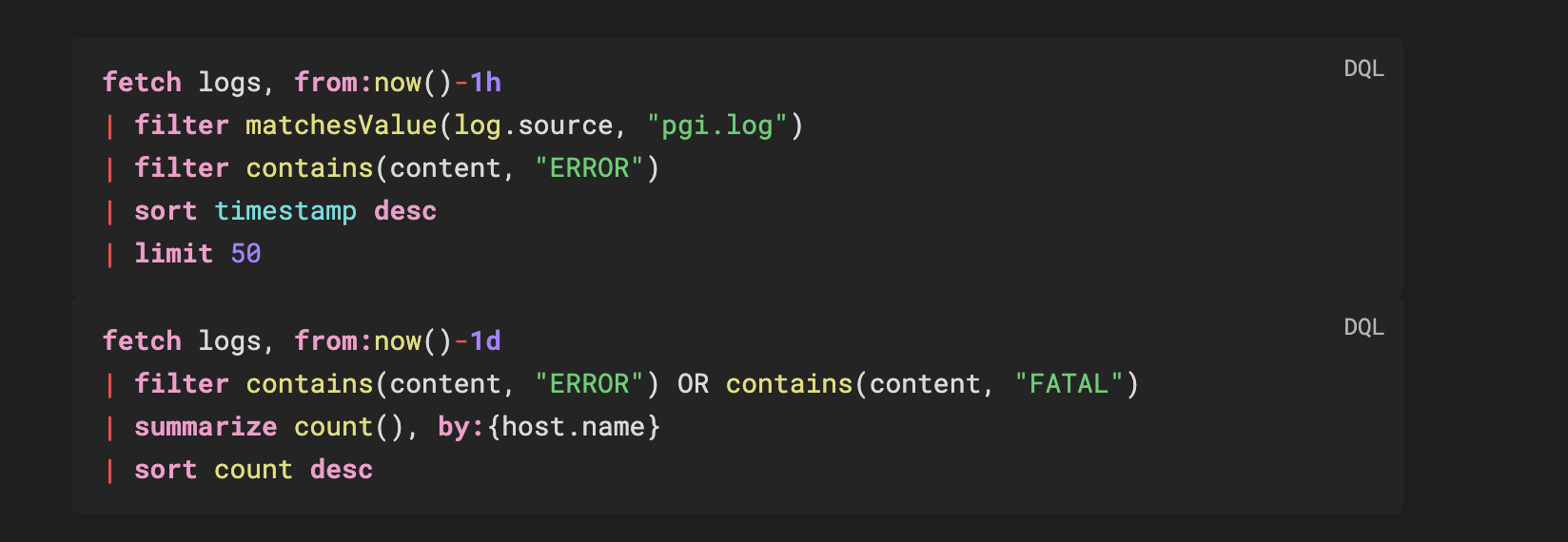
Usage
```dql
fetch logs, from:now()-1h
| filter matchesValue(log.source, "pgi.log")
| summarize count(), by:{status, host.name}
| sort count desc
| limit 100
```
Works in reading mode with full token highlighting and a copy button.
Install
Manual
- Download
main.js,manifest.json,styles.cssfrom the latest release - Create
.obsidian/plugins/dql-syntax/in your vault - Copy the three files there
- Enable in Settings → Community Plugins
What gets highlighted
| Token | Example |
|---|---|
| Commands | fetch, filter, summarize, sort, fields, parse |
| Functions | count, sum, filter, endsWith, matchesValue, if |
| Data types | string, long, double, boolean, timestamp, duration |
| Keywords | and, or, not, in, as, by, from, on, true, false |
| Named params | from:, to:, by:, on: |
| Operators | | == != <= >= + - * / @ ~ |
| Strings | "double" 'single' `backtick-quoted` |
| Duration literals | 1h, 30m, 10s, 7d, 1w, 100ms |
| Numbers | 42, 3.14 |
| Comments | // and /* */ |
Query Templates
Ready-to-use DQL queries in templates/:
| File | Content |
|---|---|
logs-hunting.dql | Log analysis, error tracking, performance breakdowns |
bizevents-analysis.dql | Business event aggregation and filtering |
infrastructure-metrics.dql | Host metrics, timeseries, and Smartscape traversal |
Build
npm install
npm run build   # production → generates main.js
npm run dev     # watch mode for development
References
License
MIT
Credits
- Inspired by and forked from https://community.obsidian.md/plugins/talon-cql
For plugin developers
Search results and similarity scores are powered by semantic analysis of your plugin's README. If your plugin isn't appearing for searches you'd expect, try updating your README to clearly describe your plugin's purpose, features, and use cases.