by Keylime
Turn obsidian into your ultimate local first conlanger's toolkit.
Langscape
A conlanger's toolkit for Obsidian. Use your own writing systems, build syntax trees, and run sound changes without leaving your vault.
Install in Obsidian · GitHub releases · Changelog
Watch the trailer · Visual credits
Features
| Writing systems | Lexurgy workbench |
|---|---|
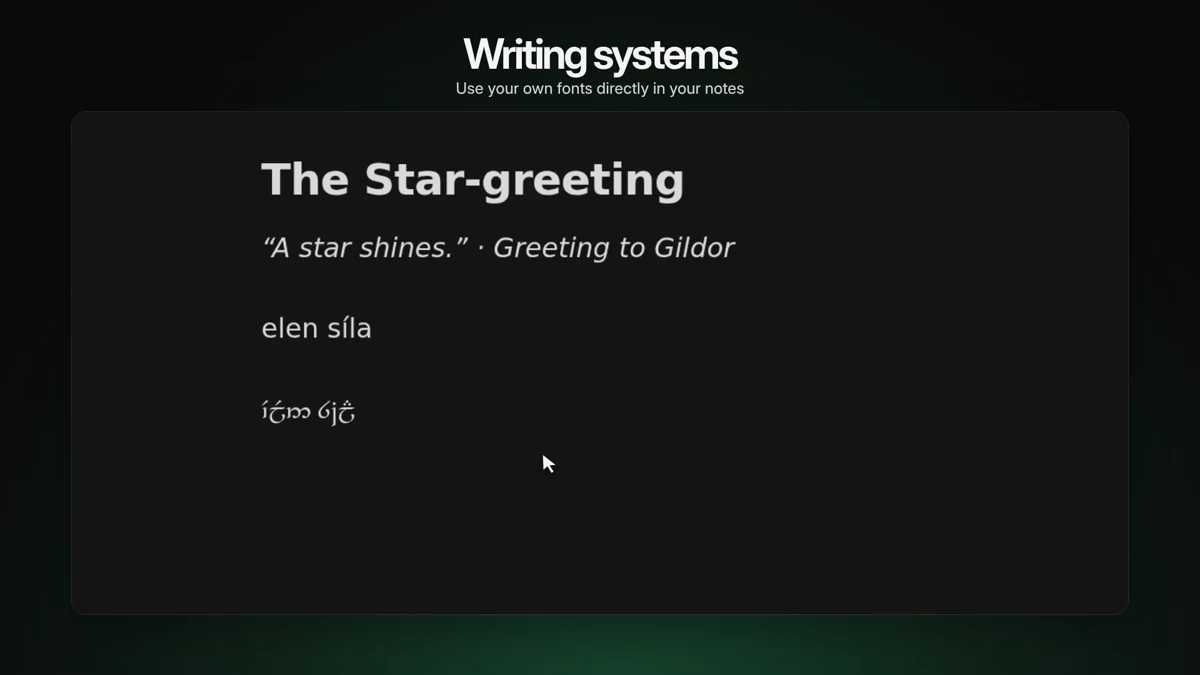 | 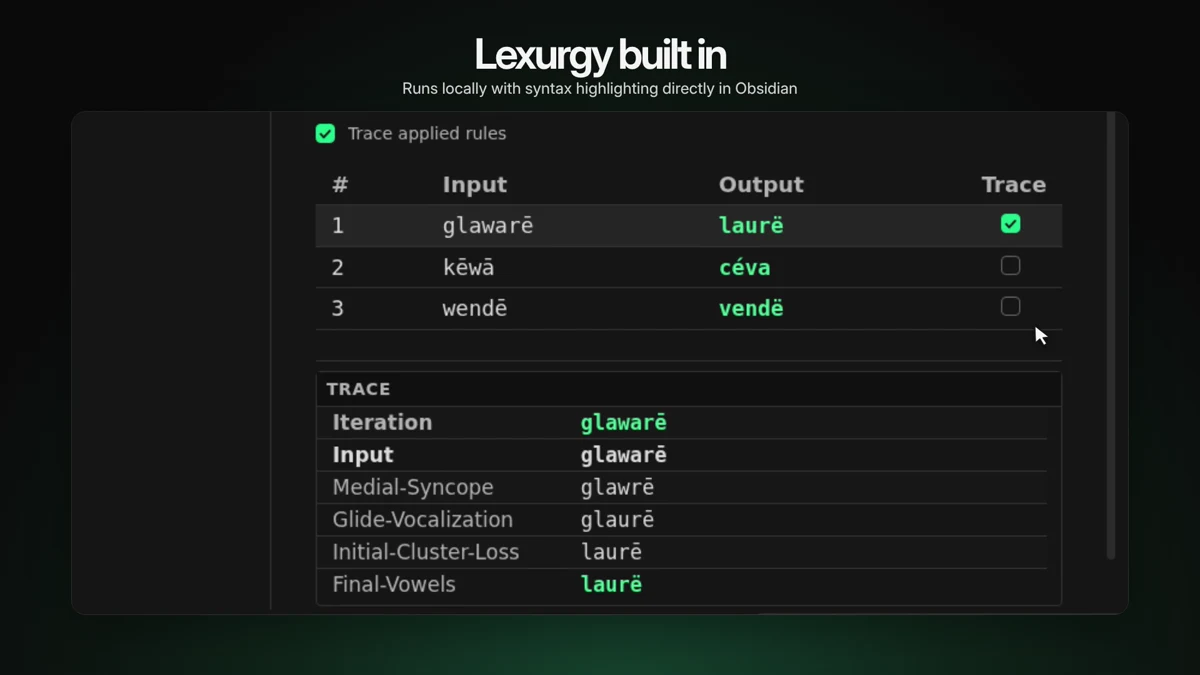 |
Drop a font into your vault and apply it to part of a note with {nickname: text} or to the whole note with the langscape-font property. | Edit .lsc files with syntax highlighting and live validation. Test words and see which rules changed them. Lexurgy runs locally. |
| Sound change automations | Syntax trees |
|---|---|
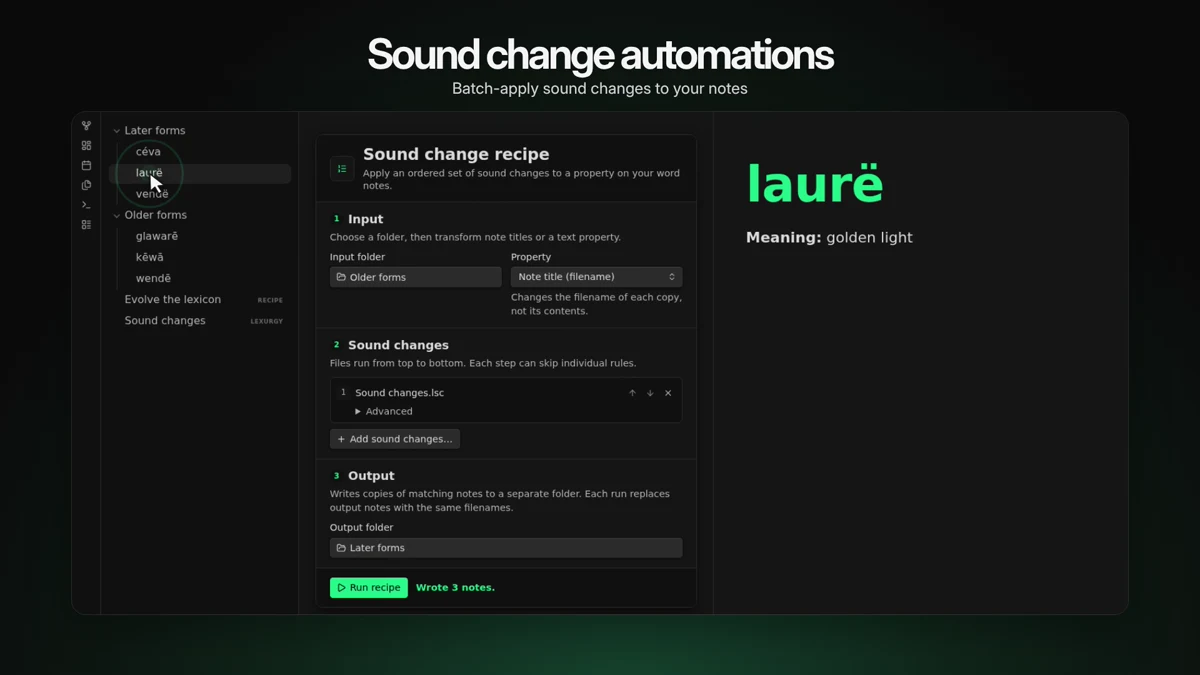 | 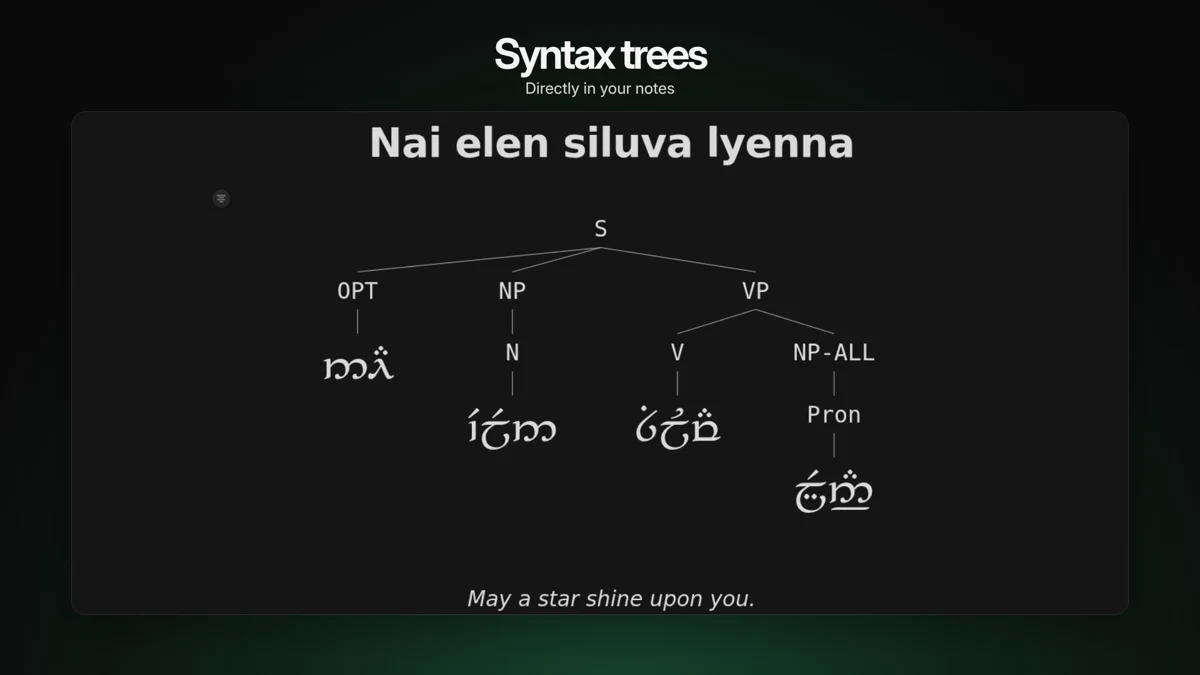 |
| Batch-apply sound changes to note titles or properties. Recipes leave the source notes alone and create or refresh copies in a separate folder. | Create and edit syntax trees directly in your notes with {tree: S(NP, VP)}. Labels can use custom fonts too. |
You can also merge and split cells in Markdown tables without converting the table to HTML.
Get started
- On desktop Obsidian 1.15.0 or later, open Settings → Community plugins, search for Langscape, then install and enable it.
- Run Langscape: Create starter vault from the command palette to try a demo. Java and Lexurgy aren't needed for fonts, trees, or tables.
- To run sound changes, install Java 17+ and extract the official Lexurgy distribution. In Settings → Langscape → Lexurgy → Advanced, set the Lexurgy path if it isn't detected, then click Test. Langscape doesn't bundle or install Lexurgy.
For manual installation, download main.js, manifest.json, and styles.css from GitHub Releases and place them in <vault>/.obsidian/plugins/langscape/ (or your vault's custom configuration folder).
Contributions
Langscape is open source under the MIT license, but I accept pull requests only rarely. GitHub gets a lot of low-effort AI-generated contributions, and I want to keep Langscape focused rather than let it grow bloated. Please open an issue before starting a patch. Small, tested fixes for an agreed problem are more likely to be accepted than unsolicited features or rewrites.
Privacy
Langscape checks local paths for Java and Lexurgy, including locations outside your vault, and runs them as local processes. Rules and words are passed to Lexurgy locally, not uploaded. The in-app Docs tab fetches public manual pages from lexurgy.com and examples from raw.githubusercontent.com. Vault fonts load locally; older font entries configured with a URL still load from that host. Langscape has no telemetry.
For plugin developers
Search results and similarity scores are powered by semantic analysis of your plugin's README. If your plugin isn't appearing for searches you'd expect, try updating your README to clearly describe your plugin's purpose, features, and use cases.