linkmind
approvedby pikaqiu
Edit Markdown as a clean, keyboard-friendly mind map. - This plugin has not been manually reviewed by Obsidian staff.
★ 3 stars↓ 1,411 downloadsUpdated 4mo agoMIT
linkmind
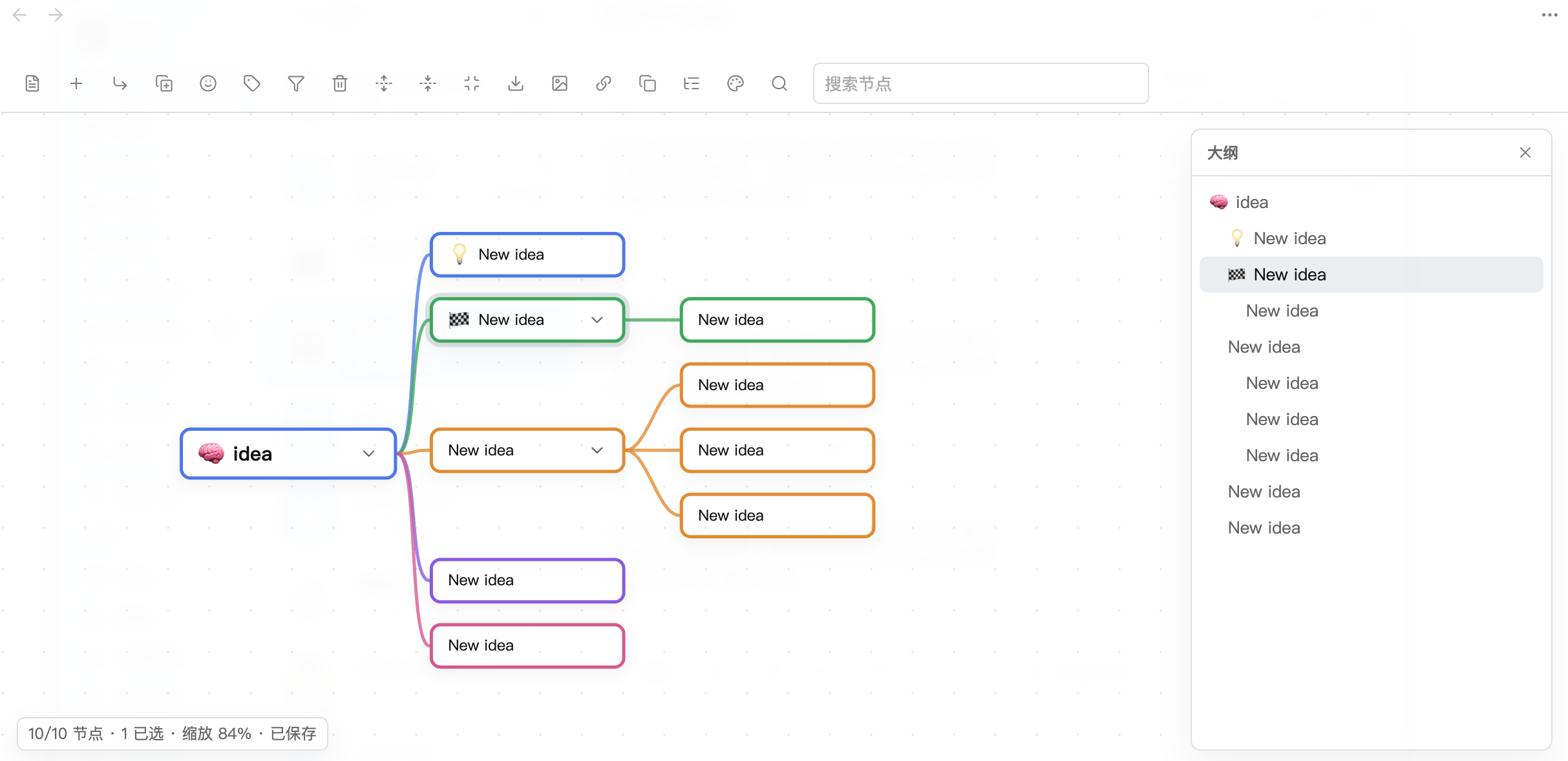
Edit Markdown notes as interactive mind maps in Obsidian. linkmind renders headings and lists as a clean SVG + DOM mind map, writes every edit back to plain Markdown, and stays out of your way.
Features
- Markdown-native -- headings and bullet lists become the mind map tree; edits sync back as plain Markdown.
- Keyboard-driven editing --
Tabto add a child,Enterto add a sibling,F2to edit, arrow keys to navigate,Alt + Arrowsto restructure. - Drag & drop -- drag nodes to reorder or reparent, including long-press on touch devices.
- Right-facing or balanced layout -- choose a classic tree or a two-sided map in settings.
- Emoji icons & tags -- add emoji icons and
#tagsto nodes; filter the map by tag. - Cross-branch links -- dashed association lines drawn automatically for
[[#Heading]]and[[Heading]]wikilinks. - Collapsible outline -- navigate large maps with a built-in outline panel.
- Undo & redo -- local history stack with
Ctrl/Cmd + ZandCtrl/Cmd + Shift + Z. - Export -- export the full map or a selected branch as SVG or PNG.
- Multi-select --
Ctrl/Cmd + Click,Shift + Click, orCtrl/Cmd + A. - Copy & paste -- copy a branch as Markdown, paste Markdown as new nodes.
- Node links -- copy an
obsidian://openURI for any node. - Bilingual UI -- Chinese and English interface.
- Mobile-friendly -- responsive toolbar and touch support.
Keyboard Shortcuts
| Shortcut | Action |
|---|---|
Tab | Add child node |
Enter | Add sibling node |
F2 | Edit selected node |
Delete / Backspace | Delete selected node |
Space | Toggle collapse |
/ | Focus search |
Alt/Option + Arrow | Move / indent / outdent node |
Ctrl/Cmd + Z | Undo |
Ctrl/Cmd + Shift + Z | Redo |
Ctrl/Cmd + A | Select all nodes |
Ctrl/Cmd + = / - | Zoom in / out |
Ctrl/Cmd + Shift + F | Fit map to view |
Ctrl/Cmd + F | Focus selected node |
Installation
- Download
main.js,manifest.json, andstyles.cssfrom the latest release. - Create a folder named
linkmindinside your vault's.obsidian/plugins/directory. - Copy the three files into that folder.
- Open Obsidian Settings > Community plugins, refresh the list, and enable linkmind.
styles.css is optional, but recommended.
Usage
- Open any Markdown note that contains headings or bullet lists.
- Click the brain icon in the left ribbon, or run "Open current note as mind map" from the command palette.
- Edit nodes, restructure the tree, and export -- all changes are saved back to Markdown automatically.
Screenshots
Settings
| Setting | Default | Description |
|---|---|---|
| Language | Chinese | UI language (Chinese / English) |
| Auto-save delay | 300 ms | Delay before writing edits back to Markdown |
| Default expand depth | 99 | Levels expanded on open (99 = all) |
| Layout direction | Right | Right-facing tree or balanced two-sided |
| Layout animation | On | Animate node movement after edits |
| Show association links | On | Dashed lines for local wikilinks |
| Branch colors | 5 preset colors | CSS colors for first-level branches |
| PNG export scale | 2x | Resolution multiplier for PNG export |
| Transparent PNG | Off | Transparent background in PNG exports |
License
For plugin developers
Search results and similarity scores are powered by semantic analysis of your plugin's README. If your plugin isn't appearing for searches you'd expect, try updating your README to clearly describe your plugin's purpose, features, and use cases.