Markwhen
approvedby mark-when
Create timelines, gantt charts, calendars, and more using markwhen.
Markwhen Obsidian Plugin
Instructions
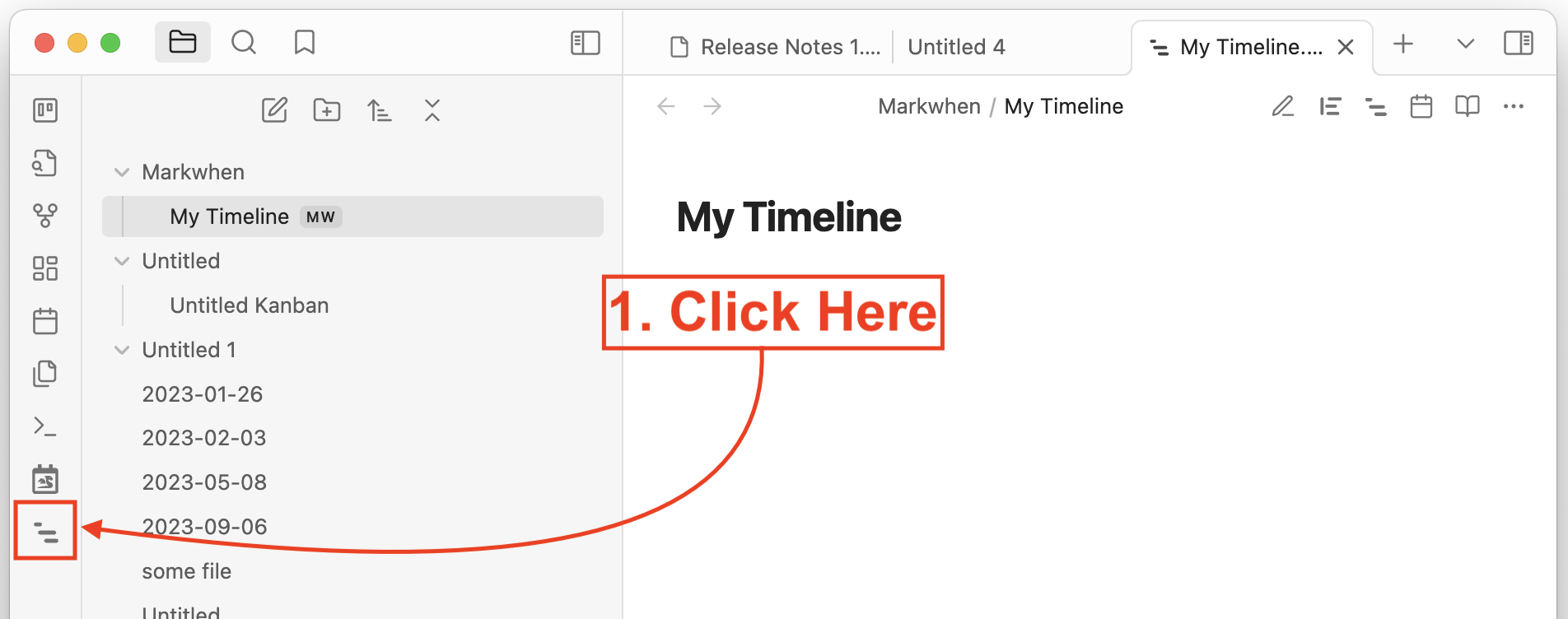
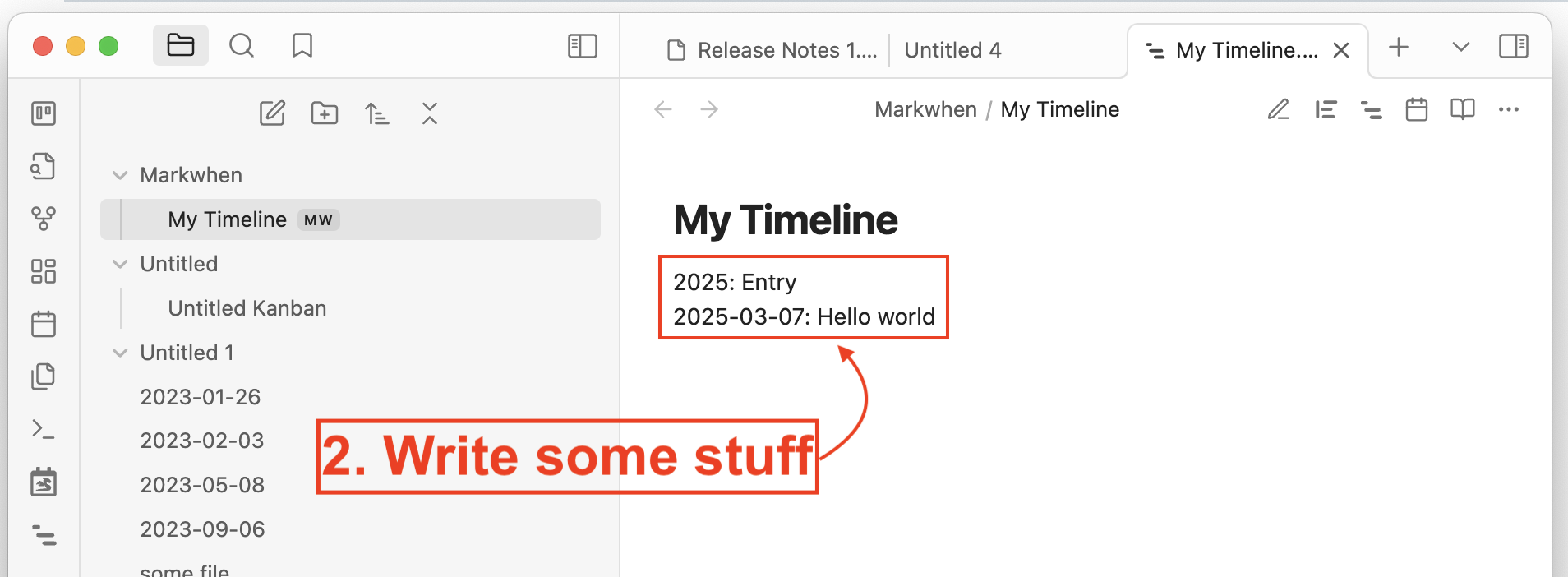
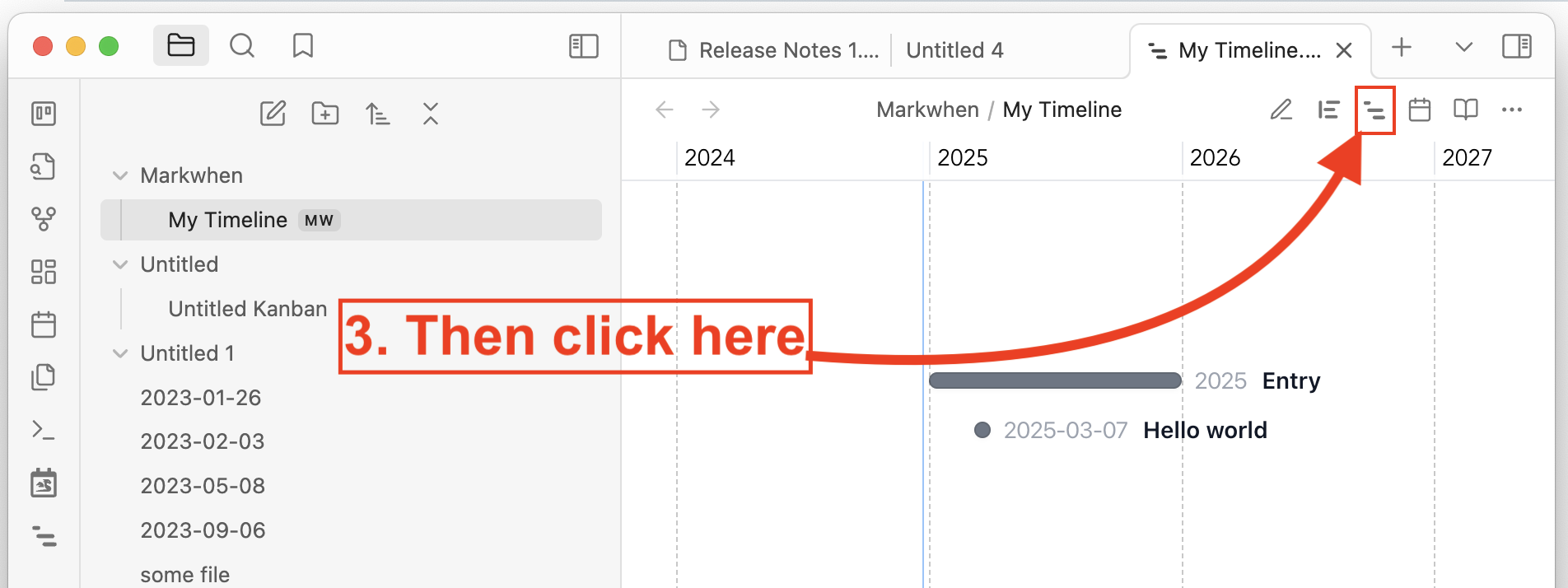

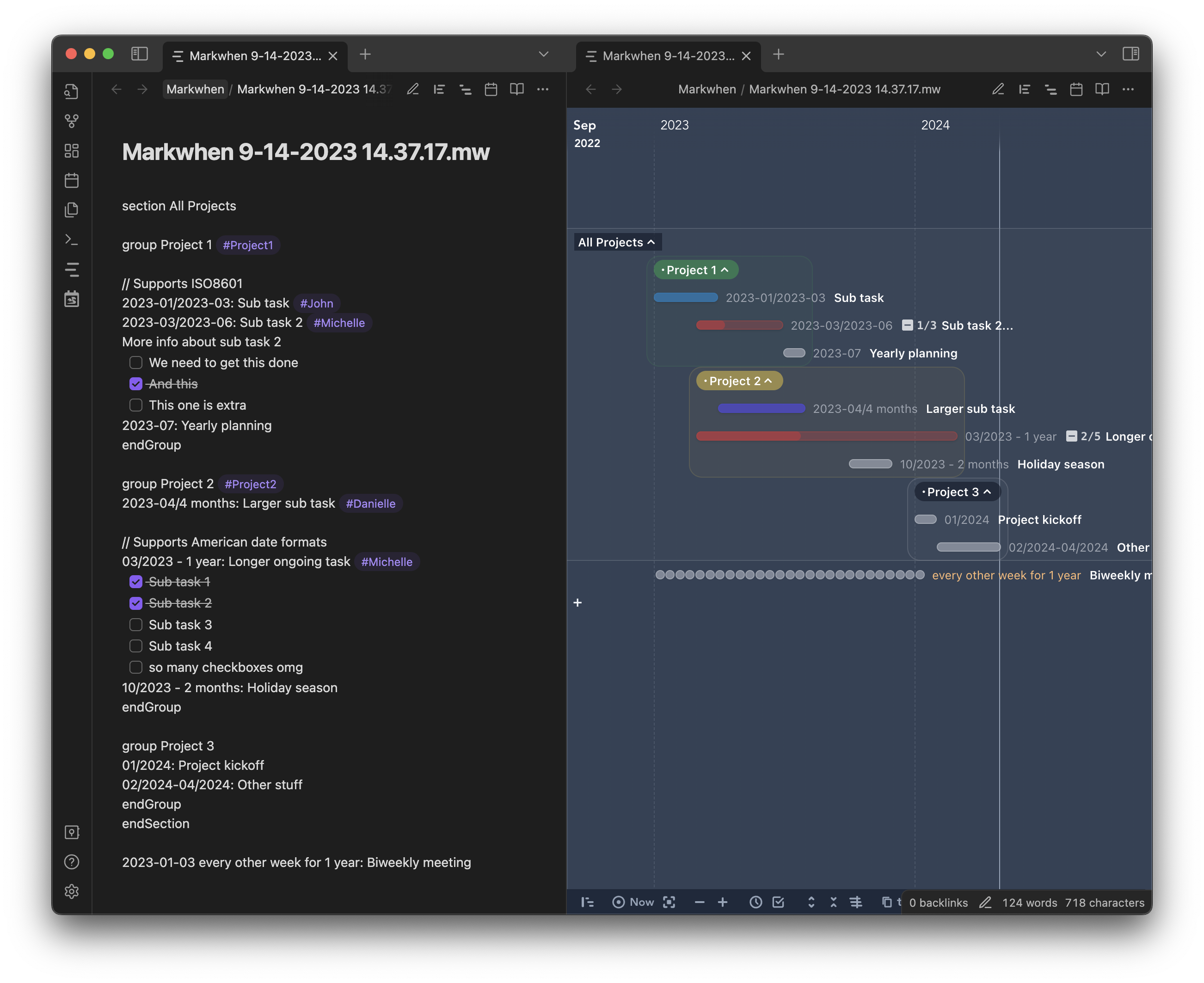
This plugin integrates Markwhen into Obsidian.md. You can use markwhen syntax to create timelines.
[!Note]
Latest release: 0.0.4
Document version: 0.0.4
Installation
[!Note]
Make sure that you are not in the Restricted Mode.
Install from official plugin distribution
- In Obsidian, open Settings.
- Under Community plugins, click Browse.
- Search for "Markwhen" and then select it.
- Select Install, then enable it.
You can also find and install Markwhen plugin here: https://obsidian.md/plugins?search=Markwhen
Install via BRAT
Register https://github.com/mark-when/obsidian-plugin in BRAT to receive upcoming releases automatically before we got reviewed from Obsidian team!
Install the plugin manually
- Go to the repo's latest release page, and download
main.js,manifest.jsonandstyles.css(or the zip file). - Copy these files to your local path
[your vault]/.obsidian/plugins/markwhen/. - Relaunch Obsidian, or refresh the plugin list, you will see this plugin.
- In the plugin list, enable
Markwhenand enjoy!
Development
Ensure you first have Obsidian installed, and set up a development vault.
You can download and enable the Hot-Reload plugin in the dev vault to experience a smooth debugging workflow. Every time main.js, manifest.json or styles.css updates, it will trigger an auto-reload.
Linux / MacOS developers
If the path to your vault is something other than ~/Documents/Obsidian Vault, update copyAssets.sh to point to your vault's location.
git clone git@github.com:mark-when/obsidian-plugin.git
cd obsidian-plugin
npm i
npm run vite
Windows developers
Since there's no watch command out-of-the-box, you can place the repo right in the dev vault config directory (i.e. [your vault]/.obsidian/plugins/markwhen/), and set the outDir to ./ in vite.config.ts (vite complains about this).
cd your-dev-vault/.obsidian/plugins
git clone git@github.com:mark-when/obsidian-plugin.git markwhen
cd markwhen
npm i
npm run vite
[!Note] The plugin id in the manifest is
markwhen, indicating users will find their plugin under the.obsidian/plugins/markwhendirectory if they install this plugin from official Obsidian distribution.
For plugin developers
Search results and similarity scores are powered by semantic analysis of your plugin's README. If your plugin isn't appearing for searches you'd expect, try updating your README to clearly describe your plugin's purpose, features, and use cases.