by jase
Vault-wide Mermaid layout settings: the ELK engine with right-angle edges, plus spacing.
Mermaid Nixie
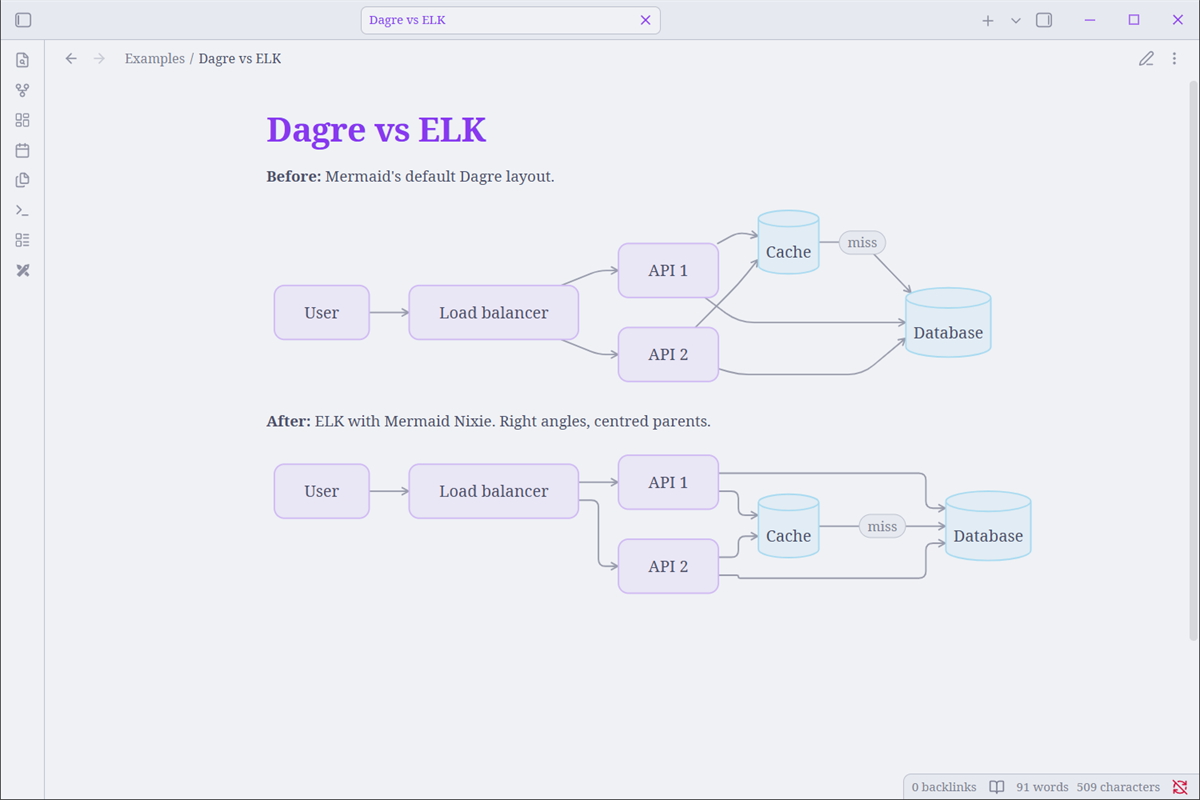
An Obsidian plugin that sets how Mermaid diagrams are laid out across your vault: the ELK layout engine with right-angle edges, plus spacing settings.
Features
- Layout engine: ELK (right angles, fewest bends) or Dagre (Mermaid's default).
- Edge corners: rounded, sharp, step, or one of the smooth curves (for diagrams that use Dagre).
- Node spacing and layer spacing sliders, which also apply to ELK (Mermaid's own ELK integration ignores them).
- ELK node placement: centred by default (
NETWORK_SIMPLEX), so parents sit over their children. - Merge parallel edges toggle.
- A command to re-render diagrams in open notes.
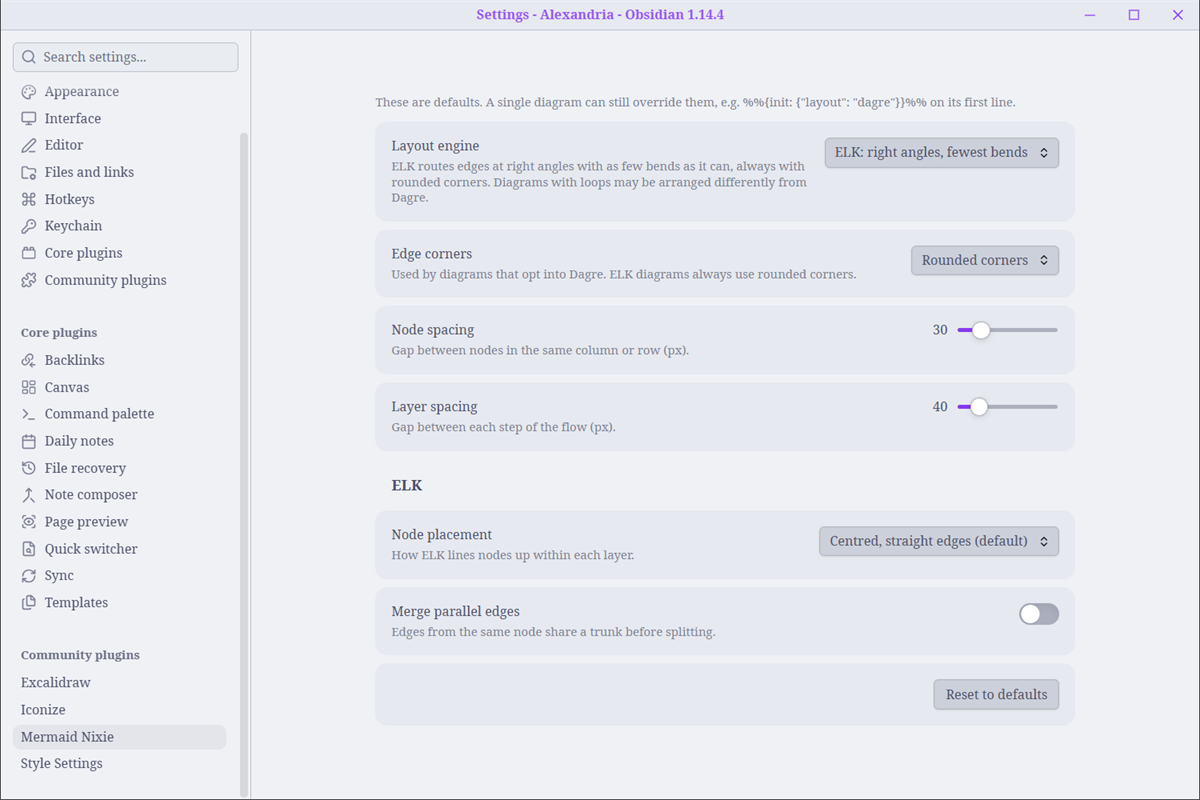
These settings are only defaults. A single diagram can still override them on its first line:
%%{init: {"layout": "dagre"}}%%
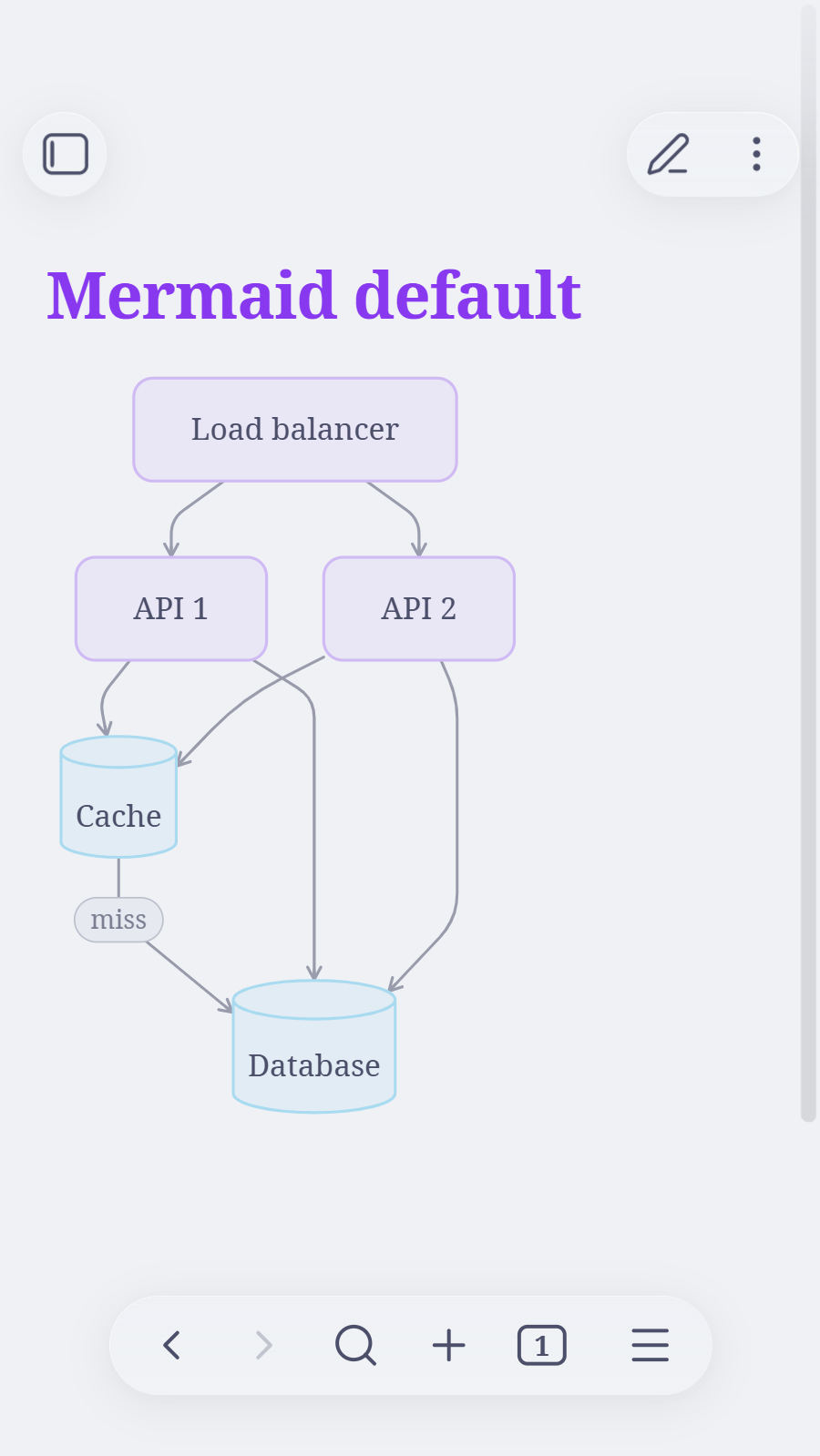
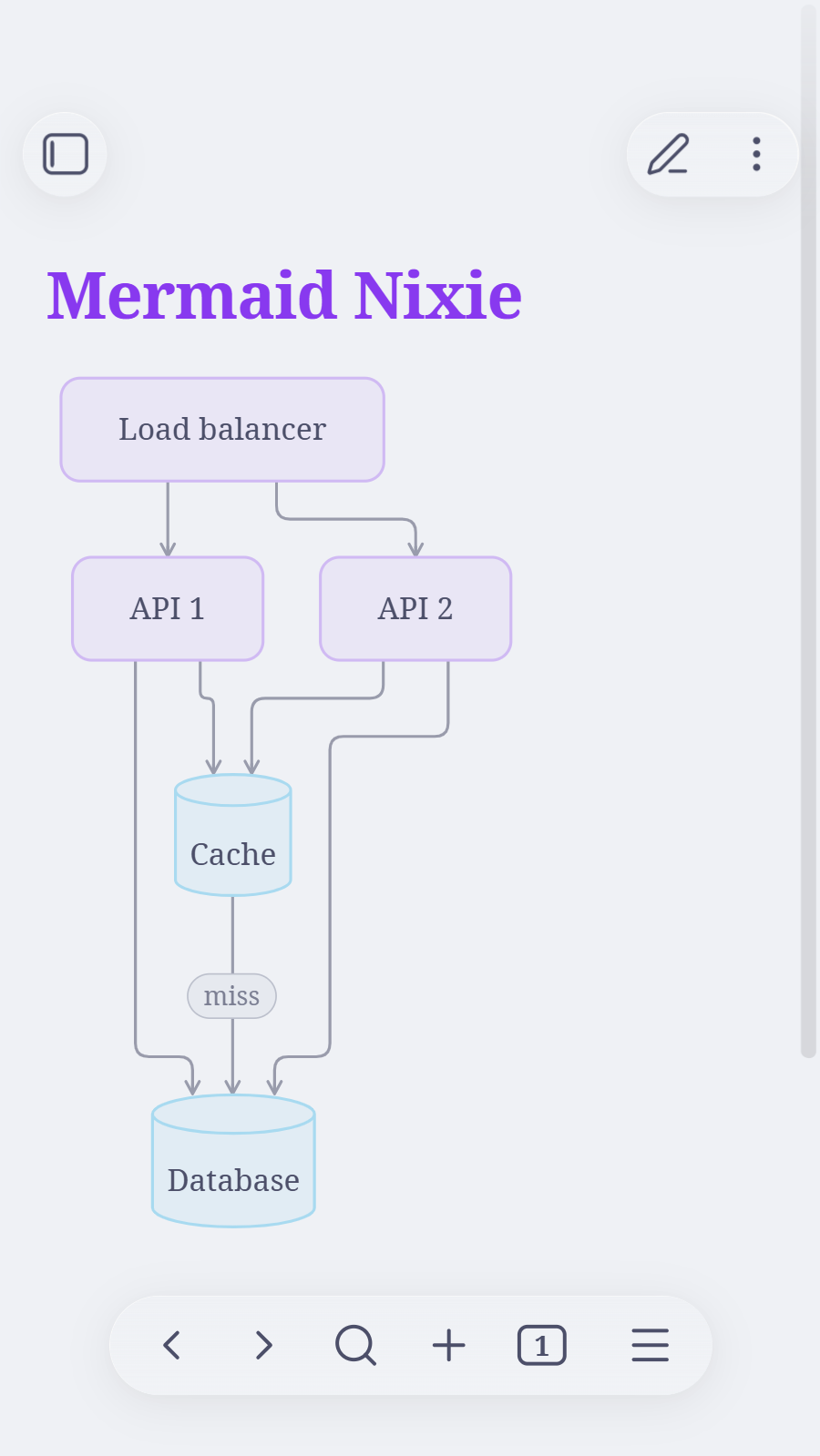
It works on mobile too. Before and after:
Install
Download main.js and manifest.json from the latest release into <vault>/.obsidian/plugins/mermaid-nixie/, then enable Mermaid Nixie under Settings → Community plugins.
ELK is bundled into main.js (~5 MB) and only runs the first time a diagram needs it.
Build
npm install
npm run build
The build writes dist/main.js. Pushing a version tag (e.g. 1.0.2) builds the plugin on GitHub Actions, attests main.js and publishes the release.
License
MIT. main.js bundles @mermaid-js/layout-elk (MIT) and elkjs (EPL-2.0).
For plugin developers
Search results and similarity scores are powered by semantic analysis of your plugin's README. If your plugin isn't appearing for searches you'd expect, try updating your README to clearly describe your plugin's purpose, features, and use cases.