by jzcy
MindTree: AI-driven knowledge management. Mindmap as your knowledge skeleton, each topic linked to notes; with AI note filing, knowledge base & ontology management, and a built-in MCP server.
Mind Tree · 思维树
AI-driven mind mapping and topic notes — every action sparks deeper thinking, and knowledge grows like a tree.
User Manual · Feedback · Bilibili
简体中文 | English
What Is This
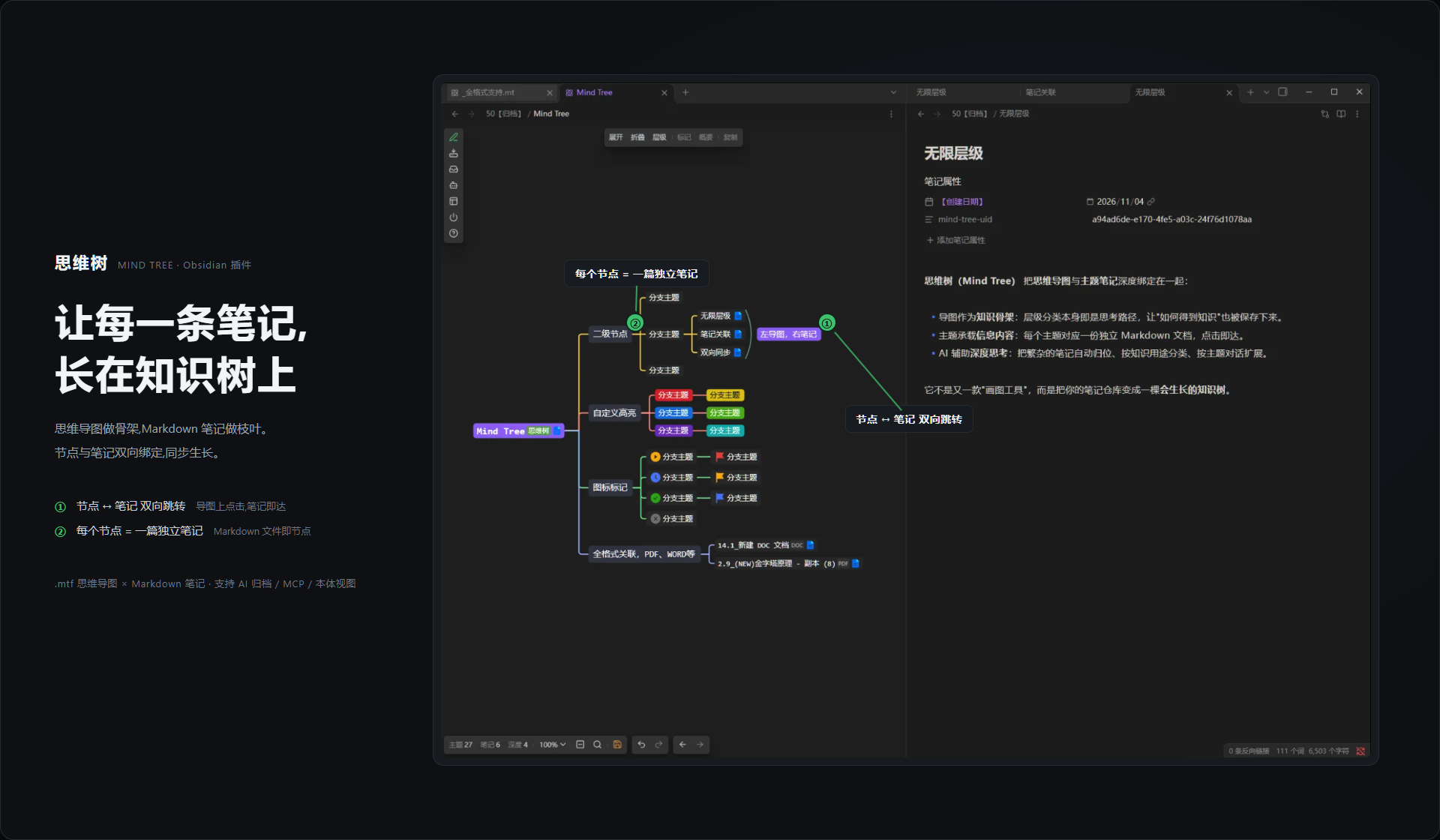
Mind Tree (思维树) is an Obsidian plugin that deeply binds mind maps and topic notes together:
- The map is your knowledge skeleton: the hierarchical classification itself is the path of thinking, so "how the knowledge was derived" is preserved too.
- Topics carry the information content: each topic maps to a standalone note, one click away.
It's not another "drawing tool" — it turns your vault into a growing tree of knowledge.
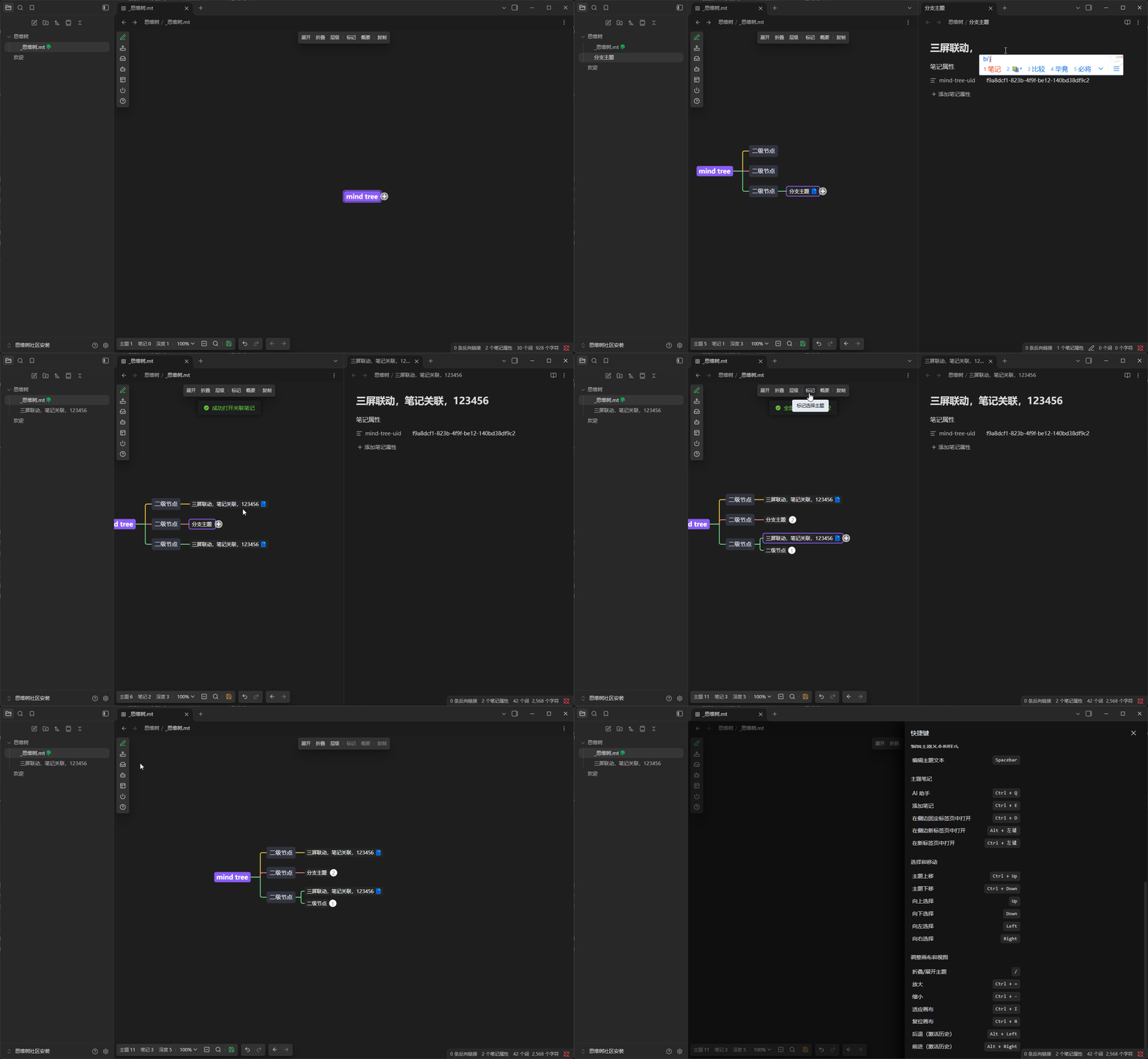
Basic feature demo:
Core Features
1. Mind Map Editor
- Full map editing: drag to rearrange hierarchy, full-text search, keyboard navigation, clean rainbow connector lines, multiple layouts and color themes, export and share.
- Dark / light theme: syncs automatically with the Obsidian theme.
2. Topic Notes
- One topic, one note: click a topic on the map to jump straight to its note; how notes link back to topics requires no manual upkeep — the plugin maintains the bidirectional index automatically.
- Configurable open behavior: open on click or on icon click, with a choice of where it opens.
- Node marks: progress, priority, card type, level (realm), knowledge entity, highlight and more — each can be toggled independently in settings.
- Topic note templates: new topics can carry default content, compatible with Templater dynamic syntax.
- Visual note properties: the note's property labels are shown directly on map nodes, with customizable colors and icons.
Settings (Seven Tabs)
Settings are grouped into tabs by feature:
- General: how to handle notes not yet in Mind Tree, auto-collection exclusion rules, whether to auto-link to the root topic.
- Mind Map: default theme, expand level on open, title wrap width, default read-only mode, auto-save, mouse wheel / left-right button behavior, mark count and position.
- Topic Notes: open behavior and location, default content, template path, node mark toggles.
- Knowledge Management: knowledge-base manager toggle, knowledge type and property configuration.
- More Settings: import folder location, GET note authorization, log level, debug options.
- Premium: license code management and activation (hidden together with author info when the author info is hidden).
- About: philosophy, WeChat official account, Bilibili, user manual, feedback channels.
Installation
Option 1: From the Obsidian Community Plugins Marketplace
Now available: Mind Tree on the marketplace. In Obsidian, open Settings → Community plugins → Browse, search for "Mind Tree", and install.
Option 2: Manual Installation
- Download the latest
main.js,manifest.json, andstyles.cssfrom the release page. - Create the directory
.obsidian/plugins/mind-tree/in your Obsidian vault. - Put the three files into that directory.
- Enable "Mind Tree" in Obsidian settings → Community plugins.
Desktop only (mobile not yet supported).
Contact Us
- WeChat Official Account: 瑾智初源
- Bilibili: 思维树·Mind Tree
- User Manual: FlowUs docs
- Feedback: feedback channel
- Purchase License: get VIP
License
MIT License · Author: 瑾智初源
For plugin developers
Search results and similarity scores are powered by semantic analysis of your plugin's README. If your plugin isn't appearing for searches you'd expect, try updating your README to clearly describe your plugin's purpose, features, and use cases.