MindFlow
approvedby auroraechop
Toggle any note into an editable, radial mind map in the same tab. Every edit writes straight back to the original note, and no new files are ever created. - This plugin has not been manually reviewed by Obsidian staff.
MindFlow
中文说明 | Usage guide | Development
Turn any Obsidian note into an editable, radial mind map — the same way you switch to reading mode. Same tab, same file, no new files ever created.
Every edit you make on the map is written straight back into the original .md note
as a minimal line edit. Toggle back and your note is still your note.
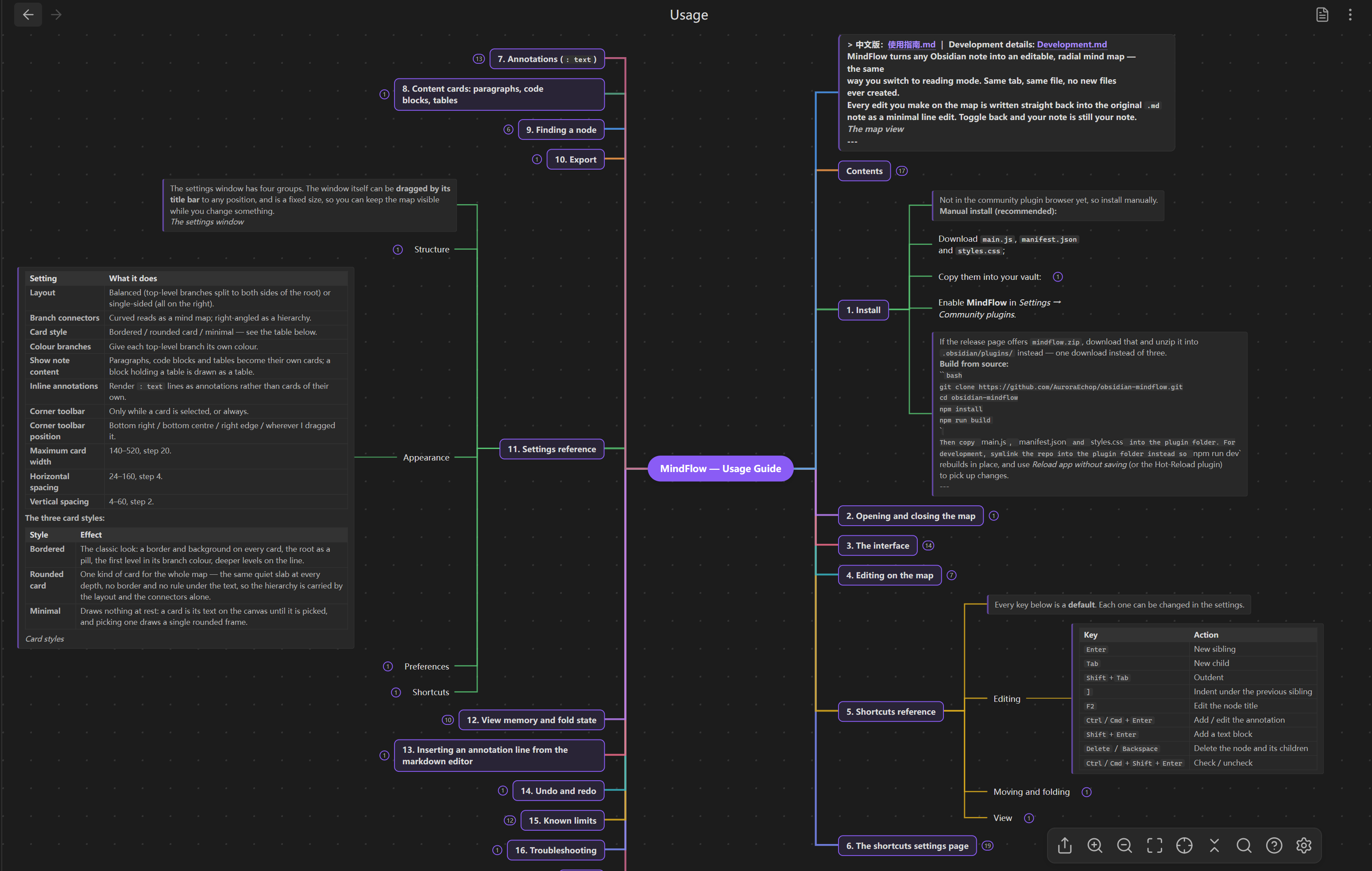
Highlights
- A view mode, not an export. Toggling swaps the view type on the leaf you are
already in, so the same
TFilestays open in the same tab. Nothing is generated, copied, or written to a sidecar file. - Your outline is the map. Headings nest by level; nested bullets hang under the heading they belong to. What you already wrote is the structure.
- Edit on the canvas, in place. Rename, add, delete, indent, drag to reparent, drag to reorder, fold, tick checkboxes — no dialogs, no modal editors. Text fields open right on the card.
- Annotations. A line written as
: textunder a heading or a bullet hangs under that node's card in muted text instead of becoming a card of its own. - Pictures and videos drawn on the card.
![[hero.png]]is the picture itself, and a video is a still frame with two buttons on it — one plays it in place, the other hands it to Obsidian's own player. In an exported SVG, PNG or HTML the pictures are inlined, so the file shows them anywhere. - Three card styles. Bordered, rounded, or minimal — the last draws nothing at rest and frames a card only while you are editing it.
- Curved or right-angled connectors, four toolbar dock positions, and a corner toolbar that can hide itself until you pick a card.
- Reopens where you left it. Fold state and focus are remembered per note, in the plugin's own data — never in your markdown.
- One undo history per note. The markdown editor and the map share a single
stack, so
Ctrl+Zwalks back through both. - Nothing else is touched. Frontmatter, fenced code, tables, HTML and links are never reformatted. Lines you did not edit come back byte-for-byte identical, including CRLF endings.
Screenshots
| Editing in place | Annotations | Card styles |
|---|---|---|
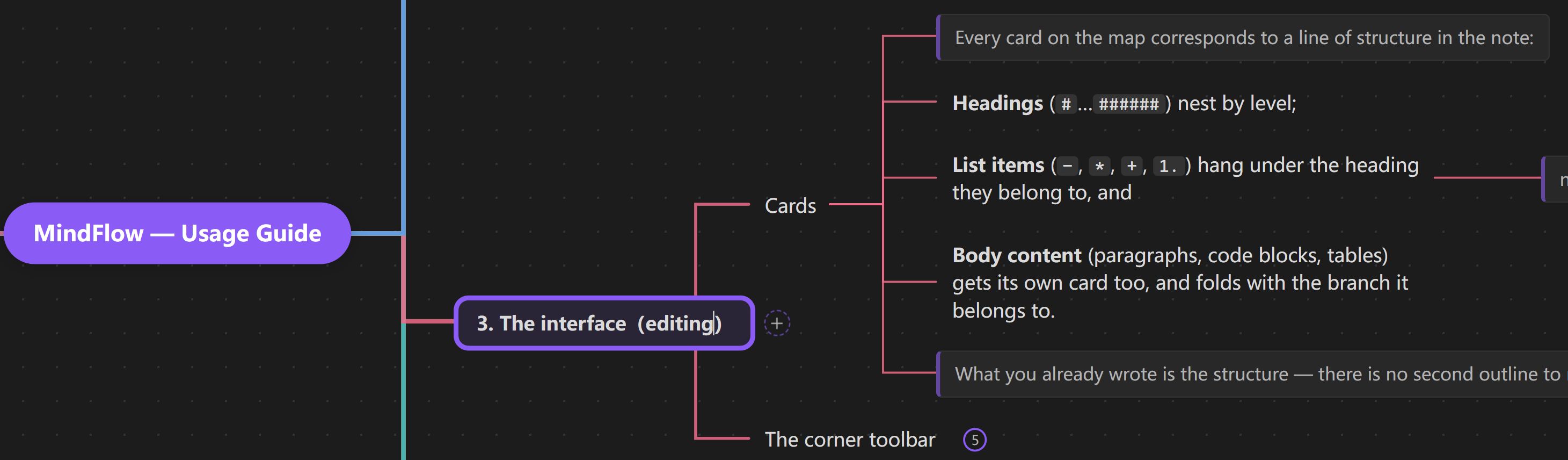 | 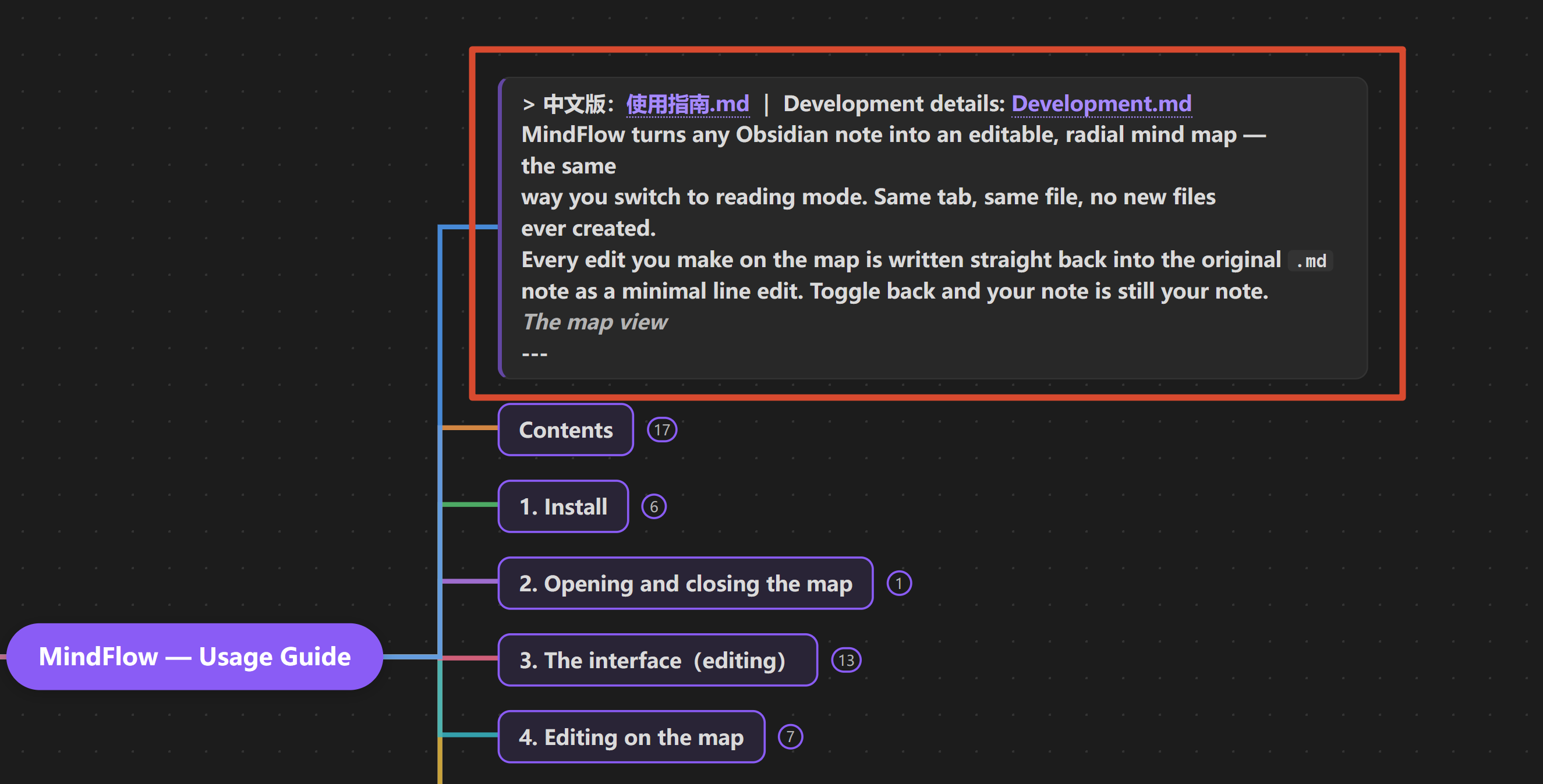 |  |
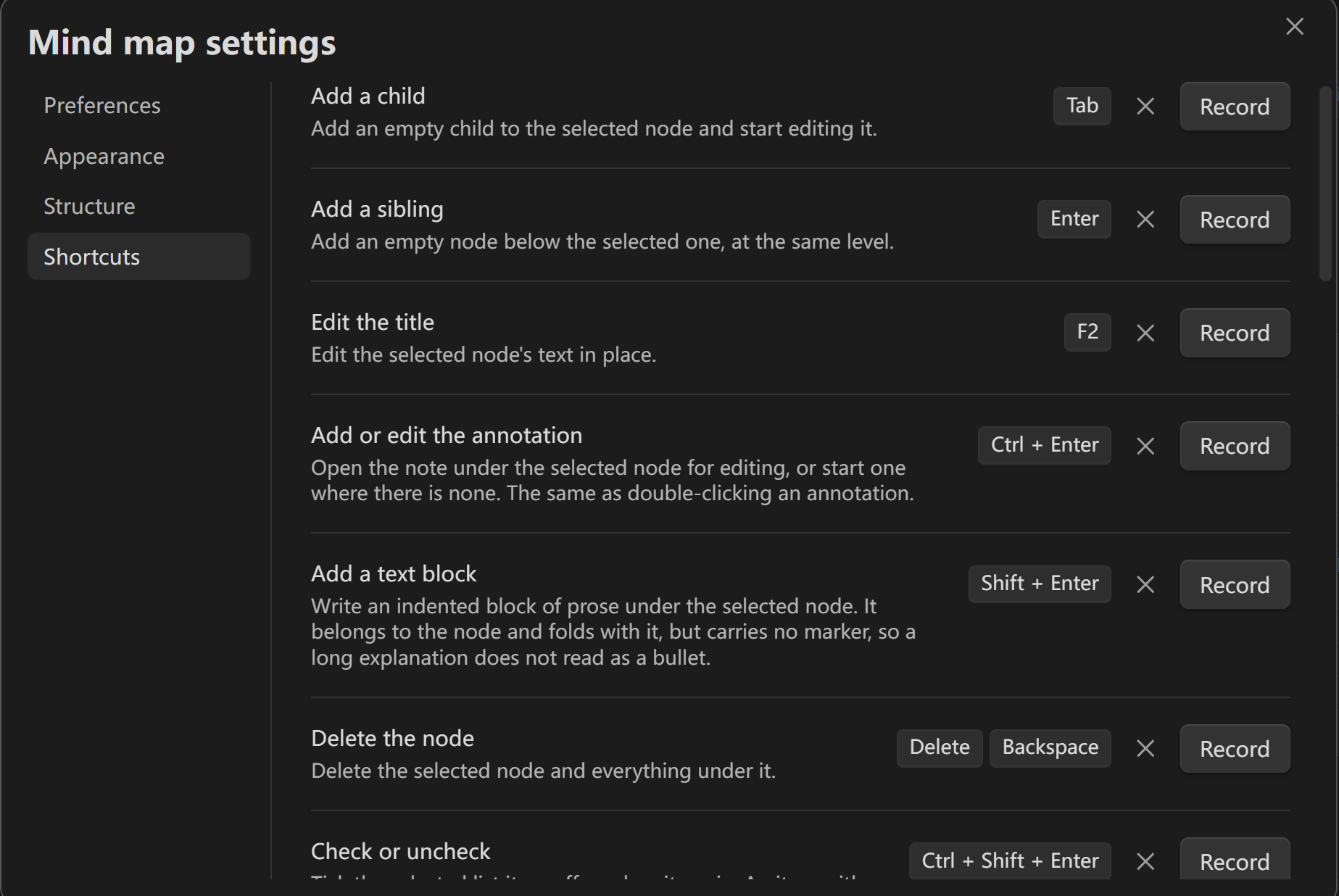
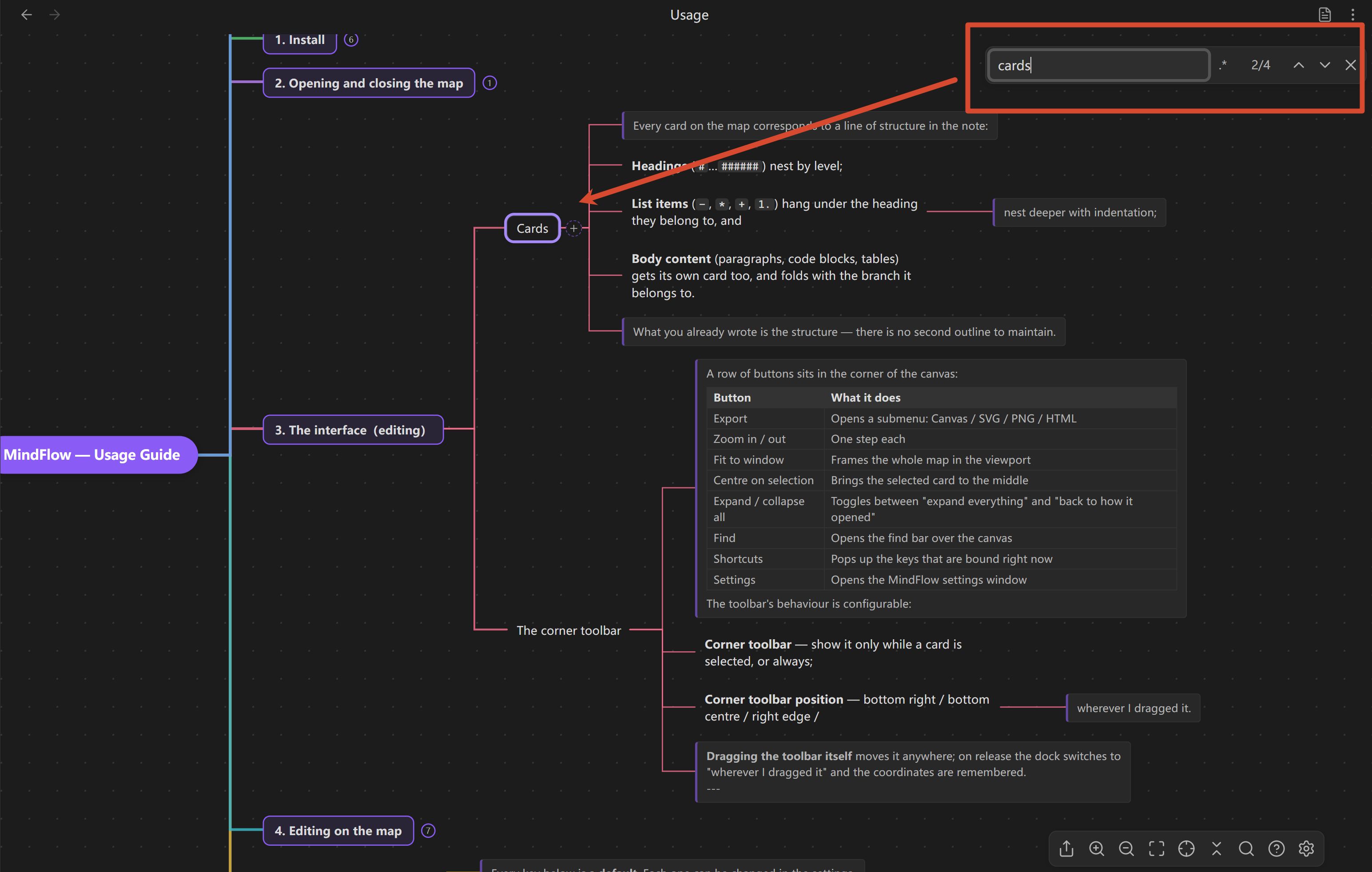
| Dragging | Shortcuts settings | Find |
|---|---|---|
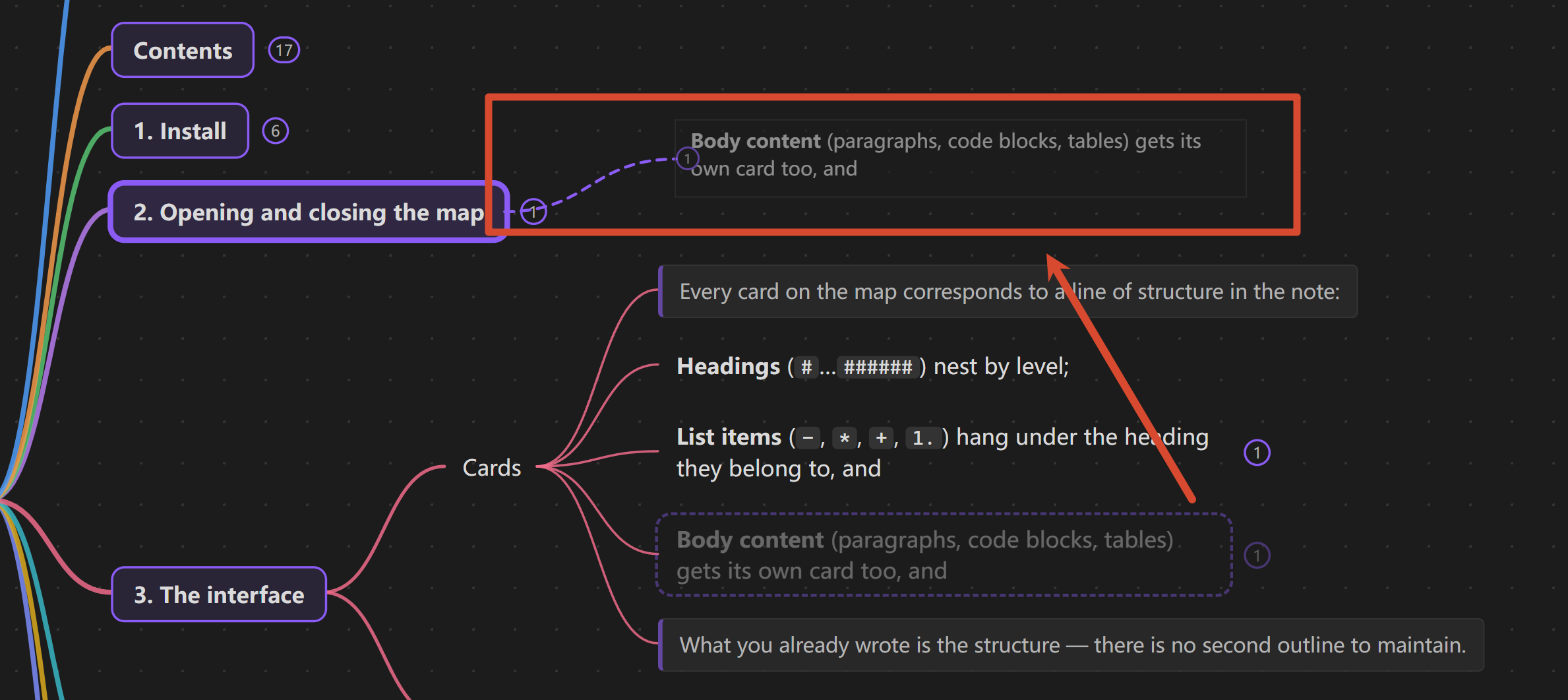 |  |  |
Install
Not in the community plugin browser yet, so install manually.
-
Download
main.js,manifest.jsonandstyles.cssfrom the latest release; -
Copy them into your vault:
<your vault>/.obsidian/plugins/mindflow/ -
Enable MindFlow in Settings → Community plugins.
Or download mindflow.zip and unzip it into .obsidian/plugins/ — one download
instead of three.
Use it
Open a note and run Toggle mind map view from the command palette — assign a hotkey to make it feel like switching reading mode.
| Key | Action |
|---|---|
Enter / Tab | New sibling / new child |
F2 | Edit the node |
Ctrl/Cmd+Enter | Add or edit the annotation |
Shift+Enter | Add a text block |
Delete | Delete the node and its children |
Space | Fold / unfold |
Ctrl/Cmd+Z | Undo |
Ctrl/Cmd+F | Find in the map |
Hold Space and drag to pan the canvas from anywhere — over a card and the text
on it included, without selecting a word of it.
Every key is rebindable, and the settings page warns when two actions end up on the same one. The full list, the editing gestures, the settings reference and the export formats are in the usage guide.
Documentation
| Document | What it covers |
|---|---|
| Usage guide (中文) | Every gesture, the full shortcut table, the shortcuts settings page, annotations, content cards, search, export, all settings |
| Development (中文) | Architecture, module map, the round-trip invariant, how to add a shortcut or a setting, testing, releasing |
| Requirements & plan | The original planning document for this project (Chinese) |
Development
src/model/     parser + mutation engine — pure functions, no Obsidian imports
src/layout/    tidy-tree layout
src/view/      canvas, cards, connectors, interactions, math, the TextFileView
src/main.ts    plugin: view registration, the mode toggle, commands
src/model and src/layout have no DOM or Obsidian dependency, which is why they
can be unit-tested directly with node --test (Node 22.6+ strips the TypeScript
types natively — no build step, no test framework).
npm install
npm run dev      # watch build, straight into the plugin folder
npm run build    # typecheck + production bundle
npm run check    # version + changelog + typecheck + 555 tests + build
Before a release, also run the review's own rule set:
npm --prefix tools/obsidian-lint install   # once; it keeps its own dependencies
npm run lint:obsidian                      # see docs/Development.md §9
See docs/Development.md for the architecture, the core invariant, and how to add a shortcut, a setting or an export format.
License
MIT — see LICENSE. Copyright (c) 2026 AuroraEchop.
No third-party code is bundled: there are no runtime dependencies, formulas are
typeset by Obsidian's own MathJax, and icons come from Obsidian's setIcon.
XMind, MindNode and Mubu are trademarks of their respective owners; this project is not affiliated with either and mentions them only to describe how the canvas behaves. Obsidian is a trademark of Dynalist Inc.
For plugin developers
Search results and similarity scores are powered by semantic analysis of your plugin's README. If your plugin isn't appearing for searches you'd expect, try updating your README to clearly describe your plugin's purpose, features, and use cases.