Advanced Line Numbers
pendingby anamaydev
Show absolute, relative, and hybrid line numbers in markdown files, with cursor position (line and column) in the status bar.
Advanced Line Numbers
An Obsidian plugin that enhances the editor with customizable line numbers and active line highlighting.
Features
Line Number Modes
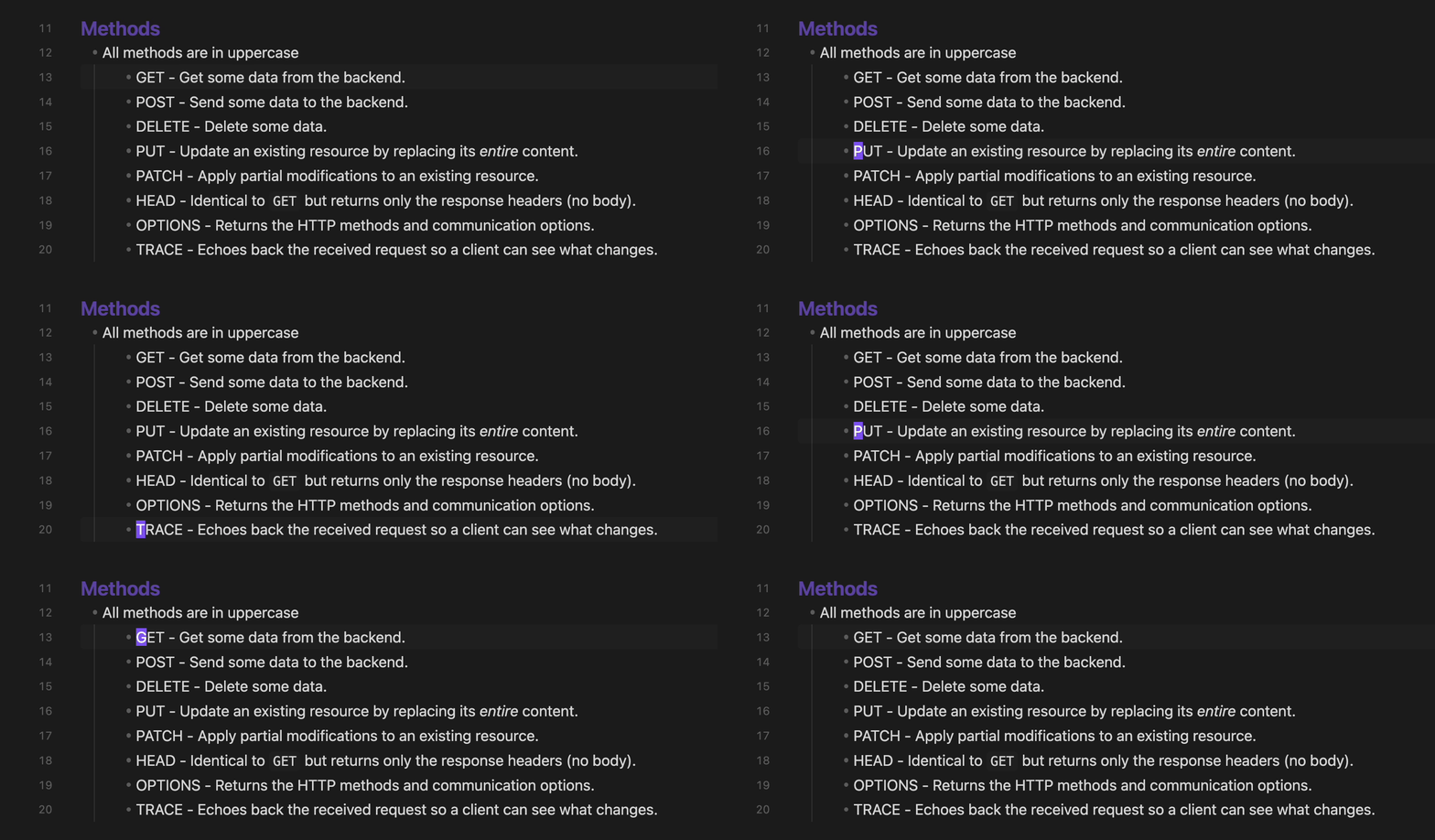
- Absolute - Standard line numbers (1, 2, 3...)
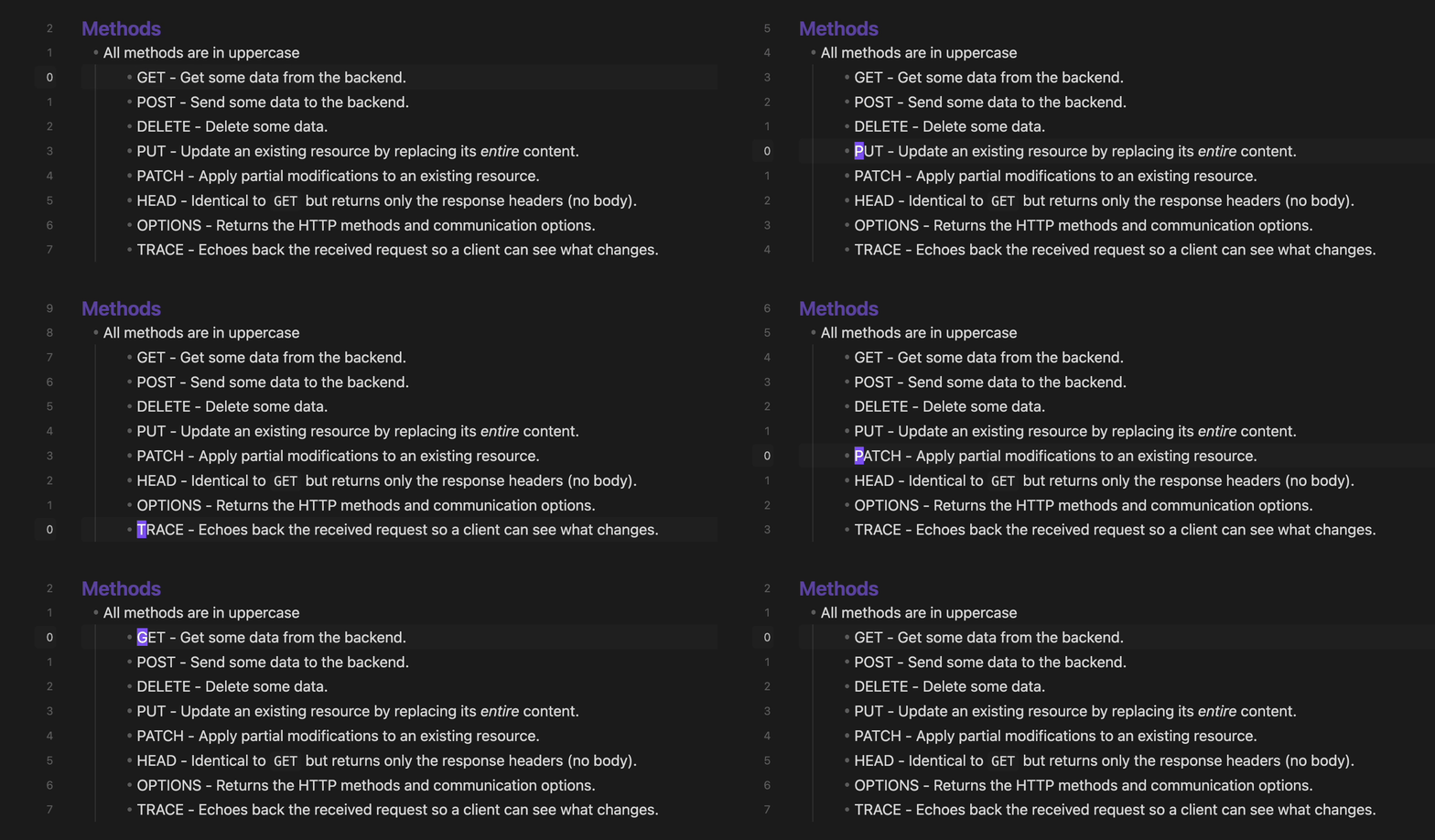
- Relative - Shows distance from current line (useful for vim-style navigation)
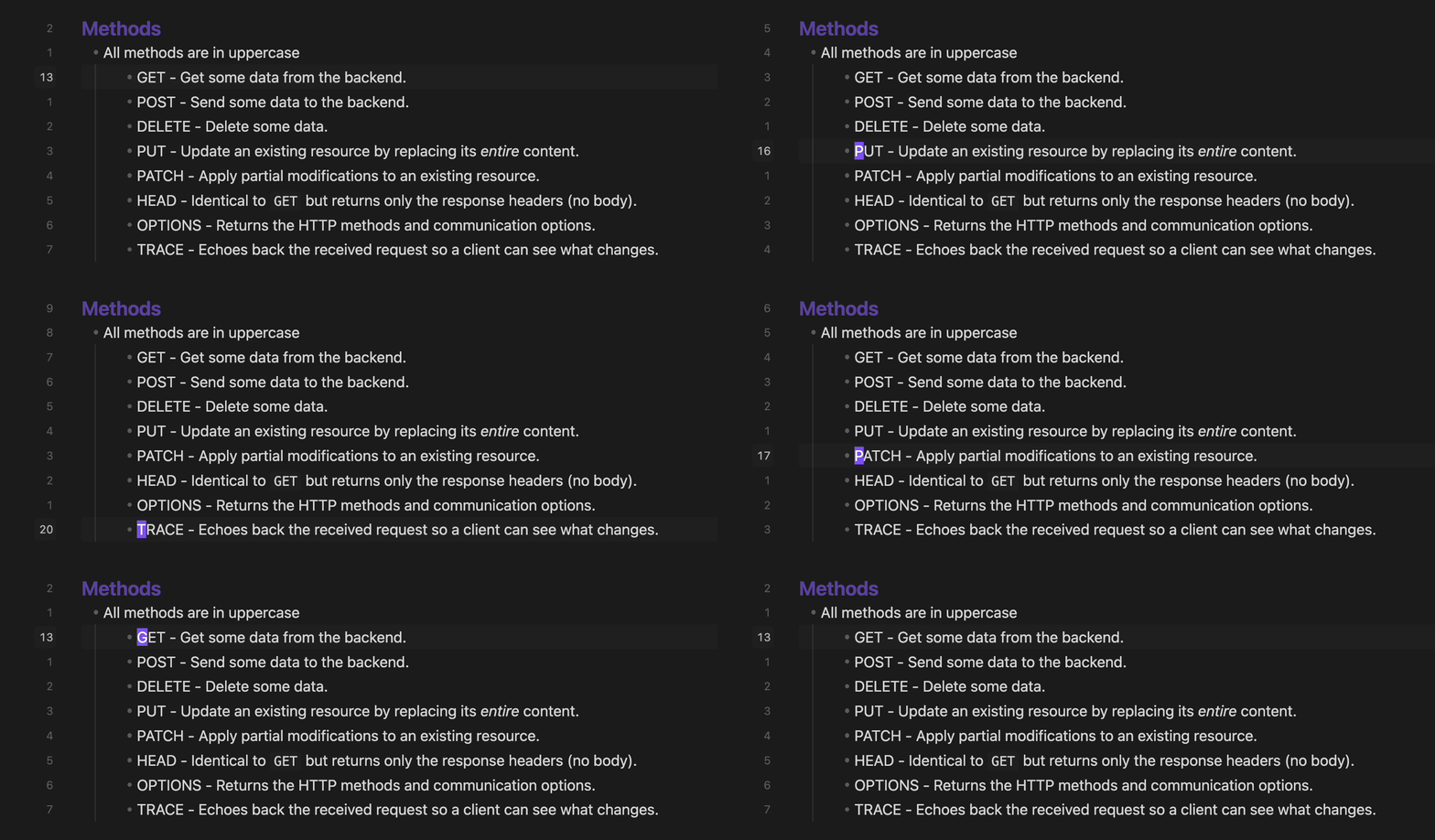
- Hybrid - Combines both: absolute number on current line, relative on others
Active Line Highlighting
- Highlight the active line in the editor
- Highlight the active line in the gutter
- Highlight the active line number with a distinct color
Status Bar
- Displays cursor's position (Ln X, Col Y)
Screenshots
Line Number Modes
Hybrid
 Relative
 Absolute
Cursor's Position In Status Bar

Installation
From Community Plugins
- Open Settings → Community Plugins
- Search for "Advanced Line Numbers"
- Click Install, then Enable
Manual Installation
- Download
main.js,styles.css, andmanifest.jsonfrom the latest release - Create folder:
VaultFolder/.obsidian/plugins/advanced-line-numbers/ - Copy the downloaded files into the folder
- Reload Obsidian and enable the plugin in Settings → Community Plugins
Settings
| Setting | Description |
|---|---|
| Line Number Mode | Choose between Absolute, Relative, or Hybrid |
| Display Cursor's Position | Toggle on and off |
Development
# Install dependencies
npm install

# Build for development (watch mode)
npm run dev

# Build for production
npm run build

# Lint code
npm run lint
Support
License
MIT
For plugin developers
Search results and similarity scores are powered by semantic analysis of your plugin's README. If your plugin isn't appearing for searches you'd expect, try updating your README to clearly describe your plugin's purpose, features, and use cases.