Vim Cursor Column Highlight
pendingby miyatam3551
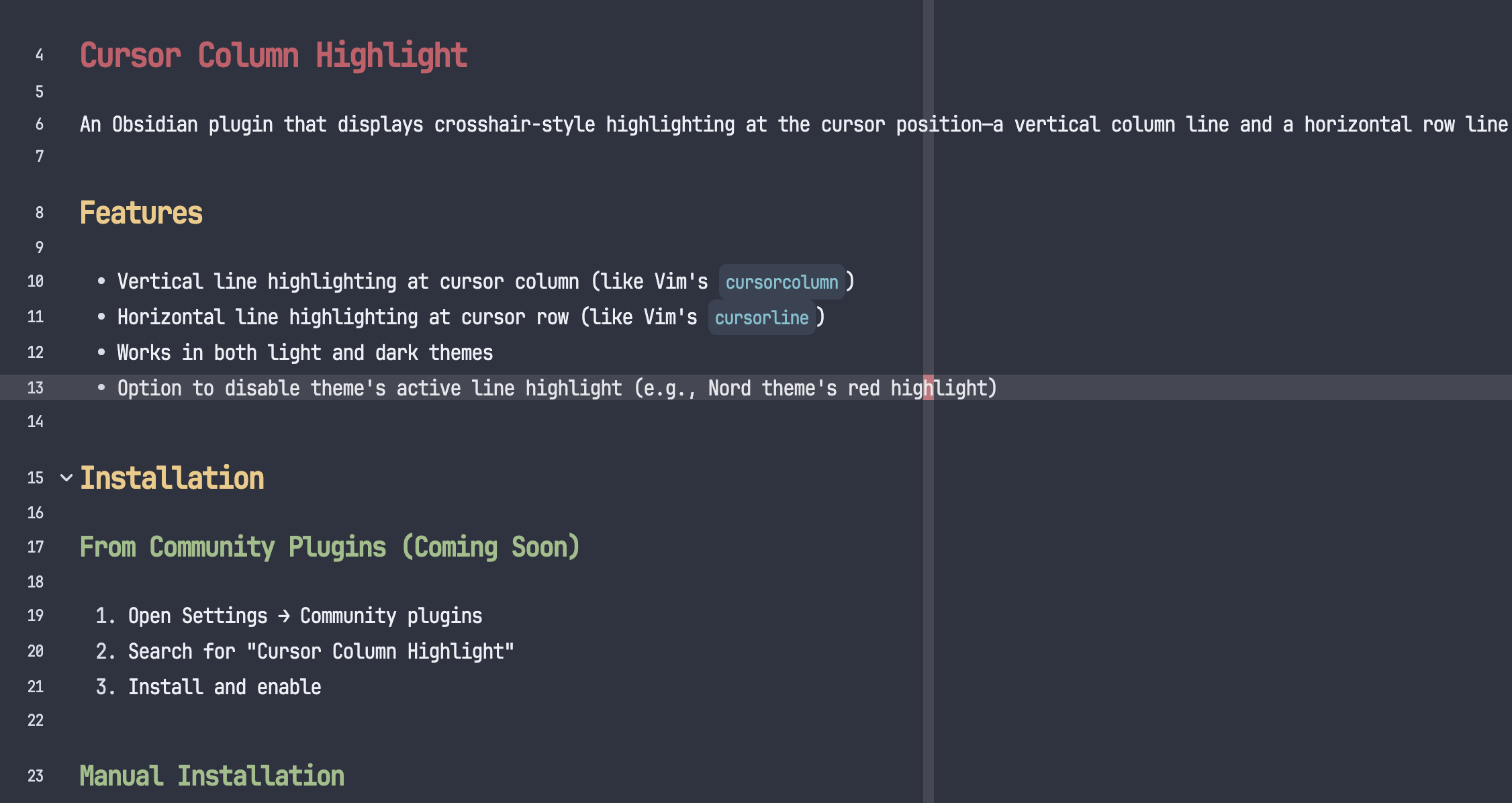
Displays crosshair-style highlighting at cursor position (vertical column + horizontal line)
Vim Cursor Column Highlight
An Obsidian plugin that displays crosshair-style highlighting at the cursor position—a vertical column line and a horizontal row line.
Requirements
- Obsidian's Vim mode enabled (Settings → Editor → Vim key bindings)
- Works in Normal mode only (highlight hides in Insert mode)
Features
- Vertical line highlighting at cursor column (like Vim's
cursorcolumn) - Horizontal line highlighting at cursor row (like Vim's
cursorline) - Works in both light and dark themes
- Option to disable theme's active line highlight (e.g., Nord theme's red highlight)
Installation
From Community Plugins (Coming Soon)
- Open Settings → Community plugins
- Search for "Vim Cursor Column Highlight"
- Install and enable
Manual Installation
- Download
main.jsandmanifest.jsonfrom the latest release - Create folder:
.obsidian/plugins/vim-cursor-column-highlight/ - Place the files in the folder
- Enable the plugin in Settings → Community plugins
Settings
| Option | Description |
|---|---|
| Disable theme's active line highlight | Removes .cm-active background color applied by themes |
License
MIT
For plugin developers
Search results and similarity scores are powered by semantic analysis of your plugin's README. If your plugin isn't appearing for searches you'd expect, try updating your README to clearly describe your plugin's purpose, features, and use cases.