Vim Mode Status
pendingby penyt
Show Vim mode (Normal/Insert/Visual) in the status bar with colors.
Vim Mode Status for Obsidian
A simple Obsidian plugin that displays the current Vim mode in your status bar with customizable colors.
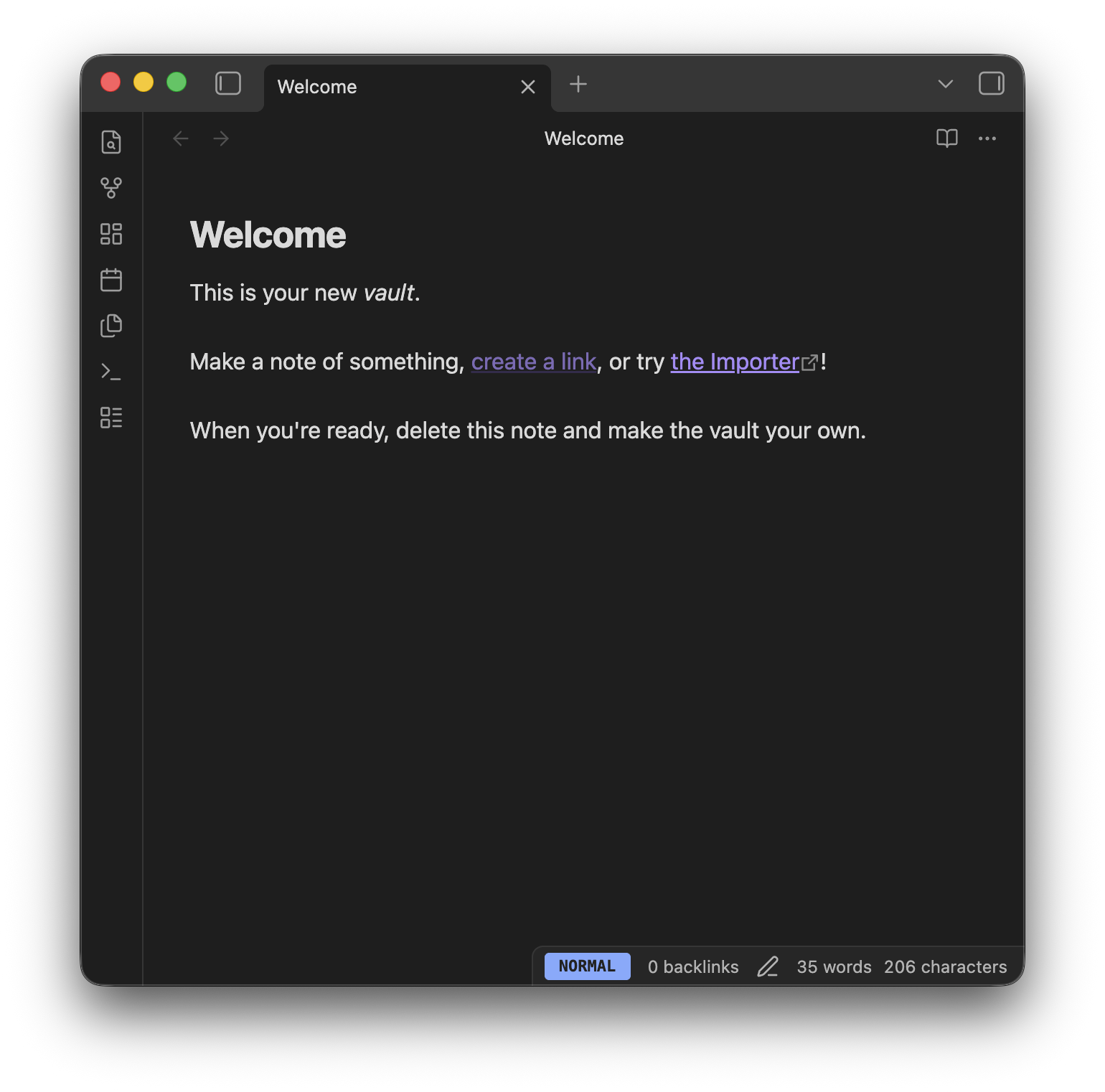 (Example visualization)
Features
- Real-time Status: Shows the current Vim mode (Normal, Insert, Visual, Replace, Command) in the status bar.
- Color Coded: Easily distinguish modes at a glance with customizable background colors for each mode.
- Display Formats: Choose between full text (e.g.,
NORMAL) or abbreviated (e.g.,N) display to save status bar space.
Settings
You can customize the following options in Settings > Vim Mode Status:
| Setting | Description | Default |
|---|---|---|
| Display Format | Choose between Full (NORMAL) or Short (N). | Full |
| Normal Mode Color | Background color for Normal mode. | #82aaff (Blue) |
| Insert Mode Color | Background color for Insert mode. | #c3e88d (Green) |
| Visual Mode Color | Background color for Visual mode. | #ffcb6b (Yellow) |
| Replace Mode Color | Background color for Replace mode. | #993142 (Red) |
| Command Mode Color | Background color for Command mode. | #89ddff (Cyan) |
Installation
From Community Plugins
(Once the plugin is approved)
- Open
Settings>Community plugins. - Turn off
Restricted mode. - Click
Browseand search forVim Mode Status. - Click
Installand thenEnable.
Manual Installation
- Go to the Releases page.
- Download
main.js,manifest.json, andstyles.cssfrom the latest release. - Create a folder named
vim-mode-statusin your vault's plugin folder:<Vault>/.obsidian/plugins/vim-mode-status. - Move the downloaded files into that folder.
- Reload Obsidian and enable the plugin in Settings > Community plugins.
License
Donate
If you find this plugin helpful, please give me a GitHub star ⭐️ or buy me a coffee ☕️ !

For plugin developers
Search results and similarity scores are powered by semantic analysis of your plugin's README. If your plugin isn't appearing for searches you'd expect, try updating your README to clearly describe your plugin's purpose, features, and use cases.