Immich Picker
pendingby Eiko Wagenknecht
Insert images from a self-hosted Immich photo server.
Obsidian Immich Picker
An Obsidian plugin to insert images from a self-hosted Immich photo server. Pick photos from your recent uploads and embed them directly into your notes.
Adapted from obsidian-google-photos for Immich. I created this as an alternative to his Templater script.
Features
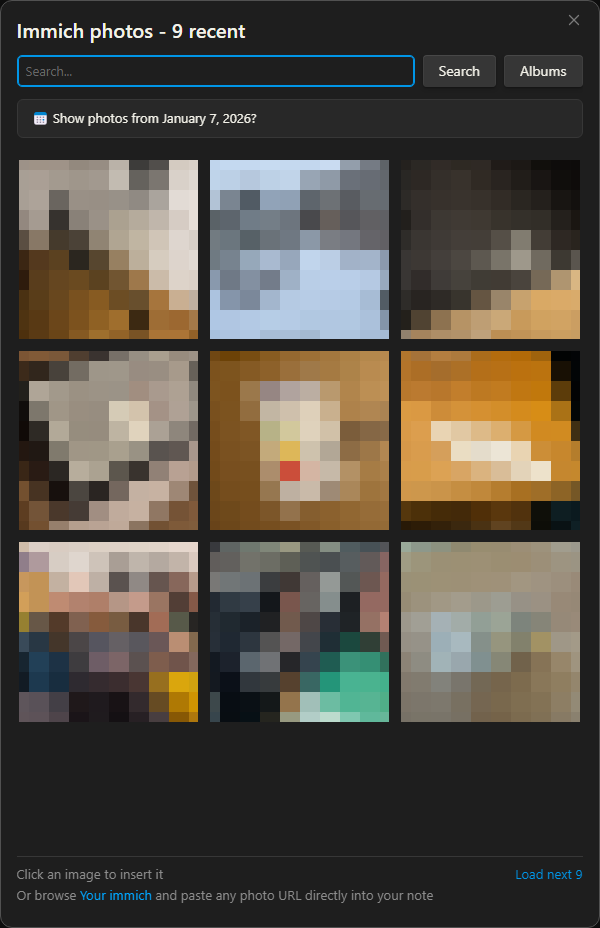
- Photo Picker: Command palette action to browse and select from your recent Immich photos
- Smart Search: Search your photos using Immich's AI-powered CLIP search (e.g., "beach sunset", "birthday party")
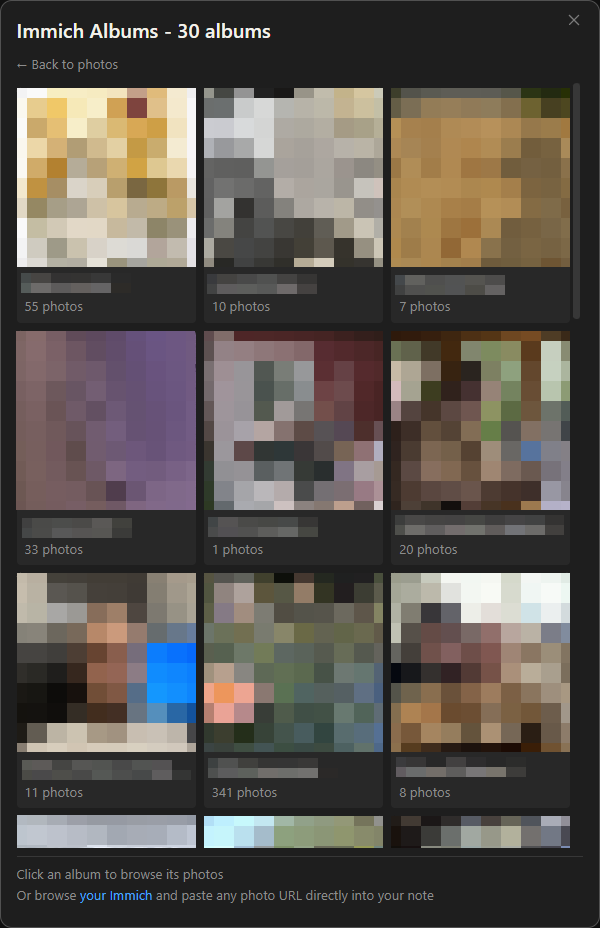
- Album Browsing: Browse your Immich albums, view album contents, and insert single photos or entire albums at once
- Date Filtering: Detect dates from note titles or frontmatter and show photos from that day
- Paste URL Conversion: Automatically converts pasted Immich photo URLs into embedded thumbnails
- Local & Public URLs: Works with both local network URLs (e.g.,
http://nas:2283) and public URLs (e.g.,https://immich.example.com) - Secure: API key is stored in plugin settings only, never embedded in your notes
Requirements
- A self-hosted Immich server
- An Immich API key with the following permissions:
asset.read- for searching photosasset.view- for downloading thumbnailsalbum.read- for browsing albums (optional)
Installation
Note: This plugin is not yet in the official Obsidian community plugin list. A PR has been submitted and is pending review.
Using BRAT (Recommended)
- Install the BRAT plugin if you haven't already
- Open Obsidian Settings → BRAT
- Click "Add Beta plugin"
- Enter:
eikowagenknecht/obsidian-immich-picker - Enable the plugin in Settings → Community Plugins
Manual Installation
- Download
main.js,manifest.json, andstyles.cssfrom the latest release - Create a folder named
immich-pickerin your vault's.obsidian/plugins/directory - Copy the downloaded files into this folder
- Reload Obsidian and enable the plugin in Settings → Community Plugins
Setup
- Open Settings → Immich Picker
- Enter your Immich server URL (e.g.,
https://immich.example.com) - Enter your API key (create one in Immich under Account Settings → API Keys)
- Click "Test Connection" to verify
Usage
Insert Photo via Command
- Open the command palette (Ctrl/Cmd + P)
- Search for "Insert image from Immich"
- Click on a photo to insert it
Browse Albums
- Open the photo picker via command palette
- Click the "Albums" button (requires
album.readpermission) - Browse your albums sorted by most recently updated
- Click an album to view its photos
- Click a photo to insert it, or use "Insert all" to insert the entire album
Filter by Note Date
If your note has a date in its title (e.g., 2024-01-15.md) or frontmatter, the picker will suggest photos from that date:
- Configure date detection in Settings → Note Date Detection
- Open the photo picker on a note with a detectable date
- A banner appears: "📅 Show photos from January 15, 2024?"
- Click the banner to see all photos taken on that day
This is especially useful for daily notes or journal entries.
Paste Immich URL
When you copy a photo URL from Immich (e.g., https://immich.example.com/photos/abc-123) and paste it into your note, the plugin will:
- Detect the Immich URL
- Download the thumbnail from your server
- Save it locally using your configured settings
- Insert the markdown with a clickable thumbnail linking to the original
This can be disabled in settings if you prefer to paste plain URLs.
Settings
| Setting | Description | Default |
|---|---|---|
| Server URL | Your Immich server URL | - |
| API Key | Your Immich API key | - |
| Photos per page | Photos loaded at a time (recent, search, pagination) | 9 |
| Grid columns | Number of columns in the photo grid | 3 |
| Get date from | Where to extract date for filtering (Disabled/Note title/Frontmatter) | Disabled |
| Date format | MomentJS format for parsing dates | YYYY-MM-DD |
| Frontmatter key | Property name containing the date | date |
| Thumbnail width/height | Max dimensions for saved thumbnails | 400x280 |
| Location | Where to save thumbnails | Same folder as note |
| Filename format | MomentJS format for saved files | immich_2024-01-01--23-59-59.jpg |
| Markdown template | Output format for inserted images | []({{immich_url}}) |
| Convert pasted Immich links | Auto-convert pasted URLs to thumbnails | Enabled |
Template Variables
{{local_thumbnail_link}}- Path to the local thumbnail{{immich_url}}- URL to the photo in Immich{{immich_asset_id}}- The Immich asset ID{{original_filename}}- Original filename from Immich{{taken_date}}- Date the photo was taken{{description}}- Photo description from Immich
Development
# Install dependencies
npm install

# Development mode (watch for changes)
npm run dev

# Production build
npm run build

# Lint
npm run lint
Attribution
Based on obsidian-google-photos by Alan Grainger (GPL-3.0).
License
GPL-3.0 - see LICENSE for details.
For plugin developers
Search results and similarity scores are powered by semantic analysis of your plugin's README. If your plugin isn't appearing for searches you'd expect, try updating your README to clearly describe your plugin's purpose, features, and use cases.