Mood MD
pendingby Kapil Krishnakumar
Apple-style mood, workout, and gratitude tracker syncing to Markdown.
Obsidian Mood MD
An Obsidian plugin that mimics the Apple Health/Fitness UI for tracking mental health and gratitude, with all data stored directly in your Markdown daily notes.

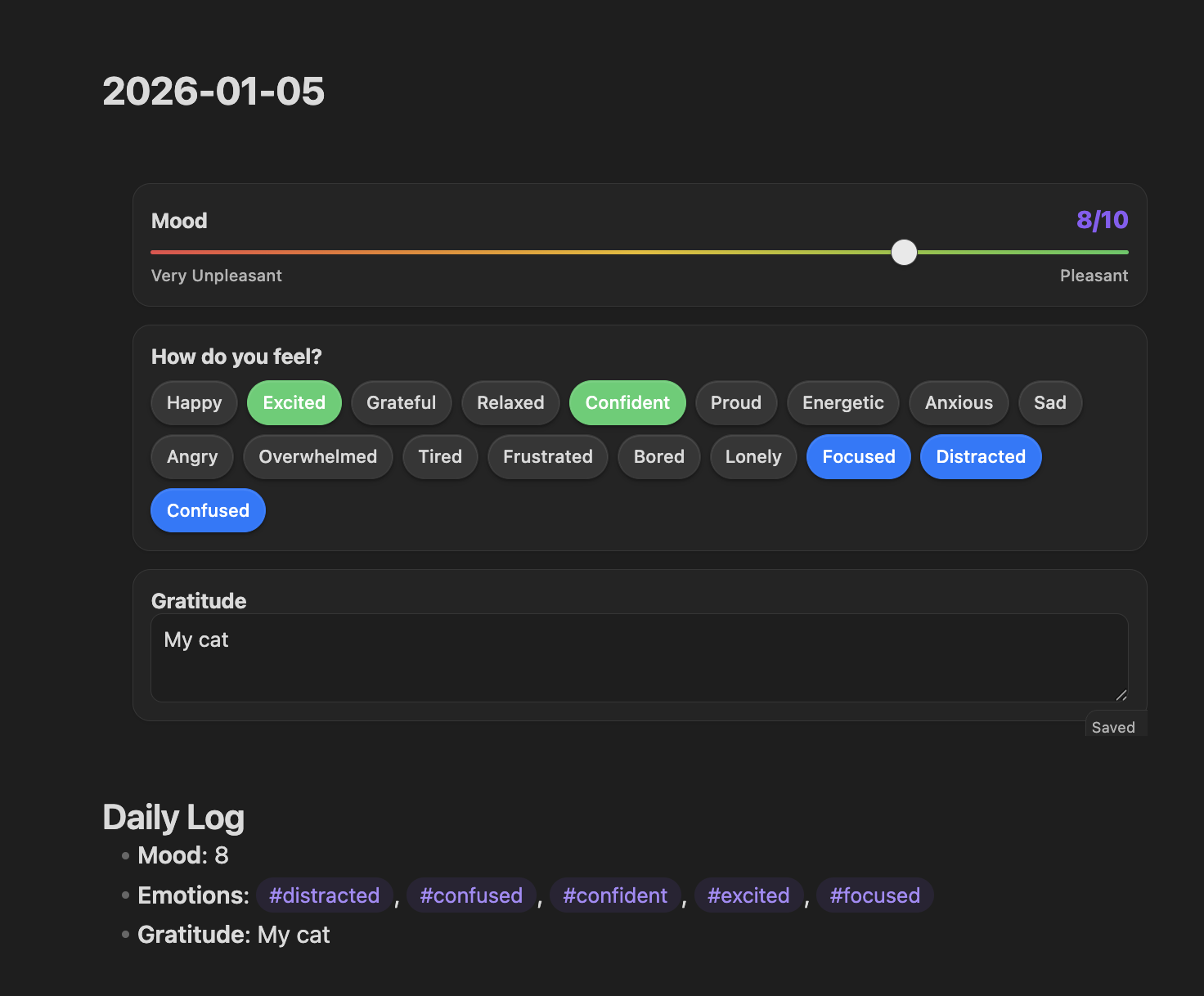
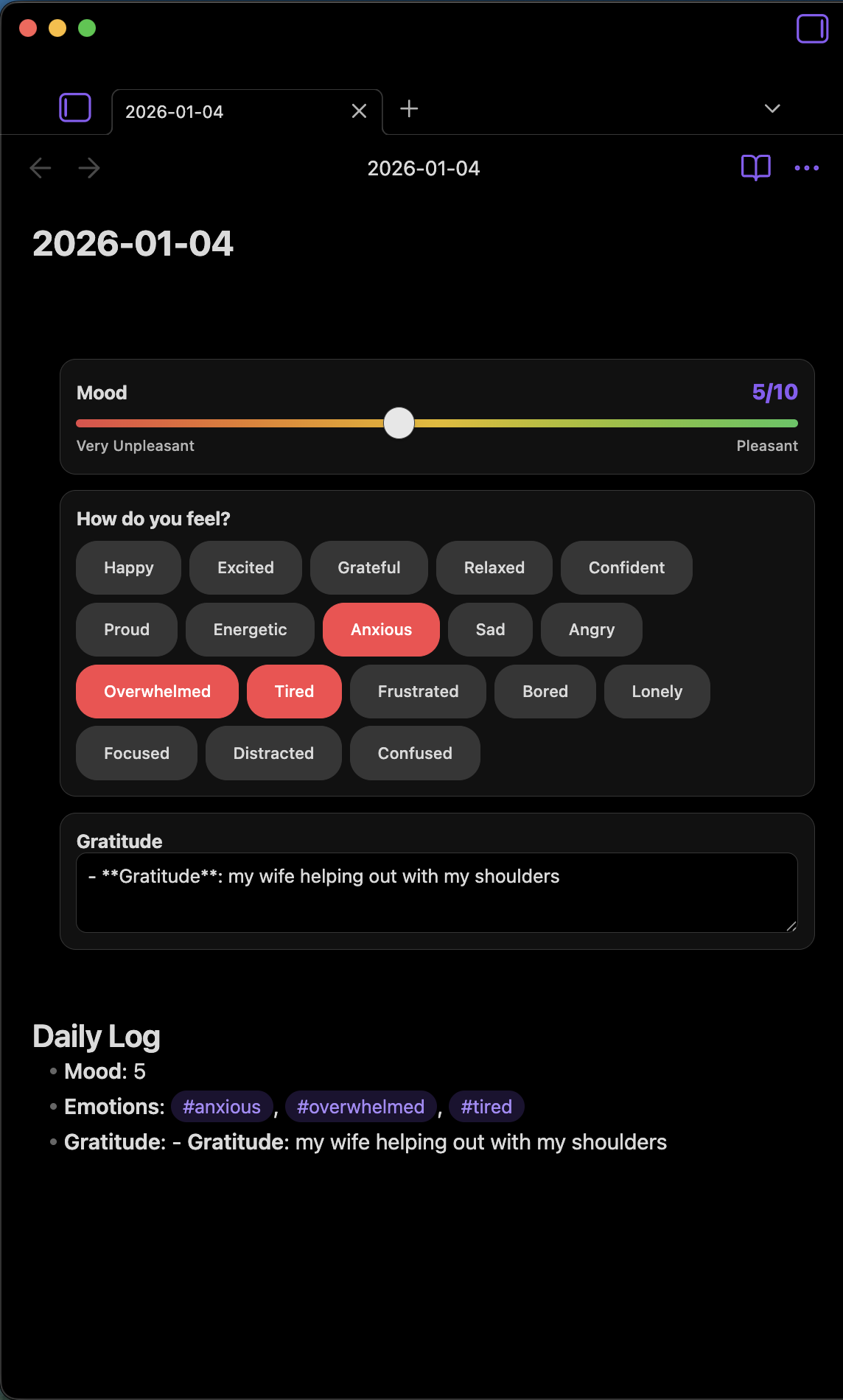
Features
- Apple-Inspired UI: Clean, card-based interface with bold typography and interactive elements.
- Mood Slider: Log your daily mental state with a 1-10 range slider ("Very Unpleasant" to "Pleasant").
- Emotions & Feelings: Categorized selection chips (Positive, Negative, Neutral) to tag your state.
- Gratitude Journal: Dedicated space for daily reflections with randomized prompts.
- In-Note Rendering: Render the tracker directly inside any note using a code block.
- Markdown-Native:
- Data is stored in a human-readable
## Daily Logsection at the bottom of your notes. - Portable and accessible even without the plugin.
- Data is stored in a human-readable
Installation
- Download the latest release (
main.js,manifest.json,styles.css). - Create a folder named
obsidian-mood-mdin your vault's.obsidian/plugins/directory. - Move the downloaded files into that folder.
- Reload Obsidian and enable the plugin in Settings > Community Plugins.
Usage
Inline Tracker
Add the following code block to any note (e.g., your Daily Note template):
```mood-tracker
```
Quick Initialization
Click the Heart Icon in the ribbon to automatically append a mood tracker to the end of the current note.
Settings
Configure your own custom gratitude prompts in Settings > Obsidian Mood MD. The plugin will pick one at random as a placeholder.
Development
Prerequisites
- Node.js and npm installed.
Setup
npm install
Build
To build the plugin and watch for changes:
npm run dev
To create a production build:
npm run build
Testing
To test the plugin in a local vault:
- Initialize a test vault (or use the provided
sample_obsidian_vault). - Create a symbolic link from the plugin directory to the vault's plugins folder:
ln -s /path/to/ObsidianMoodMD /path/to/vault/.obsidian/plugins/obsidian-mood-md - Open the vault in Obsidian and enable the plugin.
- Verify that the
## Daily Logsection updates correctly when interacting with the UI.
License
MIT
For plugin developers
Search results and similarity scores are powered by semantic analysis of your plugin's README. If your plugin isn't appearing for searches you'd expect, try updating your README to clearly describe your plugin's purpose, features, and use cases.