WebLLMate
pendingby Lumos
Embed AI chat Web Homepages.
Obsidian WebLLMate
Embed AI chat Web Homepages in Obsidian.
Introduction ✨
Select text in your notes or PDFs, automatically send it to the LLM web panel in the sidebar to start a conversation, intelligently save responses to Wiki notes, and create bidirectional reference links in the original text.
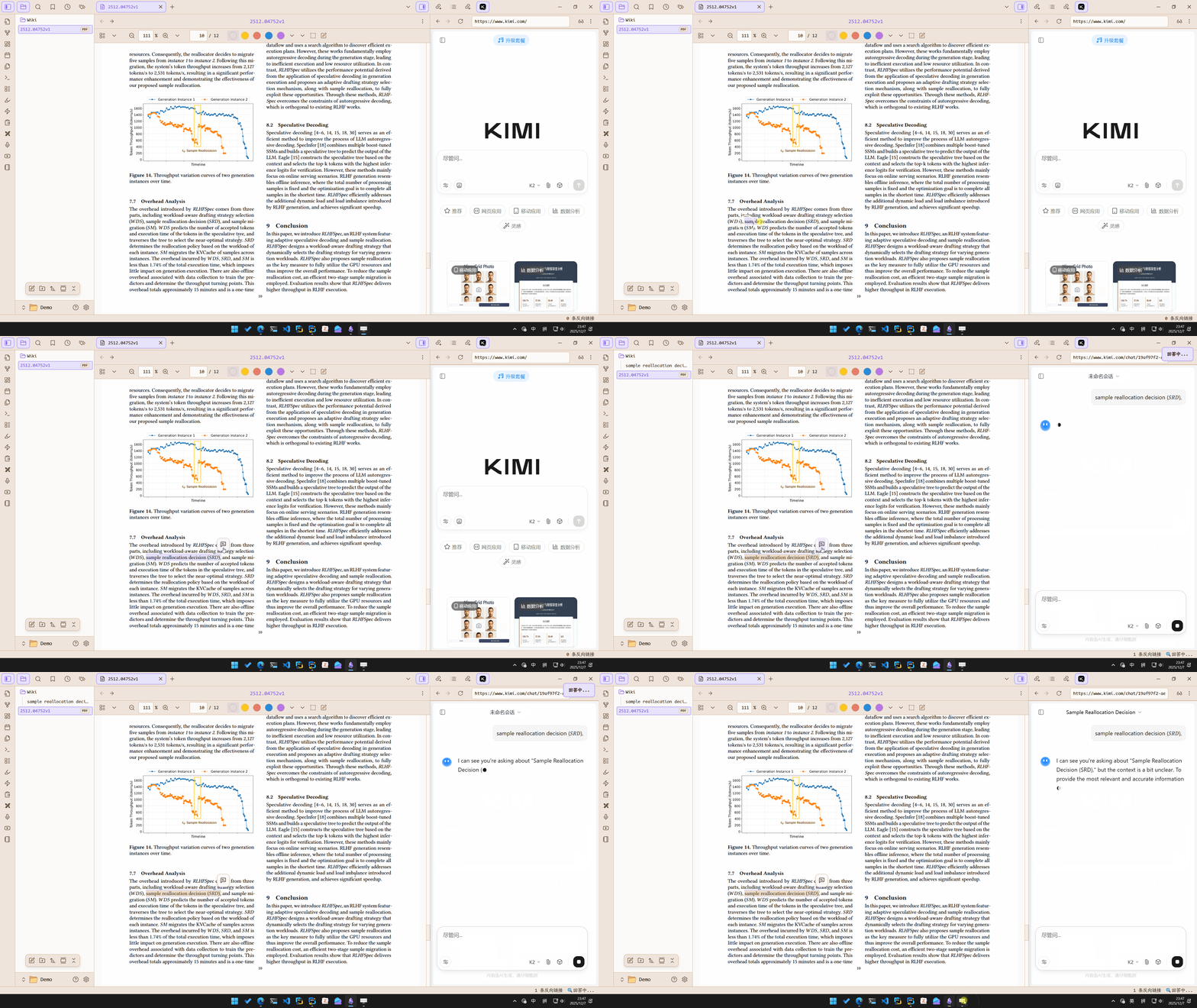
Why I built this: While reading papers and notes, I frequently encountered unfamiliar terms. My previous tedious workflow was:
- Copy the text;
- Open KIMI or similar sites to ask questions;
- Manually copy the answer back to my notes.
This repetitive process was exhausting, so I automated the entire workflow into this plugin.
Key Features 🎯
-
⚡ Quick Query: One-click queries on selected text via hotkeys, context menu, or toolbar button
-
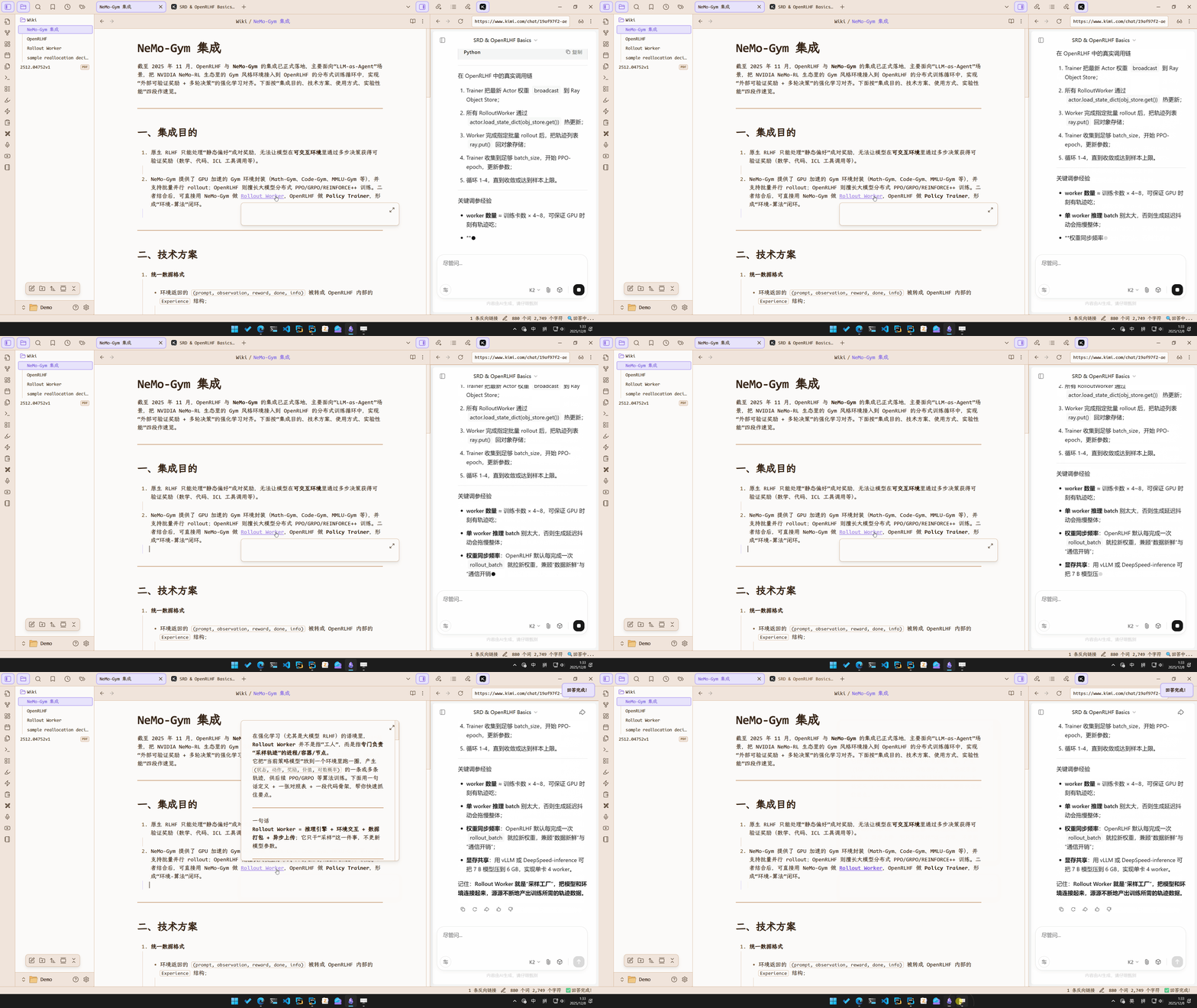
🔗 WIKI References: Auto-generates WIKI notes with bidirectional reference links at the highlighted text after receiving answers
-
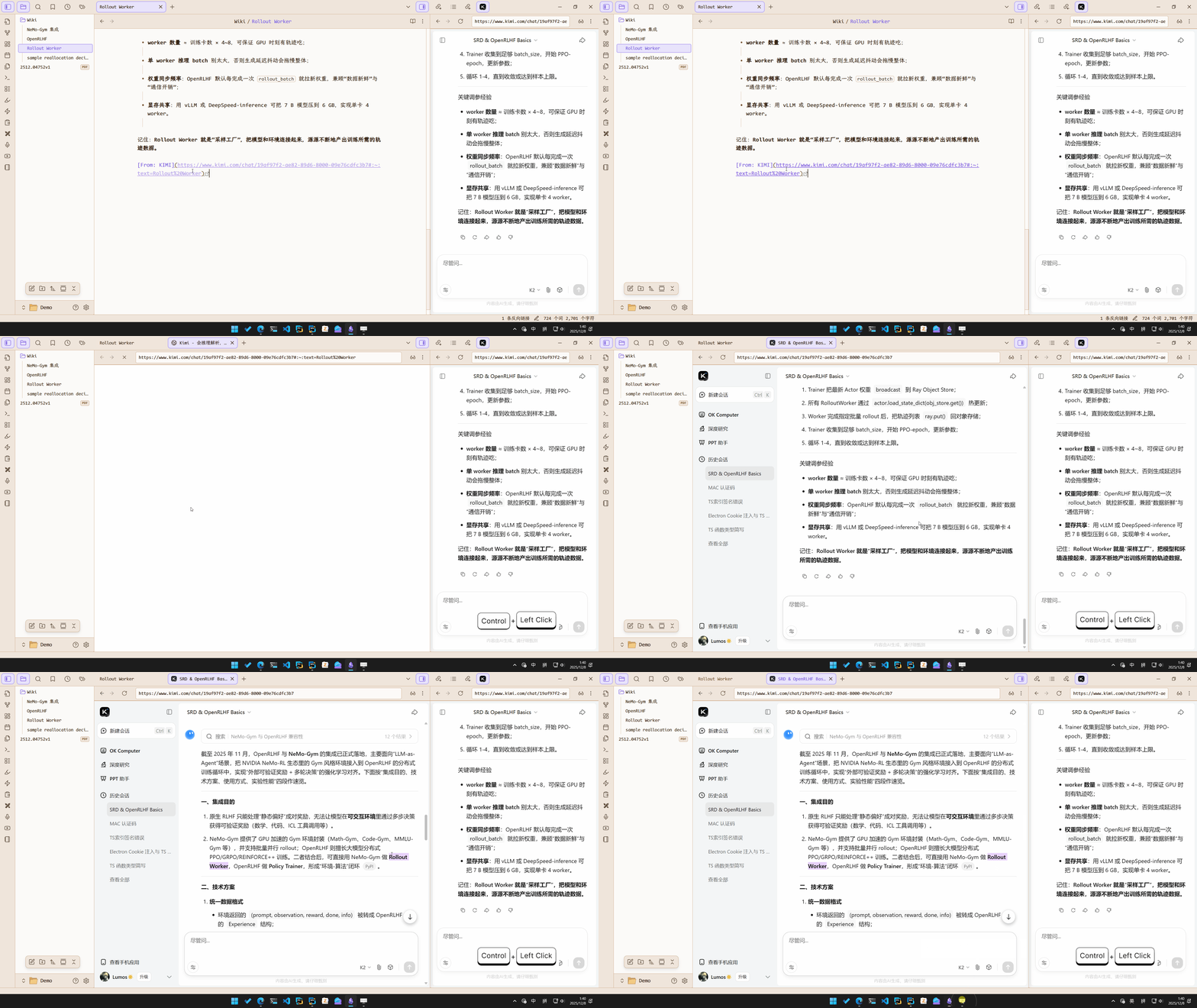
🔄 Traceable Links: Automatically adds the conversation URL to the WIKI for easy source tracing
-
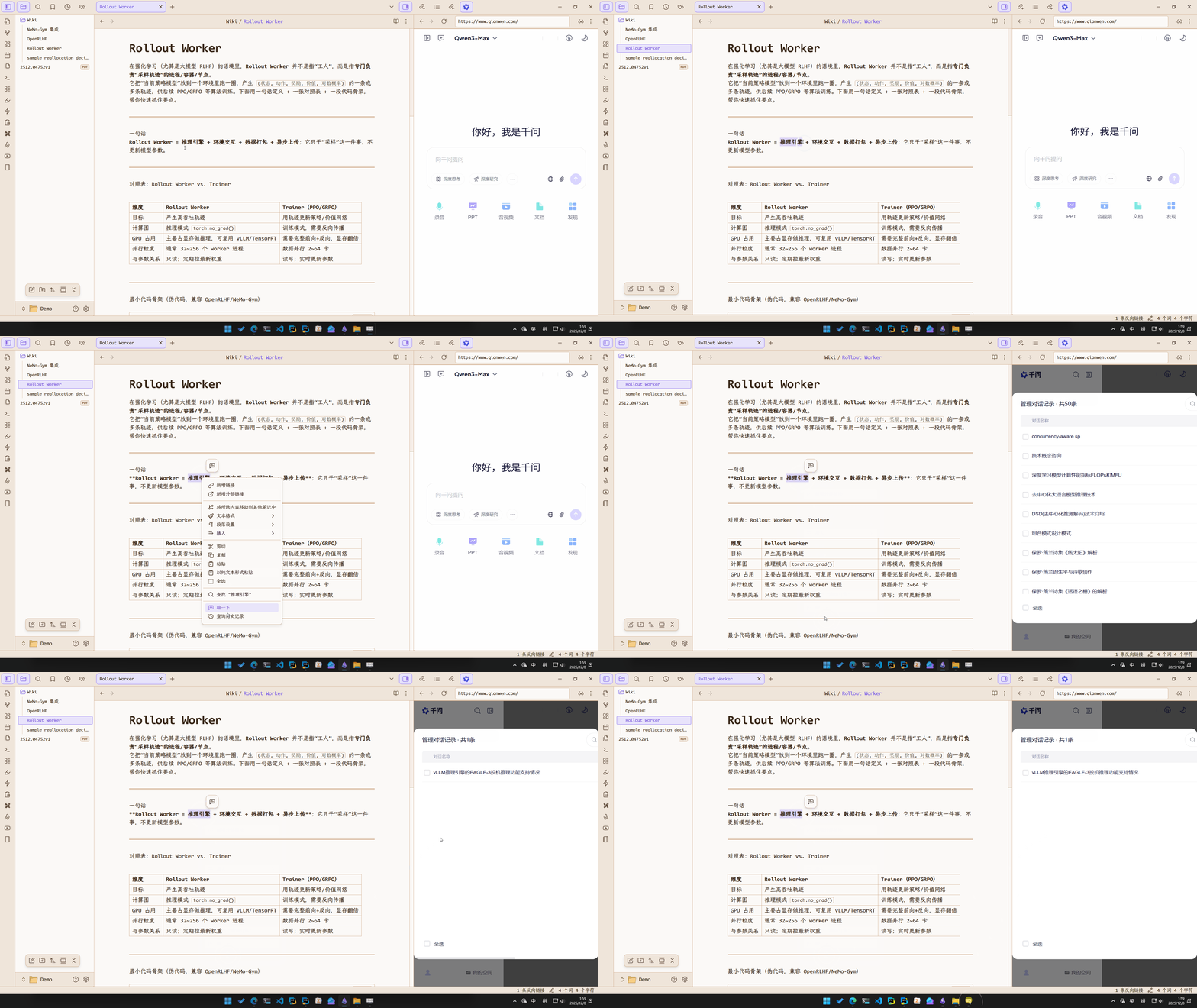
🔍 History Search: Quickly search through conversation history
-
🌐 Multi-Platform Support: Deeply integrated with
KIMI,Qwen,YuanBao,ChatGPTand more -
📄 PDF++ Enhancement: Highly recommended to use with PDF++ for an enhanced experience
Quick Query ⚡
WIKI References 🔗
History Search 🔍
Traceable Links 🔄
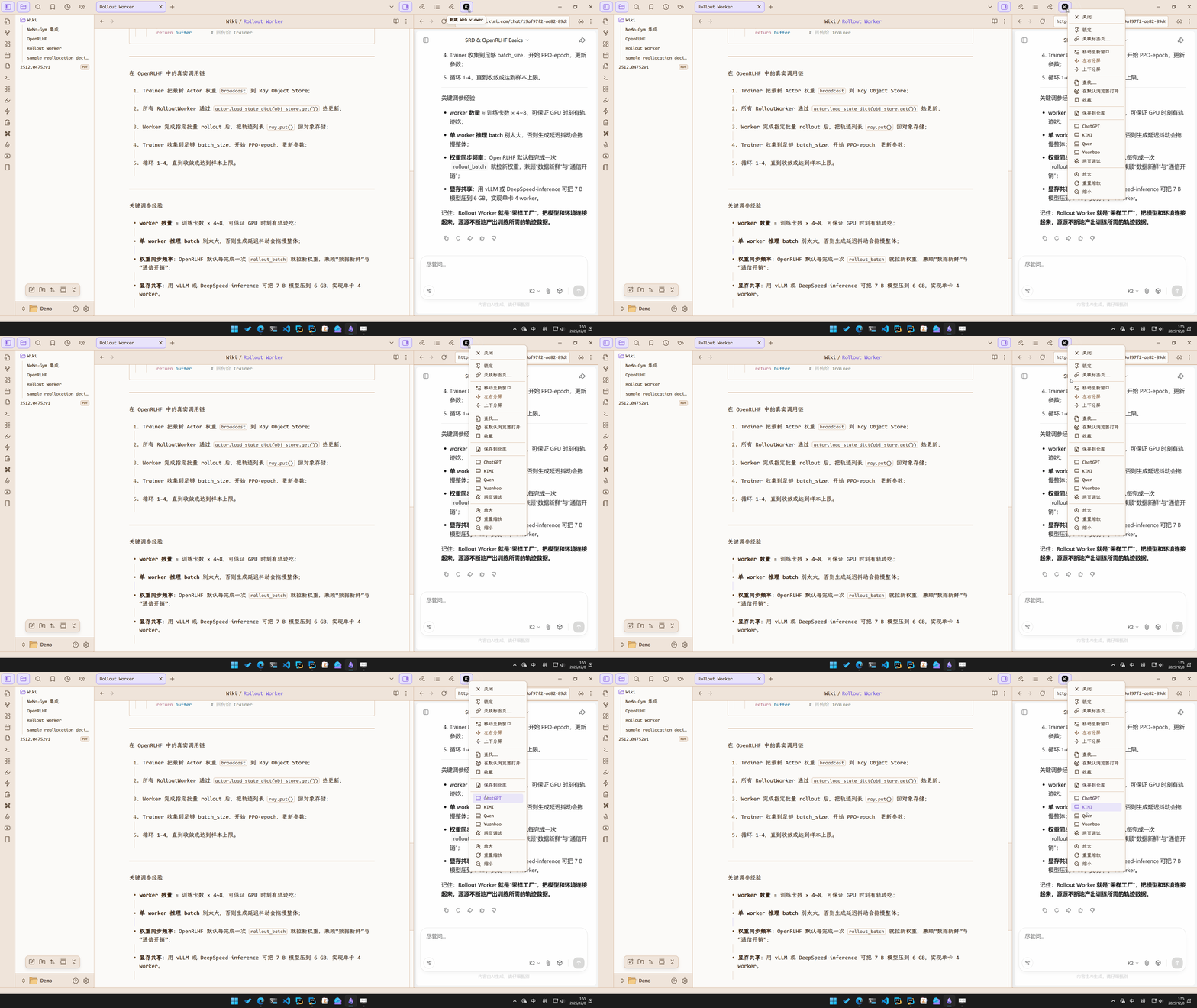
Multi-Platform Support 🌐
PDF++ Enhancement 📄✨
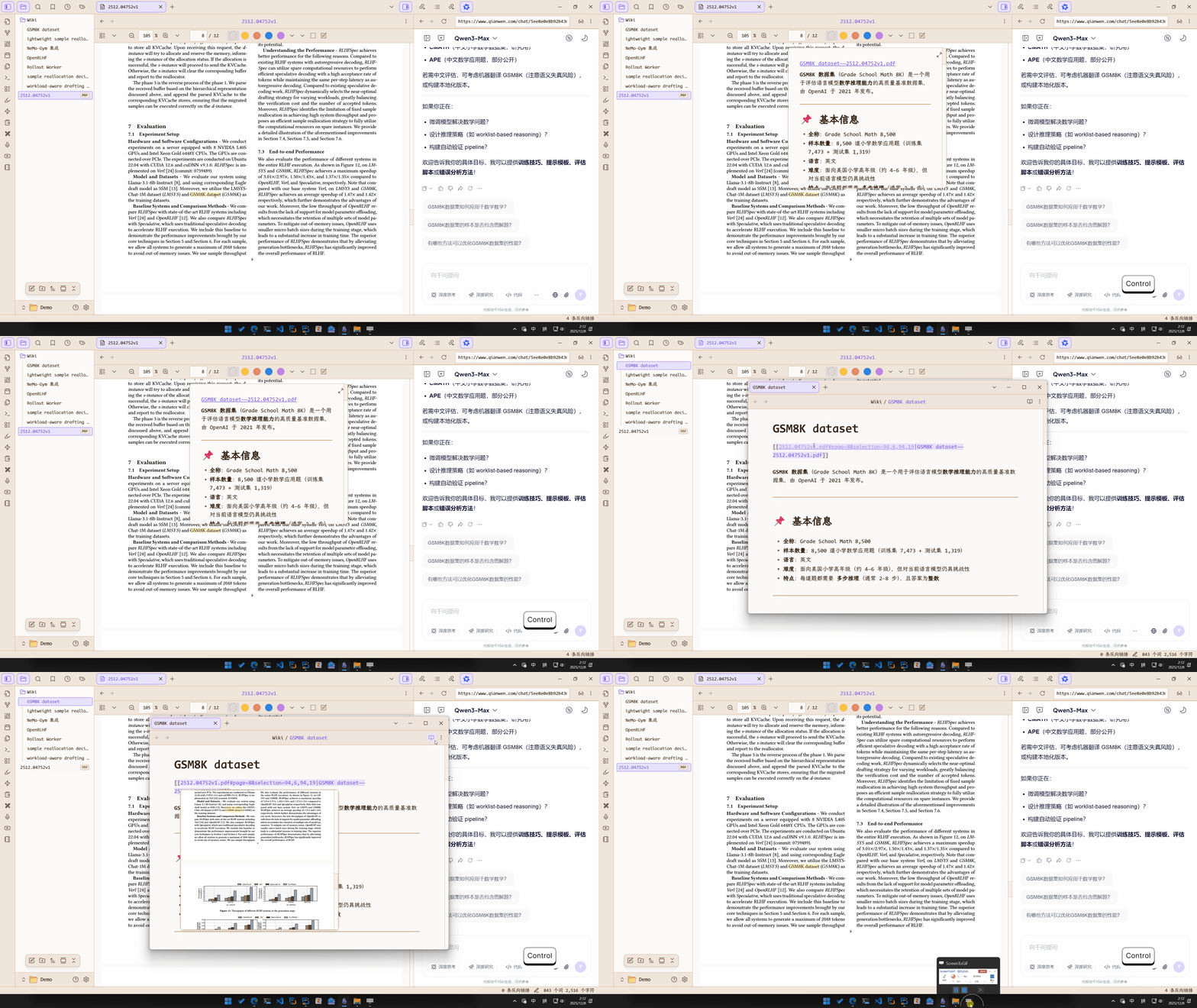
Works with PDF++ to highlight selected text and create bidirectional PDF references
Additional Notes 💡
Plugin Highlights:
-
💰 Zero Cost:
All platforms offer free tiers -
🎨 Beautiful UI:
All platforms have well-designed interfaces -
🌍 Cross-Platform:
Chat history syncs across devices
⚠️ Note: This plugin is designed for light LLM usage. For heavy usage, direct API integration is recommended.
RoadMap 🗺️
-
Support automatic image/file upload for multimodal conversations (multimodal models excel at formula recognition)
-
Build application framework (abstract the workflow as LLM API to implement useful capabilities such as Function Call)
-
......
Adapter Development 🔧
To develop a new adapter, implement the WebLLMAdapter interface from src/types.ts. Inheriting from base classes in src/adapters/bases/ is recommended.
The base class provides an executor: WebExecutor property with a chainable API for convenient DOM manipulation.
Example 🌰:
const html = await this.executor
	.waitFor(selector1)      // Wait for element to appear
	.queryAll(selector2, global=true)  // Query all elements globally
	.at(-1)                     // Get the last element
	.query(selector3)           // Query within the element
	.html()                     // Get innerHTML
	.done();                    // Complete script building and execute
Each chained call doesn't execute immediately but builds a script that runs when
done()is called.
Seesrc/utils/webviewer/WebExecutor.tsfor details.
Support the Project 💝
If this project helps you, consider sponsoring:
-
Afdian: http://afdian.com/a/lumosmoon
-
UniFans: https://app.unifans.io/c/lumosmoon
Acknowledgments 🙏
Thanks to KIMI, Tongyi Qianwen, Tencent Yuanbao, ChatGPT and other platforms for their excellent services. This plugin is built upon their web interfaces.
For plugin developers
Search results and similarity scores are powered by semantic analysis of your plugin's README. If your plugin isn't appearing for searches you'd expect, try updating your README to clearly describe your plugin's purpose, features, and use cases.