Plugins Limitter
pendingby Arthur Kh
Limits the number of installed plugins based on your vault file count to keep you focused.
Plugins Limitter (for Obsidian)
A minimalist Obsidian plugin designed to help you stay focused on writing and creating content, rather than constantly tinkering with new plugins.
Motivation
Obsidian is an incredibly powerful tool with a vibrant community plugin ecosystem. However, it's very easy to fall into the trap of "productivity procrastination" — endlessly browsing, installing, and configuring plugins instead of actually thinking and writing.
The Plugins Limitter gently enforces a limit on the number of community plugins you can install. It gamifies your plugin usage: to earn the right to install another tool, you first have to produce more notes!
How It Works
The plugin tracks the total number of files in your Obsidian Vault and determines your maximum plugin allowance based on that number. If you reach your limit, the "Browse" button in the Community Plugins settings and the "Install" button in the plugin browser will be temporarily disabled until you create more files.
When you reach the limit, the disabled buttons will display the tooltip:
"You've reached the productive number of plugins, use Obsidian more to unlock the ability to install more plugins."
The Math Inside 🧮
Your plugin limit is calculated using the following straightforward formula:
Maximum Plugins = 5 + Math.floor(Total Files / 10)
- Base Limit: Everyone starts with a minimum allowance of 5 community plugins, regardless of vault size.
- Scaling Limit: For every 10 additional files in your vault, your maximum allowed plugin count increases by 1.
Example:
- 0 to 9 files: 5 plugins allowed
- 10 to 19 files: 6 plugins allowed
- 50 to 59 files: 10 plugins allowed
- 100 to 109 files: 15 plugins allowed
Installation
Manual Installation (Local Testing)
- Download the latest release from the Releases page (if available), or build it from source.
- In your Obsidian vault, navigate to
.obsidian/plugins/. - Create a new folder named
obsidian-plugins-limitter. - Copy the
main.jsandmanifest.jsonfiles into this folder. - Restart Obsidian or reload your plugins.
- Go to Settings → Community plugins and enable "Obsidian Plugins Limitter".
Building from Source
- Clone this repository to your local machine.
- Open a terminal in the cloned directory.
- Run
npm installto install dependencies. - Run
npm run buildto compile the plugin. - Copy the generated
main.jsandmanifest.jsonto your vault's.obsidian/plugins/obsidian-plugins-limitter/directory.
Usage
Once installed and enabled, the plugin works entirely in the background.
- Just use Obsidian normally!
- When you attempt to browse or install new community plugins in your Settings, the plugin will check your file count vs. your installed plugin count.
- If you are under the limit, you can install plugins as usual.
- If you have hit the ceiling, the install buttons will grey out, prompting you to go write more notes!
Screenshots
Dashboard in the settings
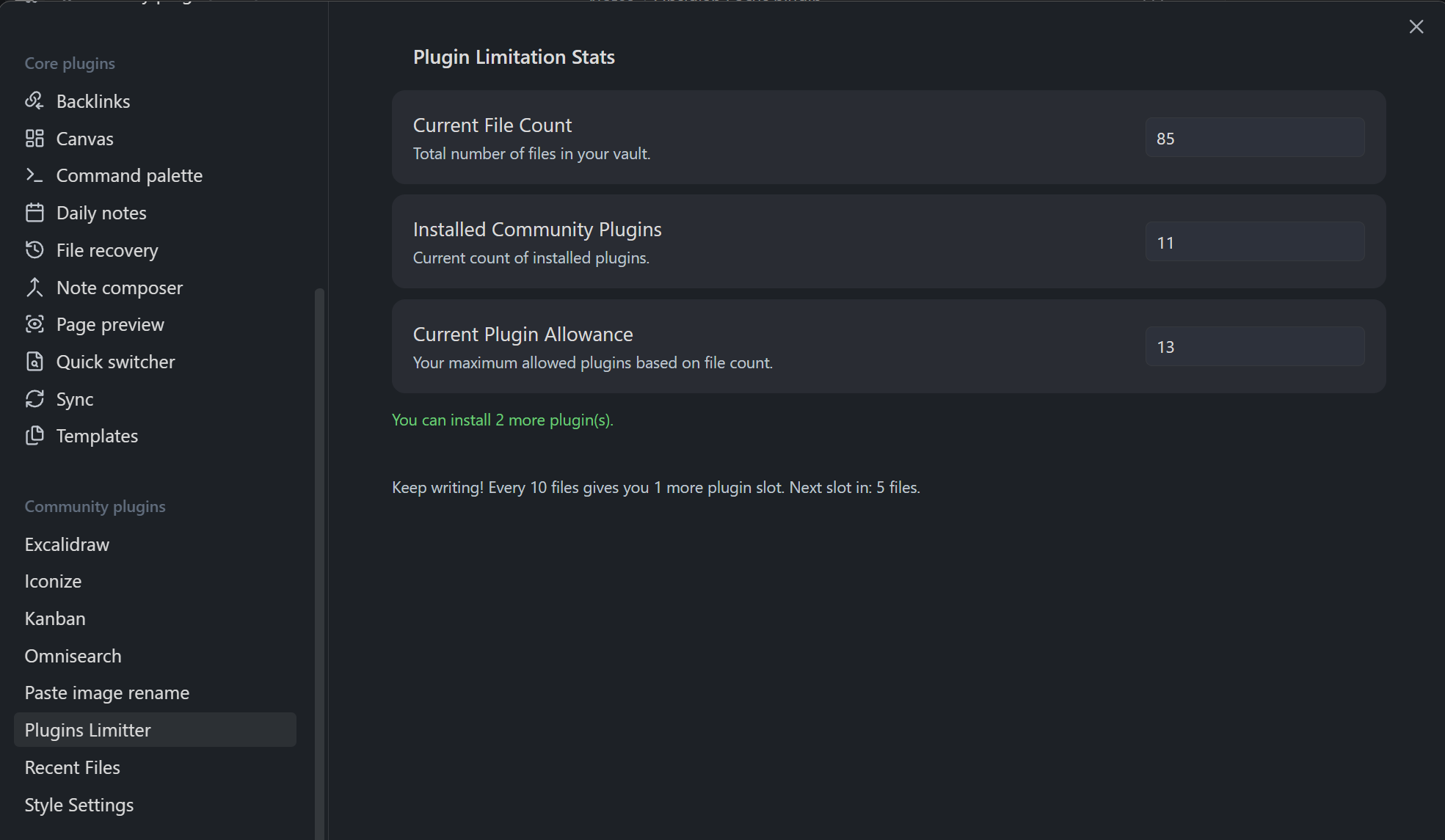
The blocking message

License
MIT
For plugin developers
Search results and similarity scores are powered by semantic analysis of your plugin's README. If your plugin isn't appearing for searches you'd expect, try updating your README to clearly describe your plugin's purpose, features, and use cases.