Quick Actions
pendingby Matias Varnum
Configurable quick actions for common vault operations. Build custom commands from composable steps.
Quick Actions
Configurable quick actions for common vault operations. Build custom commands from composable steps.
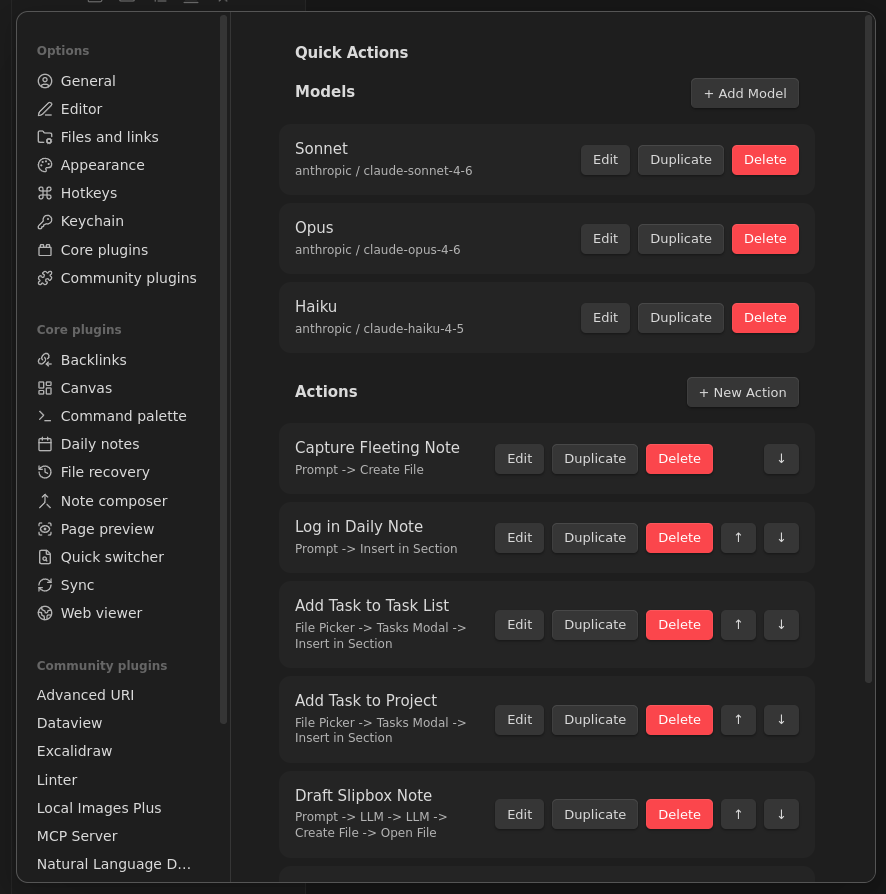
Features
- Composable step pipelines - chain multiple steps into a single command
- Template variables - use
{{date}},{{time}},{{timestamp}}, and step output variables in any field - LLM integration - call Anthropic or OpenAI models as pipeline steps, with output available to downstream steps
- Multiple named models - configure several LLM models and choose per-step which to use
- File creation and editing - create new files or insert content into specific sections of existing files
- Interactive inputs - prompt the user for text, pick files from folders, or present choice menus
- Auto-registered commands - every action becomes an Obsidian command, accessible via the command palette or hotkeys
- Mobile support - works on both desktop and mobile
Step Types
| Step | Description |
|---|---|
| Prompt | Ask the user for text input (single-line or multi-line) |
| File Picker | Let the user pick a markdown file from a folder |
| Tasks Modal | Open the Tasks plugin modal to create a task line (requires Tasks plugin) |
| Insert in Section | Append or prepend text to a heading section in a file |
| Create File | Create a new markdown file with templated content |
| Choice | Present a list of options for the user to pick from |
| Open File | Open a file in the editor, optionally scrolling to a section |
| LLM | Send a prompt to an LLM and store the response in a variable |
Template Variables
All text fields (file paths, content, prompts) support {{variable}} substitution.
Built-in variables (available in every step):
| Variable | Value |
|---|---|
{{date}} | Current date as YYYY-MM-DD |
{{time}} | Current time as HH:mm |
{{timestamp}} | Current timestamp as YYYYMMDDHHmmss |
Step variables - each input step (Prompt, File Picker, Tasks Modal, Choice, LLM) stores its result in a named variable that downstream steps can reference. For example, a Prompt step with variable idea makes {{idea}} available to all subsequent steps.
LLM Integration
Quick Actions can call LLM APIs as pipeline steps, letting you build AI-assisted workflows entirely within Obsidian.
Setting Up Models
- Go to Settings > Quick Actions > Models and click + Add Model
- Choose a Provider (Anthropic or OpenAI)
- Enter the Model ID (e.g.,
claude-sonnet-4-6,gpt-4o) - Set an API Key Secret ID - this references a secret stored in Obsidian's built-in Keychain (Settings > Keychain)
You can configure multiple models (e.g., a fast model for classification, a capable model for drafting) and select which model each LLM step uses.
Supported Providers
| Provider | API | Auth Header |
|---|---|---|
| Anthropic | Messages API (/v1/messages) | x-api-key |
| OpenAI | Chat Completions API (/v1/chat/completions) | Authorization: Bearer |
Using LLM Steps
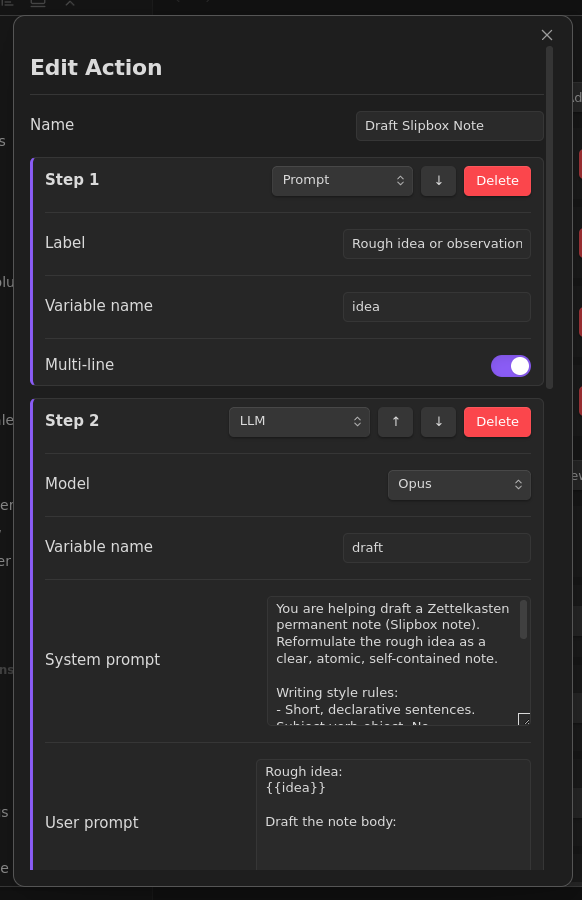
Each LLM step has:
- Model - which configured model to use (defaults to the first model if unset)
- System prompt - sets the LLM's behavior and instructions
- User prompt - the input to the LLM, typically containing
{{variables}}from prior steps - Variable name - where to store the LLM's response for downstream steps
LLM steps can be chained: one step drafts content, another generates a title, a third classifies it - all feeding into a final Create File step.
Examples
Capture Fleeting Note
A two-step action: prompt for a thought, then create a timestamped file in the Inbox.
| Step | Type | Details |
|---|---|---|
| 1 | Prompt | Label: "Fleeting thought:", multi-line, variable: thought |
| 2 | Create File | Path: Inbox/F-{{timestamp}}, content includes {{thought}} |
Log in Daily Note
Append a timestamped entry to today's daily note, creating it from a template if it doesn't exist.
| Step | Type | Details |
|---|---|---|
| 1 | Prompt | Label: "Entry:", variable: entry |
| 2 | Insert in Section | Target: Journal/Daily/D-{{date}}, section: ## Log, format: ({{time}}) {{entry}}, create if missing from template |
Draft Slipbox Note (LLM-powered)
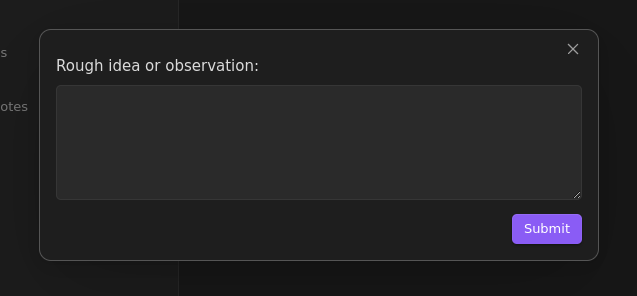
A five-step action that takes a rough idea, uses an LLM to draft a polished note body and generate a title, creates the file, and opens it.
| Step | Type | Details |
|---|---|---|
| 1 | Prompt | "Rough idea or observation:", multi-line, variable: idea |
| 2 | LLM (Opus) | Drafts the note body from {{idea}}, variable: draft |
| 3 | LLM (Haiku) | Generates a short title from {{draft}} and {{idea}}, variable: title |
| 4 | Create File | Path: Slipbox/{{timestamp}} - {{title}}, content uses {{title}}, {{draft}}, {{idea}} |
| 5 | Open File | Opens the newly created note |
Installation
Manual
git clone https://github.com/matiasvc/obsidian-quick-actions.git
cd obsidian-quick-actions
npm install
npm run build
Then copy main.js, manifest.json, and styles.css to your vault's .obsidian/plugins/obsidian-quick-actions/ directory and enable the plugin in Settings > Community plugins.
Community Plugin
Search for "Quick Actions" in Settings > Community plugins > Browse (when available).
License
MIT
For plugin developers
Search results and similarity scores are powered by semantic analysis of your plugin's README. If your plugin isn't appearing for searches you'd expect, try updating your README to clearly describe your plugin's purpose, features, and use cases.