Project Pulse
pendingby Mohamed Fawzy
Score projects across custom dimensions and visualize trade-offs with radar charts.
Project Pulse
Score your projects across custom dimensions (1–5) and visualize trade-offs — right inside Obsidian.
Inspired by The Staff Engineer's Path by Tanya Reilly, but generalized for anyone who juggles multiple projects.

Features
- Scoring modal —
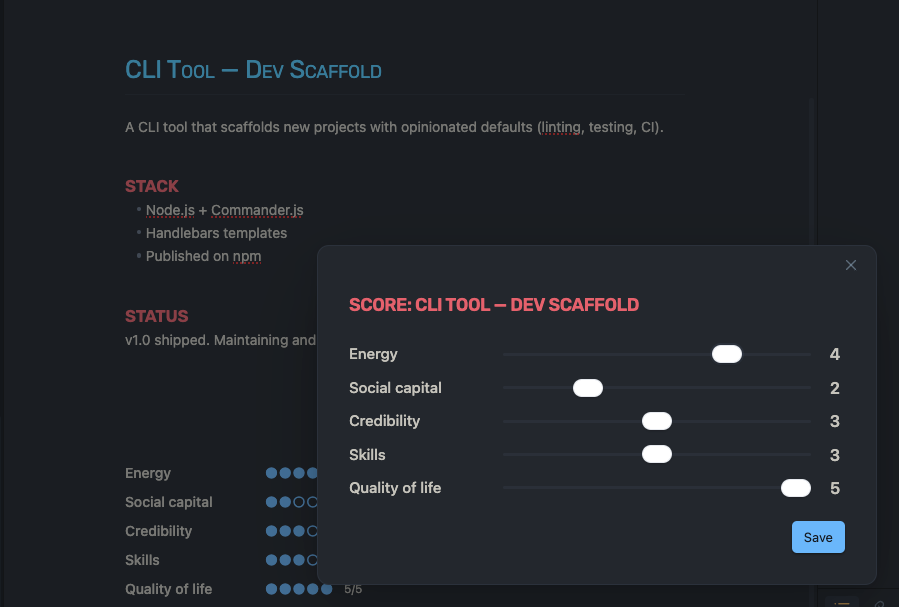
Cmd/Ctrl+P→ "Score this project" → rate each dimension with sliders (1–5). Scores save to YAML frontmatter. - Dashboard sidebar — Sortable table of all scored projects with dot scores (
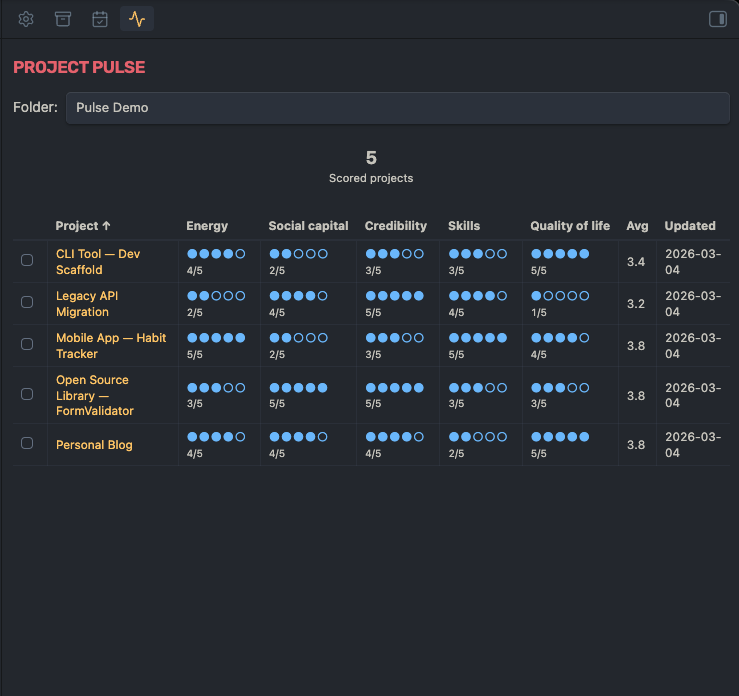
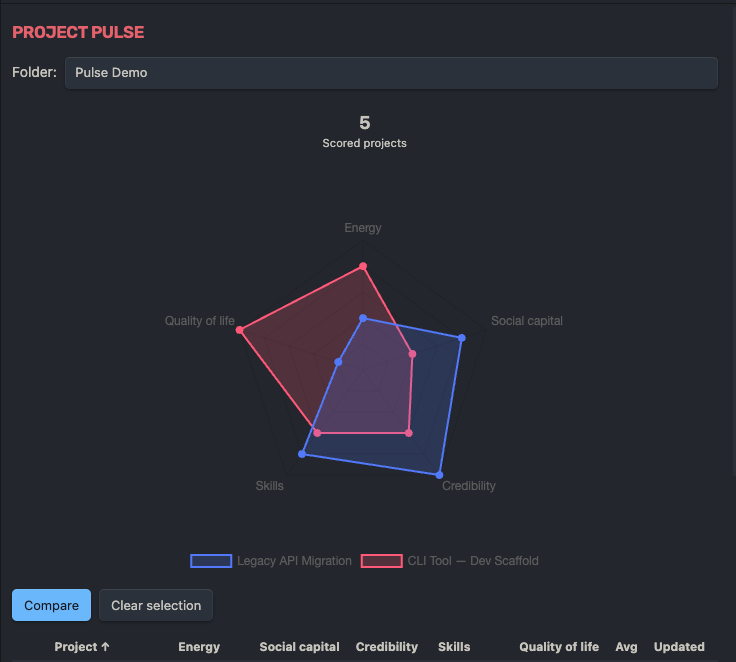
●●●●○ 4/5), summary cards, and folder filtering. - Radar chart comparison — Select 2–3 projects in the dashboard to overlay their scores on a radar chart.
- In-note scorecard — Add a
```pulsecode block to any scored note to display its scores inline. - 6 built-in presets — Default, Software Engineer, Freelancer, Student, Creator, Manager — or define fully custom dimensions.
- Frontmatter-based — All data lives in your notes as standard YAML. No external database, no lock-in.
Installation
Manual
- Download
main.js,manifest.json, andstyles.cssfrom the latest release. - Create a folder
project-pulseinside your vault's.obsidian/plugins/directory. - Copy the three files into that folder.
- Open Obsidian → Settings → Community plugins → Enable "Project Pulse".
Usage
Score a project
- Open any markdown note.
Cmd/Ctrl+P→ "Project Pulse: Score this project".- Adjust the sliders for each dimension, then click Save.
Your scores are stored in the note's frontmatter:
pulse:
  preset: default
  scores:
    energy: 4
    impact: 5
    learning: 2
    enjoyment: 3
    growth: 4
  last_updated: 2026-03-03
Dashboard
Open via Cmd/Ctrl+P → "Project Pulse: Open dashboard" or click the activity icon in the ribbon.
- Sort by any column (click headers)
- Filter by folder
- Check 2–3 projects to compare them on a radar chart
In-note scorecard
Add this code block to any scored note:
```pulse
```
It renders a vertical scorecard with dot indicators for each dimension.
Configuration
Go to Settings → Project Pulse:
- Preset — Choose from Default, Software Engineer, Freelancer, Student, Creator, Manager, or Custom.
- Custom dimensions — Define your own dimensions when "Custom" is selected.
- Target folders — Limit the dashboard to specific folders (comma-separated). Leave empty to scan all.
Support
If you find this plugin useful, consider supporting its development:

License
For plugin developers
Search results and similarity scores are powered by semantic analysis of your plugin's README. If your plugin isn't appearing for searches you'd expect, try updating your README to clearly describe your plugin's purpose, features, and use cases.