Image Cluster
pendingby tcyeee
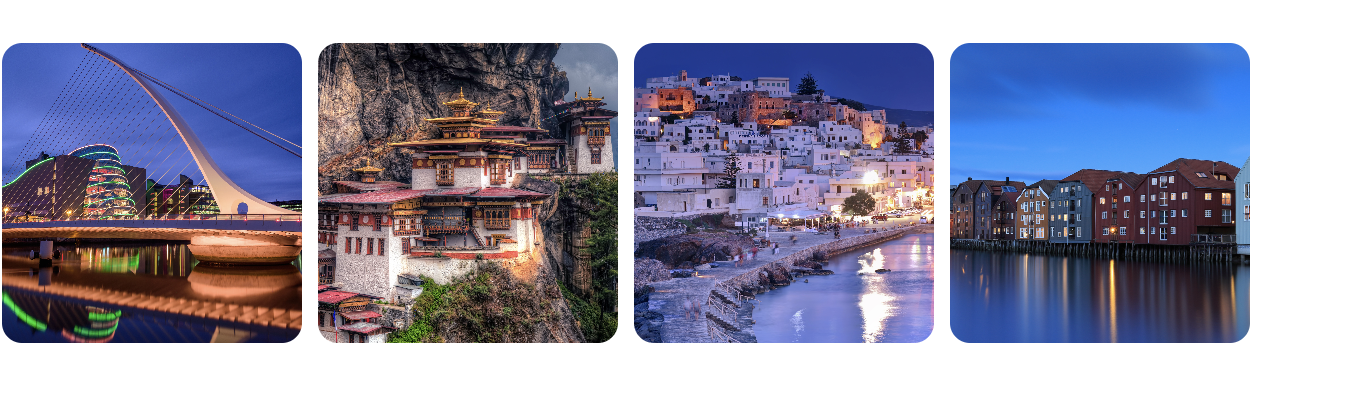
Image Cluster helps you easily combine multiple images together in your notes, making your note interface more beautiful and organized.





Obsidian Image Cluster helps you easily combine multiple images together in your notes, making your note interface more beautiful and organized.
⬇️ Installation
From Community Plugins (Recommended)
You can install the plugin directly from Obsidian's Community Plugins browser:
- Open Obsidian and go to Settings > Community plugins
- Click on Browse and search for "Image Cluster"
- Click Install and then Enable the plugin
You can also install the plugin directly from its Community Plugins entry: Image Cluster on Obsidian.
Manual Installation
- Download the latest release from GitHub Releases
- Extract main.js, manifest.json, and styles.css to your vault's
.obsidian/plugins/image-cluster/directory - Reload Obsidian and enable the plugin in Settings → Community plugins
✅ How to Use
- Right‑click on an image link and choose “Wrap the images into a group”.
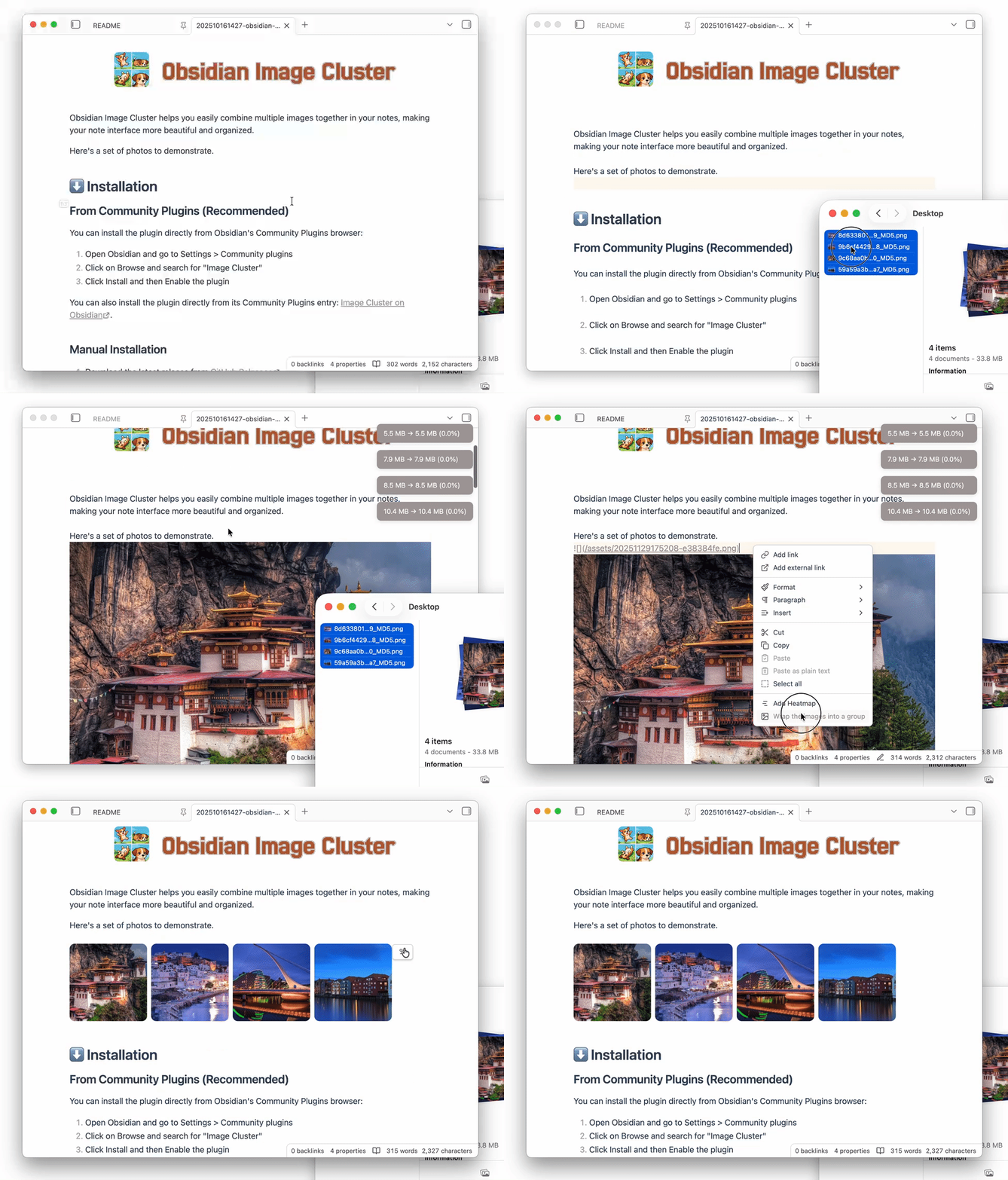
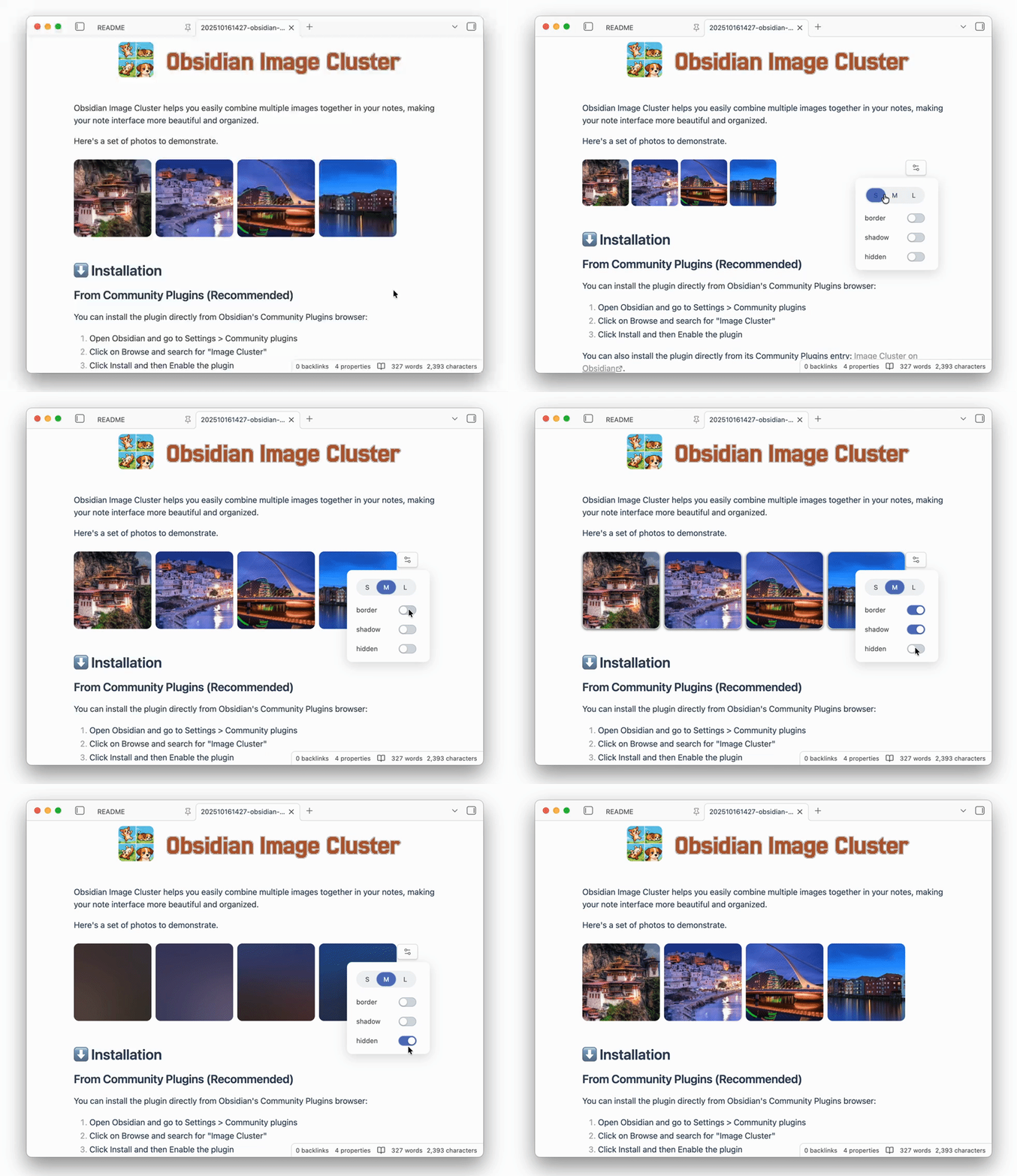
- In Reading mode, click the “Settings” button at the top‑right corner of an image group to customize its style.
⚙️ Configuration
The style configuration of an image group is stored in the first line of the imgs code block and ends with ;;.
You can manually tweak the parameters there for deeper customization.
```imgs
size=150&gap=8&radius=10&shadow=false&border=false;;


```
Optional parameters
| Option | Description | Default | Available options |
|---|---|---|---|
| size | Image width and height in px | 150 | 50~500 |
| radius | Border radius in px | 10 | 0~50 |
| gap | Space between images in px | 8 | 0~50 |
| shadow | Show drop shadow or not | false | false / true |
| border | Show border around images | false | false / true |
| hidden | hidden images | false | false / true |
For plugin developers
Search results and similarity scores are powered by semantic analysis of your plugin's README. If your plugin isn't appearing for searches you'd expect, try updating your README to clearly describe your plugin's purpose, features, and use cases.