Outliner Tasks
pendingby Bryan Ma
Outliner-focused task management with query-based side pane views.
Tasks
Outliner-focused task management for Obsidian with a query-based side pane. Tasks use state keywords (TODO, DOING, DONE, etc.), optional priorities, tags, and properties.
Screenshots
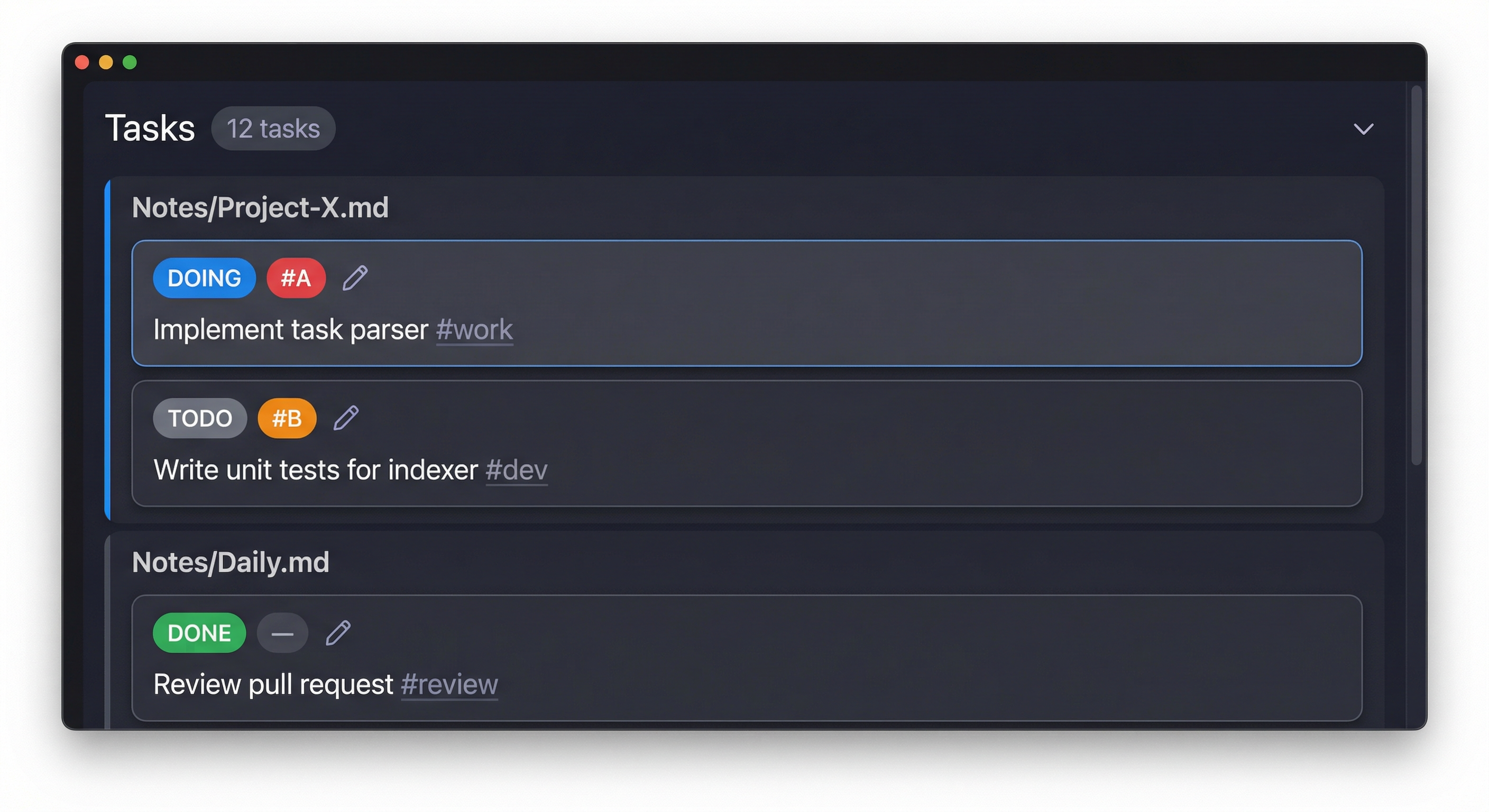
Task panel
Tasks are grouped by page. Each card shows state, priority, and a pencil button for properties. Click any card to jump to that line in the note.
Query filters
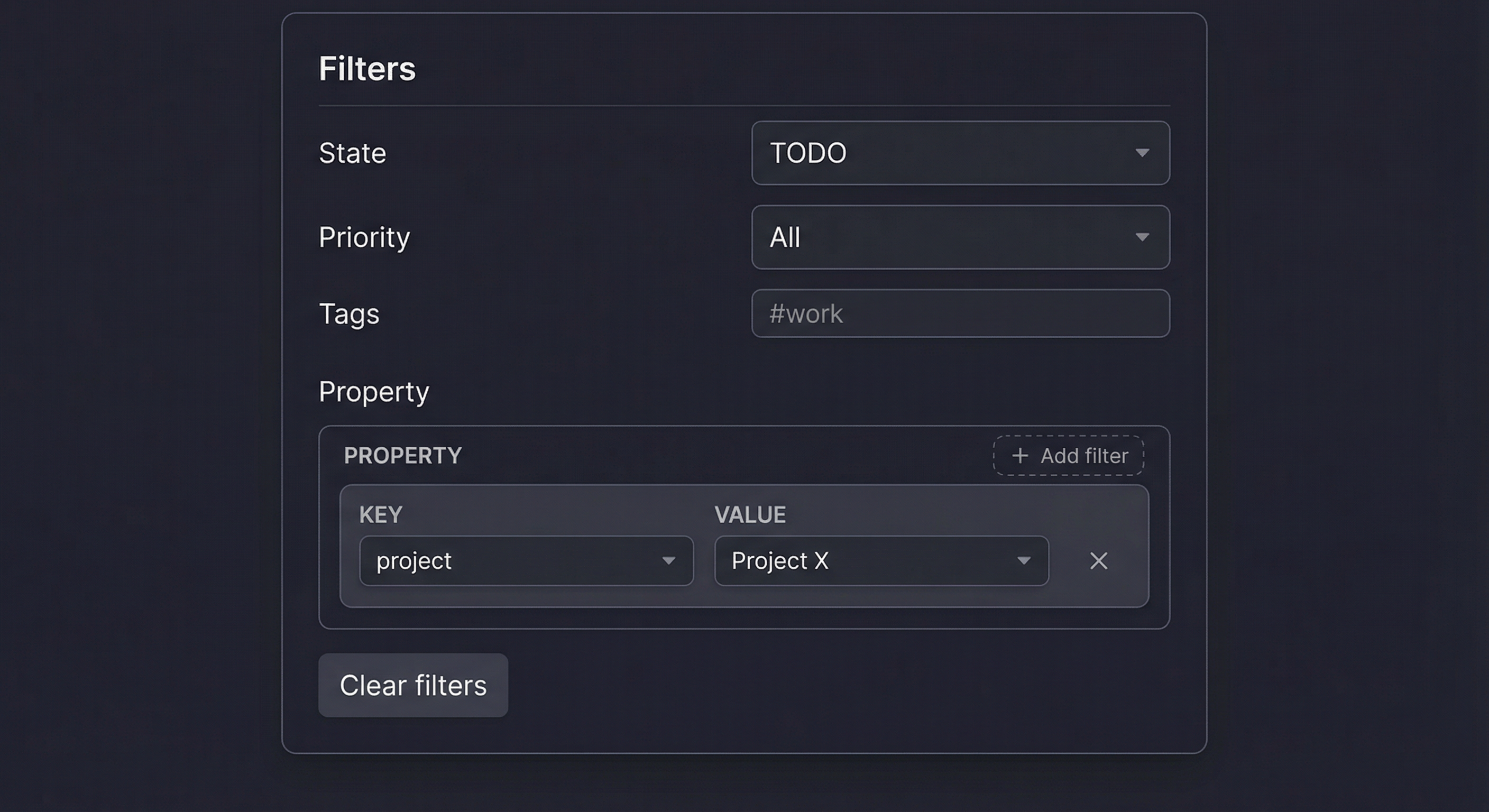
Expand the filter section to narrow tasks by state, priority, tags, or properties.
Property editor
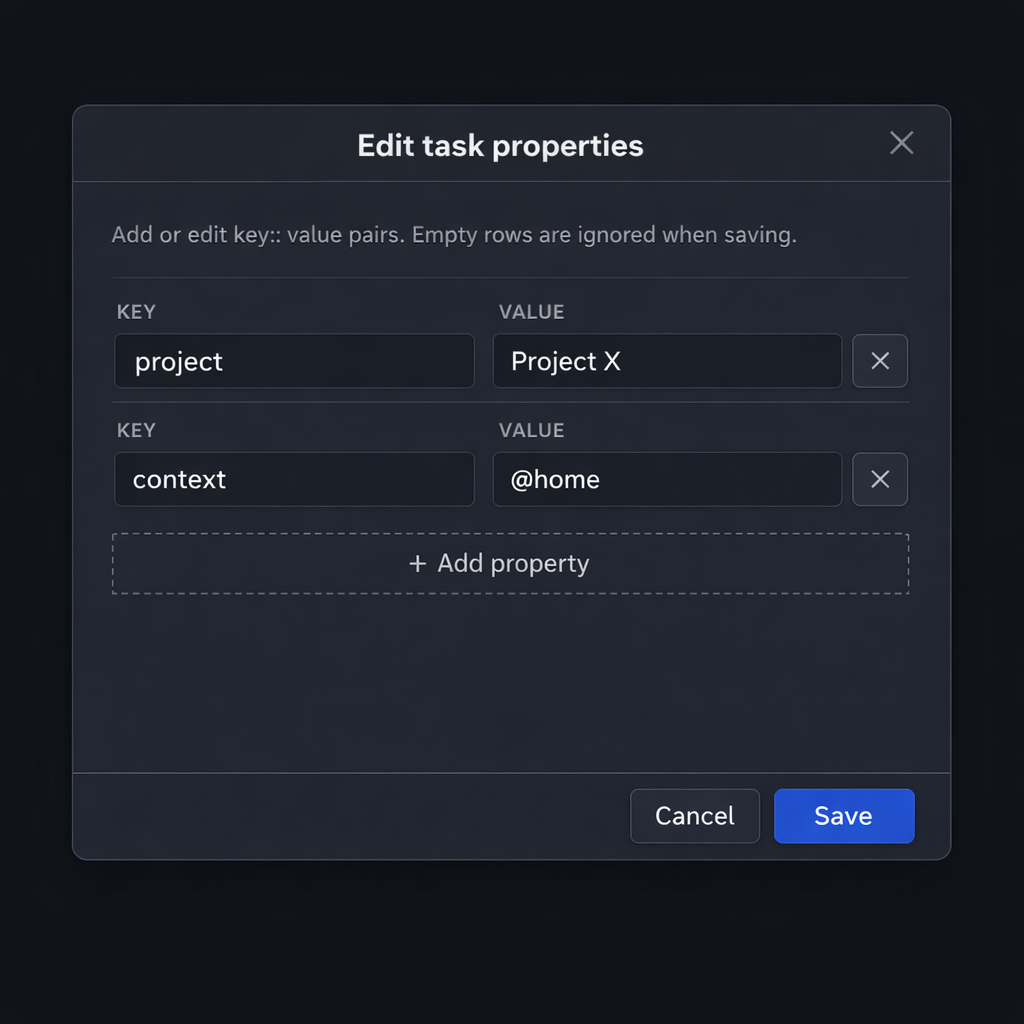
Edit key:: value pairs for any task from a modal dialog.
Task syntax
- States: Lines starting with
TODO,DOING,DONE,CANCELED, orWAITINGare treated as tasks. An optional list bullet (-or*) before the keyword is supported:
TODO [#A] Implement task parser #work
- DOING Investigate bug in project X #debug
* DONE [#C] Refactor helper function
- Priorities: Optional
[#A],[#B], or[#C]immediately after the state. - Tags: Inline
#tagsin the task text are indexed and can be used in filters. - Properties: Lines immediately under a task that match
key:: valueare stored as properties:
TODO Implement indexer #work
project:: Project X
context:: @home
Task panel
Open the Tasks pane from the ribbon icon (check-circle) or the command "Open Tasks view".
- All tasks in your vault are listed and grouped by page (file).
- Header: Title "Tasks", task count badge, and a chevron to expand/collapse the query filters section (collapsed by default).
- Query filters (when expanded):
- State: TODO, DOING, DONE, CANCELED, WAITING, or All.
- Priority: All, #A, #B, #C, or None.
- Tags: Space-separated tags (e.g.
#work #urgent); substring match. - Property: One or more key/value filters. Key and value dropdowns are filled from existing task properties. Use "+ Add" for multiple property filters (AND). Remove with "×". Clear resets all filters.
- Task cards:
- First line: State button (cycle TODO → DOING → DONE → CANCELED → TODO), priority button (cycle none → #C → #B → #A), and pencil icon to edit properties.
- Second line: Task description.
- Interactions:
- Click the card (or the task text) to open the note and jump to that task’s line (cursor and scroll).
- State / priority / pencil: Use the buttons without triggering jump (click only the card body to jump).
- The list refreshes automatically when files in the vault change.
Commands
- Open Tasks view: Opens the Tasks side pane.
- Cycle task state at cursor: With the cursor on a task line in the editor, cycles the state (TODO → DOING → DONE → CANCELED → TODO). If the task is in the index, the index is updated; otherwise only the line text is changed. You can assign a hotkey in Settings → Hotkeys under Tasks.
Development
- Install dependencies:
cd obsidian-logseq-tasks
npm install
- Build the plugin:
npm run build
-
Copy or symlink the plugin folder into your vault’s
.obsidian/pluginsdirectory (e.g..obsidian/plugins/obsidian-logseq-tasks). -
Enable Tasks in Settings → Community plugins.
-
Use npm run dev for watch mode while developing.
Donate
If this plugin helps you, consider supporting its development:
| Platform | QR Code |
|---|---|
| Alipay |  |
Thank you for your support.
For plugin developers
Search results and similarity scores are powered by semantic analysis of your plugin's README. If your plugin isn't appearing for searches you'd expect, try updating your README to clearly describe your plugin's purpose, features, and use cases.