by Bohdan Rak
Organise community and core plugins into folders in a single Plugins tab.
Extension Drawers
Organise Obsidian's community and core plugins into collapsible folders, in one Plugins tab.
| Community plugins | Core plugins |
|---|---|
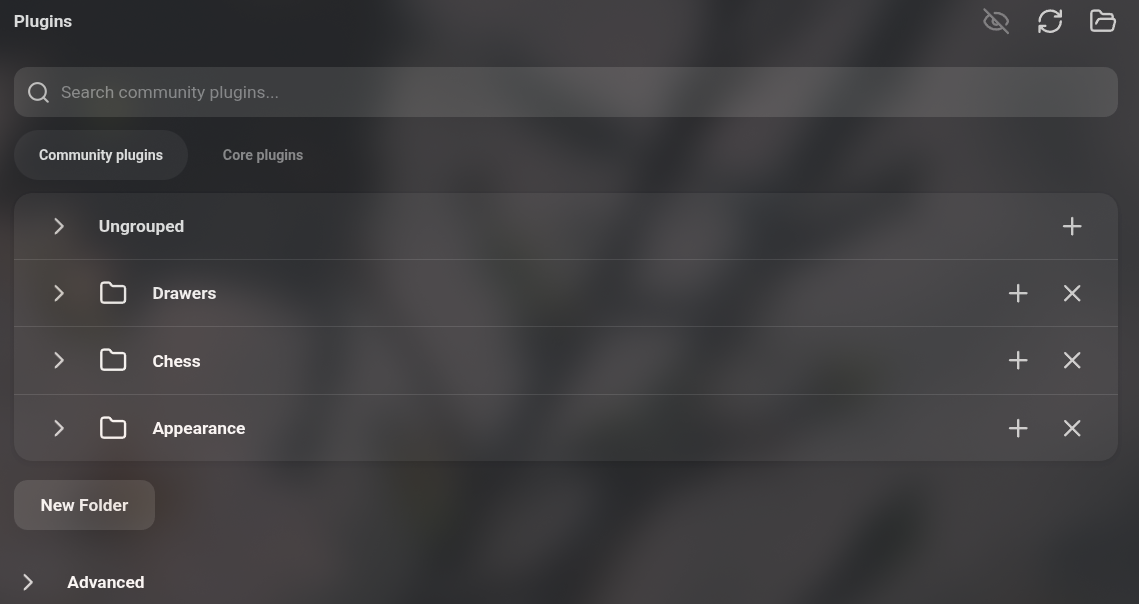 | 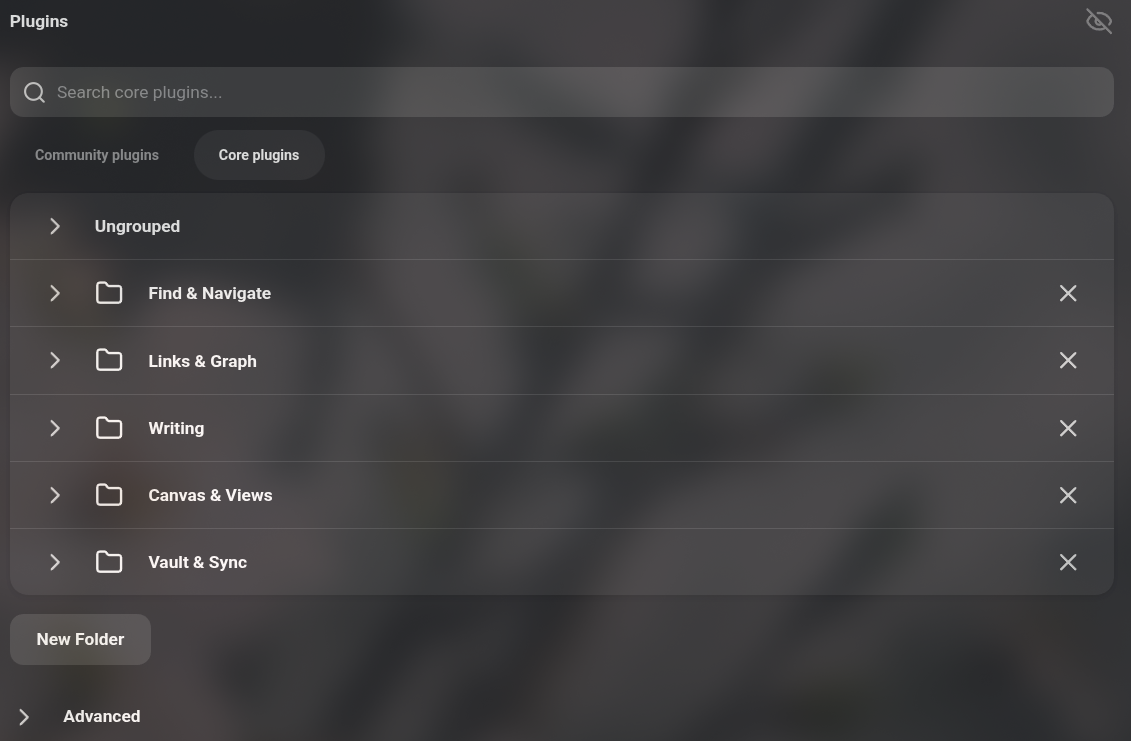 |
Features
- Merges the Community plugins and Core plugins tabs into a single Plugins tab.
- Group plugins into folders. The core list starts out sorted into five folders.
- Rename, collapse and delete folders.
- Install community plugins directly into a certain folder
- Hide/Show plugins' options in the Preferences sidebar
Usage
Open Settings -> Plugins. Choose Community plugins or Core plugins under the search box, click New Folder below the list to create a folder, then drag plugins into it. To browse community plugins, use a folder's + button.
While the plugin is enabled it replaces Obsidian's built-in plugin lists and hides the Core plugins tab. Disabling it restores both tabs as they were.
IMPORTANT FOR REVIEW: This plugin overrides Obsidian's native functionality
Compatibility
Desktop only. Requires Obsidian 1.13 or later.
Installation
Install Extension Drawers from Settings -> Community plugins -> Browse, then enable it.
To install manually:
Copy main.js, manifest.json and styles.css from the latest release into <vault>/.obsidian/plugins/plugin-drawers/.
For plugin developers
Search results and similarity scores are powered by semantic analysis of your plugin's README. If your plugin isn't appearing for searches you'd expect, try updating your README to clearly describe your plugin's purpose, features, and use cases.