Release Timeline Base View
approvedby Jared Cherup
Render release-style timelines from Bases. - This plugin has not been manually reviewed by Obsidian staff.
Release Timeline Base View
This plugin renders release-style timelines as a custom Obsidian Bases view.
It no longer depends on Dataview. Create a Base, filter the notes you want, and select the Release Timeline Base View custom view for that Base.
This project is based on the original release timeline plugin by cakechaser: https://github.com/cakechaser/obsidian-release-timeline. It has been adapted for native Obsidian Bases support.
How to use
1. Store a date in note properties
Add a date property to the notes that will feed the Base. The plugin accepts:
20222022-122022-12-31
2. Create a Base and select the custom view
Example .base file:
filters:
  and:
    - note.releaseDate
views:
  - type: release-timeline-base-view
    name: Release Timeline View
    mode: year
    dateProperty: note.releaseDate
    labelProperty: file.name
    sortDirection: desc
View settings:
mode:year,month, orweeksortDirection:ascordescbulletPoints: show bullets for multi-item periodsitemLayout:stackedfor one item per line, orinlinefor delimiter-separated entriesinlineDelimiter: custom delimiter used whenitemLayoutisinlineproperties: use the Base's built-in properties selector to show selected fields inline after each notecollapseEmptyYears: compress long runs of empty years in year modecollapseLimit: minimum consecutive empty years required before year collapsecollapseEmptyWeeks: reduce empty weeks in week modecollapseEmptyMonths: reduce empty months in week modeweekDisplayFormat:weekNames(W15),dateNames(2025-08-19), ormonthDayRange(Feb 13-20)accentAlternationMode:none,year,month, orbothwidthPx: set the rendered view width in pixels- color pickers for the primary and alternate accent colors so embeds can match the original wiki-like styling
Note: note titles open on click and show hover previews on hover.
Screenshots
Captured from a small demo Base in Obsidian's default theme.
Month view
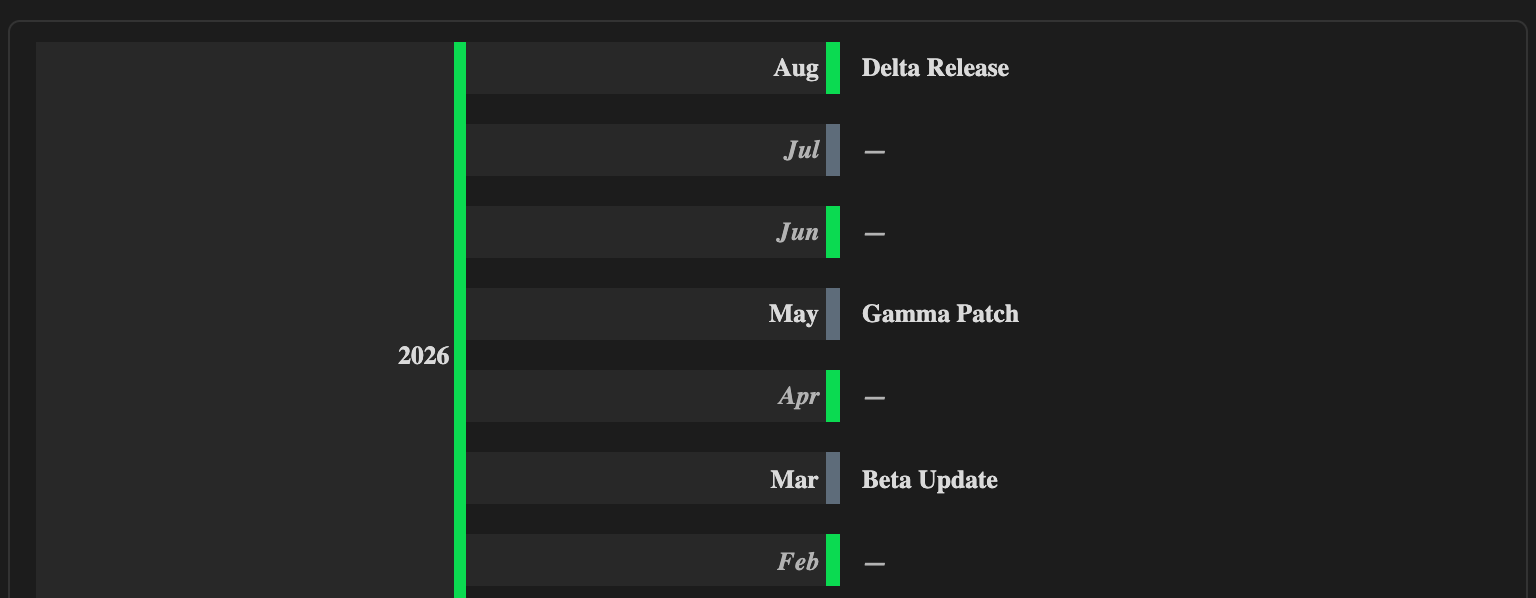
Year view

Quick compile and test
npm run verify
That command builds the plugin and runs a smoke test against the timeline core.
For plugin developers
Search results and similarity scores are powered by semantic analysis of your plugin's README. If your plugin isn't appearing for searches you'd expect, try updating your README to clearly describe your plugin's purpose, features, and use cases.