Rememo
approvedby Lynx3x
Forked from cumany/Obsidian-Memos
Capture fleeting thoughts into your daily notes with a lively memo feed. - This plugin has not been manually reviewed by Obsidian staff.
Rememo
Capture fleeting thoughts straight into your daily notes. Every memo is a card block in your own note files — no private database.
English | 中文
Rememo is a memo plugin for Obsidian: a heavily rewritten fork of Obsidian-Memos. All memos live inside your daily notes — plain Markdown, readable and editable at any time, yours to keep.
Screenshots
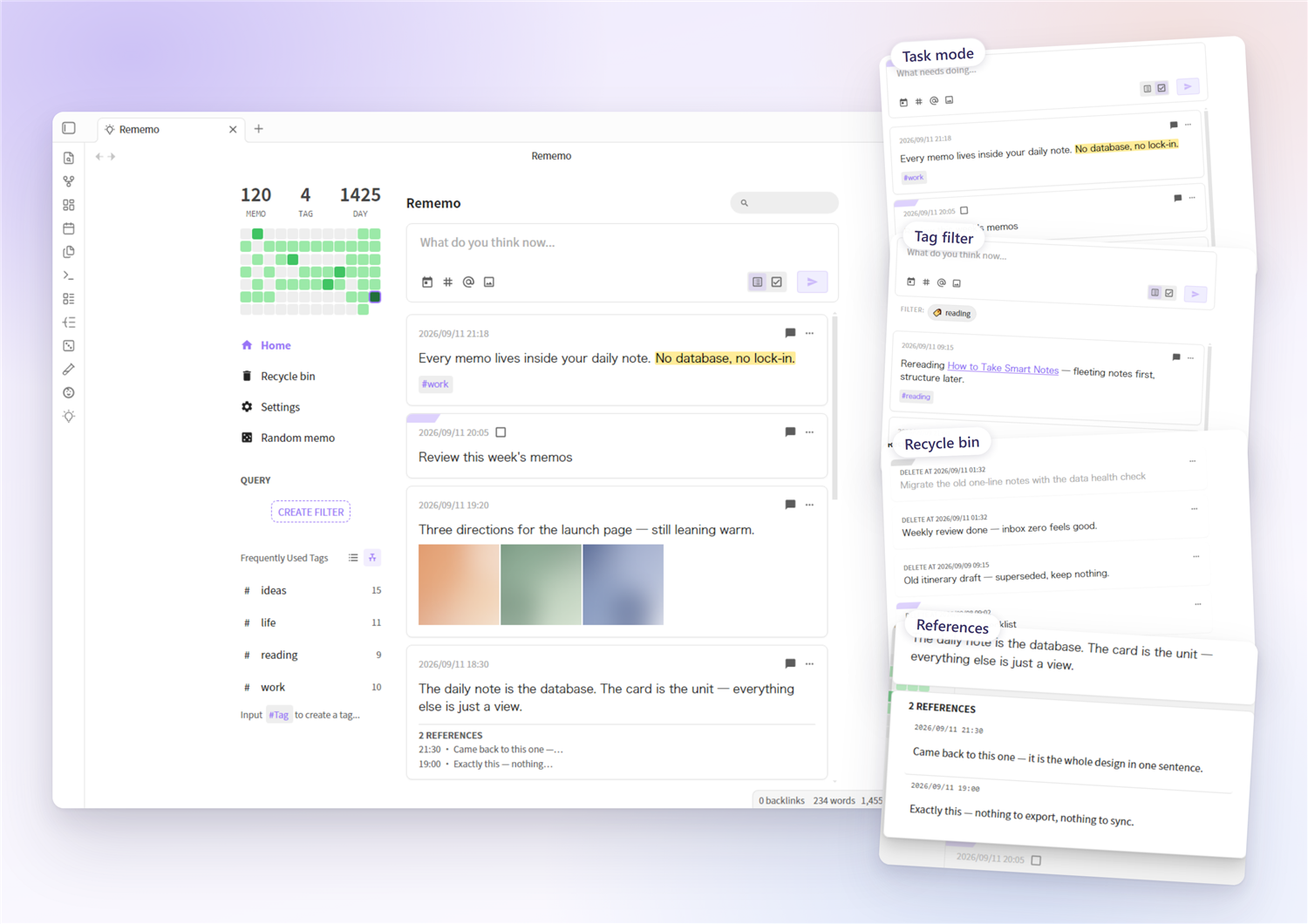
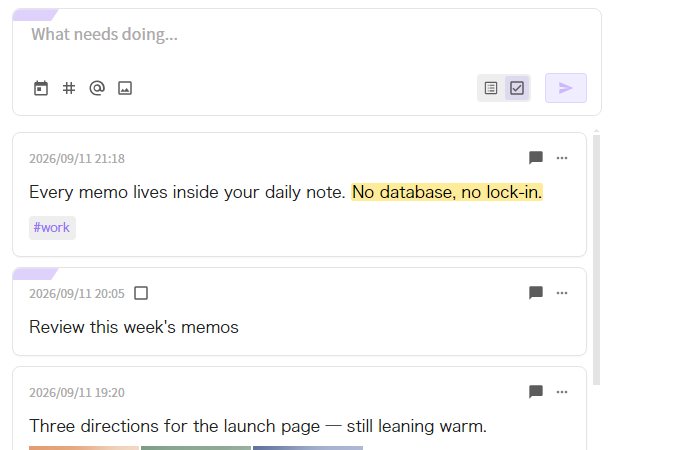 Task mode — the two-segment slider next to the send button turns what you type into a task card | 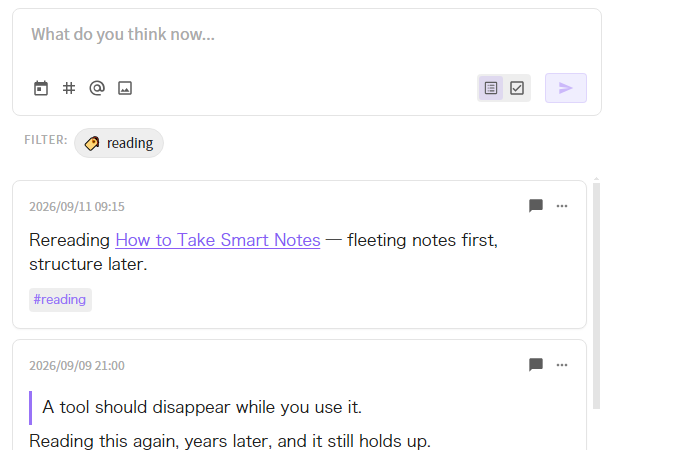 Tag filter — click any tag to filter the feed |
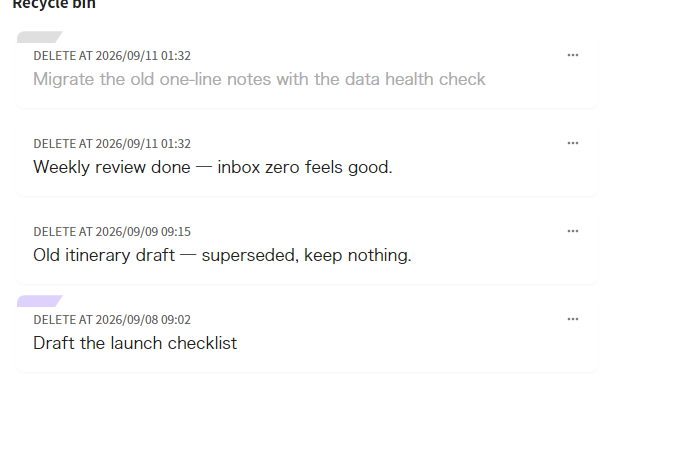 Recycle bin — deleted cards stay in your note and can be restored | 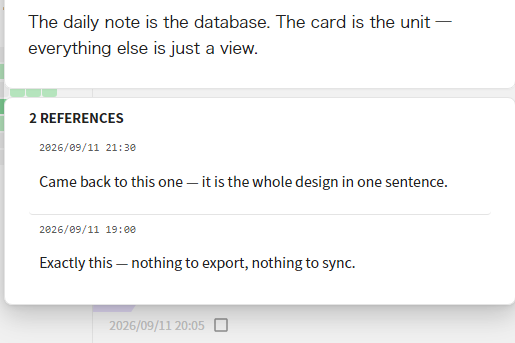 References — replies are reference cards, gathered under the memo they answer |
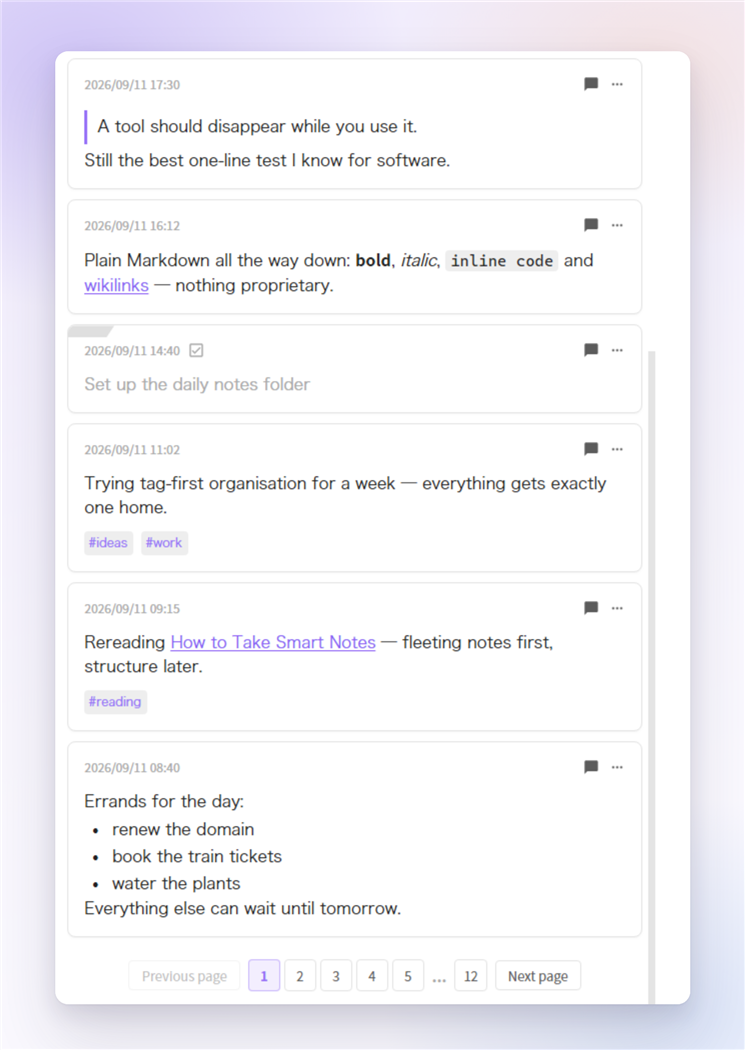 **The rest of the feed** — quote blocks, inline formatting (`**bold**`, `*italic*`, code), wikilinks, tag chips, finished tasks and plain lists all render from your own Markdown.
Features
- Native-feeling editor — built on Obsidian's own editor kernel: typing, IME, undo, live rendering of
==highlights==,#tagand[[wikilink]]autocomplete. PressEnterorCtrl/Cmd+Enterto send. - Card feed — memos from your daily notes rendered as a paginated card list; filter by text, tag, saved query or date; heat map and tag tree in the sidebar.
- Task cards — start a line with
- [ ]to create a task; tick the checkbox on the card to complete it. A two-segment slider next to the send button switches between plain memos and tasks — and follows the card's type when you edit it. - Tags — tag chips gathered at the bottom of the card, or kept inline where they appear (a setting); click any tag to filter.
- Recycle bin — deleting is a soft delete: the card stays in your note with a
deletedAtmarker, and can be restored or permanently removed from the recycle bin; optional auto-clean purges entries older than the retention period. - Send sound — an optional card-deal “whoosh” when a memo is sent: choose the built-in sound or your own audio file, with a volume slider.
- Share as image — export a single card or a whole day as an image (configurable footer and background).
- Data health check — a built-in audit that repairs anomalies and migrates the old single-line format into card blocks, with automatic backups.
- Mobile support — works on phones and tablets; accepts text and files via “Insert as memo”.
Installation
From the community plugin directory — search for “Rememo” in Settings → Community plugins → Browse.
Manually — copy main.js, styles.css and manifest.json into <your vault>/.obsidian/plugins/rememo/, then enable Rememo in Settings → Community plugins.
Requires Obsidian 1.7.2 or newer.
Coming from the Memos plugin? Read this first
Your memos are safe. Rememo reads the memos that are already inside your daily notes — it never moves, rewrites or deletes anything on its own.
One thing to know: memos written by the old Memos plugin use an older line format, and Rememo only renders the new card-block format. So right after you install, your existing memos won't appear in the feed yet — they are still sitting in your files, untouched.
To bring them back, run the built-in migration:
- When legacy memos are detected, a banner appears at the top of the feed — click Open data health check on it. (You can also open it from Rememo's settings → Data tools → Audit data.)
- The audit scans your daily notes and lists every file containing old-format lines.
- Use the migrate button next to a file — or the migrate-all button to convert them in one go.
- Before writing anything, a copy of each file is saved to
.rememo-backup/, so you can always restore by hand.
What the migration does — and only inside the section under your memo heading:
- Old single-line memos become card blocks (a heading line + an indented body).
- Old indented comment threads become reference cards, matching Rememo's comment ≡ reference model.
- The rest of the note is left alone.
Your existing settings keep working: the Memo heading defaults to ## Memo, the same heading the old plugin wrote to.
Quick start
- Enable the core Daily notes plugin — Rememo reads and writes your daily notes.
- Open Rememo's settings and confirm “Memo heading” matches your daily-note template (
## Memoby default). New memos are written under this heading; if the file doesn't have it yet, Rememo creates it. - Click the Rememo icon in the ribbon (or run the Open Memos command from the command palette).
- Type a thought and send it — open today's daily note and you'll find it as a card block.
What your notes look like
## Memo

- 14:32:15 ^a1b2c3
    Plain text with **bold**, `code`, #tag, [[wikilink]] or ![[image]] —
    blank lines start new paragraphs, full Markdown works

- [x] 14:40:00 ^d4e5f6
    A task card — ticking the box writes back to the heading line

- 14:45:00 deletedAt: 2026-09-05 14:45:00 ^g7h8i9
    A deleted card — still in place, restorable from the recycle bin
A card block is a heading line - [ ]? HH:mm:ss [deletedAt: …] ^id with the body indented by 4 spaces below it; the ^id is maintained by Obsidian itself. The old single-line format (body on the heading line) is no longer rendered — use Data health check → migrate whole file to convert it (backups are made automatically).
Settings highlights
- Memo heading — one setting for both reading and writing: Rememo only reads below this heading, and writes new memos at the end of that section (creating the heading if it's missing). Default:
## Memo. - Send memo by Enter key — off (default):
Enterinserts a newline,Ctrl/Cmd+Entersends. On: reversed. - Tag position — tags gathered at the card bottom (default) or kept inline in the text.
- Send sound — the built-in card-deal sound, your own audio file, or none; with a volume slider.
- Recycle bin — enable/disable soft delete; auto-clean retention (never / 7 / 30 / 90 / 180 days).
- Heat map — show or hide, week start day.
- Time display format — display only; files always store
HH:mm:ss.
Building
pnpm install
pnpm build   # produces main.js + styles.css
Copy the artifacts into your vault's plugin folder and reload the plugin in Obsidian (do a full restart if changes don't show up).
Credits
Built on top of Obsidian-Memos by Boninall (Quorafind), with design inspiration from memos and flomo.
License
For plugin developers
Search results and similarity scores are powered by semantic analysis of your plugin's README. If your plugin isn't appearing for searches you'd expect, try updating your README to clearly describe your plugin's purpose, features, and use cases.