by abenstirling
Create beautiful resumes from Markdown. Choose a design, preview as you write, and export a one-page PDF.
The Jobs Application
Beautiful & simple resume generation.
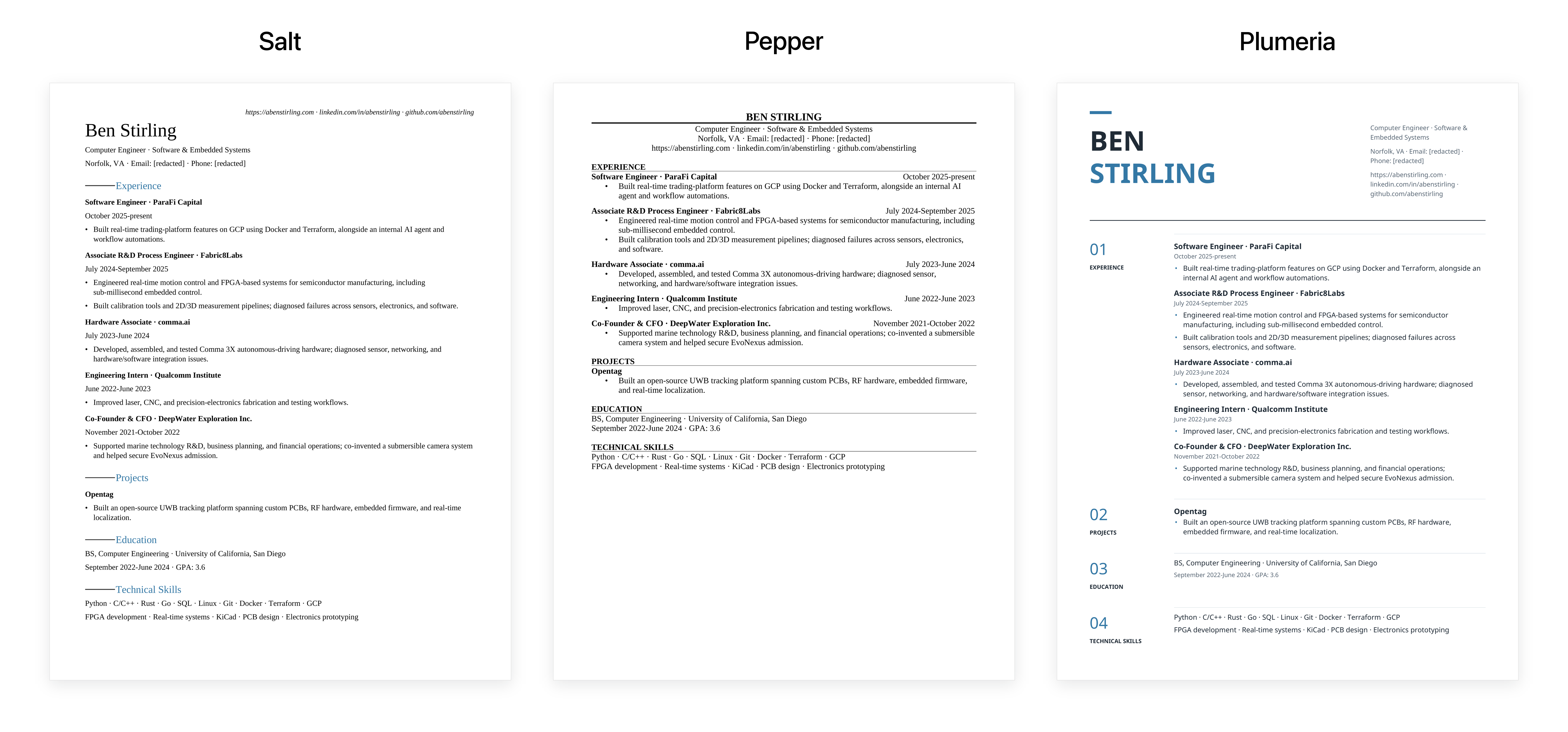 Turn your Markdown into a polished resume. Pick a design, make it yours, and export a one-page PDF—all inside Obsidian.
Install
- Put the release's
resume-pdffolder in your vault's.obsidian/plugins/folder. - Restart Obsidian.
- Enable The Jobs Application in Settings → Community plugins.
Use
Open a resume note and click The Jobs Application in its header.
Edit your Markdown beside a live preview. Choose Salt, Pepper, or Plumeria. All three use the same Markdown; switching templates changes the layout.
Click New resume for an example, or Save PDF to export.
- Error: more than one page. Shorten the resume to export.
- Warning: below the minimum page fill, adjustable in settings.
- Ready: content fills the page.
Choose an accent color for Salt or Plumeria. Your choice is saved.
PDF names
Name_Company_yyyy-mm-dd.pdf
Name comes from your resume heading. Company is optional. The date is automatic.
Privacy
Works offline. No account, AI, or upload required. Files stay in your vault and follow its usual sync settings.
The example uses Ben Stirling's background, with email and phone redacted.
Development
npm ci
npm run check
npm test
npm run build
Builds go to release/resume-pdf/.
License
MIT. Bundled fonts retain their licenses in public/fonts/.
For plugin developers
Search results and similarity scores are powered by semantic analysis of your plugin's README. If your plugin isn't appearing for searches you'd expect, try updating your README to clearly describe your plugin's purpose, features, and use cases.