Task Director
approvedby cybertramp
Manage and change tasks targeting a specific page
Obsidian Community Plugin - Task Director
Change all tasks within the selected page at once.
Page에 있는 Task를 한번에 전환하세요. ⬜ --> ✅
Features
-
Changes all incomplete tasks (
- [ ]) in the selected file to complete (- [x]).- [command] Change tasks to done
- [select target file menu] Todo->Done
-
Changes all complete tasks (
- [x]) in the selected file to incomplete (- [ ]).- [command] change tasks to todo
- [select target file menu] Done->Todo
-
Show Total Summary count in page
- [command] Show page todo summary
- [select target file menu] Todo Summary
-
Remove task date from completed tasks: This option allows you to remove the task date (e.g., ✅ 2024-11-04) when toggling completed tasks to incomplete.
- Default setting: Enabled
Installation
- Copy this plugin’s folder to your Obsidian plugins folder (
.obsidian/plugins). - In Obsidian, go to Settings > Community plugins, and enable this plugin.
How to use
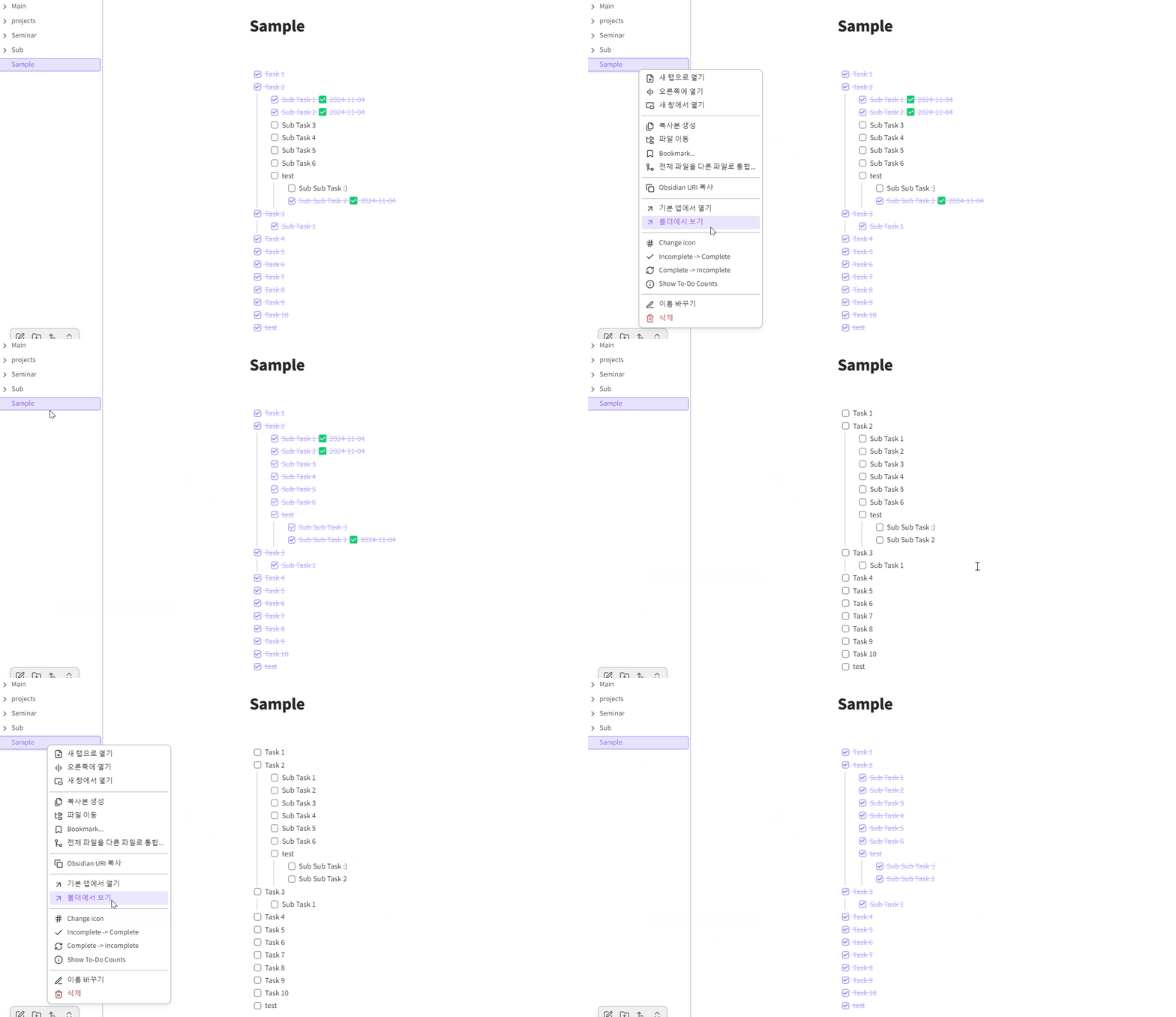
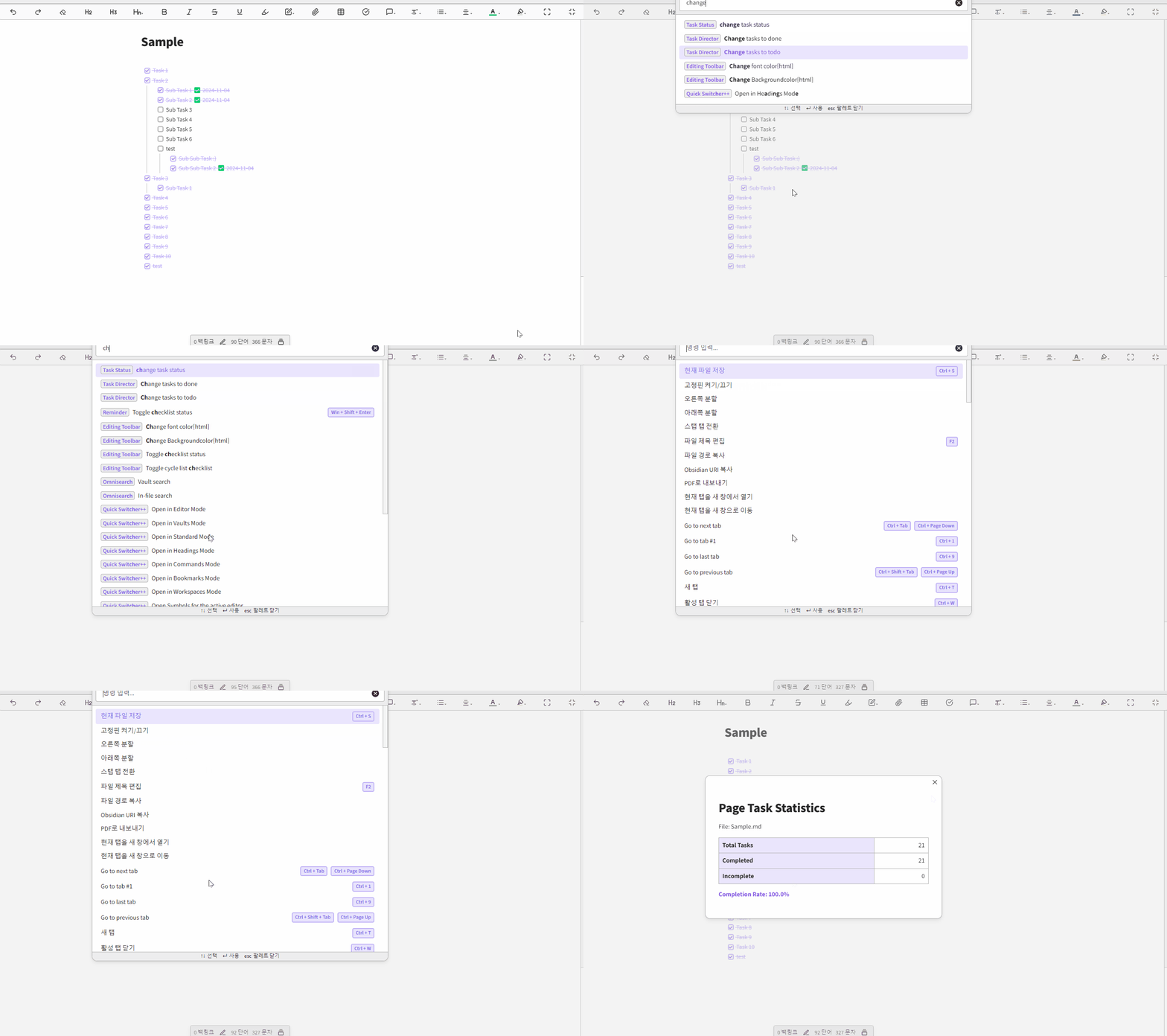
Click right and select menu item or call command


The image below shows the functionality of changing tasks on a page all at once.
The image below shows the functionality being used through a command.
Why Task Director
I developed this plugin to address the challenge of managing incomplete tasks from past entries. Without this tool, historical uncompleted tasks would clutter task statistics and new pages, and the only solution was to manually process each task one by one.
지나간 Task들을 다 Done 처리 못했는데 새로운 페이지에서 통계를 내거나 하는 경우 이전에 Done 처리 못한 항목들이 모두 보이게되어 아무리 검색해도 이와 같은 기능을 하려면 일일이 모두 touch 해야한다는 말 밖에 없어서 그냥 만들었습니다.
Build for dev
git clone https://github.com/cybertramp/obsidian-task-director
cd obsidian-task-director
yarn install
yarn dev

# Test in yout obsidian
# Copy files to yout Vault .obsidian directory
# main.js, manifest.json, styles.css
Support
(cybertramp) paran_son@outlook.com

History
Please check CHANGELOG ...
For plugin developers
Search results and similarity scores are powered by semantic analysis of your plugin's README. If your plugin isn't appearing for searches you'd expect, try updating your README to clearly describe your plugin's purpose, features, and use cases.