Clair Obscur Expedition 33
unlistedby SentientShawarma
Clair Obscur Expedition 33




An Obsidian theme after Clair Obscur: Expedition 33, in three styles: royal Lumière at night, the painted Gommage, and Expedition 33 under its glowing emblem. Gilded Belle Époque line work, small capitals, brush-edged frames, and the style's painting faintly behind every note.
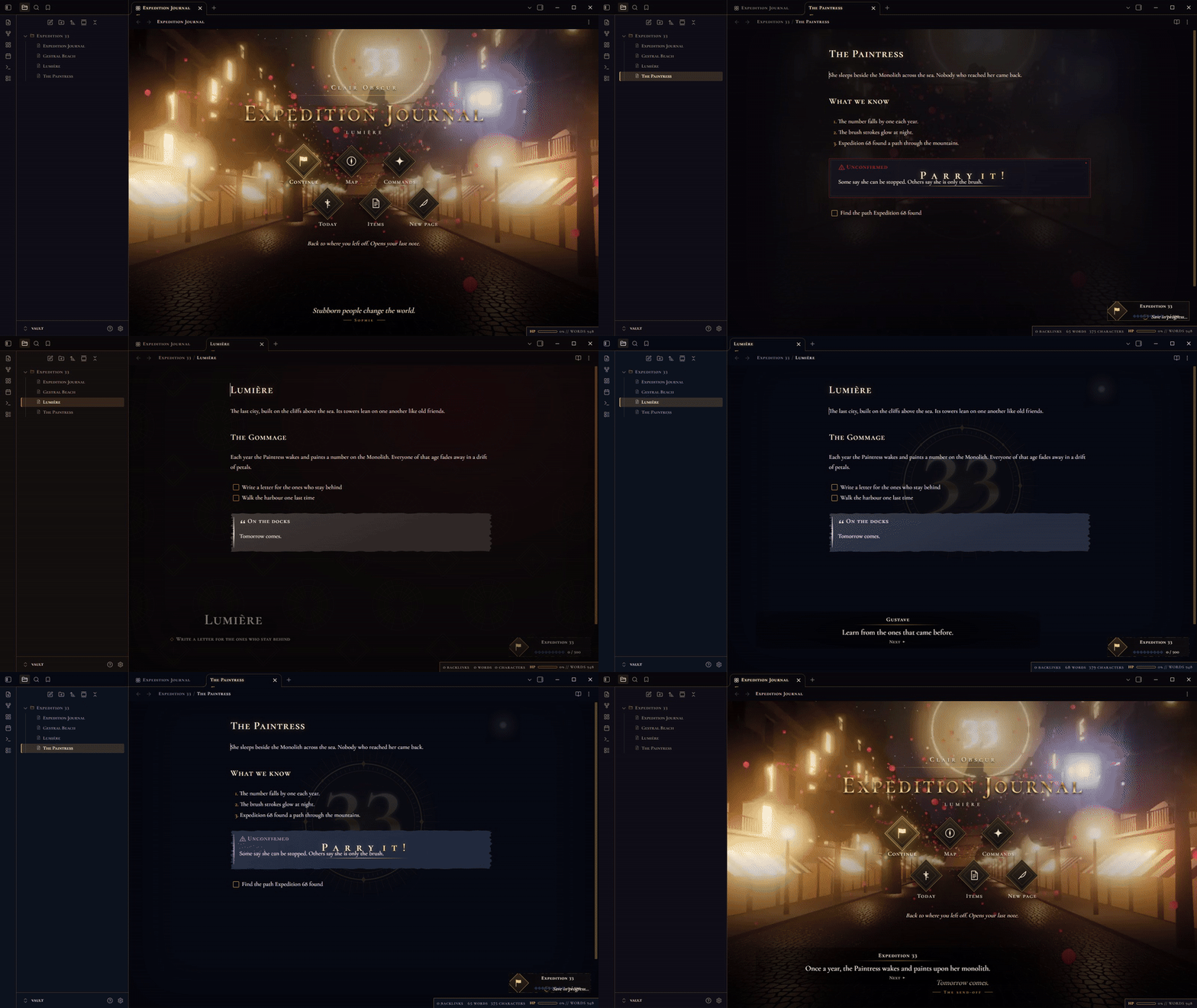
The three styles with the companion plugin: title screens, the painting behind notes, "Parry it!" and the Gommage petals on save.
Three styles · Notes up close · Title screen · Textures · Light mode · Style Settings · Install · Theme or companion · License
Three styles
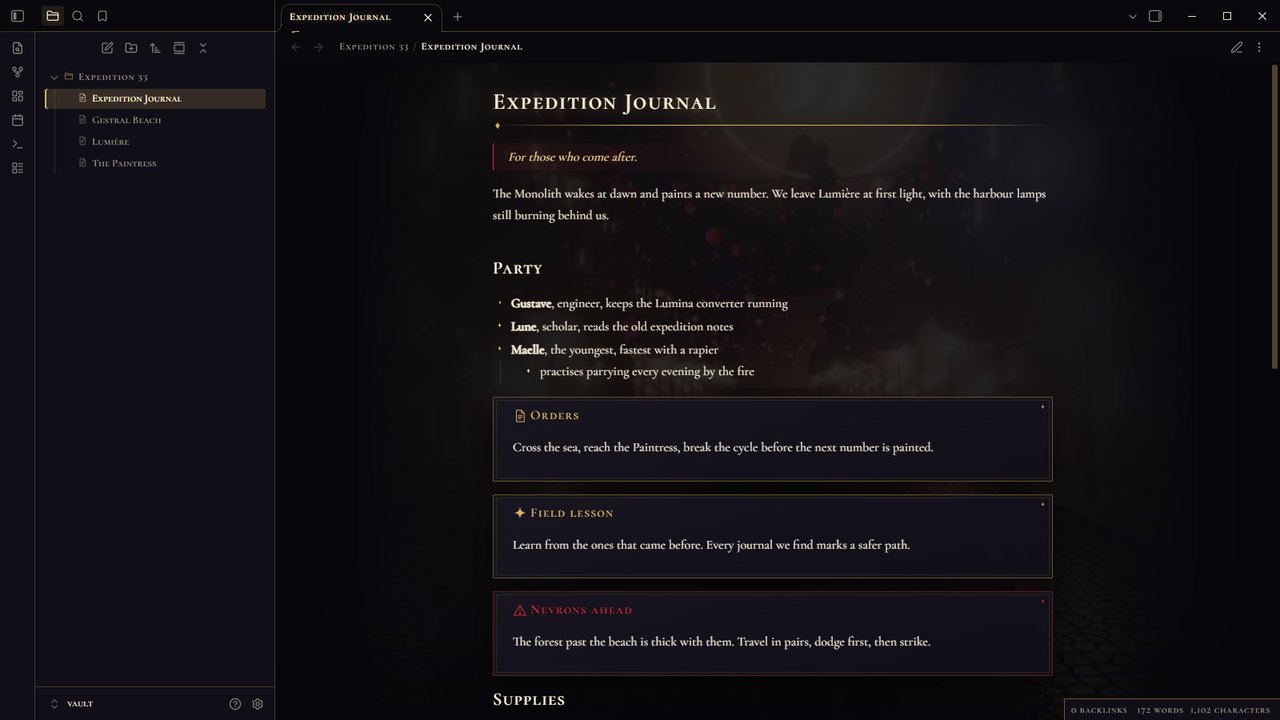
Lumière at night. Ink black and gold hairlines, the night boulevard faintly behind the note.
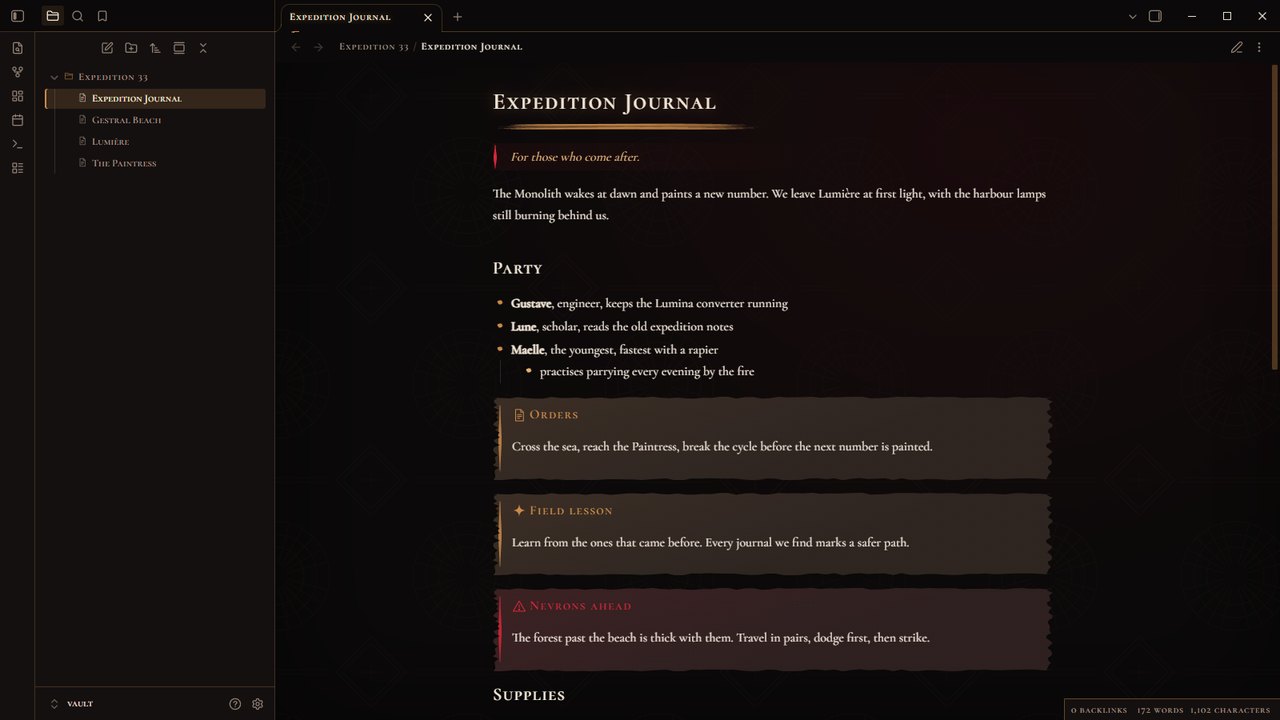
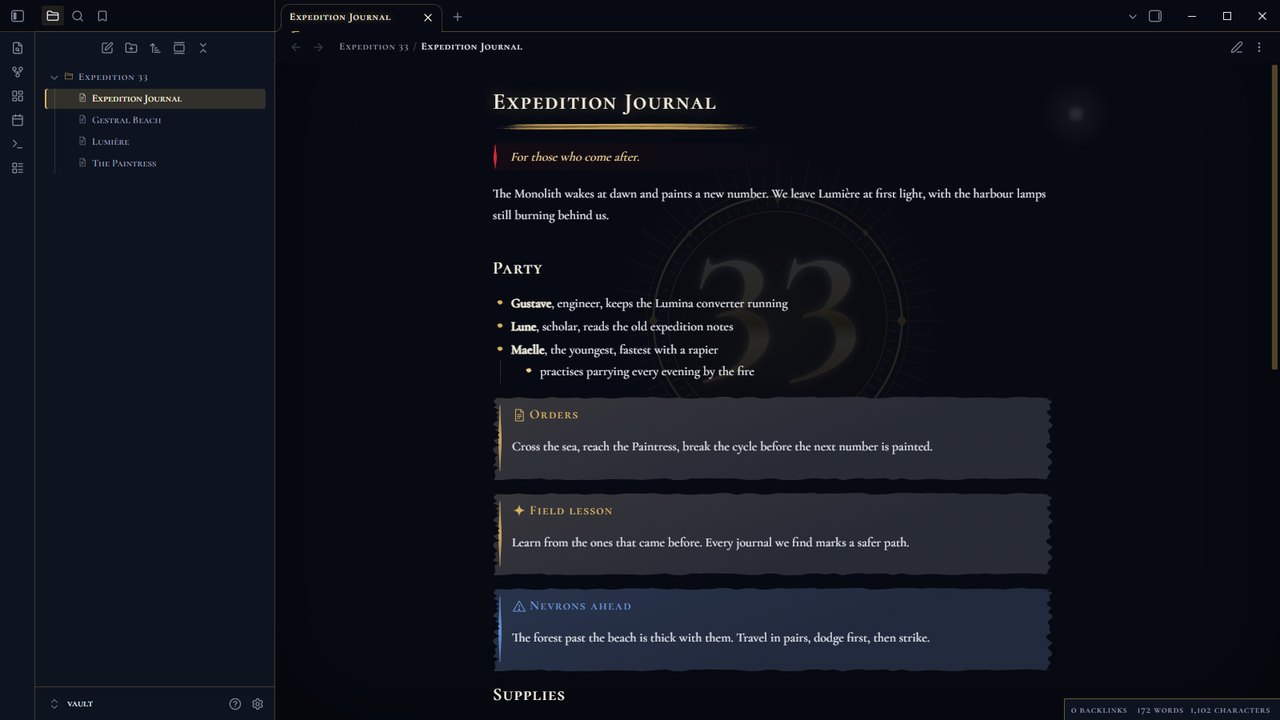
Gommage, painted frames on a dark red canvas · Expedition 33, the 33 and the moon behind the note
Notes up close
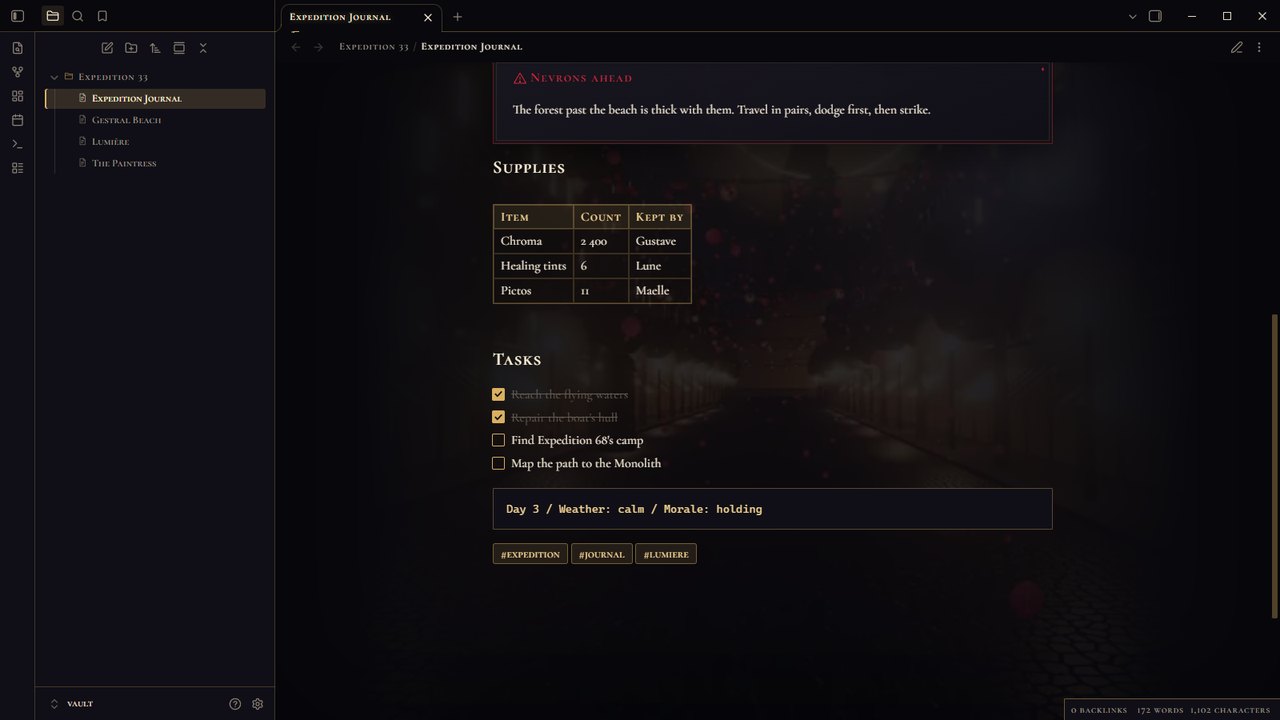
Callouts with drawn icons, a gilded table, diamond tasks, code and tags.
Title screen without the plugin
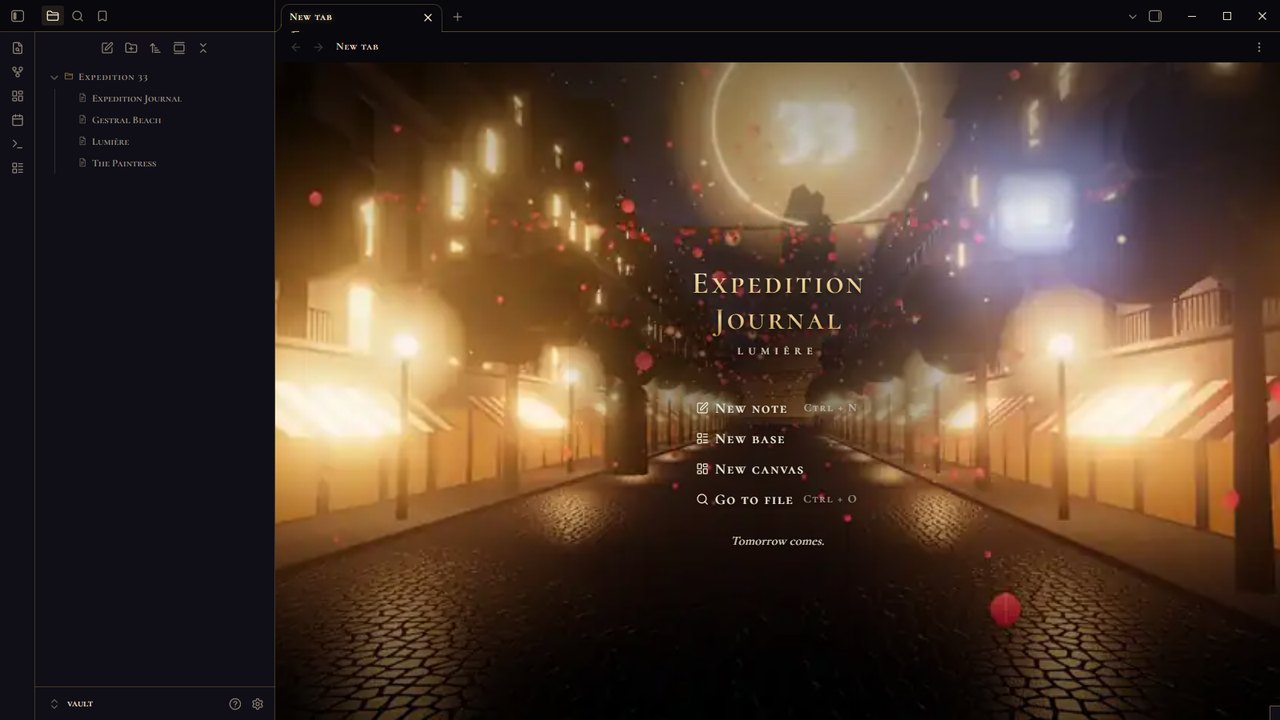
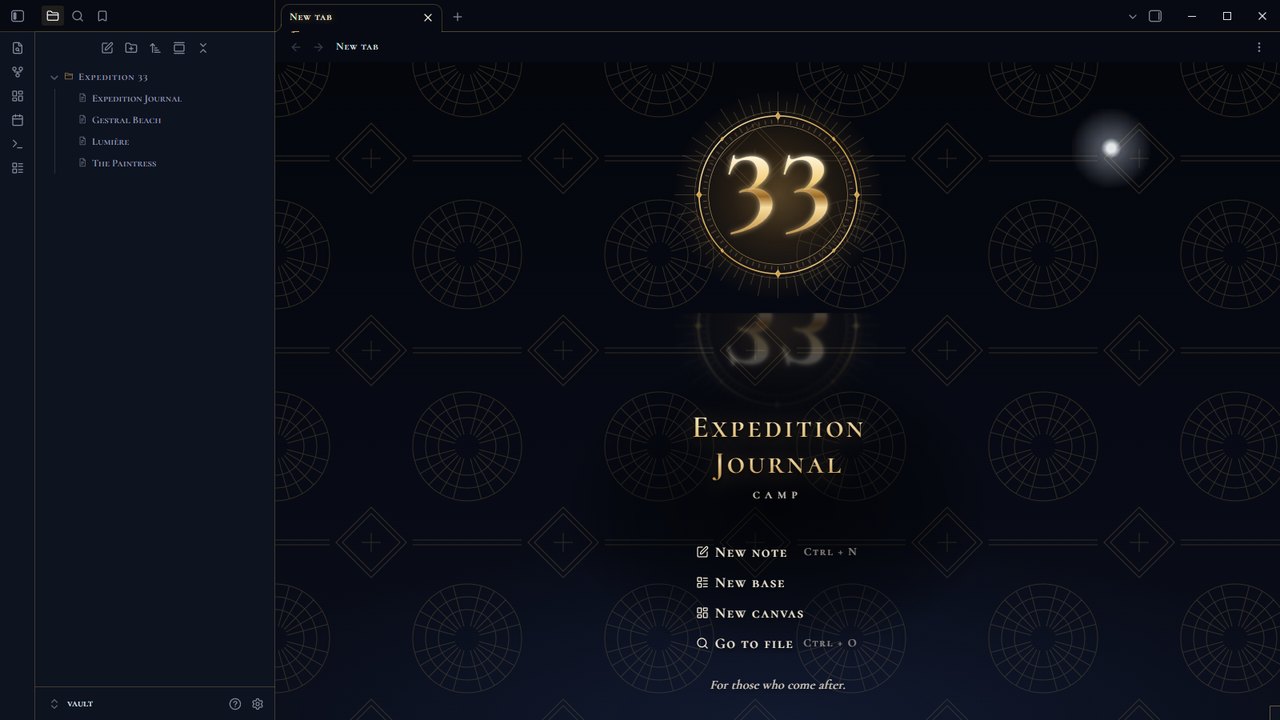
Empty tabs become a title screen with your vault name and a line from the game, even without the companion.
Textures
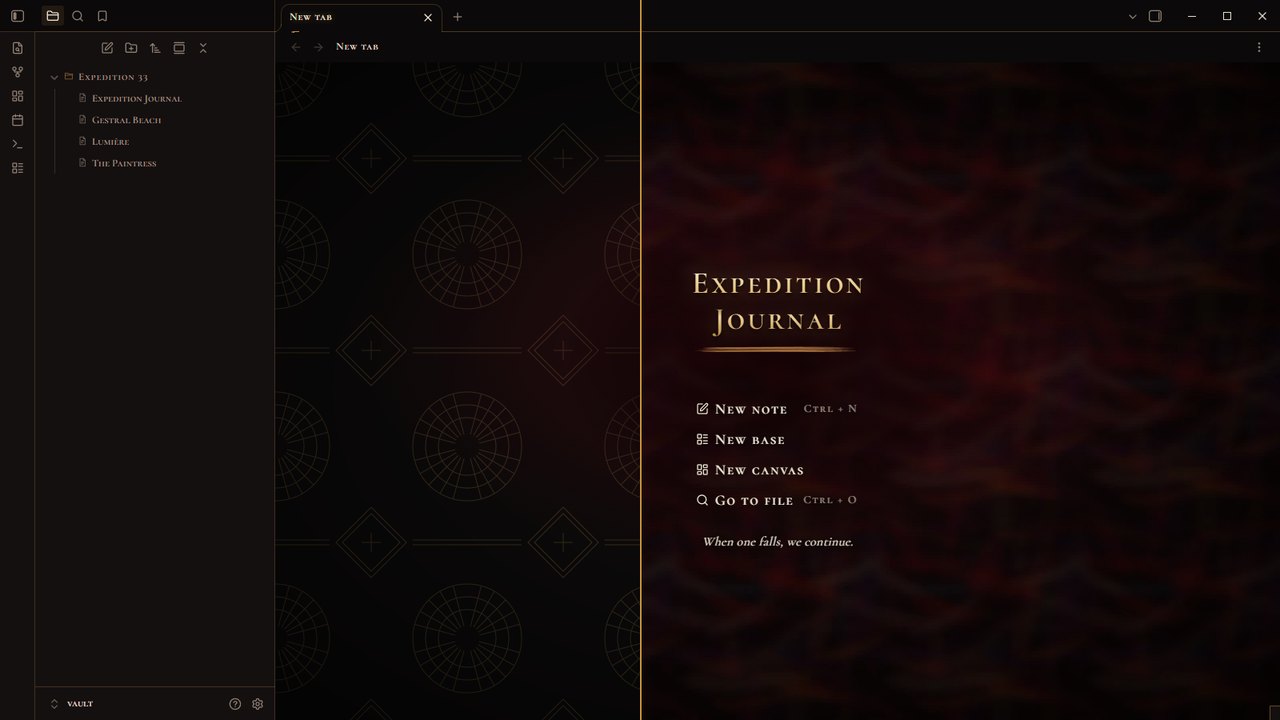
Left, Belle Époque ornament (default) · Right, oil brushwork. Or none.
Light mode
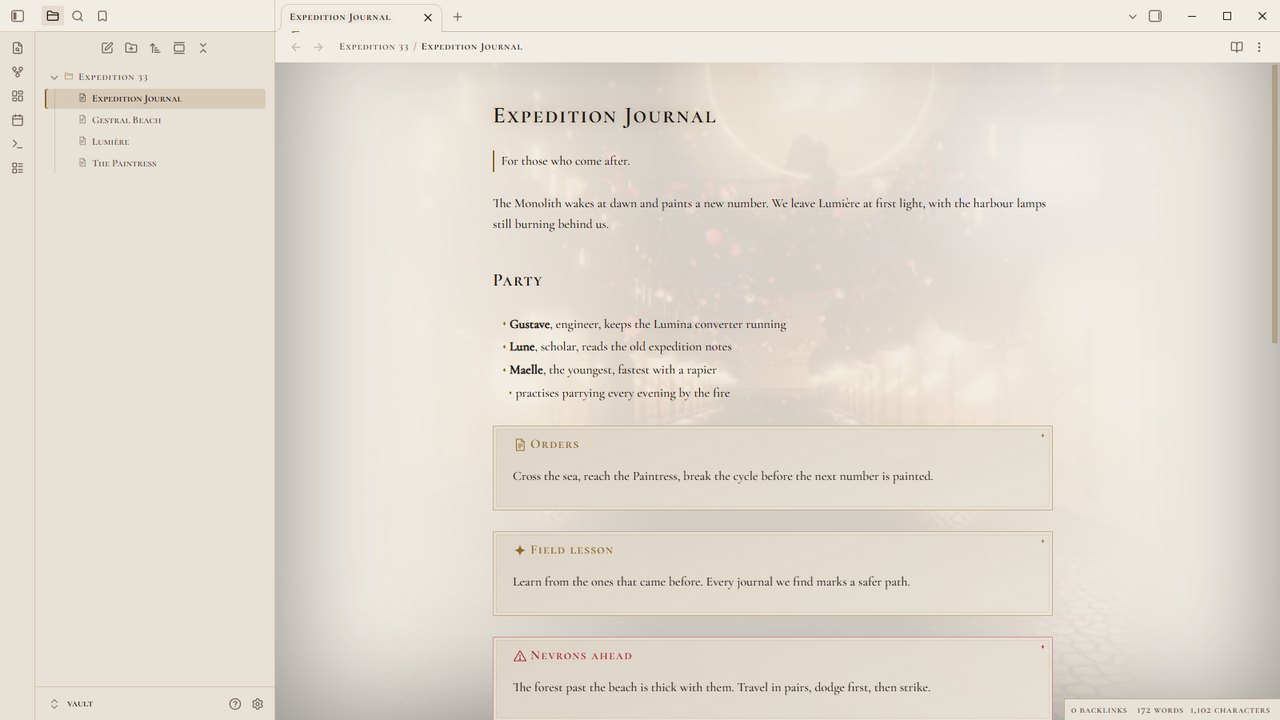
A warm paper take with the same gold and frames.
Style Settings
Install Style Settings to choose these. Without it, the defaults apply.
| Option | Choices | Default |
|---|---|---|
| World | Lumière at night, Gommage, Expedition 33 | Lumière at night |
| Texture | Belle Époque ornament, oil brushwork, none | Ornament |
| Command menu | Diamond lattice, diamonds on an arc, diamond row with caption | Lattice |
| Expedition 33 placement | Split left and right, right side | Split |
| Quote | Rotate on every open, fixed | Rotate |
| Fixed quote | Your text | "For those who come after." |
| Save effect | Parry it!, Parry (classic ring) | Parry it! |
| Painting behind notes | On, off (on even without Style Settings) | On |
| Painting strength | 0.04 to 0.4 | 0.14 |
| Your own background image | url(...) | Empty |
Also frames, bullets, rules, glow, text scale, and a switch for every effect.
Install
- Settings → Appearance → Themes → Manage: search Clair Obscur Expedition 33, install and use it.
- Optional: install Style Settings for the options above.
- Optional: the companion plugin for the diamond menus, saves and screens.
Manual install: copy theme.css and manifest.json into <vault>/.obsidian/themes/Clair Obscur Expedition 33/.
Theme only, or with the companion
| Feature | Theme | Theme + companion |
|---|---|---|
| Three styles, textures, fonts, callouts, frames | Yes | Yes |
| Painting behind notes | Yes | Yes |
| Title screen on empty tabs | Still screen with a quote | Diamond command menu, quotes |
| Area titles, "Parry it!", Gommage petals, VICTORY, Pause, dialogue, HUD | No | Yes |
Performance
Static art, no parallax and no pointer tracking. The title screens idle at about 0 % GPU; only the Gommage petals move (about 1 %).
Fonts and license
Cormorant SC and Cormorant Garamond, subset and embedded, under the SIL Open Font License (fonts/OFL-Cormorant.txt). Code and original art under the MIT license (LICENSE).
Unofficial fan project, made out of love for Clair Obscur: Expedition 33. Not affiliated with or endorsed by Sandfall Interactive or Kepler Interactive. No game art, logos or fonts are included; every image is an original render or drawing. Quoted lines are short excerpts used for commentary.
For plugin developers
Search results and similarity scores are powered by semantic analysis of your plugin's README. If your plugin isn't appearing for searches you'd expect, try updating your README to clearly describe your plugin's purpose, features, and use cases.