Graph Garden
unlistedby Pedro Henrique Medeiros dos Reis
See your vault as a cartoon garden. Notes are flowers that grow as you write, and links are butterflies flying between them.
Graph Garden
An Obsidian plugin that turns your vault into a cartoon garden.
Notes are flowers, links are butterflies, and a kitten naps between them.

Work in progress. Not yet published in the Obsidian Community directory.
Features
- Every note is a flower. Notes in the same folder, or in the same color group of the graph view, share the same flower. Flowers grow as you write.
- Links are butterflies flying between flowers. Hover a flower to light up its connections.
- Alive garden. Flowers sway and bend when the mouse passes by. Drag any flower to plant it where you like.
- Day and night by the clock, with fireflies after dark, and seasons with falling petals, leaves or snow.
- Little friends. Ladybugs on notes with open tasks, bees around your most linked notes, a bird on today's daily note and sparkles on notes edited today.
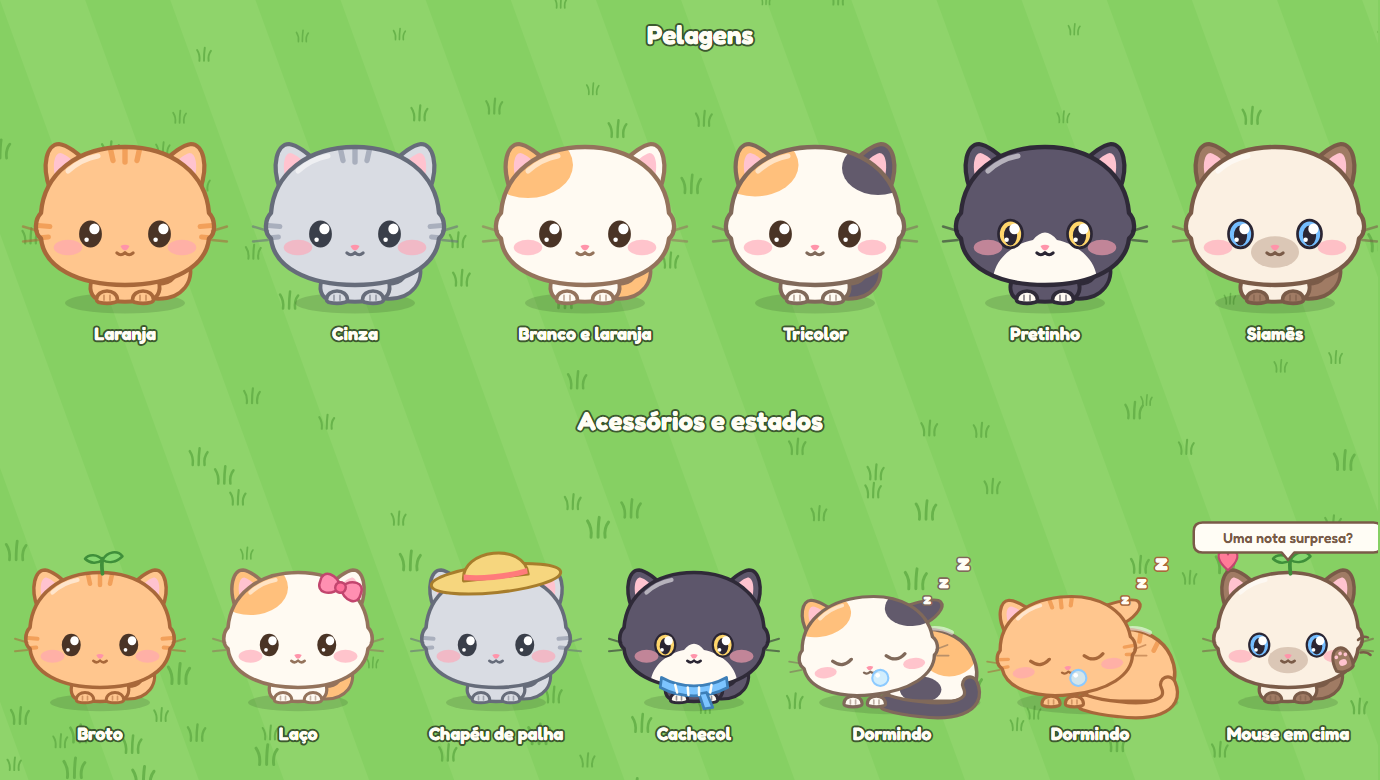
- A sleepy kitten. Hover it to wake it up and click it to open a surprise note. Six coats and four accessories.
- Garden settings panel with time of day, seasons, critters, filters and flower beds synced with the graph view color groups.
- Garden photo saved as a PNG in your vault, and a note garden in the sidebar for the current note.
- English and Portuguese interface.
Development
npm install
npm run dev
npm run build
npm run lint
Clone the repository into <vault>/.obsidian/plugins/graph-garden/ to test it in a vault.
Em português
Plugin do Obsidian que transforma o vault num jardim cartoon: cada nota é uma flor, cada link é uma borboleta, e um gatinho dorme no meio do jardim. Em desenvolvimento.
License
MIT © Pedro Henrique Medeiros dos Reis
For plugin developers
Search results and similarity scores are powered by semantic analysis of your plugin's README. If your plugin isn't appearing for searches you'd expect, try updating your README to clearly describe your plugin's purpose, features, and use cases.