by haotiencheng
Paste a YouTube link and choose to embed it, paste an iframe, or add its title. Supports Shorts and playlists.
Video Embed (YouTube + Instagram + TikTok)
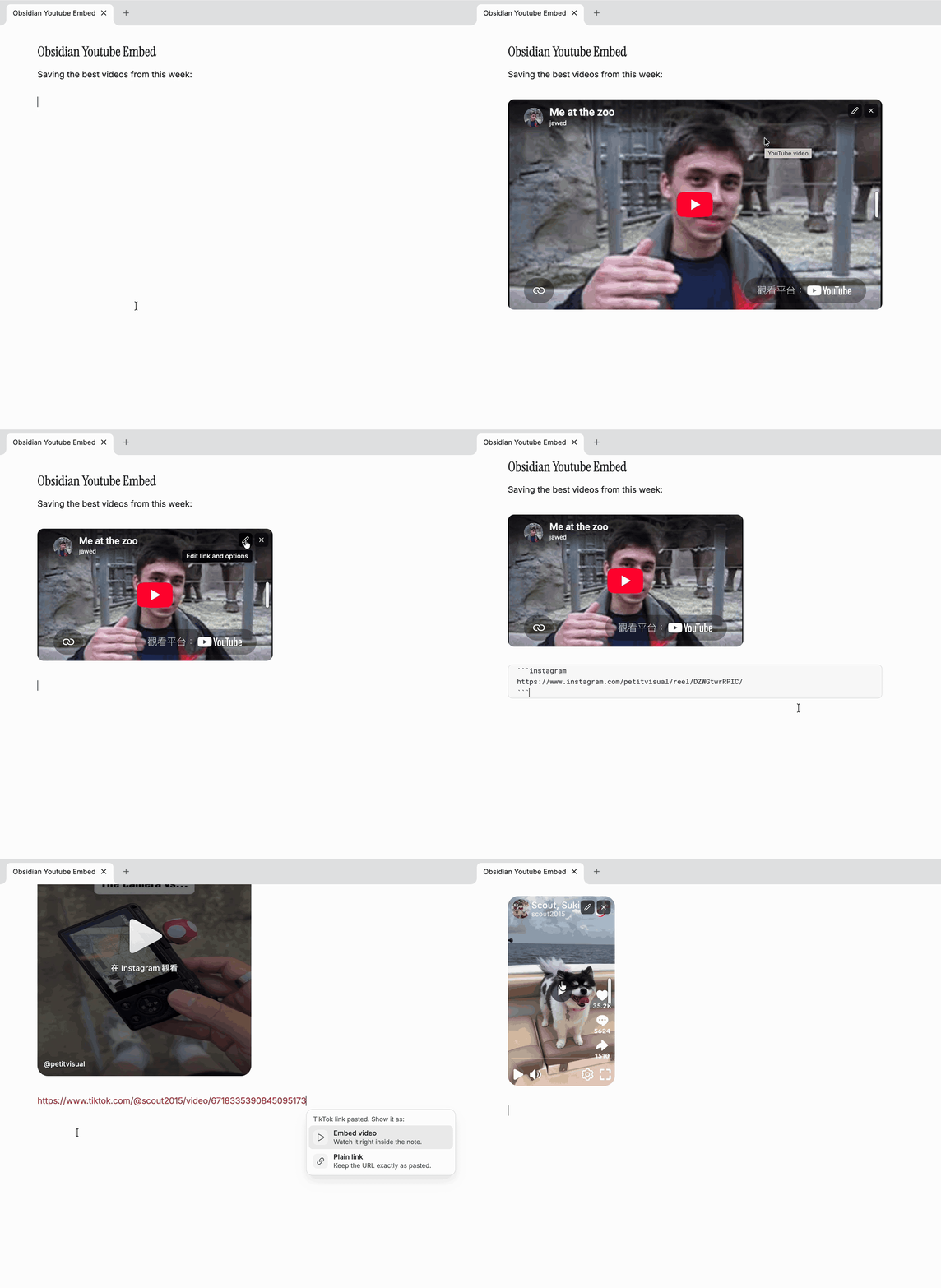
Paste a YouTube, Instagram, or TikTok link into a note and choose how to show it, Notion style.
Install
Requires Obsidian 1.13 or later.
- BRAT: add
haotiencheng/obsidian-video-embedin the BRAT plugin. - Manual: download
main.js,manifest.json, andstyles.cssfrom the latest release into<vault>/.obsidian/plugins/youtube-embed/, then enable Video Embed in Settings → Community plugins.
Paste a link
Paste a link on its own. A small card asks how to show it:
| Link | Choices |
|---|---|
| YouTube | Embed video, Title link, Plain link |
| Embed reel (or Embed post), Plain link | |
| TikTok | Embed video, Plain link |
Title link turns the URL into [Video title](url).
↑ ↓ to choose, Enter to apply, Esc or a click elsewhere keeps the plain link. If you just keep typing, the card closes and nothing is lost.
The plugin never reads your clipboard on its own. It only looks at what you paste, at the moment you paste it.
Resize, edit, remove
- Resize: hover an embed and drag the handle on its right edge. The width is saved into the block as
width: 480px. Double-click the handle to go back to the default width. - Edit (pencil, top-right): opens the block's source with the link and options selected. Works from Reading view too.
- Remove (×, top-right): turns the embed back into the bare URL. Cmd/Ctrl+Z brings it back.
YouTube
Videos, Shorts, live streams, and playlists. Shorts render vertical (9:16), everything else 16:9. Videos load from youtube-nocookie.com, YouTube's privacy-enhanced domain.
```youtube
https://www.youtube.com/watch?v=jNQXAC9IVRw
start: 0:05
end: 1:30
caption: Text under the video
```
Accepted URLs: youtube.com/watch?v=, youtu.be/, /shorts/, /embed/, /live/, m.youtube.com, playlists (?list=), and bare 11-character video ids.
Posts and reels, shown as a clean card: the media with the Instagram badge top-left and the creator's @handle bottom-left. It uses Instagram's official embed, which usually sends you to Instagram to play a reel.
```instagram
https://www.instagram.com/reel/DZWGtwrRPIC/
author: petitvisual
```
The handle is read from links like instagram.com/<user>/reel/…. For other links, add author: with the pencil. Instagram cards can be 326px to 540px wide.
TikTok
Videos, using TikTok's official embed player. Short links (vm.tiktok.com/…, vt.tiktok.com/…, tiktok.com/t/…) work too.
```tiktok
https://www.tiktok.com/@scout2015/video/6718335390845095173
```
The first time, TikTok may ask about cookies inside the player. Answer once and it won't ask again.
Block options
The first line without a key: prefix is the URL. Every option is optional.
| Option | Example | Applies to | Notes |
|---|---|---|---|
url | url: TfTAB6F-kW0 | all | Same as a bare URL line |
width | 480px, 60% | all | Set by dragging; overrides the default width |
caption | any text | all | Shown under the embed |
start | 90, 1:30, 1m30s | YouTube | Overrides t= in the URL |
end | 2:00 | YouTube | Stop time |
vertical | true / false | YouTube | Force 9:16 or 16:9 |
author | @petitvisual | Handle shown bottom-left |
Command and settings
- Insert video command: inserts an empty
youtubeblock at the cursor, ready for a link. - Default video width: starting width for 16:9 videos (default
100%). - Default width for vertical videos: starting width for Shorts and TikTok (default
360px).
Inspiration
- Notion: pasting a link in Notion offers to keep it as a link, turn it into a bookmark, or embed it. The paste card here follows the same idea.
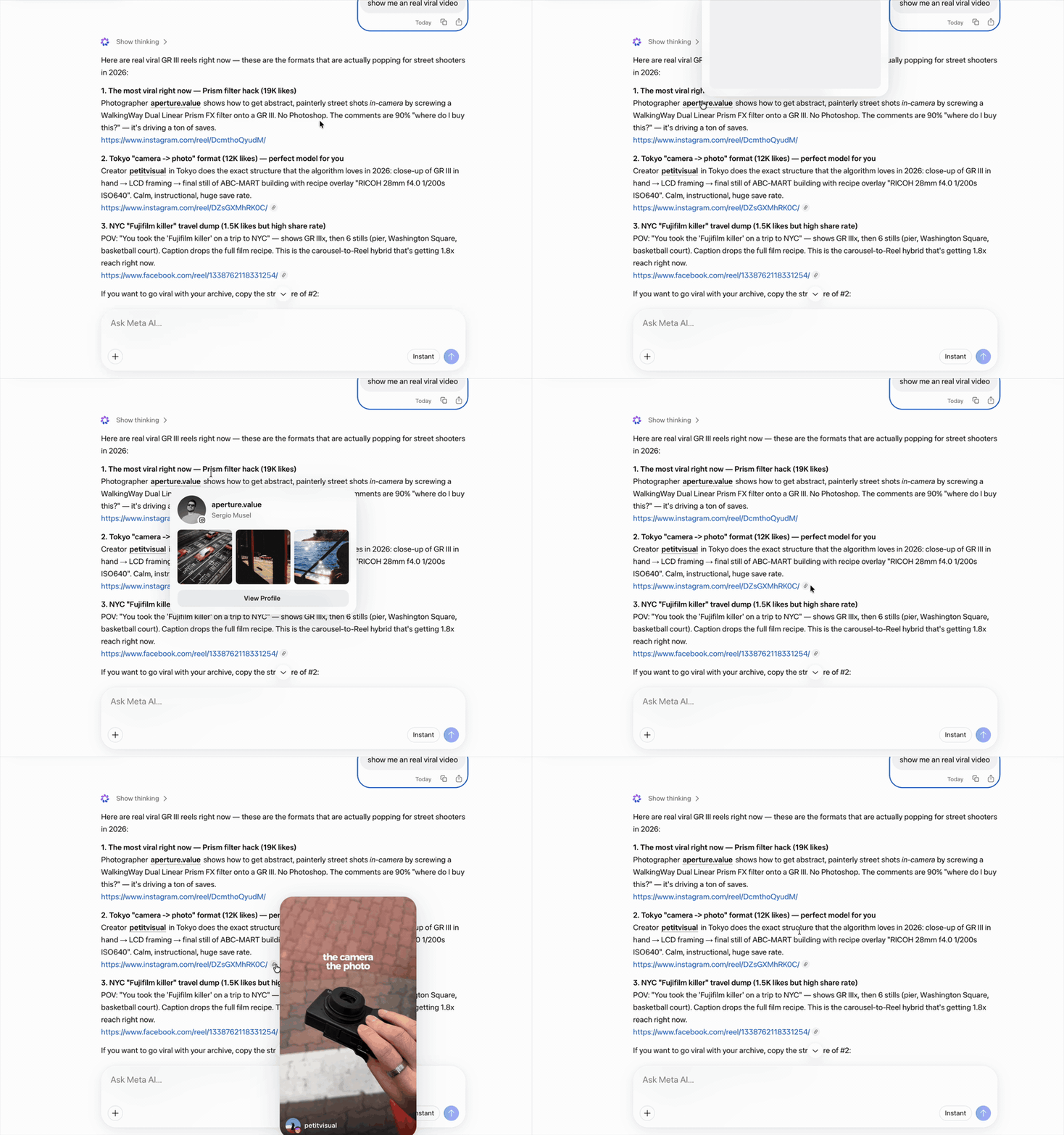
- Meta AI: hovering an Instagram reel link in Meta AI shows a clean, full-bleed preview with the creator's handle in the corner. The Instagram card here borrows that look.
Development
npm install
npm run dev     # watch build
npm run build   # type-check + production build
npm run lint    # eslint-plugin-obsidianmd
npm test        # parser unit tests (Node 22+)
For plugin developers
Search results and similarity scores are powered by semantic analysis of your plugin's README. If your plugin isn't appearing for searches you'd expect, try updating your README to clearly describe your plugin's purpose, features, and use cases.