Colorful StickyNotes
approvedby pandanocturne
Floating colorful sticky notes in Vault - This plugin has not been manually reviewed by Obsidian staff.
中文说明:README.zh-CN.md
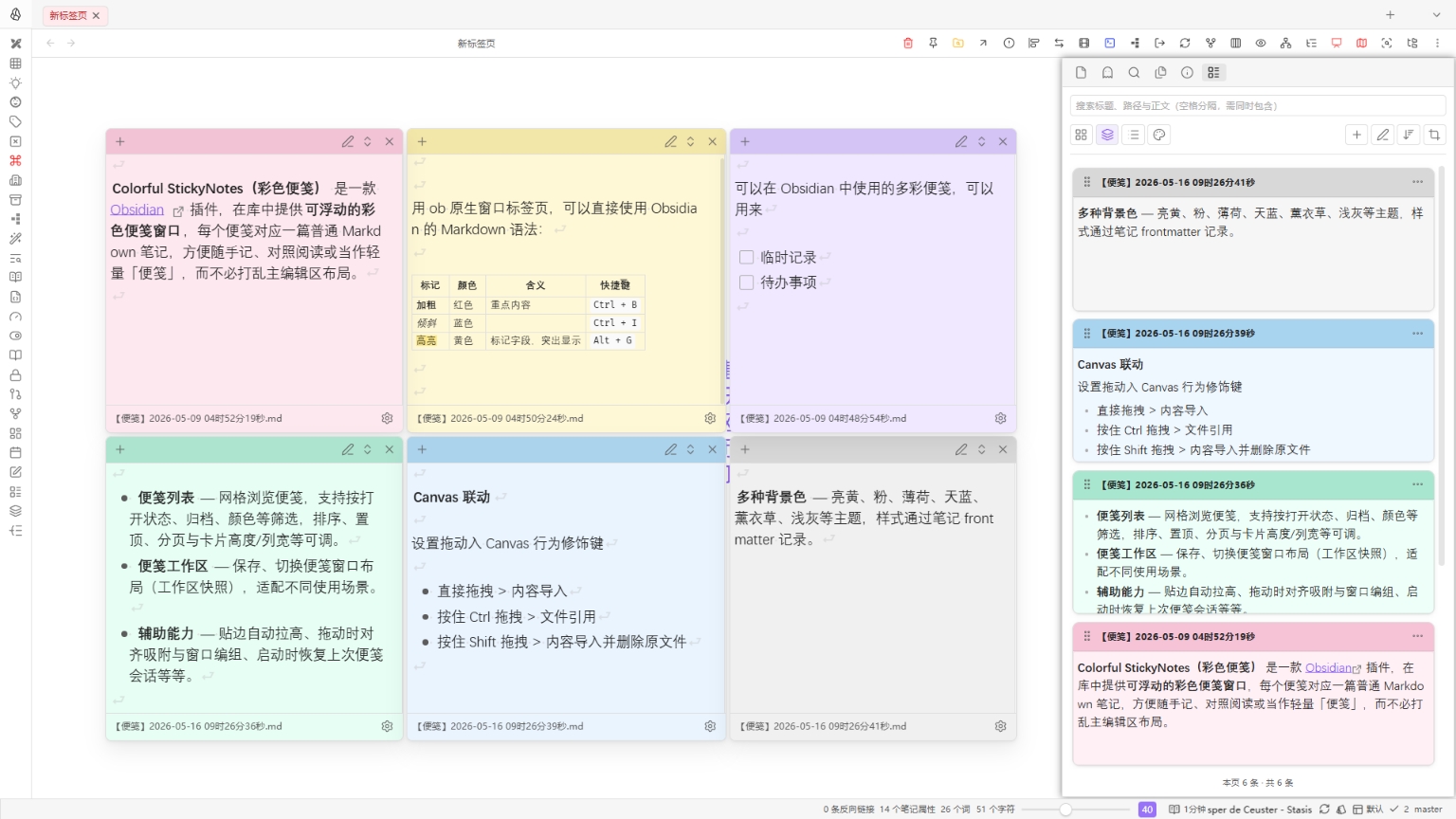
Colorful Sticky Notes is an Obsidian plugin that opens draggable, stackable sticker-style windows over your vault. Each sticky is backed by a normal Markdown note (default folder StickyNotes, configurable).
Features
- Floating sticky windows — Small windows above the UI; content comes from vault notes.
- Background colors — Palettes such as yellow, pink, mint, blue, lavender, and gray (stored in note frontmatter).
- Sticky list — Grid view with filters (open state, archive, color), sorting, pinning, pagination, and adjustable card size/columns.
- Sticky workspaces — Save and switch window layouts (snapshots) for different setups.
- Extras — Edge snap / auto-resize, drag snapping and grouping, restore session on startup, filename templates (Moment-style + subfolders), optional default template note.
Canvas integration
From the sticky list, drag one or more stickies via the drag handle onto Canvas to create nodes. Batch drops follow spacing and “max per row” from settings.
- Plain drag → embed content
- Ctrl drag → link to file (⌘ on macOS)
- Shift drag → embed and move original to trash (use with care)
Optional behavior lives under Canvas link in settings (default node size, auto-fit height, color sync, zoom-to-selection, drag hints, etc.).
Installation
Via BRAT (beta)
- Install BRAT from Community Plugins.
- Settings → BRAT → Add Beta plugin.
- Repo URL:
https://github.com/PandaNocturne/obsidian-colorful-stickynotes. - Add the plugin, then enable it under Community Plugins.
Manual
- Download
main.js,manifest.json, andstyles.cssfrom Releases. - Create
.obsidian/plugins/colorful-stickynotesin your vault and copy the files in. - Restart Obsidian and enable the plugin.
Development
- Clone this repo.
npm installnpm run build
Credits
Inspired in part by obsidian-card-note and obsidian-hover-editor.
License
For plugin developers
Search results and similarity scores are powered by semantic analysis of your plugin's README. If your plugin isn't appearing for searches you'd expect, try updating your README to clearly describe your plugin's purpose, features, and use cases.