Sticky Notes
approvedby abdo-reda
Create sticky notes popups.
Sticky Notes Plugin
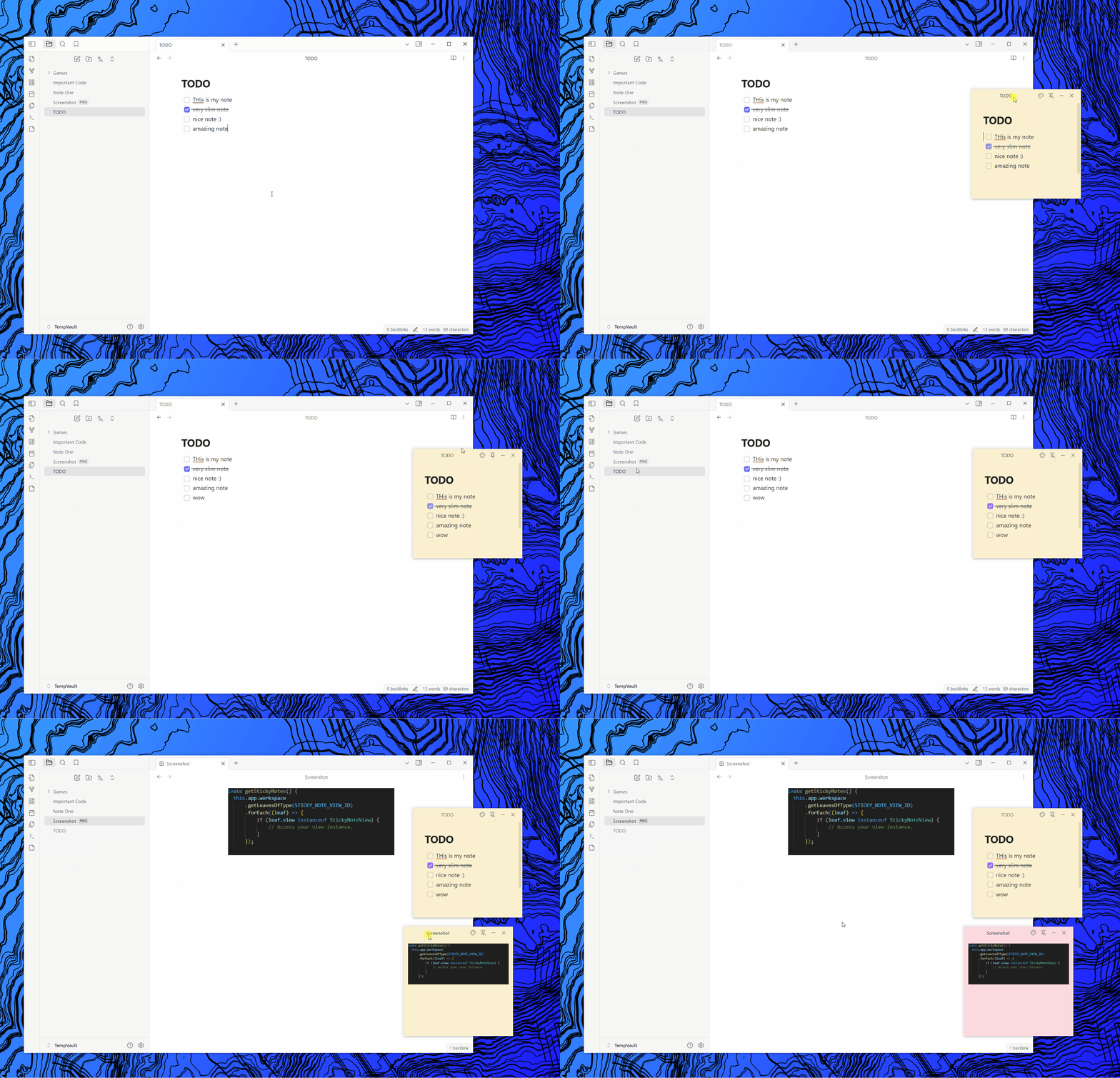
A simple plugin that builds on top of the existing popout functionality of obsidian. By adding a new popout window that resembles sticky notes. They have a much cleaner look, a pin functionality and color options.
You can open a sticky note window using the ribbon action, command, or context menus.
Demo
Installation
- Go to latest release.
- Download the
sticky-notes.zipfile and extract it inside of your obsidian vault plugins folder<vault>\.obsidian\plugins. - Reload obsidian and make sure to enable the plugin in the
community pluginssection in vault settings.
[!WARNING]
Make sure to copy and backup your obsidian notes. This is a just a precaution, the plugin hopefully should be totally safe and no issues have been reported so far.
Commands
Sticky note commands for efficient workflows!
Comands
- Open sticky note
- Create sticky note
- Destroy all sticky notes
Settings
Customize the plugin behaviour to your needs!
General Settings
- sticky note path
- save workspace
- taskbar visibility
- default pin mode
Size Settings
- default size
- resiable window
Color Settings
- remember background colors
- use recent color
- background colors
Possible Issues & Limitations.
-
The plugin relies on
@electorn/remoteto work, as the pin functionality and resizing require access to the node/main process apis. This is not the recommended approach, but the only one that worked with me after some research. -
The plugin relies on customizing certain obsidian elements (like the titlebar) and relies on their classes, there is no guarentee that this will continue working in future releases of obsidian (if they ever decided to rename their classes for example).
Development
Creating a Release
- Bump Vesrion
node version-bump.mjs <version> - Push Code.
- Create Tag:
git tag -a <version> -m "<version>"git push origin <version>
- Edit and Publish Release Notes on Github.
For plugin developers
Search results and similarity scores are powered by semantic analysis of your plugin's README. If your plugin isn't appearing for searches you'd expect, try updating your README to clearly describe your plugin's purpose, features, and use cases.