by Eren Can
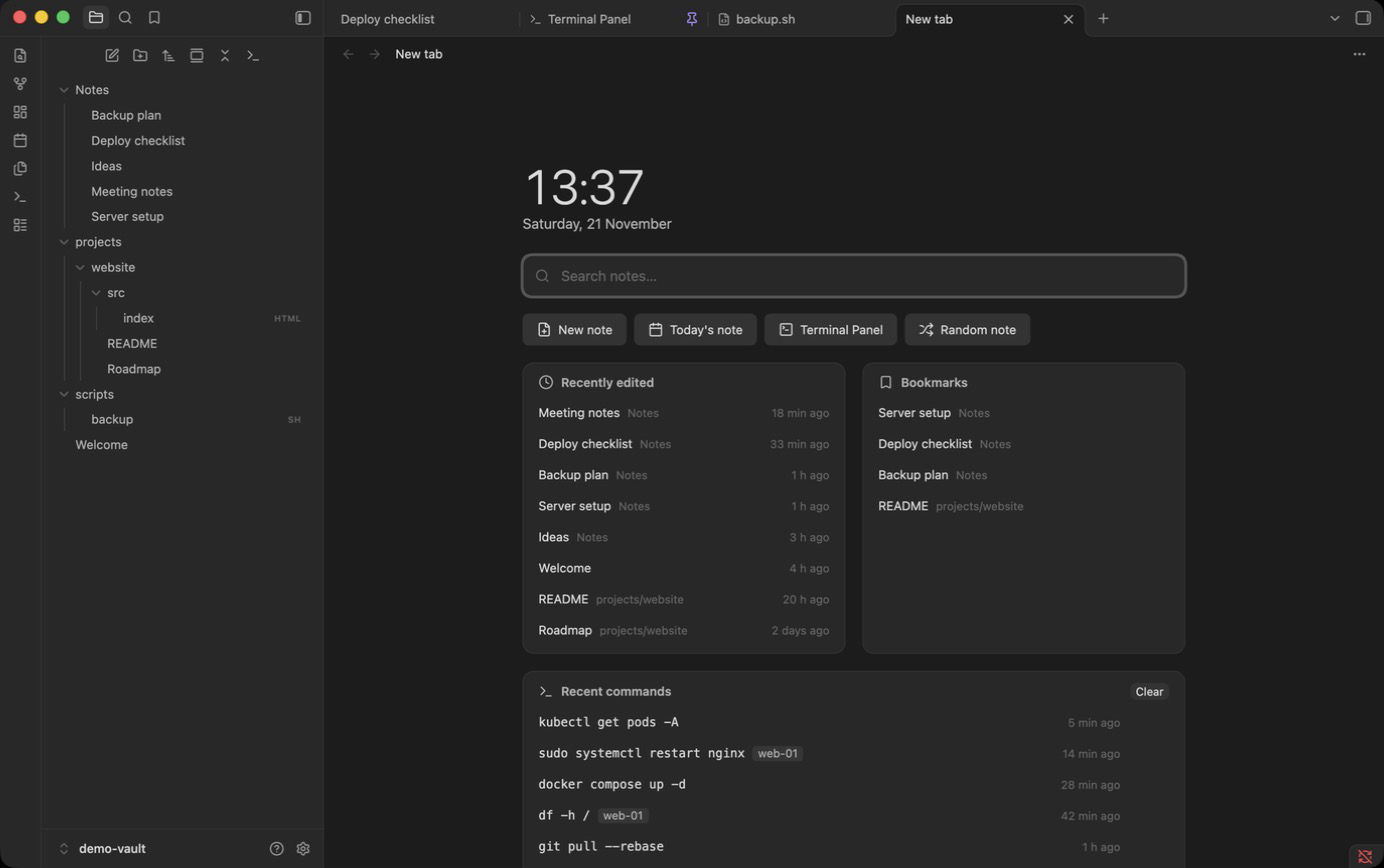
A useful new tab: search, recent notes, bookmarks and recent terminal commands.
ecu-newtab
A new tab that is actually useful: search, recent notes, bookmarks and your recent terminal
commands, all on the empty tab you open with Cmd/Ctrl+T.
Features
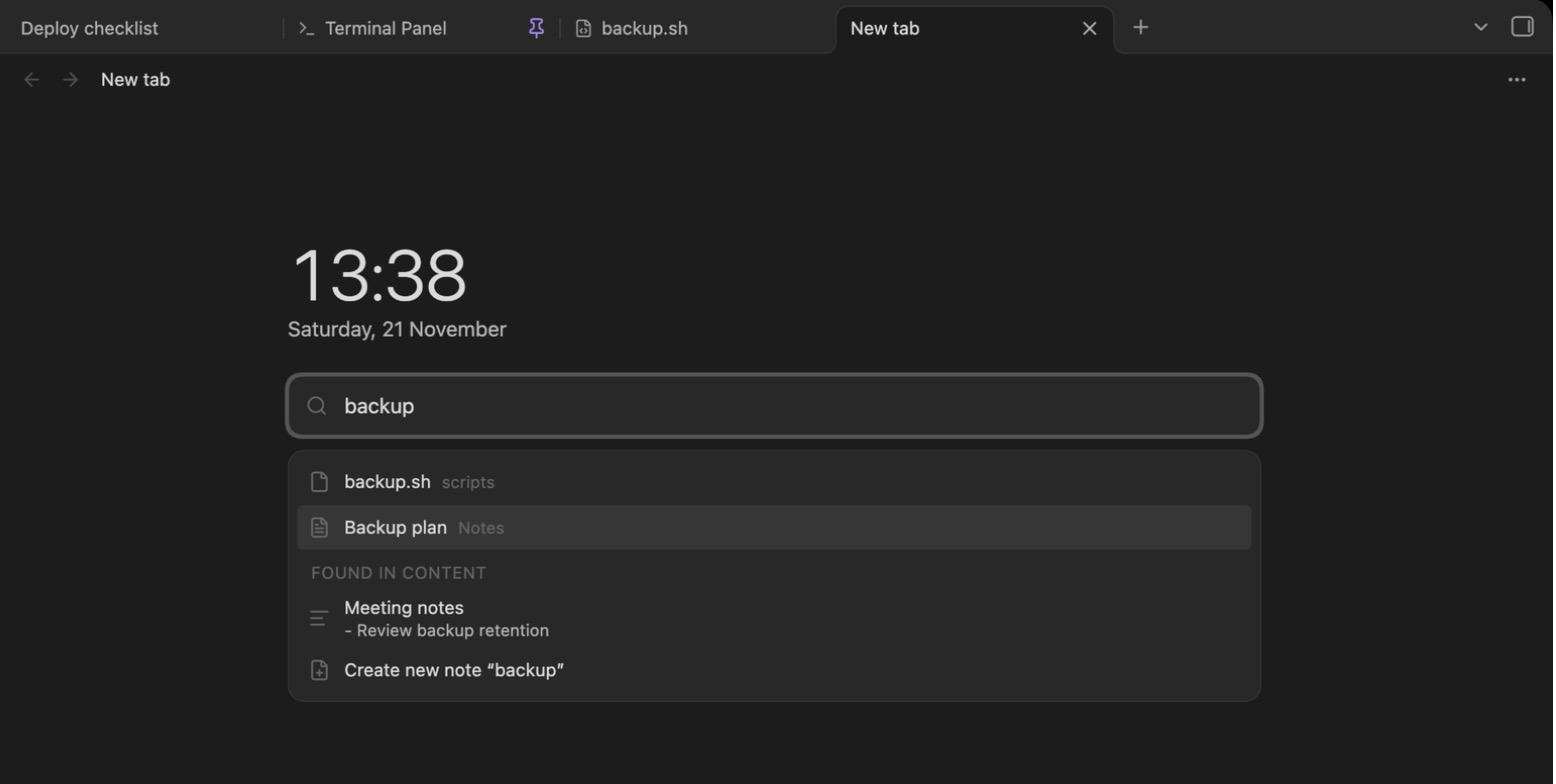
- Search right away: the cursor is in the search box when the tab opens (on desktop; on
mobile the keyboard stays down until you tap the box). Matches note names first, then note
contents with a short snippet. Content search looks through your most recently edited notes
(3,000 on desktop, 800 on mobile) so it stays fast in large vaults. Arrow keys to move,
Enterto open in the same tab,Cmd/Ctrl+Enterto open in a new tab. No match? Create a note with that name. - Quick actions: new note, today's daily note, Terminal panel, random note.
- Recently edited notes with their folder and how long ago they changed.
- Bookmarks from Obsidian's Bookmarks core plugin: notes, headings and blocks (folders, searches and links stay in the Bookmarks panel).
- Recent commands from ecu-terminal: click a command to type it into the terminal without pressing Enter, use the play button to run it again, or copy it. Commands that ran over SSH show the host and are only ever typed into the terminal (no Enter), so you decide where they run. Commands containing words like password, token or secret are never recorded, and anything that still looks like a credential (passwords in flags or URLs, API keys, tokens) is hidden from the list.
- Clock and date at the top. Every section can be switched off in the settings.
Install
- From the latest release,
download
main.js,manifest.jsonandstyles.cssinto<your vault>/.obsidian/plugins/ecu-newtab/. - In Obsidian, open Settings > Community plugins, turn off Restricted mode if needed, and enable ecu-newtab.
- Open a new tab.
Optional companions: ecu-terminal for the Terminal panel button and recent commands, and ecu-codekit, which runs commands with a safety check for risky ones. Without them those parts simply don't show up.
The plugin makes no network requests.
Language
The interface is available in English and Turkish. By default it follows Obsidian's language; you can pick one under Settings > ecu-newtab > Language.
License
MIT, see LICENSE.
For plugin developers
Search results and similarity scores are powered by semantic analysis of your plugin's README. If your plugin isn't appearing for searches you'd expect, try updating your README to clearly describe your plugin's purpose, features, and use cases.