by jcolorxy
A globe and world map of the countries you have visited, with the years you went and trips linked to your notes.
World Map for Obsidian
A globe and a flat world map of the countries you have been to, the years you went, and the trips behind them, linked to the notes you wrote along the way.
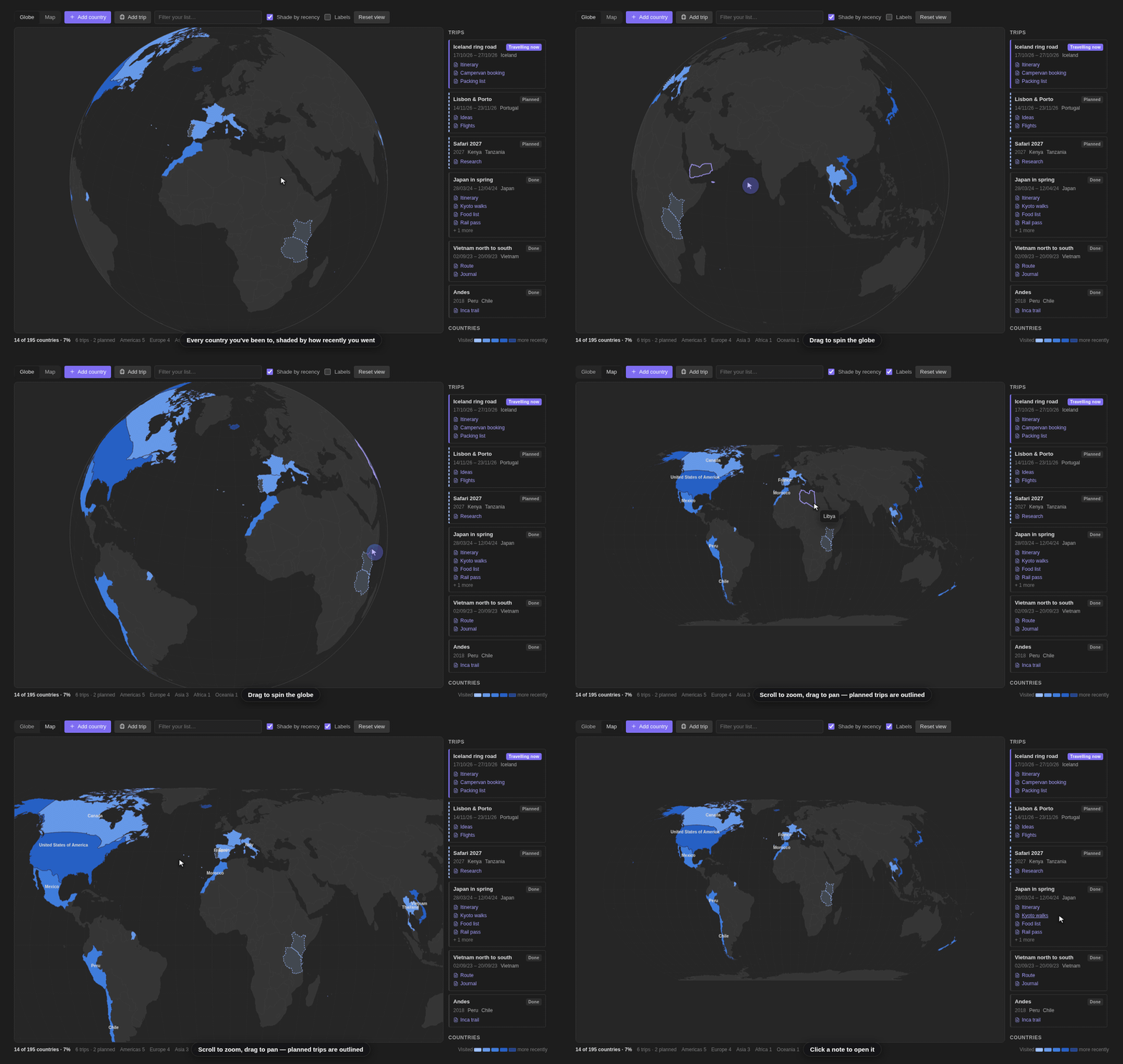
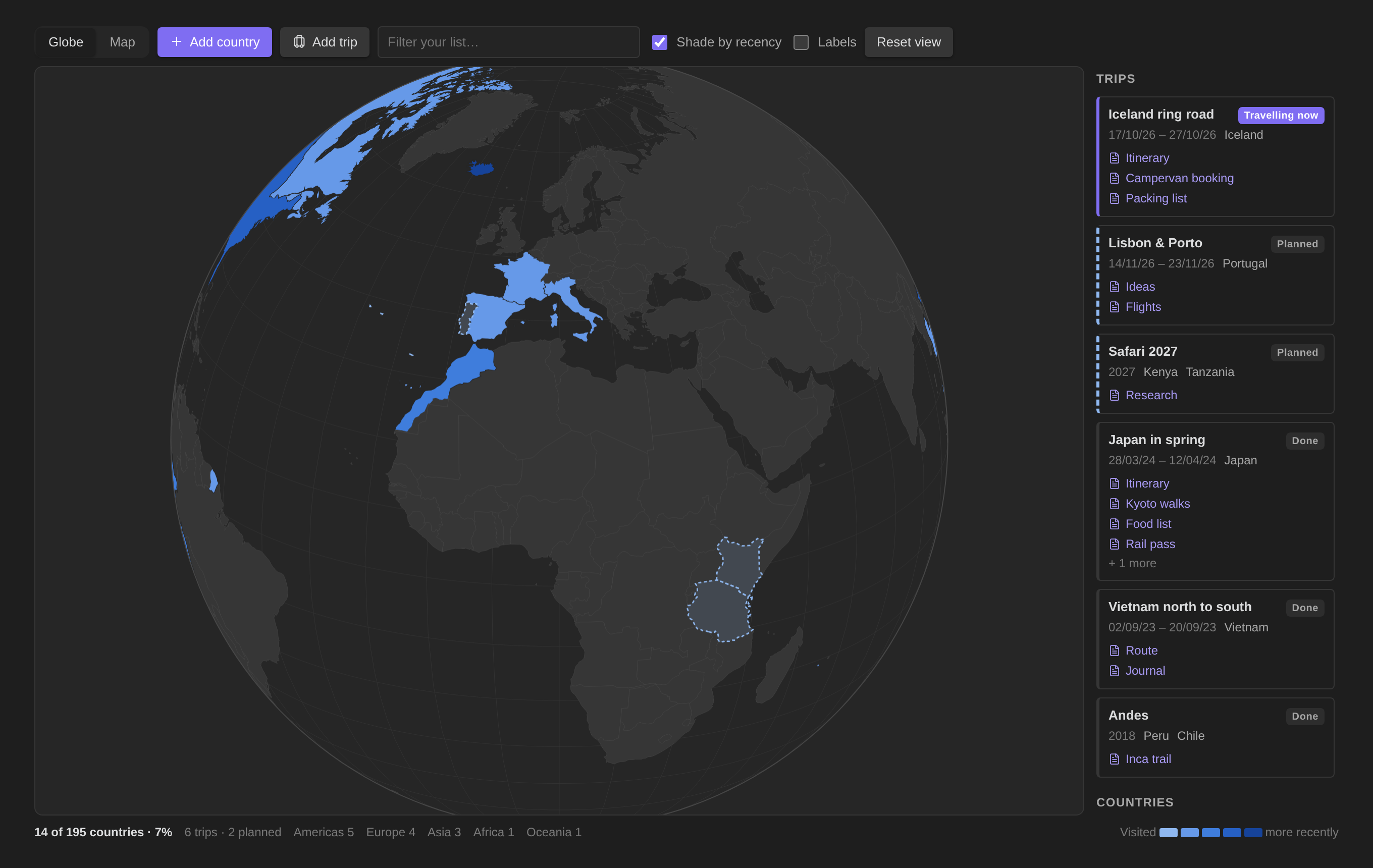
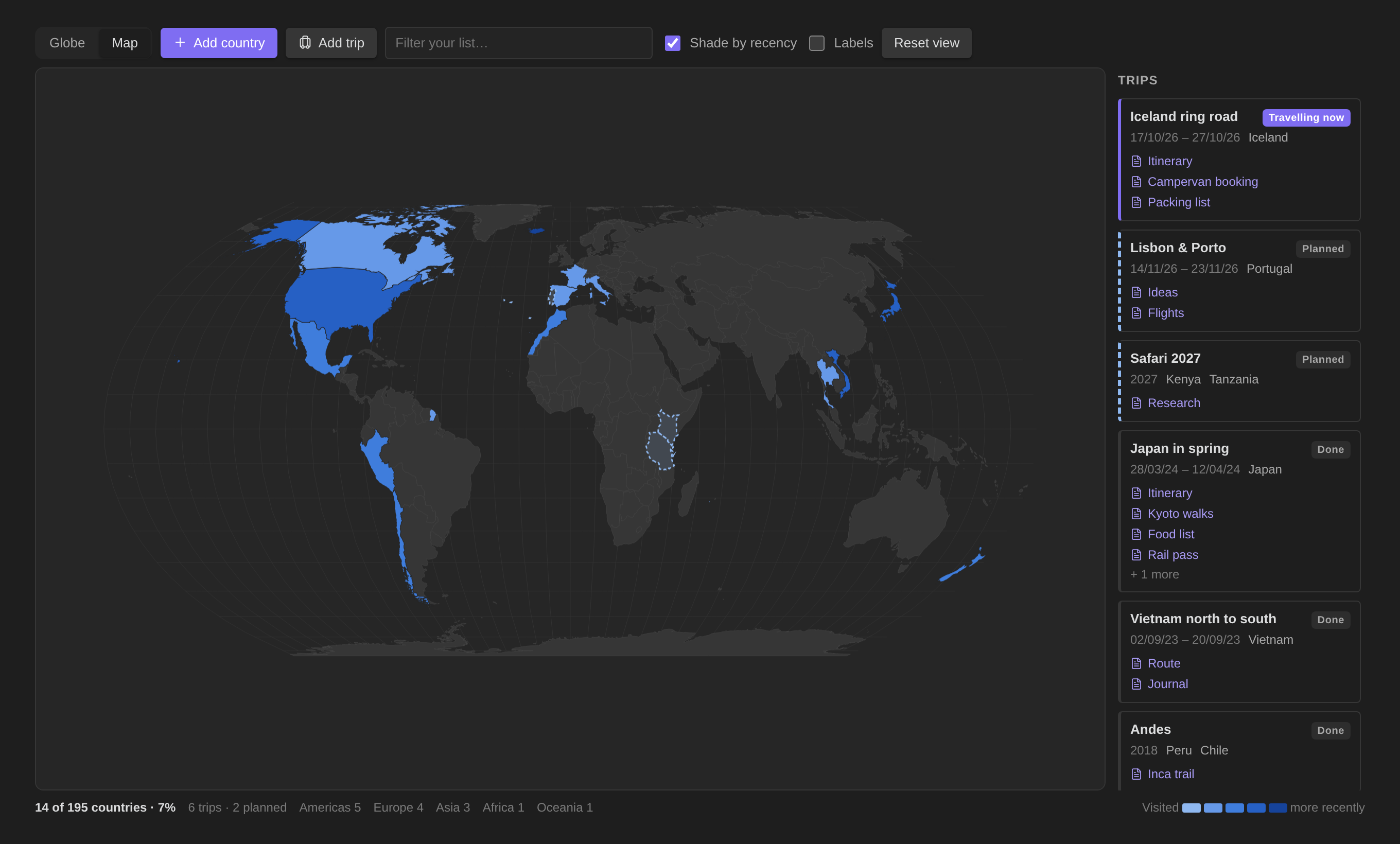
Screenshots and the showreel use invented demo data. Regenerate them with node screenshots/shoot.mjs and node screenshots/showreel.mjs.
Features
- Globe or flat map. Drag to spin or pan, scroll to zoom, Reset view to go back. Countries you have visited are shaded, darker for more recent visits (or one colour if you switch Shade by recency off).
- Countries and years. Click a country, or use Add country, to record the years you went and an optional note.
- Trips. A trip has a name, one or more countries, dates (or just a year) and any number of linked notes. Click a trip title or View all notes to open its hub: browse every linked note, search by name or folder path, and open notes in a new tab while keeping the map available. Edit trip / manage notes manages the trip and its links. Country details also link to each trip’s hub.
- Status is worked out from the dates: Planned, Travelling now or Done. You can also set it by hand.
- Done and current trips count towards your visited countries. Planned trips are drawn with a dashed outline, so you can see where you are going next.
- Link a whole folder adds every note in a folder to a trip.
- Renaming or moving a linked note keeps the link. Deleting one removes it.
- Create trips from travel folders. If you keep a folder per trip (for example
Travel/Japan 2026,Travel/Iceland-2024), this command makes a trip for each one, with its year taken from the name and all of its notes linked. - Stats. Countries visited out of 195, percentage, trip count, and a count per continent.
- Embed a map in a note with a
worldmapcode block (see below). - Works on desktop and mobile. The map geometry is bundled into
main.js, so Obsidian Sync carries everything the plugin needs.
Commands
| Command | What it does |
|---|---|
| Open world map | Opens the map view (also on the ribbon). |
| Add a country you have visited | Pick a country and add years. |
| Add a trip | Opens the trip editor. |
| Create trips from travel folders | Choose a parent folder. Each subfolder named like Place 2026 becomes a trip. |
| Insert a map here | Inserts a worldmap block at the cursor. |
Embedding a map
```worldmap
projection: globe
height: 420
centre: 140, 36
zoom: 2
stats: true
labels: false
interactive: true
```
Every option is optional. projection is globe or flat (default flat). centre is longitude, latitude. zoom runs from 0.6 to 12.
Data
Everything lives in the plugin's data.json in your vault: visits keyed by country, trips with their linked note paths, and settings. Nothing is sent anywhere.
Vault access. The plugin lists your notes' paths only to fill the note picker when you link a note to a trip. It reads no note contents. The one file it reads directly is the data.json of an older copy of World Map installed under a different id, once, to carry your map over when the id changed. It makes no network requests.
Install
Needs Obsidian 1.13 or later. The plugin is not in the community directory yet. To install it by hand:
- Download
main.js,manifest.jsonandstyles.cssfrom the latest release, or build them yourself (below). - Copy them into
<your vault>/.obsidian/plugins/jcolorxy-world-map/. - In Obsidian, go to Settings → Community plugins, reload, and enable World Map.
Build
npm install
npm run build              # writes main.js
node --test tests/*.test.mjs # unit tests
node screenshots/shoot.mjs # regenerates docs/*.png (needs Chromium)
Similar plugins
The community plugin Visited Countries covers similar ground. World Map adds a globe, trips with linked notes, planned trips, and embeddable maps.
Credits
Country shapes are from Natural Earth via world-atlas, both in the public domain. Projections use d3-geo.
Licence
MIT
For plugin developers
Search results and similarity scores are powered by semantic analysis of your plugin's README. If your plugin isn't appearing for searches you'd expect, try updating your README to clearly describe your plugin's purpose, features, and use cases.