by 张昕伟
Explore daily and weekly notes with yearly heatmaps, a monthly calendar, and section tracking.
Journal Atlas
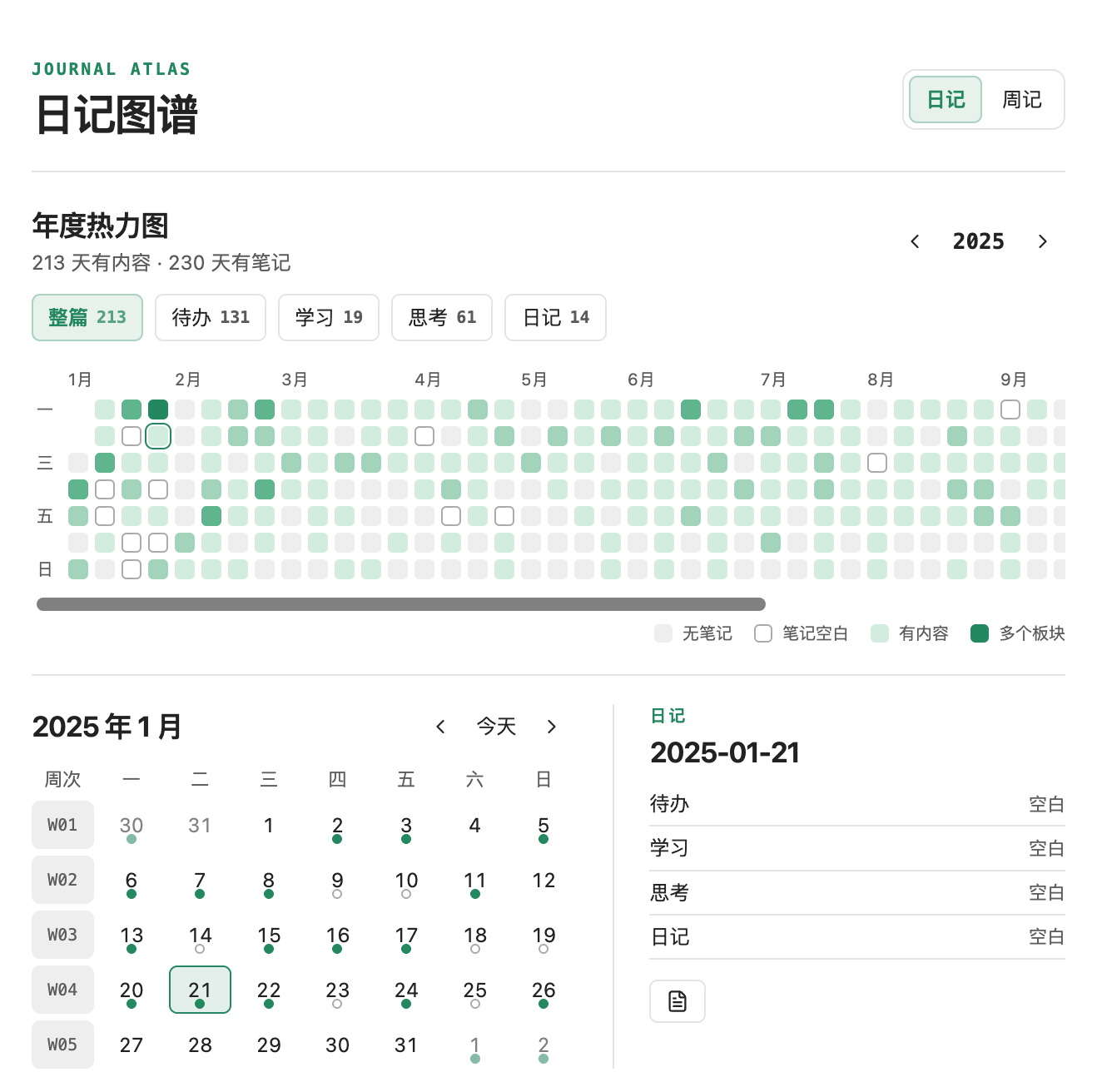
Journal Atlas is an Obsidian plugin for reviewing daily and weekly notes through GitHub-style yearly heatmaps, a monthly calendar, and section-by-section tracking. It reads Markdown locally and can run alongside Calendar.
Install
- Download the ZIP from Releases and extract it.
- Copy the
journal-atlasfolder into your vault's.obsidian/plugins/folder. - Reload Obsidian, open Settings → Community plugins, and enable Journal Atlas.
- Select the calendar icon in the ribbon or run Open Journal Atlas from the command palette.
You can also download manifest.json, main.js, and styles.css individually and put all three files in .obsidian/plugins/journal-atlas/.
Use
- Switch between daily and weekly notes to review the year. The heatmap shows periods with written content, and darker cells indicate more tracked sections with content.
- Select a section to see its yearly count and highlight only the days or weeks where it has content.
- Click a date or week number in the monthly calendar to check the section statuses and open or create the corresponding note.
- The weekly heatmap tracks weekly note files. Weekly details also show how many days that week have daily notes with content.
Configure
Journal Atlas can initialize its settings from Obsidian's Daily Notes, Calendar, or enabled Periodic Notes settings. Its own settings let you change the folder, filename format, and creation template for each note type. Subfolders are included. The default filename formats are YYYY-MM-DD for daily notes and GGGG-[W]WW for ISO weekly notes.
Daily and weekly notes share one list of tracked sections. Enter one section per line and separate aliases with |:
Tasks | Today's tasks | 待办 | 今日待办
Learning | 学习
Reflections | 思考
Journal | 日记 | 工作日记
For example, the first line matches a Markdown heading such as ## 1. 今日待办. Heading numbers are ignored. Headings, empty checkboxes, separators, and comments alone leave a section blank.
The current interface and default section names are in Chinese. Section names and aliases can be customized for any Markdown journal.
Acknowledgment
The calendar and week navigation were inspired by Calendar for Obsidian.
License
Journal Atlas is available under the MIT License.
For plugin developers
Search results and similarity scores are powered by semantic analysis of your plugin's README. If your plugin isn't appearing for searches you'd expect, try updating your README to clearly describe your plugin's purpose, features, and use cases.