by esenonfossiio
Date-tree journal in a single Org file: new entry, calendar, folder tree, tag search and a clean journal look. Requires the Orgmode (cm6) plugin.
Org Journal

Obsidian plugin for a date-tree journal kept in a single Org file. Works
alongside orgmode-cm6,
which provides the .org editor view.
Requires Orgmode (cm6). Obsidian can't declare plugin dependencies, so install and enable it yourself (Settings → Community plugins). Without it Org Journal shows a notice on startup and its commands can't open the journal.
File layout (same as the Emacs file+olp+datetree capture template):
* 2026
** 2026-08 August
*** 2026-08-29 Saturday
**** 23:02 Title                                         :tag1:tag2:
Free-form text...
Screenshots
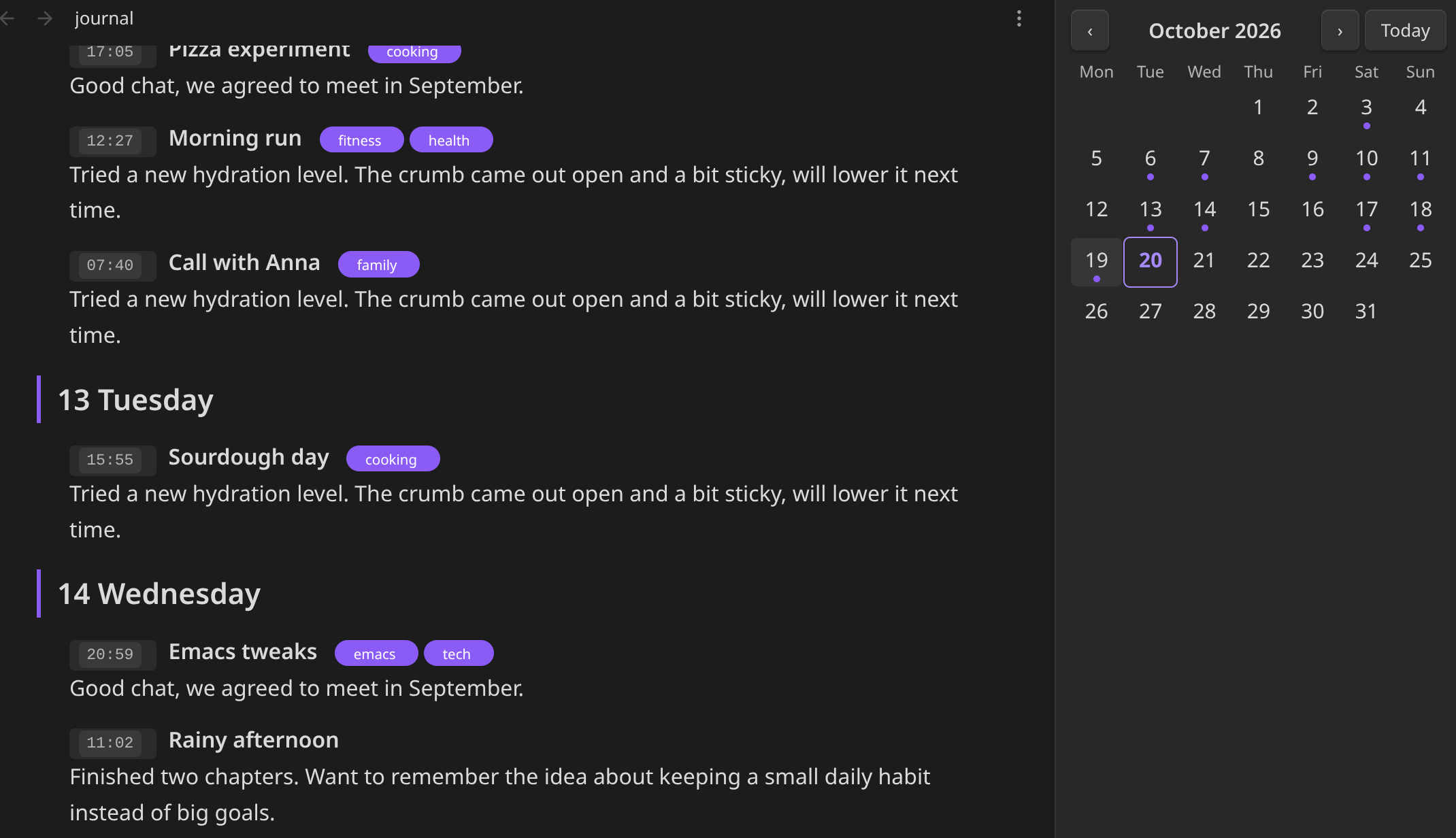
Journal look and calendar:
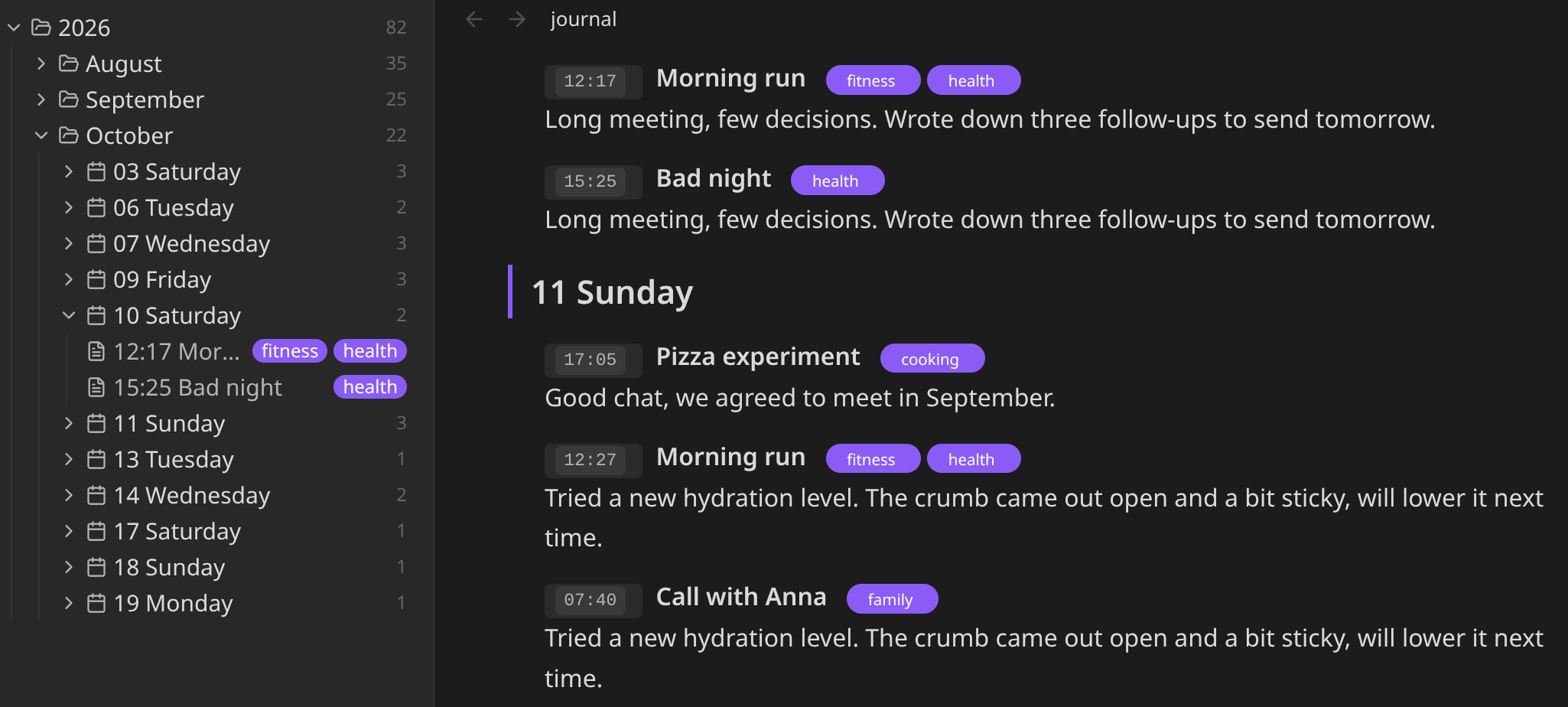
Tree view:
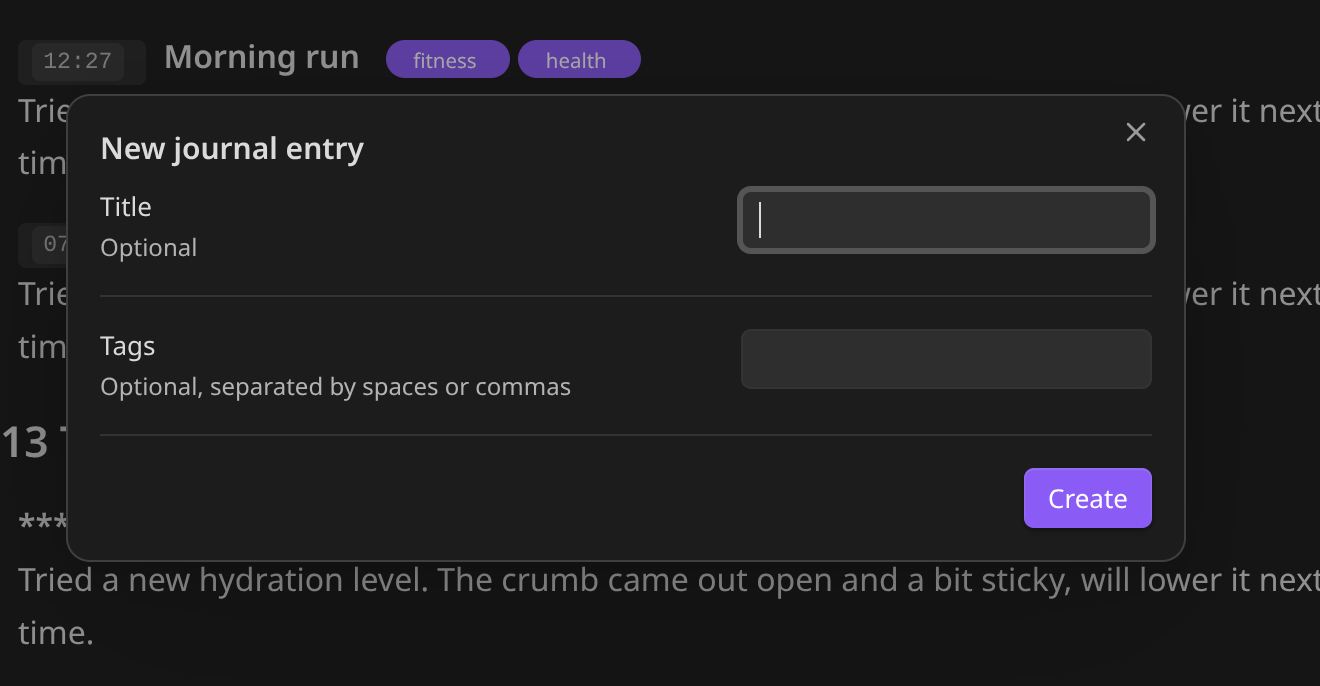
New entry:
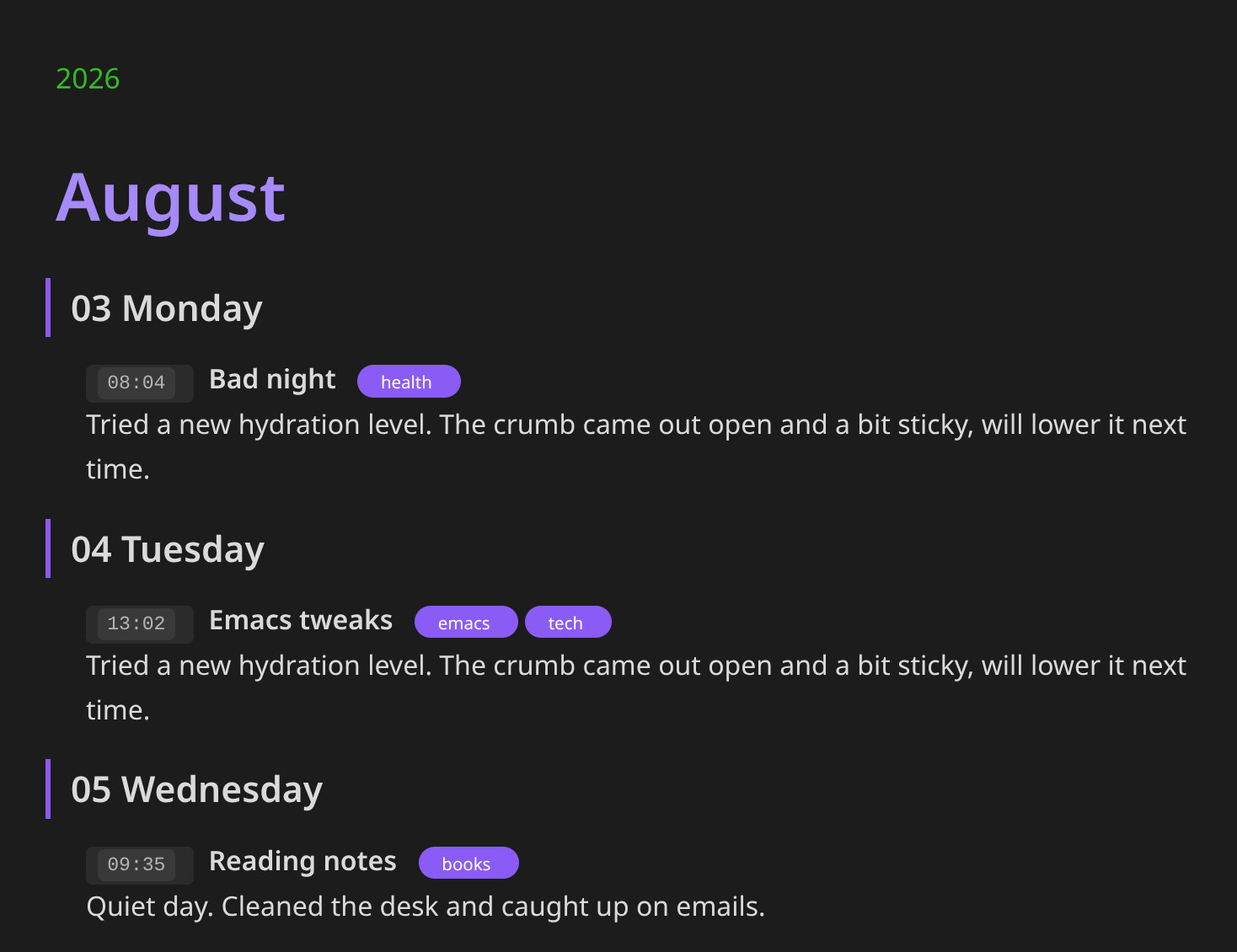
Journal look, close up:
Commands
Run from the command palette (Ctrl+P, prefix "Org Journal: "). Assign hotkeys
in Settings → Hotkeys.
| Command | What it does | Ribbon |
|---|---|---|
| New entry | Asks for an optional title and tags, then adds **** HH:MM title :tags: under today's year/month/day headings (created in sorted position if missing) and puts the cursor on the body line. Optionally hides everything except today's path and the new entry. | pencil |
| Show all entries | Undoes the hiding done by New entry. Reopening the file does the same. | |
| Open today | Jumps to today's day heading (or says there is none yet). | |
| Open calendar | Sidebar month view. Days with entries have a dot (hover for the count); click one to jump to it. | calendar |
| Open tree | Left-sidebar tree like the file explorer: years and months are folders (with entry counts), then days, then entries with their tags. Click a folder to expand/collapse, click an entry to jump to it, double-click a day to jump to its heading. Chronological (oldest first); the current year and month start open. | folder-tree |
| Search entries | Fuzzy search over date, title, tags and body text; Enter jumps to the entry. | |
| Filter entries by tag | Lists tags with counts, then the entries under the chosen tag. |
Journal look
The journal file (and only that file) gets its own styling: year, month, day and
entry headings in a clear hierarchy, HH:MM as a badge, :tags: as pills (the
colons and alignment padding are hidden unless the cursor is on that line),
leading asterisks hidden (shown again on the line you're editing),
entry text indented under its heading, a readable column width, and the preamble
(#+TITLE / #+STARTUP lines before the first heading) hidden. Turn it off with the Journal look setting.
Colours come from your Obsidian theme (accent colour, text and muted text), so they follow light/dark mode.
Settings
- Journal file: path inside the vault (default
journal.org). - Week starts on Monday: calendar layout.
- Hide other entries on new entry: on by default.
- Journal look: on by default.
- Hide preamble: part of the journal look, on by default.
- Tags column: right edge for
:tags:on entry headings (default 77, as in Emacs).
License
MIT, see LICENSE.
Development
Source is in src/: core.js (pure date-tree/Org logic, unit-tested),
calendar.js, modals.js, hide.js (CodeMirror line hiding), tree.js (sidebar tree), style.js (journal look decorations; CSS is in styles.css), settings.js and
main.js (the plugin). main.js at the repo root is the esbuild bundle Obsidian
loads; it is generated and gitignored.
npm install
npm test         # unit tests for src/core.js
npm run build    # bundle src/ -> main.js
npm run dev      # rebuild on change
Trying changes in Obsidian
- Tell the build where your vault's plugin folder is (once). Put the path in a
gitignored
.deploy-targetfile, or setOBSIDIAN_PLUGIN_DIR:echo "~/vault/.obsidian/plugins/org-journal" > .deploy-target npm run build(ornpm run dev, which rebuilds whenever you save a file insrc/) now also copiesmain.js,manifest.jsonandstyles.cssthere.- Obsidian only reloads plugin code on startup or when the plugin is toggled: Settings → Community plugins → switch Org Journal off and on (or restart).
- Open the developer console (
Ctrl+Shift+I) to see errors.
Don't symlink the checkout into the vault: Syncthing (and some other sync tools) don't follow symlinks, so the plugin would never reach your phone. The deploy target must be a real folder holding only the three built files.
Put logic that doesn't need Obsidian or CodeMirror in src/core.js and cover it
in test/core.test.js; keep the Obsidian-facing code in the other modules thin.
Releasing
Bump version in manifest.json and package.json, add it to versions.json,
commit, then git tag <version> && git push origin main <version>. The tag must
equal the manifest version (no v prefix); the GitHub workflow builds, tests and
publishes a release with main.js, manifest.json and styles.css.
Install
Copy main.js, manifest.json and styles.css into
<vault>/.obsidian/plugins/org-journal/ and enable it. Set the journal file
path in the plugin settings (default journal.org).
For plugin developers
Search results and similarity scores are powered by semantic analysis of your plugin's README. If your plugin isn't appearing for searches you'd expect, try updating your README to clearly describe your plugin's purpose, features, and use cases.