by yujia
Adds jump-to-top and jump-to-bottom buttons to the core Outline pane.
Outline Jump
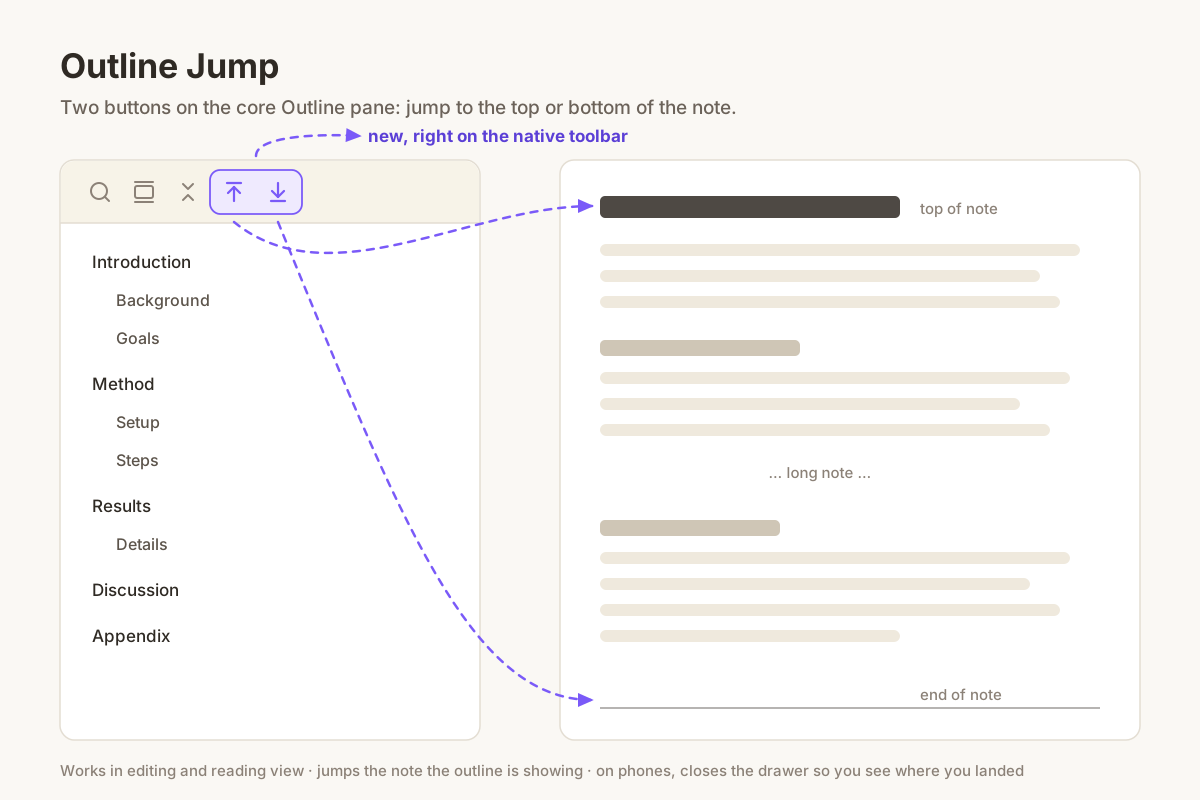
The core Outline pane lets you jump to any heading, but not to the very top or the very bottom of the note. On a long note that means a lot of scrolling.
This plugin adds two buttons to the Outline pane's own toolbar, next to search and collapse:
- Jump to top — scrolls the note back to its first line.
- Jump to bottom — scrolls the note all the way to the end.
Details
- Works in both editing and reading view. Reading view renders long notes lazily, so the bottom jump keeps going until it really reaches the end.
- It jumps the note the outline is currently showing, so it does the right thing with split panes.
- On phones the outline lives in a drawer that covers the note, so the drawer closes after a jump and you see where you landed.
- Only scrolls. It never moves your cursor or changes the note.
Install
Search for Outline Jump in Settings → Community plugins, or copy main.js
and manifest.json from the latest release into
<vault>/.obsidian/plugins/outline-jump/.
The core Outline plugin needs to be enabled.
License
MIT
For plugin developers
Search results and similarity scores are powered by semantic analysis of your plugin's README. If your plugin isn't appearing for searches you'd expect, try updating your README to clearly describe your plugin's purpose, features, and use cases.