SQL Notebook
pendingby Diego Pena
Execute MySQL queries directly from your notes using an in-memory database powered by AlaSQL. Features include multi-database management, CSV import/export, and SQL forms.
🗄️ SQL Notebook for Obsidian
Transform your Obsidian Vault into a powerful local SQL Database Manager.
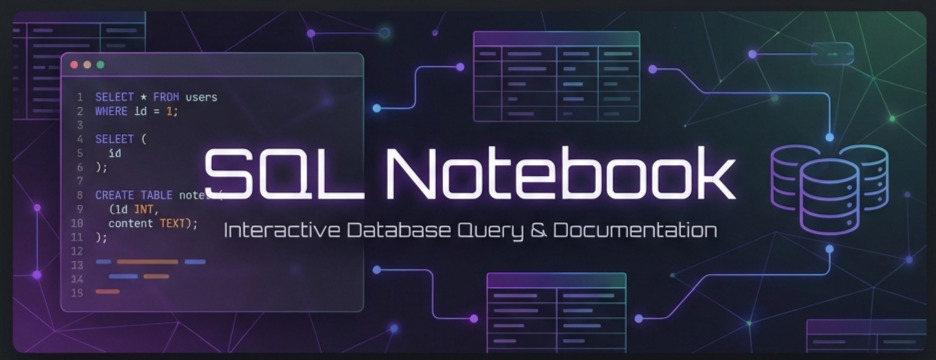
"The missing link between knowledge management and structured data. Execute queries, manage local databases, and visualize results without leaving your notes."


🌟 Why simple notes aren't enough?
Sometimes you need more than just text. You need structure.
- Learning SQL? Practice directly in your study notes.
- Managing Project Data? Create light databases for tasks, inventories, or logs.
- Data Analysis? Import CSVs, query them with SQL, and export the results.
SQL Notebook brings a fully functional, serverless SQL engine (AlaSQL) right inside Obsidian. No Docker, no external servers, just pure local privacy.
✨ Key Features
1. 🚀 Native SQL Execution
Write standard SQL code blocks (```mysql) and execute them instantly.
- In-Memory Speed: Powered by AlaSQL.
- Dynamic Workbench: Every code block becomes an interactive mini-app.
- Syntax Highlighting: Beautiful rendering in Live Preview and Reading Mode.
2. 🌍 Internationalization (i18n) - New in v0.5.0
Fully translated and localized for a global audience.
- 🇺🇸 English
- 🇧🇷 Português (Brasil)
- 🇪🇸 Español
- 🇩🇪 Deutsch
- 🇫🇷 Français
- 🇯🇵 日本語
- 🇰🇷 한국어
- 🇨🇳 简体中文
3. 🛡️ Multi-Database Workbench
Don't clutter your global namespace. Create and switch between isolated environments using the Workbench.
- Context Switching: Work on
project_alphawhile keepingpersonal_financesafe. - Visual Management: See tables, row counts, and schema details in the Settings UI.
- Privacy First: All data lives locally in your Obsidian storage.
4. 📝 Dynamic Forms & Parameters
Turn static queries into interactive apps.
- Parameters: Use
:variablesyntax to auto-generate input fields. - SQL Forms: Use the special
FORMsyntax to create data entry interfaces.
5. 🔌 CSV Import/Export
- Import: Drag & drop CSV files to query them as tables.
- Export: Save your query results back to CSV or Markdown tables.
- Snapshots: Capture query results including charts or tables as images to paste into your notes.
🚀 Quick Start Guide
1. Installation
- Search for "SQL Notebook" in Obsidian Community Plugins.
- Click Install and Enable.
2. Your First Query
Create a code block in any note using the language mysql:
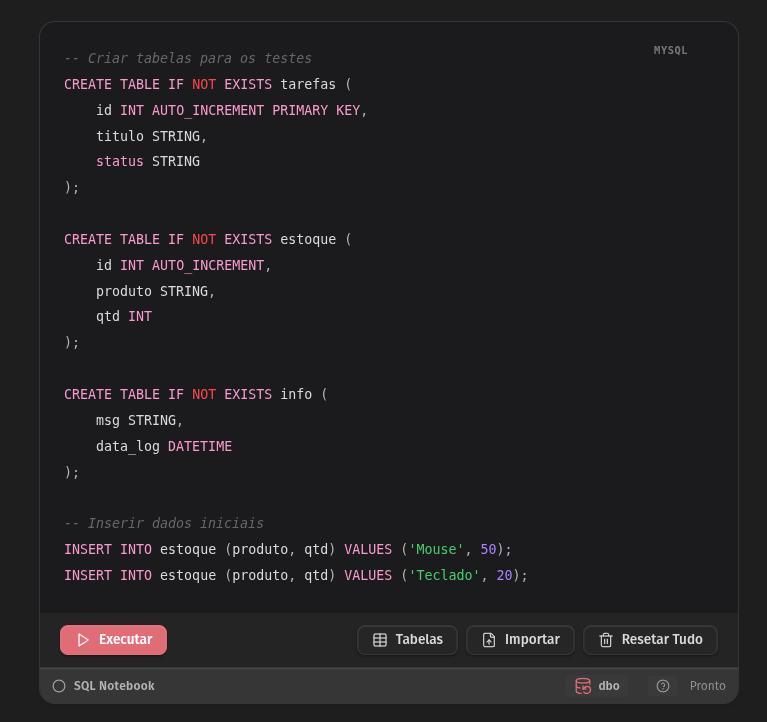
-- Create a table
CREATE TABLE tasks (id INT, title STRING, status STRING);

-- Insert some data
INSERT INTO tasks VALUES (1, 'Install Plugin', 'Done'), (2, 'Try Forms', 'Doing');

-- Query it
SELECT * FROM tasks WHERE status = 'Doing';
Click the ▶ Run button. A beautiful table will render below your code.
3. Interactive Features
⚡ Live Mode
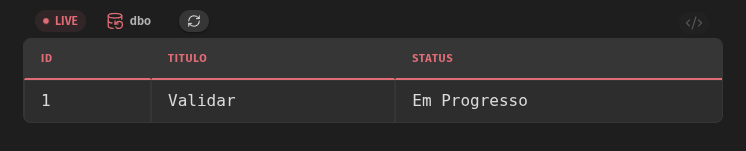
Want a dashboard that updates automatically? Just add LIVE before your SELECT statement.
The results will refresh whenever the database changes.
```mysql
LIVE SELECT status, COUNT(*) as count FROM tasks GROUP BY status;
```
📝 SQL Forms
Need a quick way to insert data without writing INSERT queries manually?
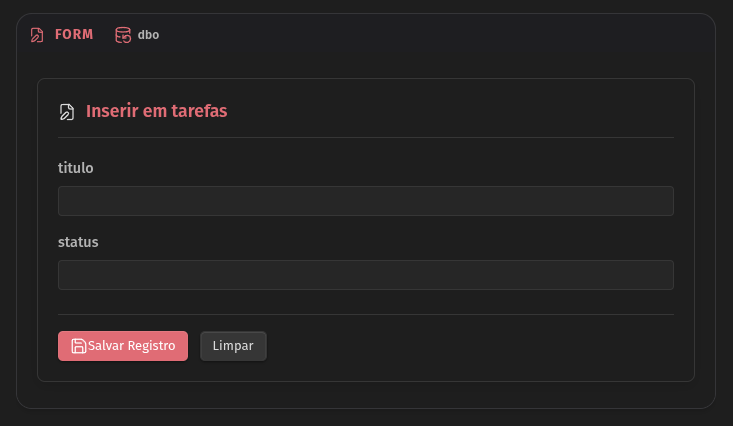
Use the FORM keyword to generate an automatic input UI based on your table schema.
```mysql
FORM tasks;
```
This renders a clean form with fields for id, title, and status. Fill it out and click "Save" to insert a row instantly!
� Parameterized Queries
Make your queries reuseable by adding variables with :name.
A text box will appear for you to type values dynamically.
```mysql
-- @ Filter by Status
SELECT * FROM tasks WHERE status = :currentStatus;
```
(Pro Tip: The -- @ comment automatically collapses the code block, showing only the UI!)
4. Comment Markers
Organize your notebook with special comment syntax:
!: Alert (Red highlight) ->-- ! Critical Update?: Question (Yellow/Blue highlight) ->-- ? Needs Review*: Favorite (Star highlight) ->-- * Most Used Query@: Auto-Collapse ->-- @ Collapsed View
🤝 Contributing
We welcome contributions! Whether it's a new translation language or a core feature:
- Fork the project.
- Create your feature branch (
git checkout -b feature/AmazingFeature). - Commit your changes.
- Open a Pull Request.
Developers: Check out our Development Guidelines.
📄 License
MIT License. Free and Open Source forever.
For plugin developers
Search results and similarity scores are powered by semantic analysis of your plugin's README. If your plugin isn't appearing for searches you'd expect, try updating your README to clearly describe your plugin's purpose, features, and use cases.