Agenda Tasks
pendingby elias-shalom
Agenda provide intuitive task management interfaces and calendar views. Seamlessly integrate with your existing notes while organizing tasks across multiple views.
OBS Agenda Plugin
A comprehensive task management and calendar plugin for Obsidian (https://obsidian.md).
OBS Agenda transforms your vault into a powerful productivity system by providing intuitive task management interfaces and calendar views. Seamlessly integrate with your existing Obsidian notes while organizing tasks across multiple views.
Features
General Features
- ✅ Parse and track tasks from your entire vault
- ✅ Compatible with Obsidian Tasks syntax and metadata
- ✅ Multiple view types to manage tasks according to your workflow
- ✅ Real-time task updates
- ✅ Customizable interface with themes support
- ✅ Keyboard shortcuts for common actions
- ✅ Localization support
Overview View
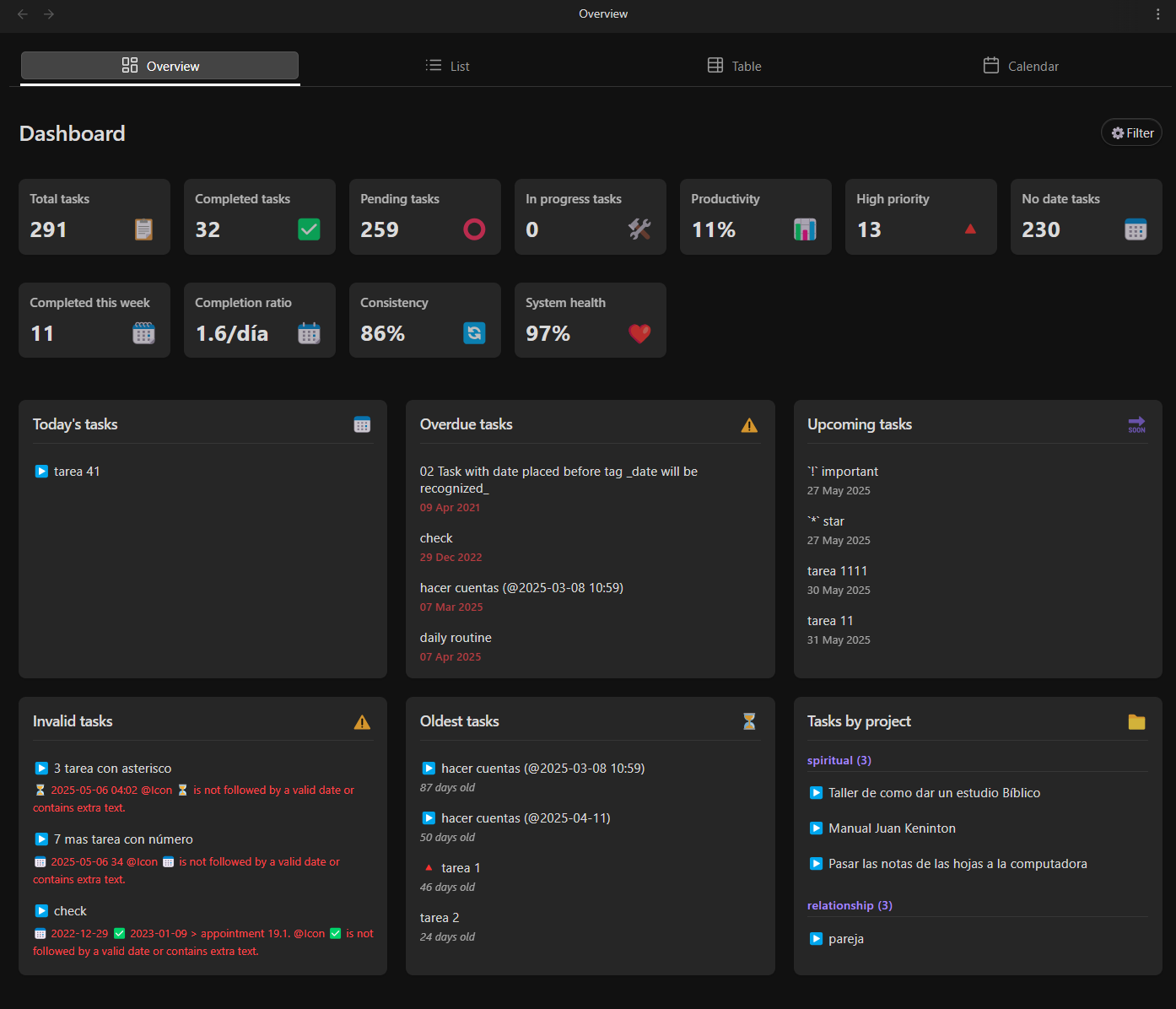
- ✅ Dashboard-style task summary
- ✅ Statistics and progress tracking
- ✅ Quick access to upcoming deadlines
- ✅ Task distribution by project/folder
- ✅ Overdue task highlighting
- ✅ Customizable widgets
List View
- ✅ Customizable task listing with multiple columns
- ✅ Advanced filtering by date, project, priority, and tags
- ✅ Group tasks by date, folder, status, or custom attributes
- ✅ Inline task editing
- ✅ Collapsible task groups
- ✅ Bulk actions for multiple tasks
Table View
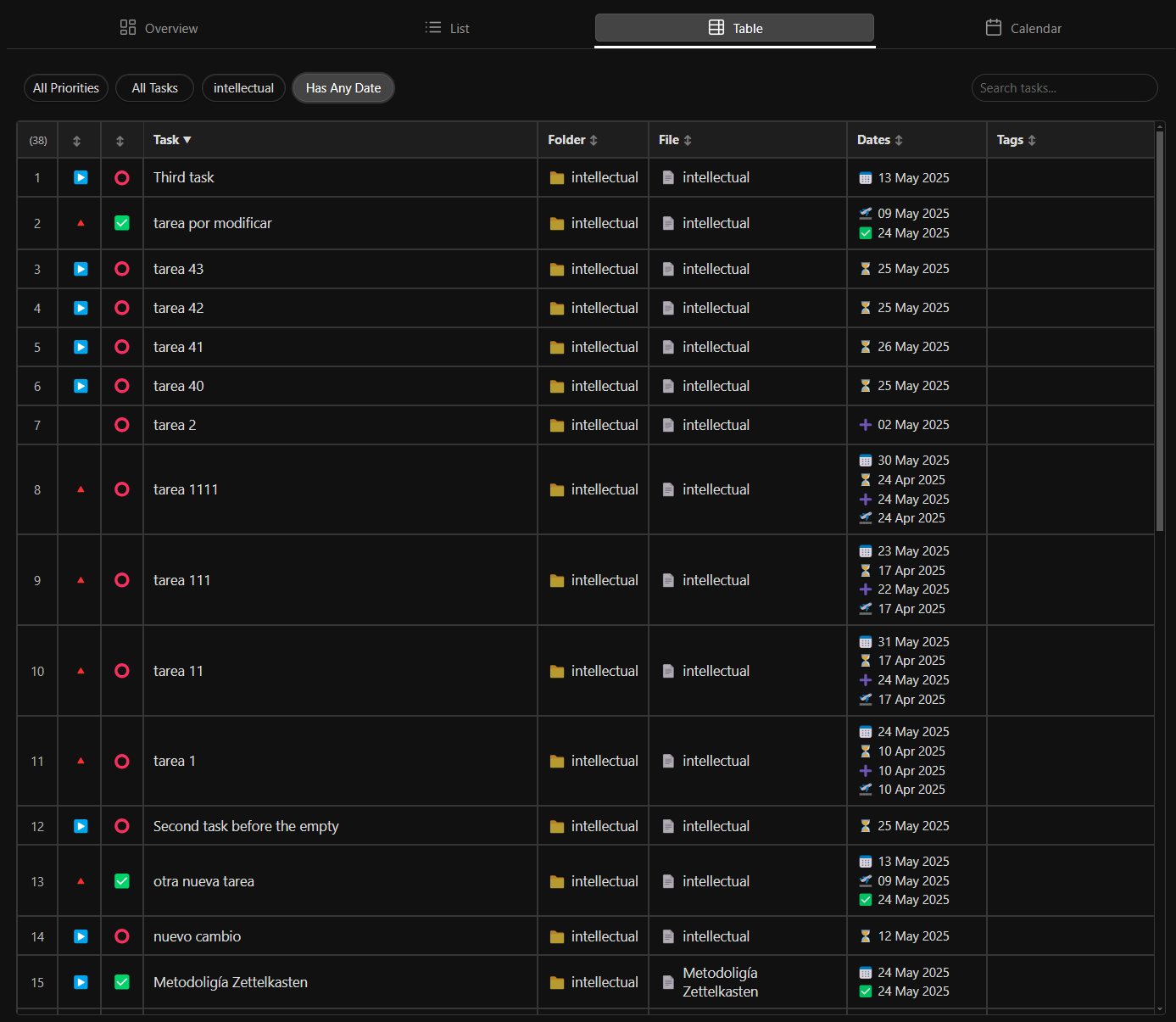
- ✅ Spreadsheet-style task management
- ✅ Customizable columns and layouts
- ✅ Sortable and resizable columns
- ✅ Quick entry and editing of task attributes
- ✅ CSV export capabilities
- ✅ Conditional formatting
Calendar View
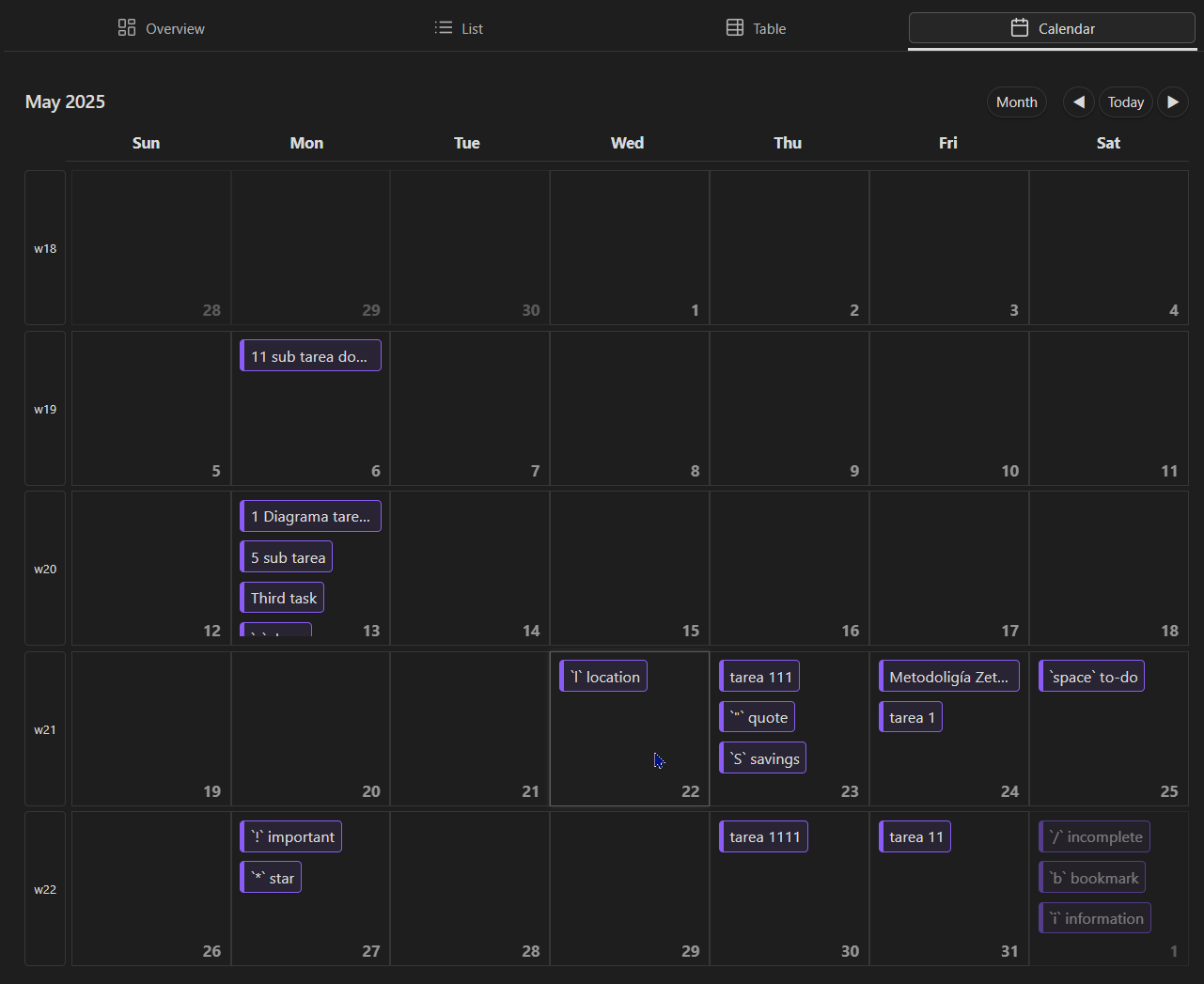
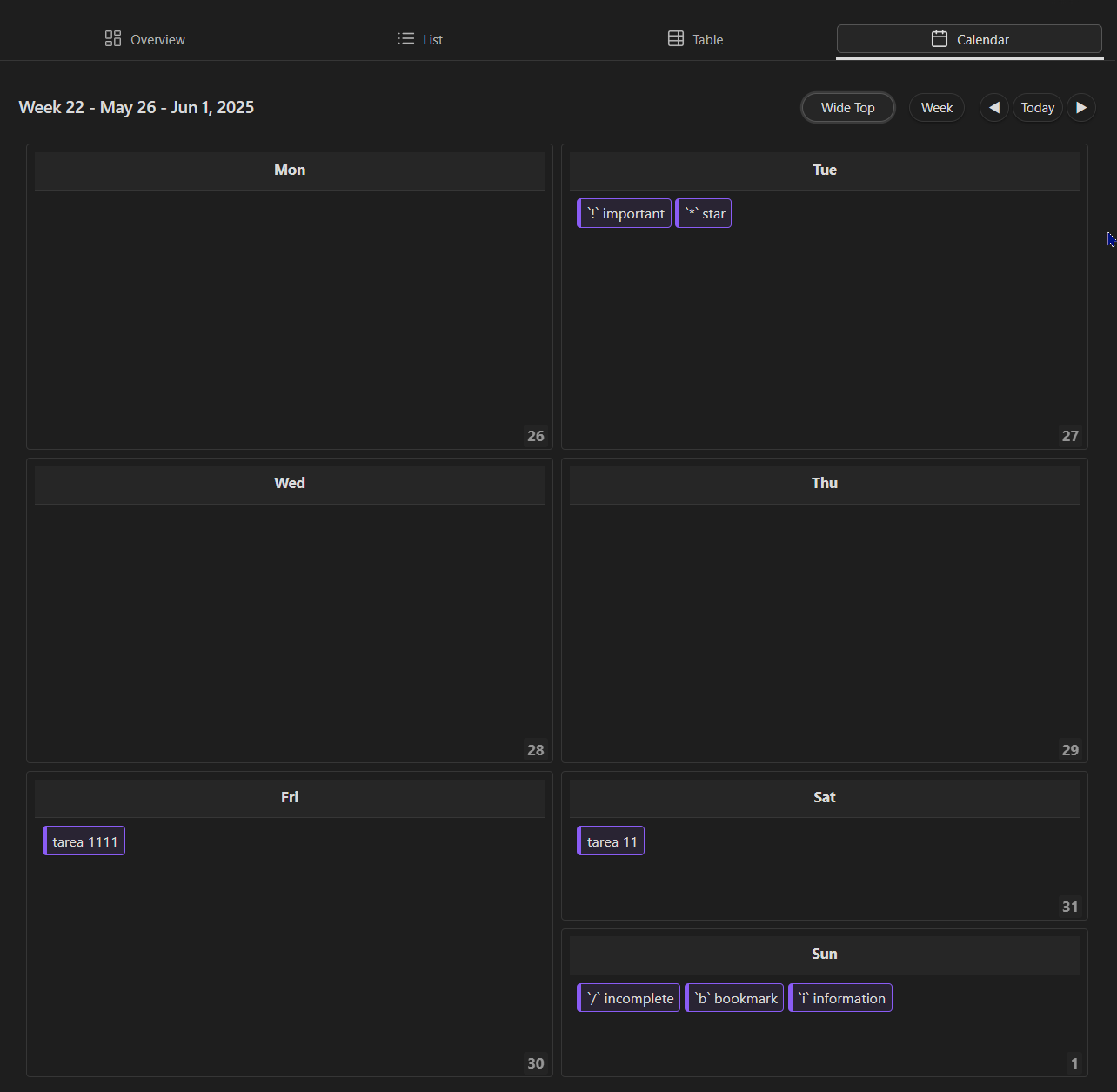
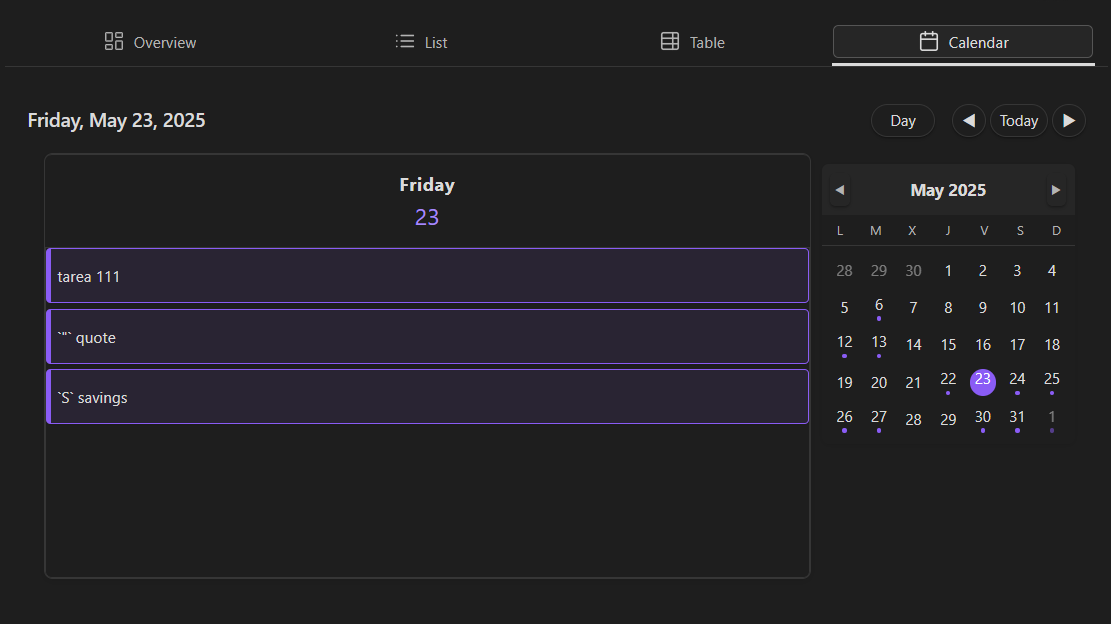
- ✅ Multiple calendar layouts (day, week, work week, and month)
- ✅ Task visualization on calendar grid
- ✅ Mini-calendar for quick date navigation
- ✅ Task indicators showing busy days
- ✅ Quick task creation at specific times
- ✅ Syncs with native Obsidian daily notes
Screenshots
Overview view
List View
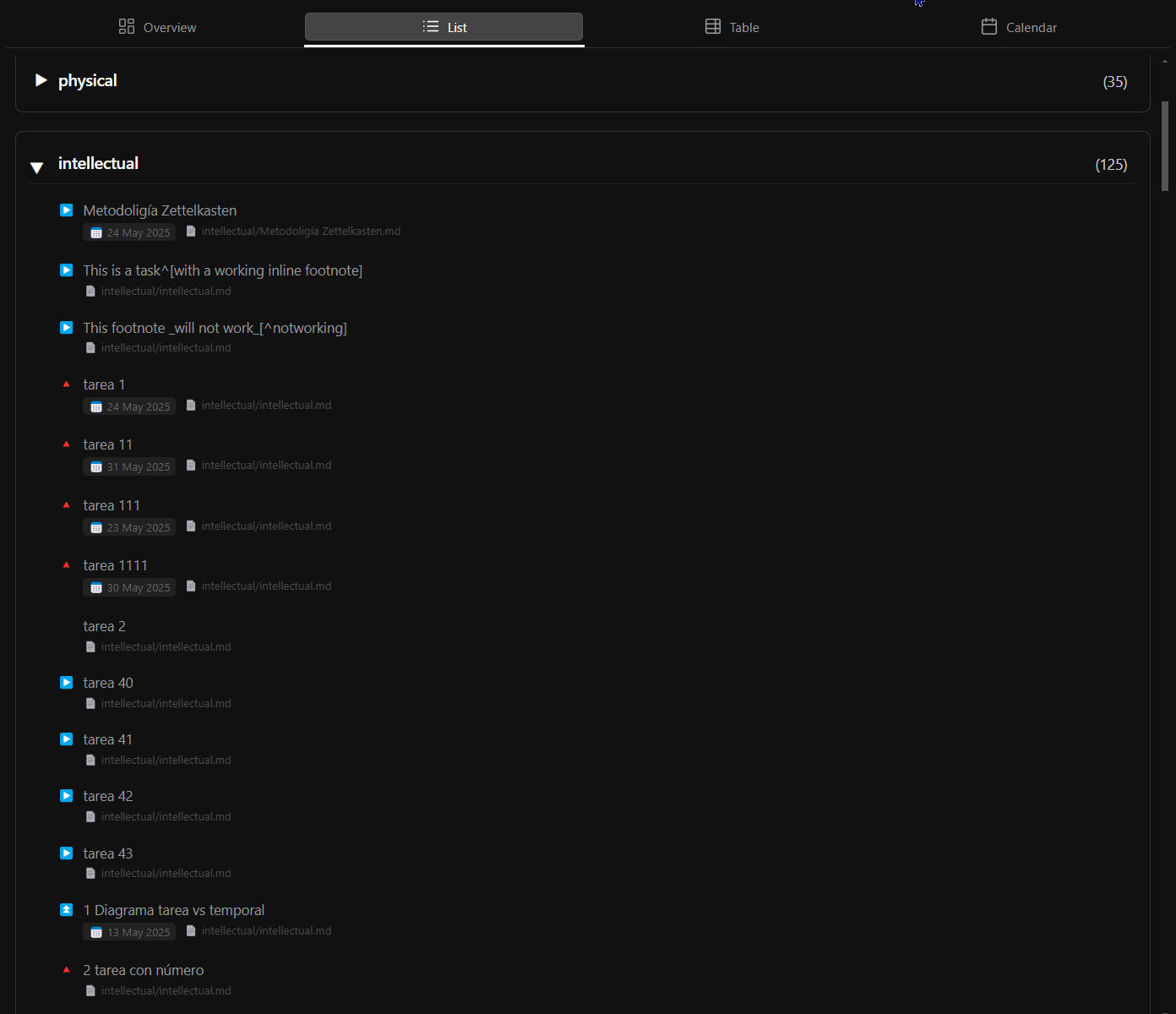
Table View
Month View
Week View
Day View
Demo Videos
Overview View Demo
[Coming soon]
List View Demo
[Coming soon]
Table View Demo
[Coming soon]
Calendar View Demo
[Coming soon]
Installation
From Obsidian Community Plugins
- Open Obsidian Settings
- Go to Community Plugins and disable Safe Mode
- Click Browse and search for "Agenda"
- Install the plugin and enable it
Manual Installation
- Download the latest release from the releases page
- Extract the zip file to your vault's
.obsidian/plugins/folder - Ensure you have the following files in
.obsidian/plugins/obsidian-agenda/:main.jsstyles.cssmanifest.json
- Enable the plugin in Obsidian settings
Usage
- Create a new Agenda view by clicking the Agenda icon in the left sidebar
- Choose your preferred view type (Overview, List, Table, or Calendar)
- Tasks from your vault will automatically appear in the selected view
- Use the toolbar options to filter, sort, and customize your view
For detailed usage instructions, please refer to the Wiki.
Task Format and Compatibility
OBS Agenda works with tasks created using the standard Obsidian checkbox format - [ ] and is fully compatible with the popular Obsidian Tasks plugin. It recognizes and properly handles:
- Due dates (📅)
- Scheduled dates (⏳)
- Start dates (🛫)
- Priority markers (⏫⏬)
- Recurring tasks (🔁) (comming soon)
- Custom statuses (comming soon)
- Task tags
All metadata created with Obsidian Tasks will be properly recognized and displayed in OBS Agenda views.
Configuration
Obs Agenda offers numerous configuration options through the settings tab:
- Task parsing rules
- Default view settings
- Display preferences
- Integration with other plugins
Scope this version 1.0.0
Version 1.0.0 of OBS Agenda focuses on providing robust viewing and organization capabilities for your tasks while maintaining compatibility with existing Obsidian workflows:
Included in Version 1.0.0:
- Multiple task visualization views (Overview, List, Table, Calendar)
- Full compatibility with standard Obsidian task format (- [ ])
- Integration with Obsidian Tasks plugin metadata (due dates, start dates, priorities, tags)
- Advanced filtering, sorting, and grouping capabilities
- Customizable display options and themes
Current Limitations:
- Task creation and editing requires using Markdown files or the Obsidian Tasks plugin
- Calendar view does not support time-of-day scheduling (hours) as the Tasks plugin doesn't recognize this format
- View-only functionality for most task operations
Planned for Future Versions:
- Native task creation and editing within Agenda views
- Support for time-of-day task scheduling
- Recursive/repeating tasks support (🔁)
- Custom status implementation
- Enhanced compatibility with Tasks plugin dataview format
- Advanced calendar features with time blocks
- Support for mobile devices
- More widgets on dashboard view
Support and Feedback
If you encounter any issues or have suggestions for improvements, please file an issue on the GitHub repository.
Funding (comming soon)
If you find this plugin useful, please consider supporting its development:
[Your funding URL here]
For plugin developers
Search results and similarity scores are powered by semantic analysis of your plugin's README. If your plugin isn't appearing for searches you'd expect, try updating your README to clearly describe your plugin's purpose, features, and use cases.