Tasks Calendar
pendingby Shuhei Kadowaki
Visualize tasks on an interactive calendar powered by FullCalendar and Dataview.
Tasks Calendar
Tasks Calendar is an Obsidian.md plugin that leverages FullCalendar to visualize tasks on an interactive calendar. By integrating with the Dataview plugin, it automatically gathers tasks from your notes and presents them in a flexible, easy-to-manage interface.
Supported task formats
- Tasks with a due date:
- [ ] Task description [due:: YYYY-MM-DD] - Multi-day tasks:
- [ ] Task description [start:: YYYY-MM-DD] [due:: YYYY-MM-DD] - Tasks with a specific time:
- [ ] Task description [due:: YYYY-MM-DDTHH:mm] - Recurring tasks:
- [ ] Weekly review [due:: 2026-03-01] [recurrence:: every week] - File property tasks (using frontmatter):
---
due: YYYY-MM-DD
start: YYYY-MM-DD # optional, for multi-day tasks
status: ' ' # optional, empty means "Incomplete"
recurrence: every week # optional
---
That's it. You are free to write your tasks wherever you want.
Features
-
Dynamic task aggregation: Scans your vault for tasks regardless of location.
- Customizable Dataview queries to filter target files
- Filter tasks by status or tags
- Supports multi-day tasks and events with specific times
-
Interactive calendar interface: Offers multiple views: Month, Week, 3 Days, Day, and List.
- Drag & drop to update task dates
- Intuitive tooltips and popovers for quick task edits
-
Editor helpers: Assists writing and editing task properties directly in your notes.
- Autocomplete for property names and recurrence patterns when typing
[on a task line - Click any date inline field to open a date picker (works in both live preview and reading view)
- Autocomplete for property names and recurrence patterns when typing
-
External calendar sources: Overlay events from local ICS files onto the calendar. Configure file path, color, and opacity per source. Events auto-refresh when the ICS file changes in the vault.
-
Customization options: Configure calendar settings such as view type, first day of the week, and date properties. Manage multiple calendars with individual settings.
Preview
Calendar views
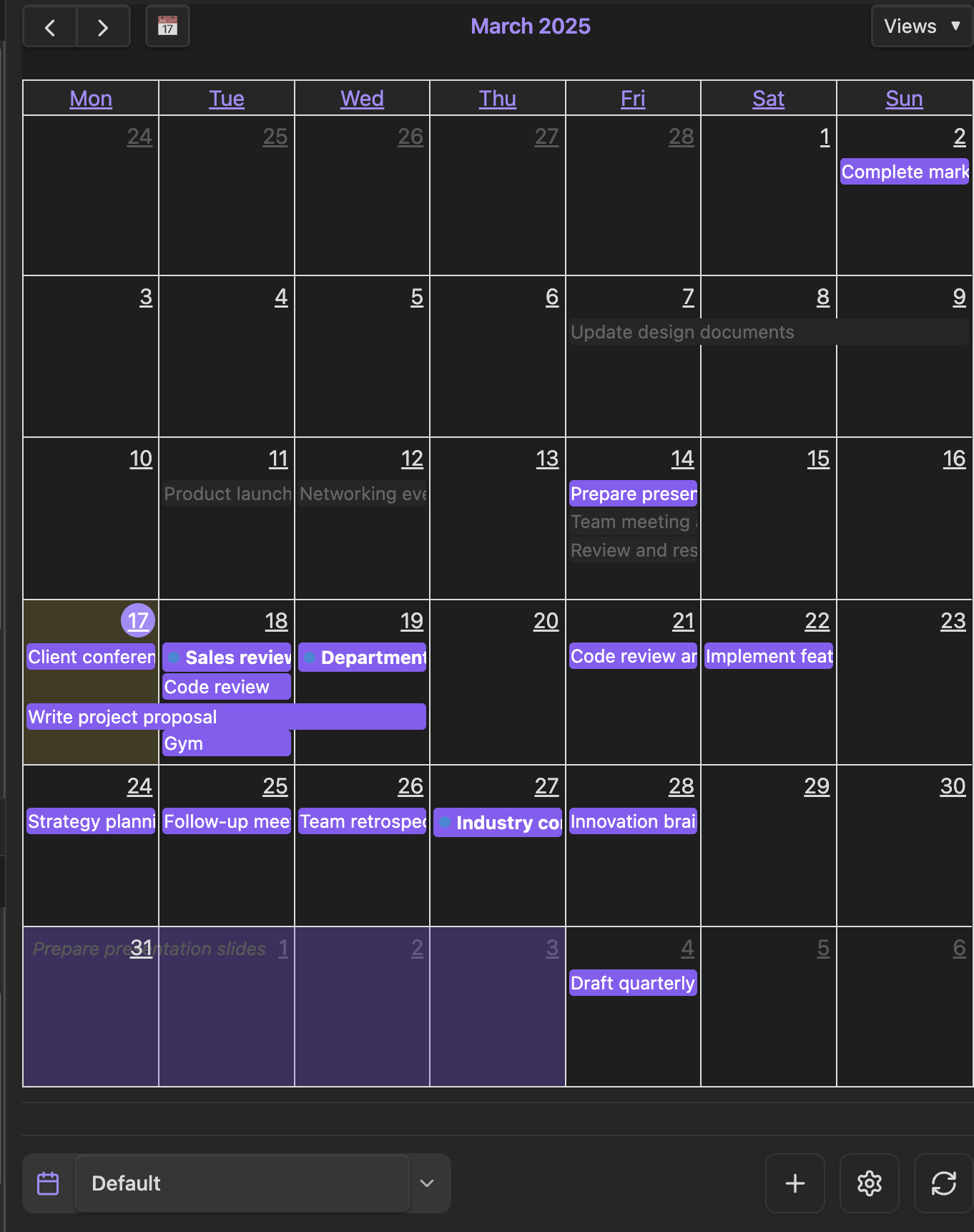 Month View Overview of all tasks for the month |
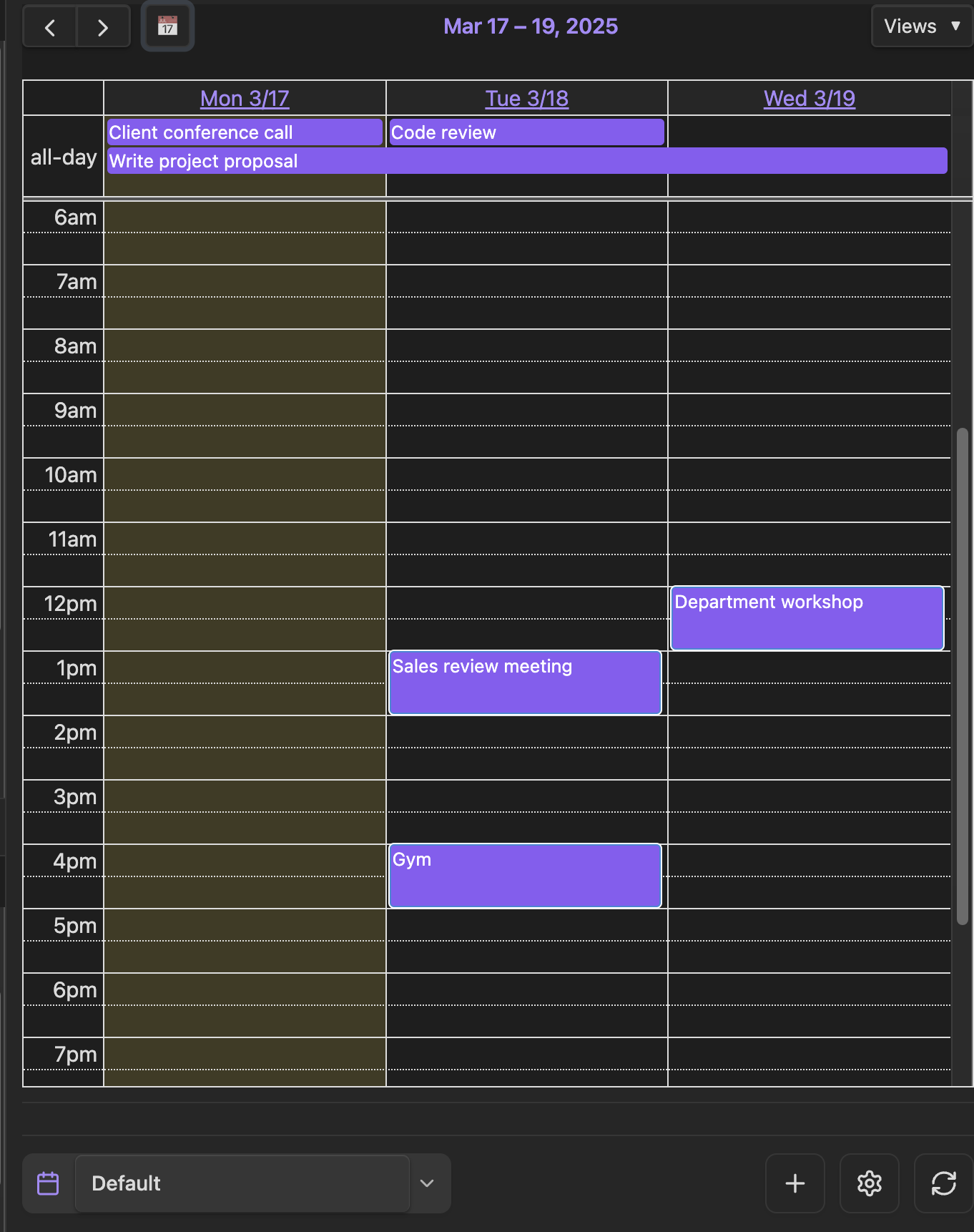 3 Days View Focused view of upcoming days |
Task management
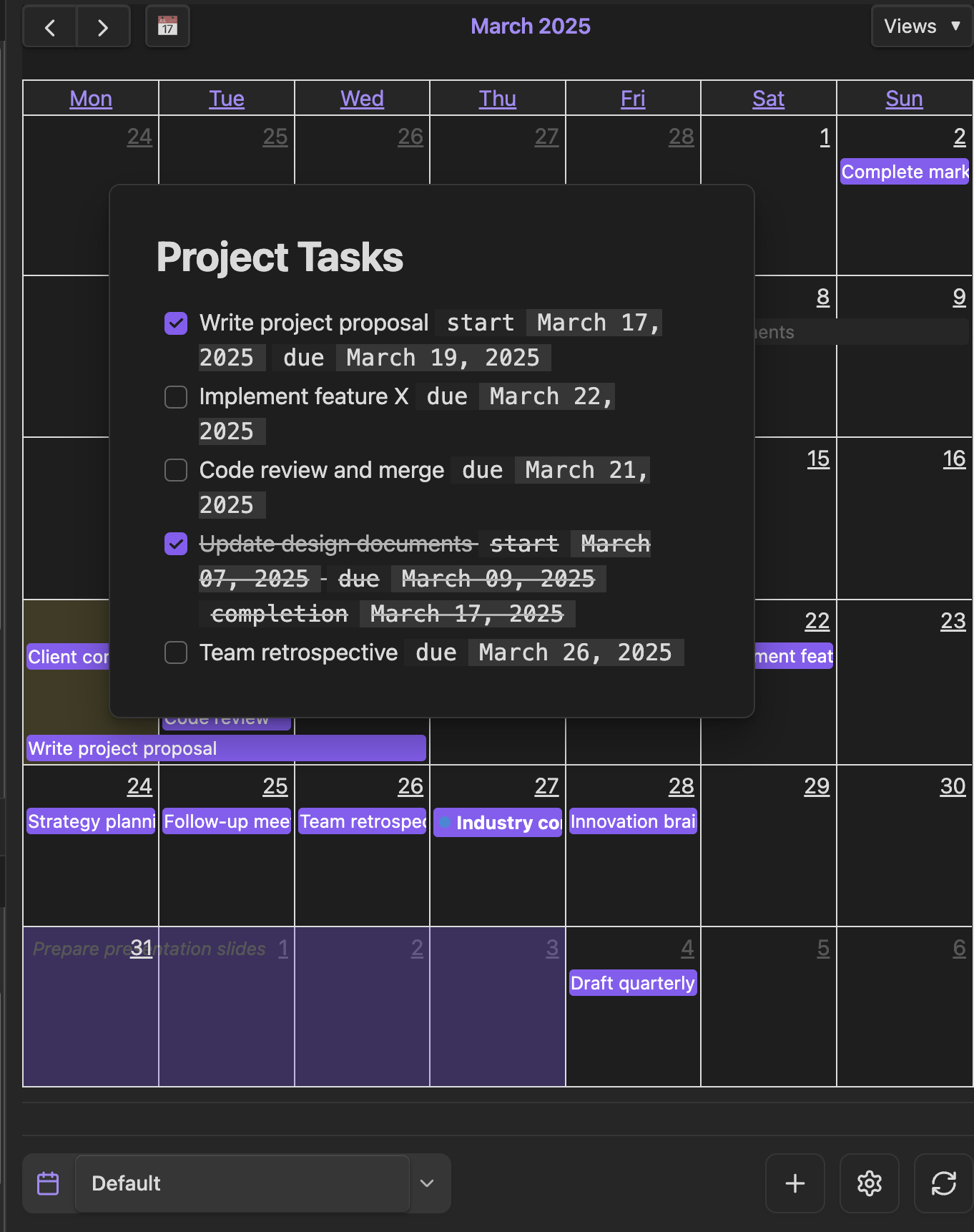 Task Popover Quickly edit task details |
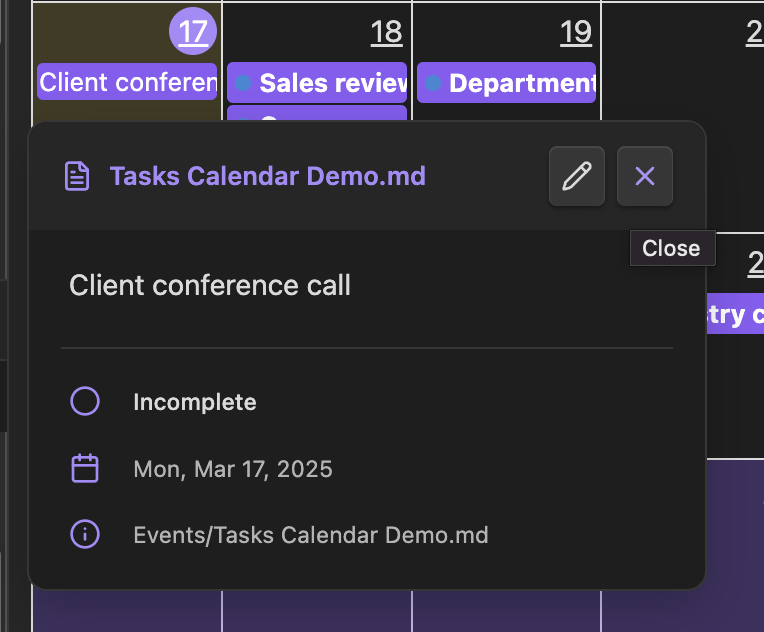 Task Tooltip View task information at a glance |
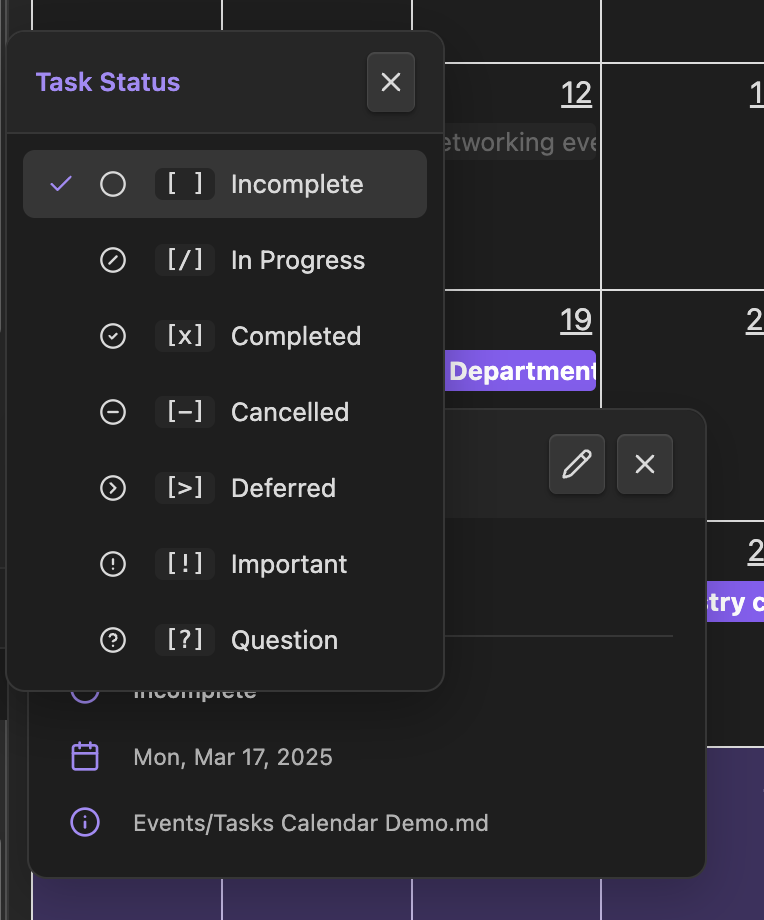 Status Picker Update task status effortlessly |
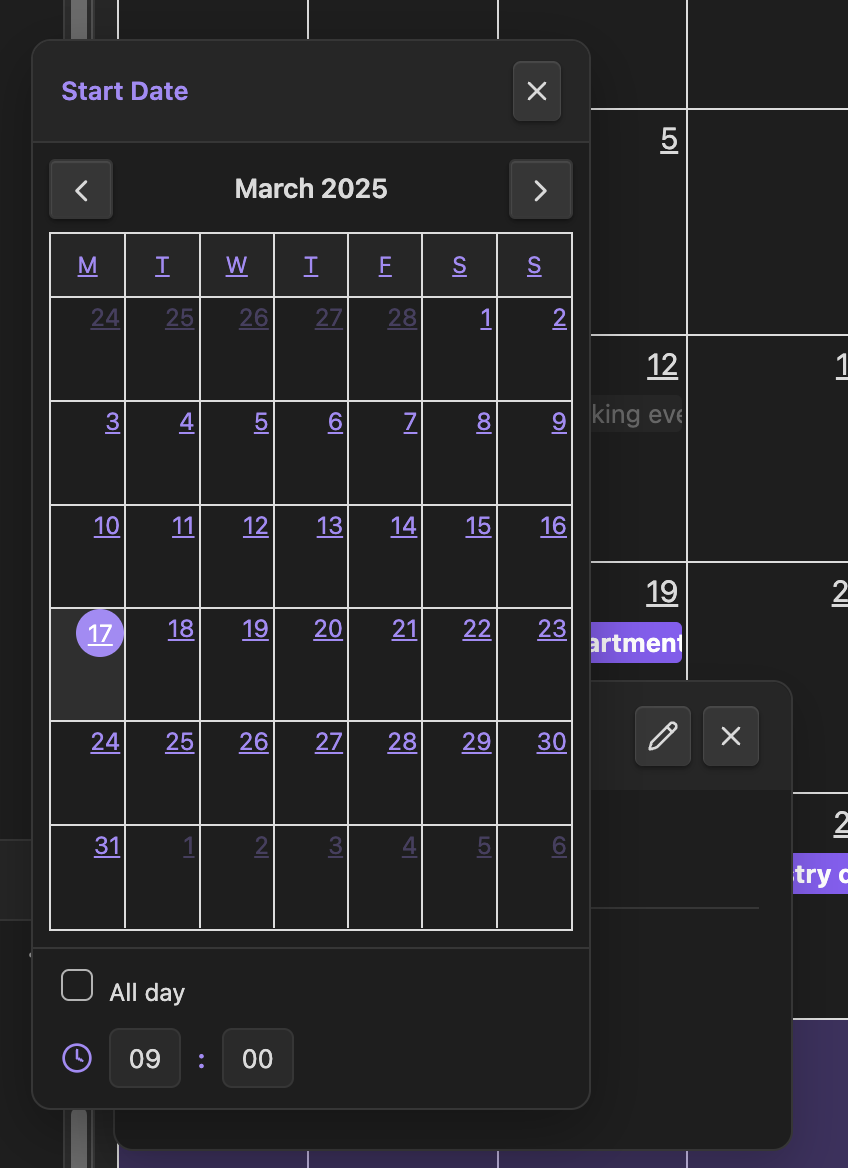 Date Time Picker Set precise task schedules |
Requirements
Installation
1. Install the plugin
You can install Tasks Calendar either via
-
BRAT:
- Install BRAT from the community plugins
- Open BRAT settings and select Add Beta plugin
- Enter
https://github.com/aviatesk/obsidian-tasks-calendarand click Add Plugin
-
Manual installation (requires Node.js 18+):
git clone https://github.com/aviatesk/obsidian-tasks-calendar.git
cd obsidian-tasks-calendar
npm install
npm run build
cp main.js manifest.json styles.css /path/to/your/vault/.obsidian/plugins/tasks-calendar/
2. Enable the plugin
- Open Obsidian and go to Settings → Community plugins
- Enable Tasks Calendar from your installed plugins list
Usage
-
Opening the calendar Use the ribbon icon or the
Open Tasks Calendarcommand. The calendar view opens automatically on startup after a brief delay. -
Writing tasks Add a Dataview inline field
[due:: YYYY-MM-DD]to any checklist item to make it appear on the calendar. Use[start:: YYYY-MM-DD]together with[due:: YYYY-MM-DD]for multi-day tasks, or append a time like[due:: YYYY-MM-DDTHH:mm]for timed events. Tasks can live anywhere in your vault — the plugin uses Dataview to discover them automatically. -
Interacting with tasks Click a task on the calendar to view its details, or drag & drop to adjust dates. The view refreshes automatically when tasks are updated in your vault.
-
File property tasks Add status and date properties to your frontmatter to treat entire notes as tasks. The file name will display as the task title on the calendar.
-
Editor helpers On a task line, type
[to trigger autocomplete for property names (due,start,created,completion,cancelled,recurrence). Date properties are pre-filled with today's date; recurrence values offer pattern suggestions likeevery week. Clicking a date inline field (e.g.,[due:: 2026-03-01]) in either live preview or reading view opens a date picker to update the value in place. -
Recurring tasks Add a
[recurrence:: <pattern>]property to any task. When the task is marked as completed, a new incomplete task is automatically created with the next due date. The original task stays completed, and the new task appears on the calendar at the next occurrence.Supported patterns:
every day,every N daysevery week,every N weeksevery month,every N monthsevery year,every N yearsevery weekday(Monday through Friday)every monday,every tuesday, ...,every sunday
For inline tasks, the new task is inserted on the line immediately after the completed task. For file property tasks, the completed file is renamed to
<name> (completed <date>).mdand a new file with the original name is created with the updated due date. -
External calendar sources You can overlay events from local ICS files onto the calendar. Open a calendar's settings modal and scroll to the "External calendar sources" section. Add an
.icsfile path from your vault, choose a color and opacity, and the events will appear as read-only overlays. The calendar automatically refreshes when a configured ICS file changes.The ICS parser supports standard
VEVENTentries including all-day events, timed events with UTC or timezone-aware datetimes, and RFC 5545 line unfolding.
Related plugins
Comparison with obsidian-full-calendar
obsidian-full-calendar is a similar plugin that also uses the FullCalendar library. The key difference is in how tasks are managed:
| Tasks Calendar | obsidian-full-calendar | |
|---|---|---|
| Task storage | Tasks can be written anywhere in your vault or use file frontmatter | One note per task approach |
| Task discovery | Uses Dataview to scan and aggregate tasks | Relies on dedicated note properties |
| Philosophy | Freedom to organize tasks in any note structure | Structured approach with dedicated notes |
Compatibility with Tasks plugin
Tasks Calendar works seamlessly with the Tasks plugin as both share similar philosophies for task management:
- Both allow tasks to be written anywhere in your vault
- Both scan your vault to gather and display tasks
- Use Tasks for powerful task filtering and management
- Use Tasks Calendar for visual calendar representation and simple task management
Feature parity note
Tasks Calendar is not intended to be a direct replacement for obsidian-full-calendar. Certain obsidian-full-calendar features (like Google Calendar integration) may or may not be added in the future.
License
Distributed under the MIT License.
Support
If you find this plugin useful and would like to support its development, you can donate via:
Your support helps maintain and improve Tasks Calendar! Thank you!🙏
For plugin developers
Search results and similarity scores are powered by semantic analysis of your plugin's README. If your plugin isn't appearing for searches you'd expect, try updating your README to clearly describe your plugin's purpose, features, and use cases.