YACHT
pendingby jayandoh
Yet another chill habit tracker. Embed it in your notes or open it from the sidebar, and export your data!
YACHT - Yet Another Chill Habit Tracker (for Obsidian)
Track your habits directly inside of Obsidian. Your habits and logs are all stored locally within the plugin's data, and is easily exportable to another Obsidian vault.
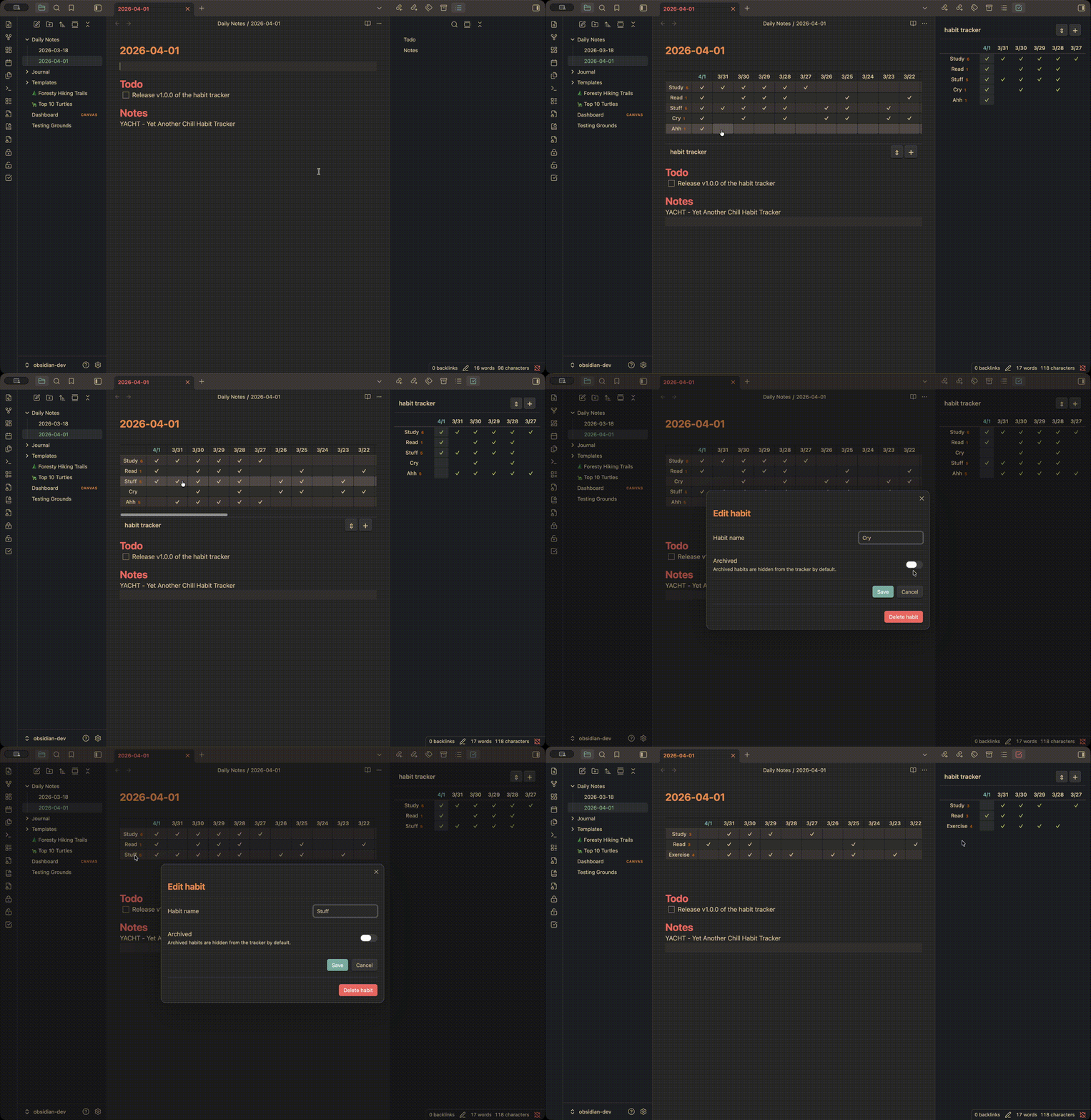
Features
Habit tracker view
There are two ways to display the habit tracker:
- Sidebar/Tab view
- Embedded view
Sidebar/Tab view
Clicking the habit tracker ribbon or running the Open habit tracker command will open the habit tracker tab:
Embedded view
Adding the codeblock:
```habit-tracker
```
to any note will embed an interactive habit tracker.
Streak indicator
The number of consecutive completed days are displayed next to each habit name, counting backward from today.
Add, edit, and archive habits
Click the + button or run the "Add habit" command to add a new habit. Click any habit name to edit it, rename it, or archive it. Archived habits are hidden from the tracker by default but can be shown via settings.
Import and export
Export all habits and logs to a JSON file from the settings tab. Import a previously exported file with two options:
- Replace all - overwrites all existing habits and logs with the imported data
- Merge - adds imported habits alongside existing ones, with duplicate resolution (Replace, Merge logs, or Ignore per duplicate)
Settings
| Setting | Description |
|---|---|
| Date window size | Number of date columns to display (default: 30) |
| Date format | Format for column headers, e.g. M-D (default: M/D) |
| Show archived habits | Include archived habits in the tracker view |
| Export data | Download all habits and logs as a JSON file |
| Import data | Import habits and logs from a JSON file |
(Potential) Future Todos
- Overview of habit history / Heatmap
- Customizable CSS settings
- Import from Loop Habit Tracker (CSV export handling)
For plugin developers
Search results and similarity scores are powered by semantic analysis of your plugin's README. If your plugin isn't appearing for searches you'd expect, try updating your README to clearly describe your plugin's purpose, features, and use cases.