Cardscape
pendingby tema mavrits
Turns your chosen folder into a Pinterest-like notes feed.
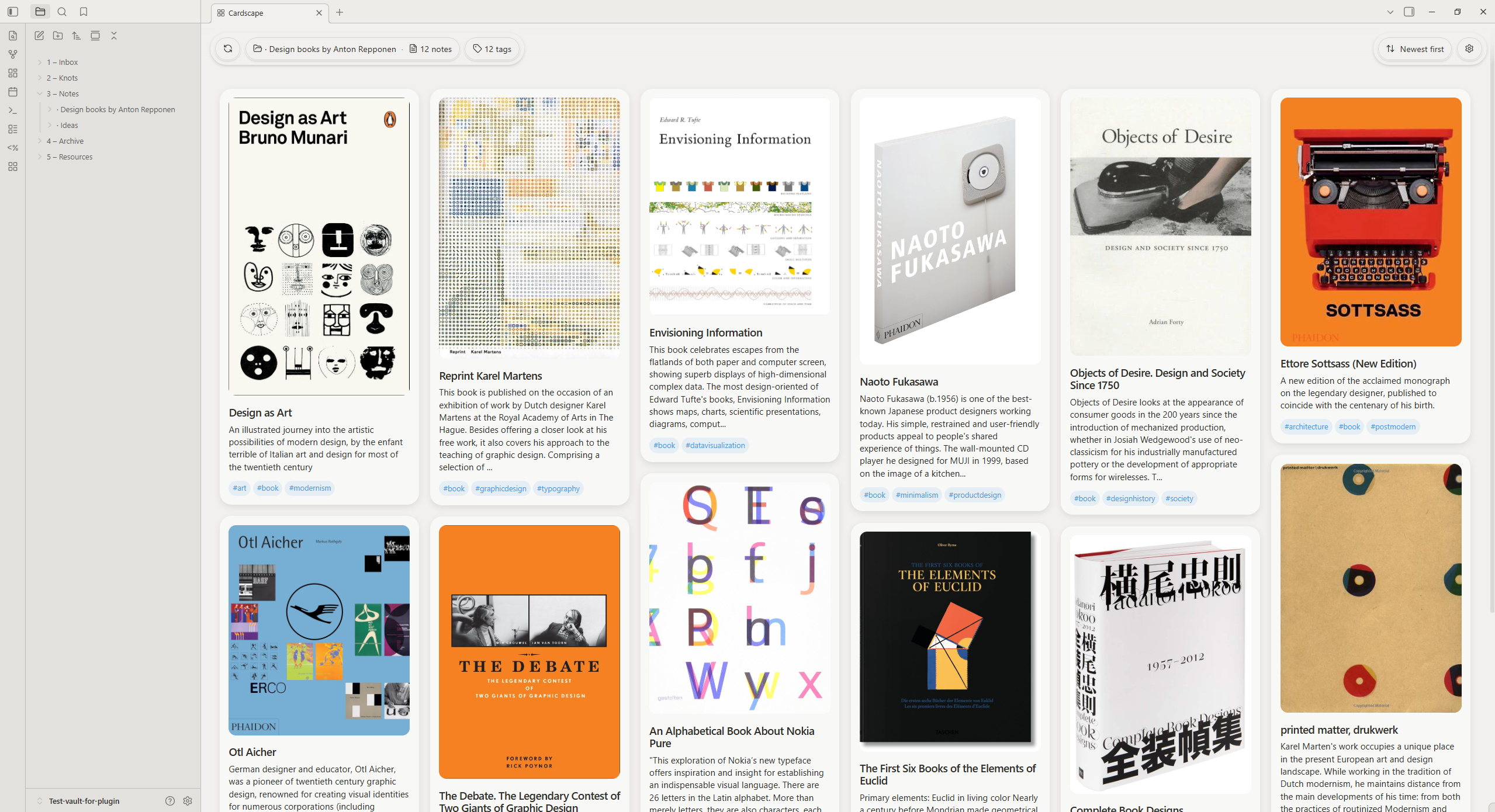
Cardscape
Cardscape is an Obsidian community plugin that turns notes from a selected folder into a Pinterest-style card feed.
It helps you browse notes visually, quickly scan content previews, and open notes with one click.
How it works
Cardscape reads markdown files from the configured folder (or the whole vault), builds a card model for each note, and renders cards in a responsive multi-column gallery.
Each card can include:
- preview image (first embedded image in the note, if available)
- note title (from first H1, with fallback to filename)
- short text snippet
- note tags
The view also supports:
- tag-based filtering (multi-select, AND logic)
- sorting by newest/oldest notes
- fast refresh
- quick access to plugin settings from the gallery header
Tech stack
- Language: TypeScript
- Plugin API: Obsidian API (
obsidian) - Build tool: esbuild
- Linting: ESLint +
eslint-plugin-obsidianmd - Styling: plain CSS
Features
- Pinterest-like note gallery layout
- Auto-detection of first embedded image for note preview
- Tag extraction from body tags and frontmatter tags
- Filter notes by selected tags
- Sort notes by creation time (newest first / oldest first)
- Configurable source folder
- Configurable max notes limit for performance
- RU/EN interface language support (with auto mode)
Development
npm install
npm run dev
Production build:
npm run build
Manual install
Copy release files to your vault plugin folder:
<Vault>/.obsidian/plugins/cardscape/
Required files:
main.jsmanifest.jsonstyles.css
Roadmap
- Mobile layout improvements
- Infinite feed without folder note count limit
(I will add lazy loading and unloading of notes in separate batches) - Folder suggestions like in standard Obsidian search
- Style customization in plugin settings for Cardscape view
- Border radius
- Shadows: on / off
- Tag colors
- Card colors
- Separate file with gallery profile and settings for a specific window
- Which tags should be available for filtering
- Whether tags use multiplicative logic (as now) or not
- Toggle note descriptions and titles
- Toggle note tag visibility
- Toggle creation date visibility
- Number of columns in the view
- Open plugin settings from the view
- Snippet length limit
- Title length limit
- Toggle notes without images
- Manage notes directly from feed
- Pin
- Delete
- Rename
- Edit tags
- Add to favorites
- View backlinks/internal links
- Ink plugin media preview support
For plugin developers
Search results and similarity scores are powered by semantic analysis of your plugin's README. If your plugin isn't appearing for searches you'd expect, try updating your README to clearly describe your plugin's purpose, features, and use cases.