Reading Tracker
pendingby minseon9
Reading Tracker for importing books from Open Library, organizing your reading shelves, and analyzing your reading habits.
Obsidian Reading Tracker
A reading tracker for importing books from Open Library, organizing your reading shelves, and analyzing your reading habits.
Overview
Bookshelf helps you manage your personal library in Obsidian. Each book is stored as a Markdown note with YAML frontmatter, making it easy to integrate with your existing notes and workflows. Search and import books directly from Open Library API with automatic metadata fetching.
Track your reading progress with page numbers and notes, which are automatically recorded in your book notes. View your library through customizable Bases views (Bookshelf, Library, Statistics) that let you organize books by reading status and analyze your reading habits over time.
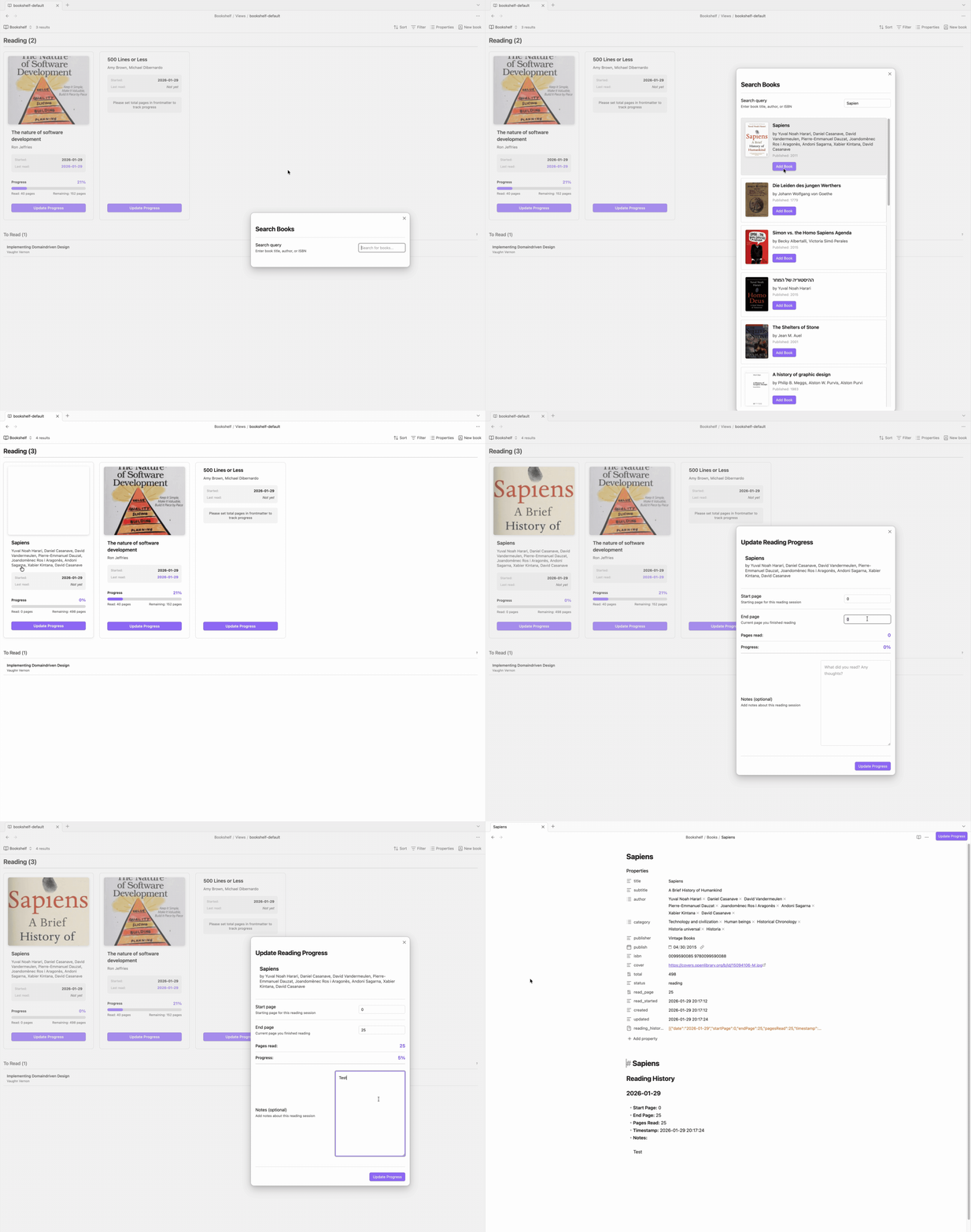
Quick start
- Add a book: Click ribbon icon or
Ctrl/Cmd+P→ "Search Book" - Update progress: Open book note → Click "Progress update" button
- View library: Open
basefiles inBookshelf/Views/
Features
📚 Search and Add
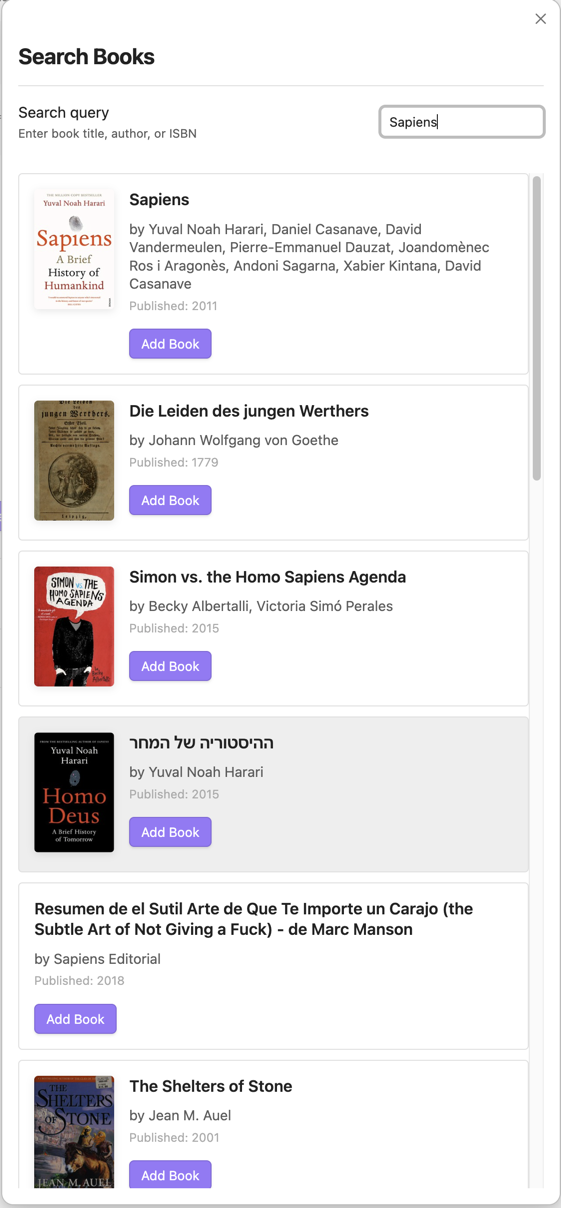
- Search and import from Open Library API
- Auto-fetch metadata (title, author, publisher, ISBN, cover)
🎨 Manage Reading Books
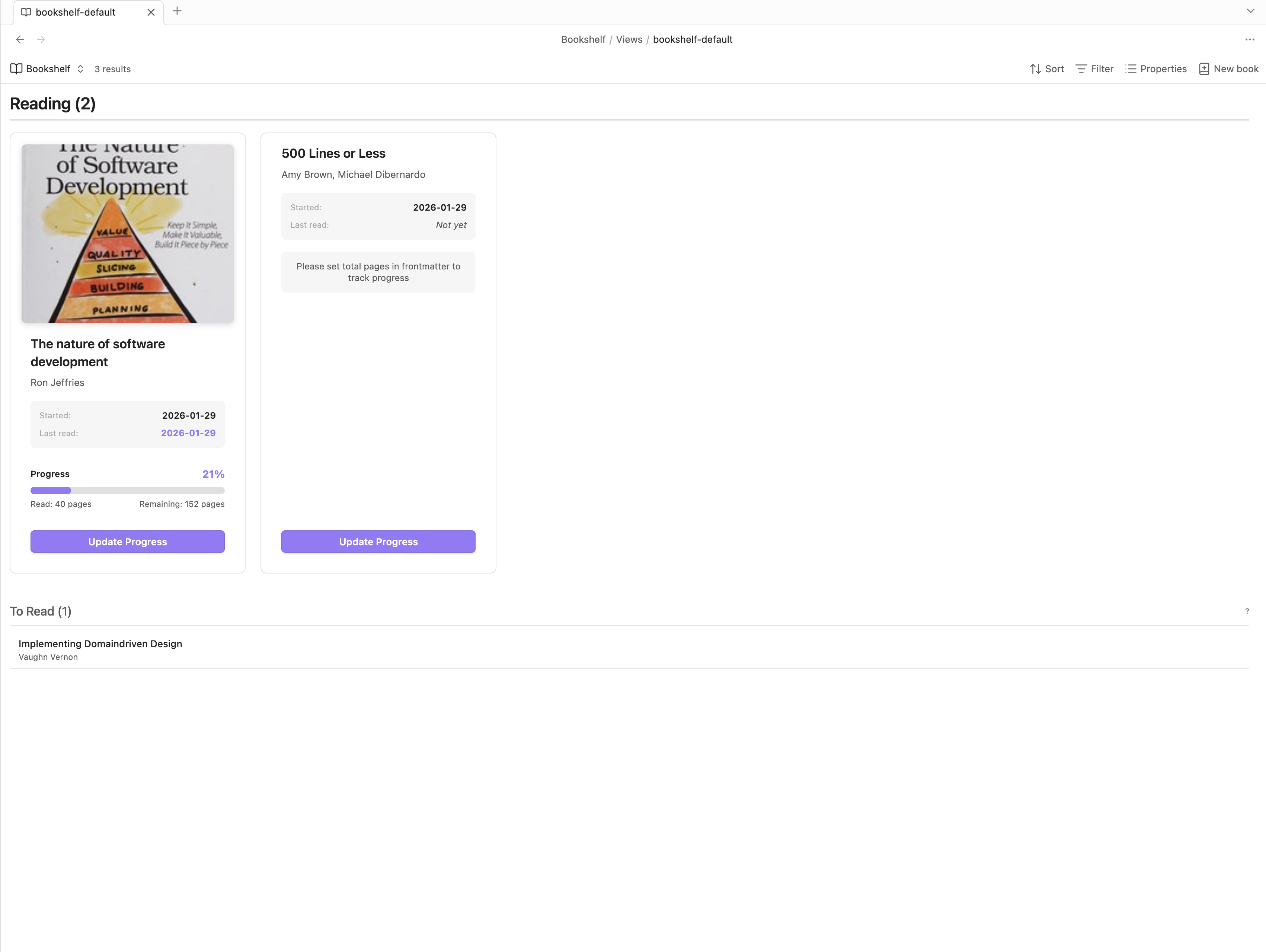
- Drag & drop books from "To Read" to "Reading" section to start tracking
- Click "Update Progress" button to record reading sessions and update progress
- Each session automatically adds to reading history
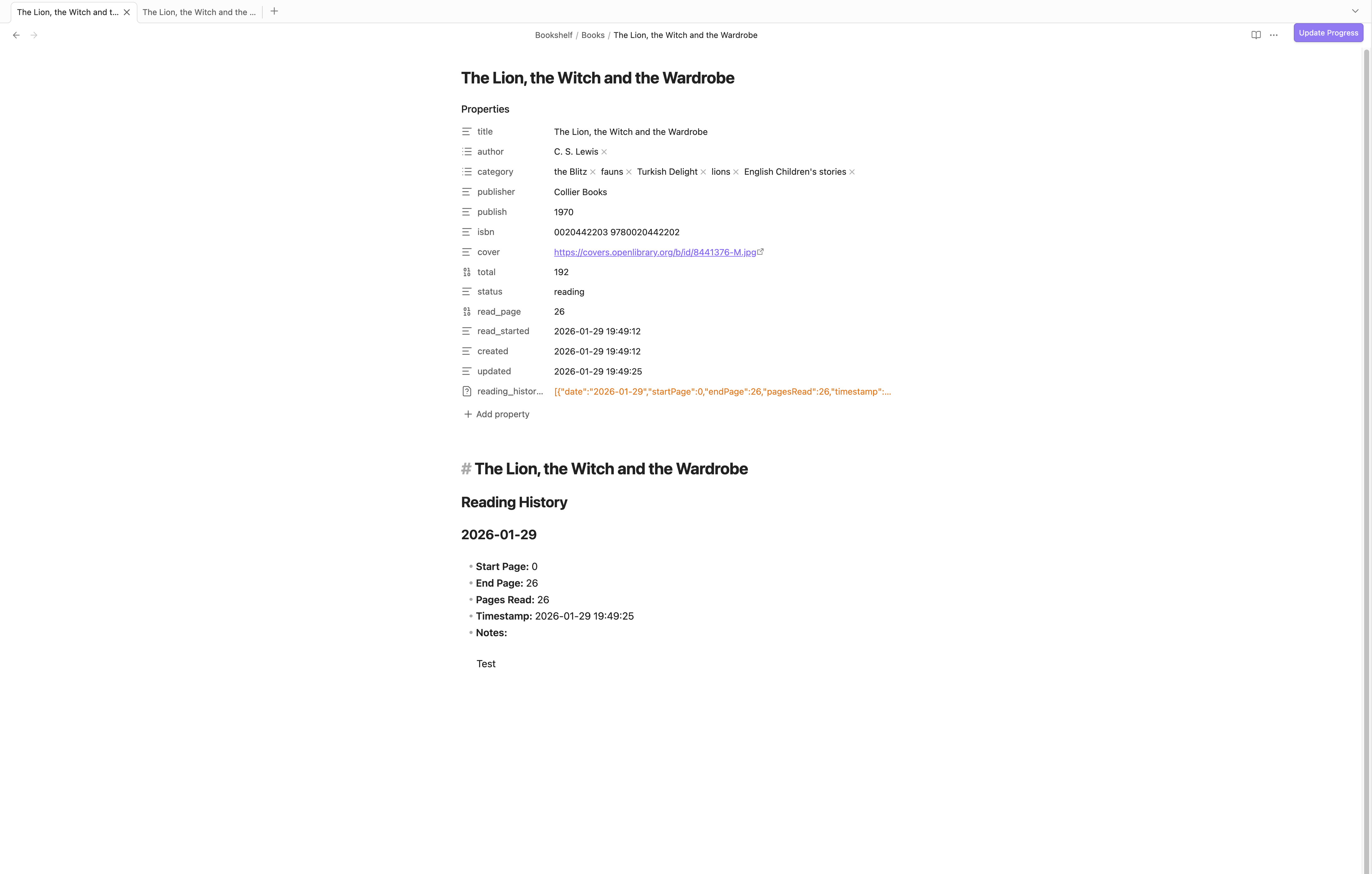
- Each book stored as Markdown note with YAML frontmatter
- Reading history recorded in note body
- All metadata and progress tracked automatically
📖 Library for Unread and Finished Books
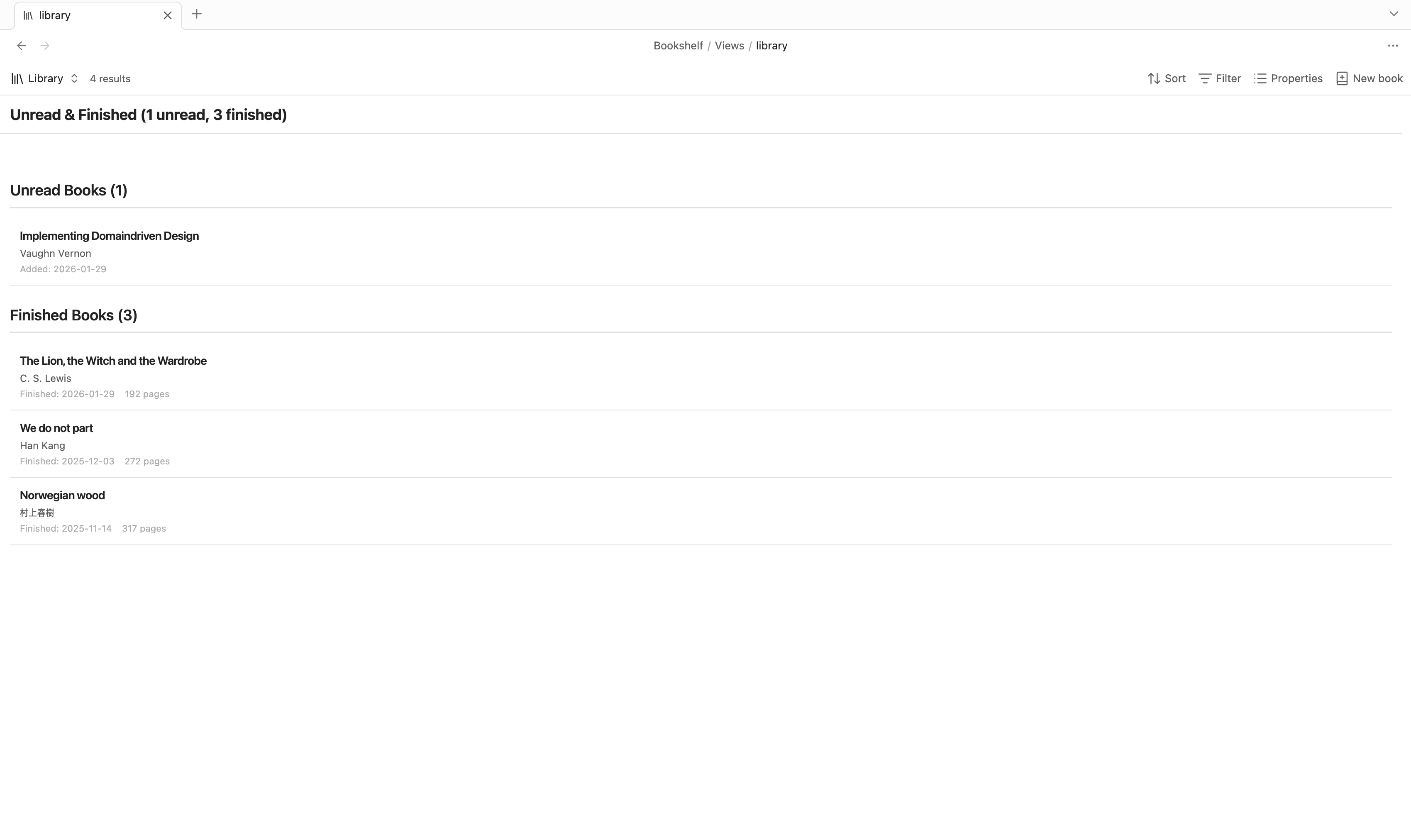
- View all books not currently reading (unread and finished)
- Browse complete collection by status
- Quick access to book details and metadata
📊 Statistics & Analytics
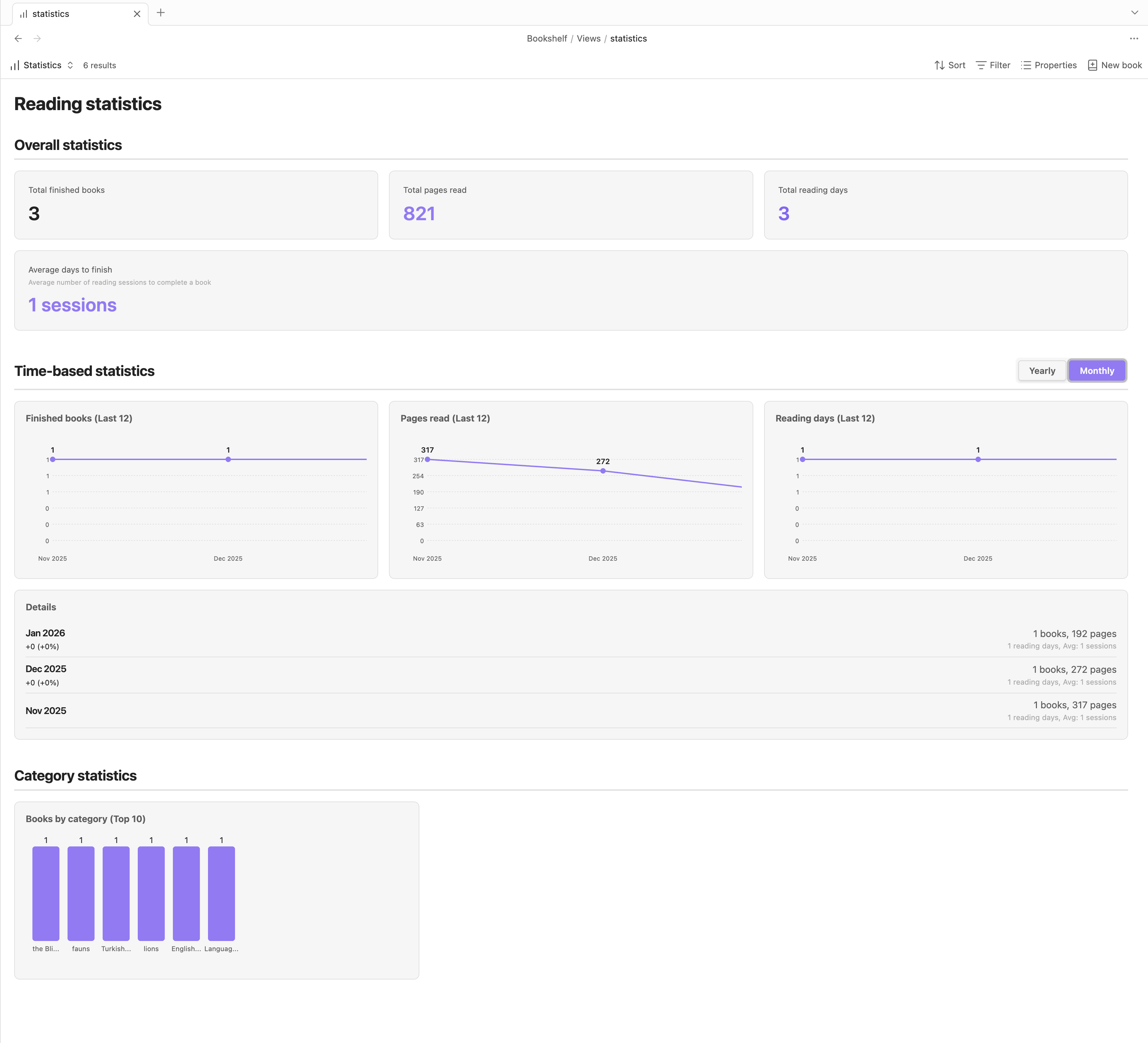
- Overall: Total books, pages, reading days
- Time-based: Yearly/monthly trends with line graphs
- Category: Top 10 categories with bar charts
Book Properties
Each book note uses this frontmatter:
---
title: Book Title
author: [Author Name]
category: [Fiction, Fantasy]
publisher: Publisher Name
isbn: "1234567890"
cover: https://covers.openlibrary.org/...
total: 400                          # Total pages
status: reading                     # unread/reading/finished
read_page: 150                      # Current page
read_started: 2026-01-28 10:00:00   # Start date
read_finished: null                 # Finish date (null if not finished)
created: 2026-01-28 10:00:00        # Creation date (immutable)
updated: 2026-01-28 15:30:00        # Last update
reading_history_summary:
  - date: 2026-01-28
    startPage: 0
    endPage: 150
    pagesRead: 150
    timestamp: 2026-01-28 15:30:00
---
Property Descriptions
title: Book titleauthor: List of authorscategory: List of categories/genrespublisher: Publisher namepublish: Publication dateisbn: ISBN numbercover: Cover image URLtotal: Total pagesstatus: Reading status (unread,reading,finished)read_page: Current page numberread_started: Date when reading startedread_finished: Date when finished (null if not finished)created: Note creation timestamp (immutable)updated: Last update timestampreading_history_summary: Array of reading sessions
Reading History Format
Reading history is stored in the note body:
## Reading History

### 2026-01-28
- **Pages**: 0 → 150 (150 pages)
- **Time**: 2026-01-28 15:30:00
- **Notes**: Started reading this amazing book!
Support
For plugin developers
Search results and similarity scores are powered by semantic analysis of your plugin's README. If your plugin isn't appearing for searches you'd expect, try updating your README to clearly describe your plugin's purpose, features, and use cases.