Loom View
pendingby ujj
Grid-based timeline with regional lanes, entity connections, and dual date support (years and full dates).
Loom View
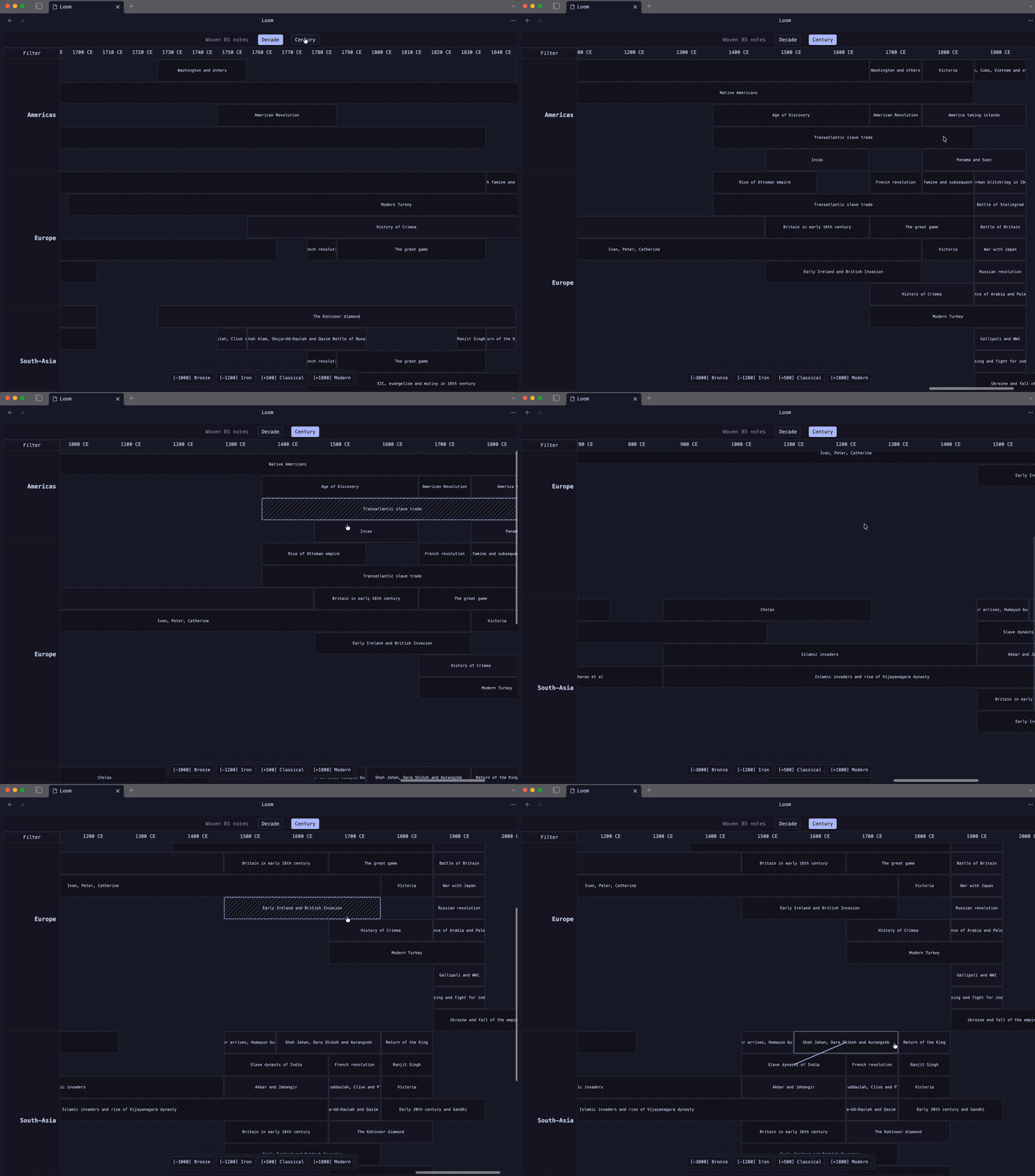
Loom View is a grid-based timeline visualization plugin for Obsidian. It maps time across the X-axis and categories (regions, projects, genres) across parallel horizontal lanes -- letting you see what was happening simultaneously across different dimensions.
Features
- Regional Lanes: View events side-by-side in dedicated horizontal lanes (regions, plot threads, project tracks -- whatever you define).
- Entity Glow: Hover over any note to instantly highlight every other note sharing the same key-figures or connections, with thread lines drawn between them.
- Dual Date Engine:
- Year mode: Integer years with BCE/CE support (e.g.,
-500becomes500 BCE). Fictional calendars work too (e.g.,Era 450). - Date mode: Full dates (
2026-01-15) with Month, Week, and Day resolution. Auto-detected from your frontmatter.
- Year mode: Integer years with BCE/CE support (e.g.,
- Configurable Zoom: Year, Decade, Century (or custom increments) in year mode. Month, Week, Day in date mode.
- Era-Snap Bookmarks: Jump to key periods with one click. Supports both year bookmarks (
Bronze: -3000) and date bookmarks (Sprint 1: 2026-01-15). - Lane Filtering: Solo specific lanes for focused comparison.
- Data Scoping: Limit the view to specific folders and/or tags to keep it performant and relevant.
Note: Loom auto-detects whether your notes use integer years (e.g.
-44) or full dates (e.g.2026-01-15). You cannot mix both in the same view -- whichever format appears first in your scoped files determines the mode.
Getting Started
Frontmatter Schema
Loom View reads your Markdown frontmatter. For a note to appear on the Loom, it needs date and lane properties:
Year mode (historical, world-building):
region: [Europe]
year-start: -44
year-end: -44
key-figures: [Caesar]
Date mode (journals, project tracking):
region: [Project Alpha]
year-start: 2026-01-15
year-end: 2026-02-01
key-figures: [Alice]
The property names are fully configurable in Settings.
Configure Settings
Go to Settings > Loom View to map your vault structure:
- Start/End Date Keys: Which frontmatter keys hold your dates (default:
year-start,year-end). - Date Format: How to parse date strings (default:
yyyy-MM-dd). Uses date-fns format tokens. - Lane Key & Order: Which key defines lanes and their display order.
- Connection Keys: Which keys to use for Entity Glow connections (e.g.,
key-figures, mentors). - Source Folders / Tags: Scope the view to specific parts of your vault.
- Era Bookmarks: Quick-jump points for navigation.
Usage
Open with the Command Palette: "Loom View: Open Loom View", or click the ribbon icon.
- Zoom: Use the top buttons to switch resolution (Year/Decade/Century or Month/Week/Day).
- Navigate: Scroll horizontally, or use Era-Snap bookmarks at the bottom to jump to specific periods.
- Filter: Click "Filter" to show/hide specific lanes.
- Connect: Hover any note to highlight all related notes (Entity Glow) and see thread lines between them.
- Open: Click any note block to open the source file.
Use Cases
- Historians: Compare the rise and fall of empires across continents simultaneously.
- World Builders: Track parallel plotlines across different fictional kingdoms or planets.
- Project Managers: Visualize sprints, milestones, and deliverables across teams on a shared timeline.
- Researchers: See which artists, scientists, or authors were active in the same period and who influenced whom.
License
MIT License.
For plugin developers
Search results and similarity scores are powered by semantic analysis of your plugin's README. If your plugin isn't appearing for searches you'd expect, try updating your README to clearly describe your plugin's purpose, features, and use cases.