Relay Comments
Comments and suggested edits for Obsidian.
Relay Comments brings Google-Docs-style review to Obsidian. Comments and suggested edits are written into the Markdown file as CriticMarkup, and diff and sync with the note.
Comments
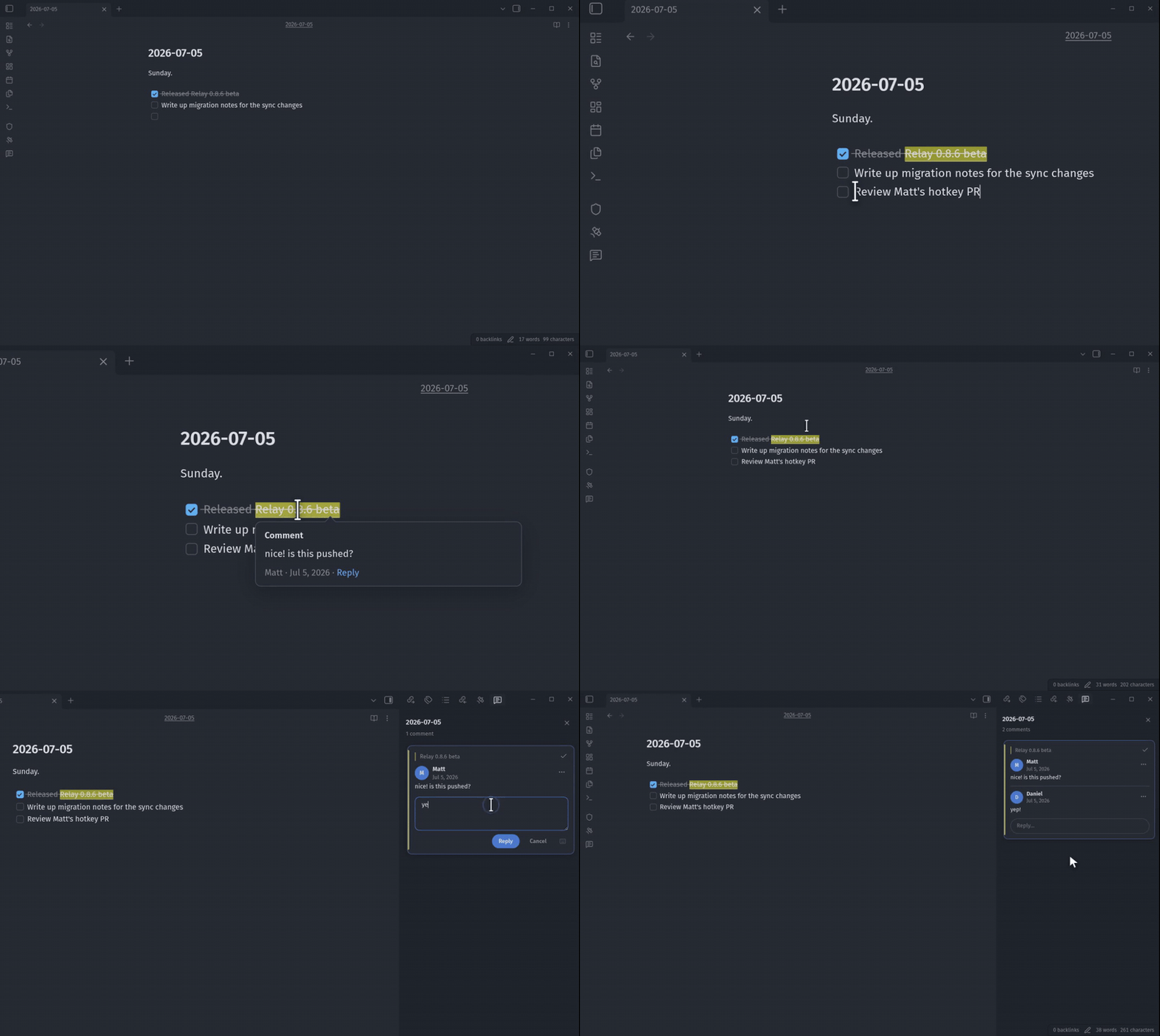
Collaborators' comments appear in your note as they write them.
Comments on lists, tasks, headings, quotes and callouts keep the block's Markdown syntax outside the highlight. A selection that runs into a later list, task, quote or heading line is refused, since the highlight would swallow that line's syntax. In Live Preview you can also select text inside a rendered callout and comment on it.
Suggestions
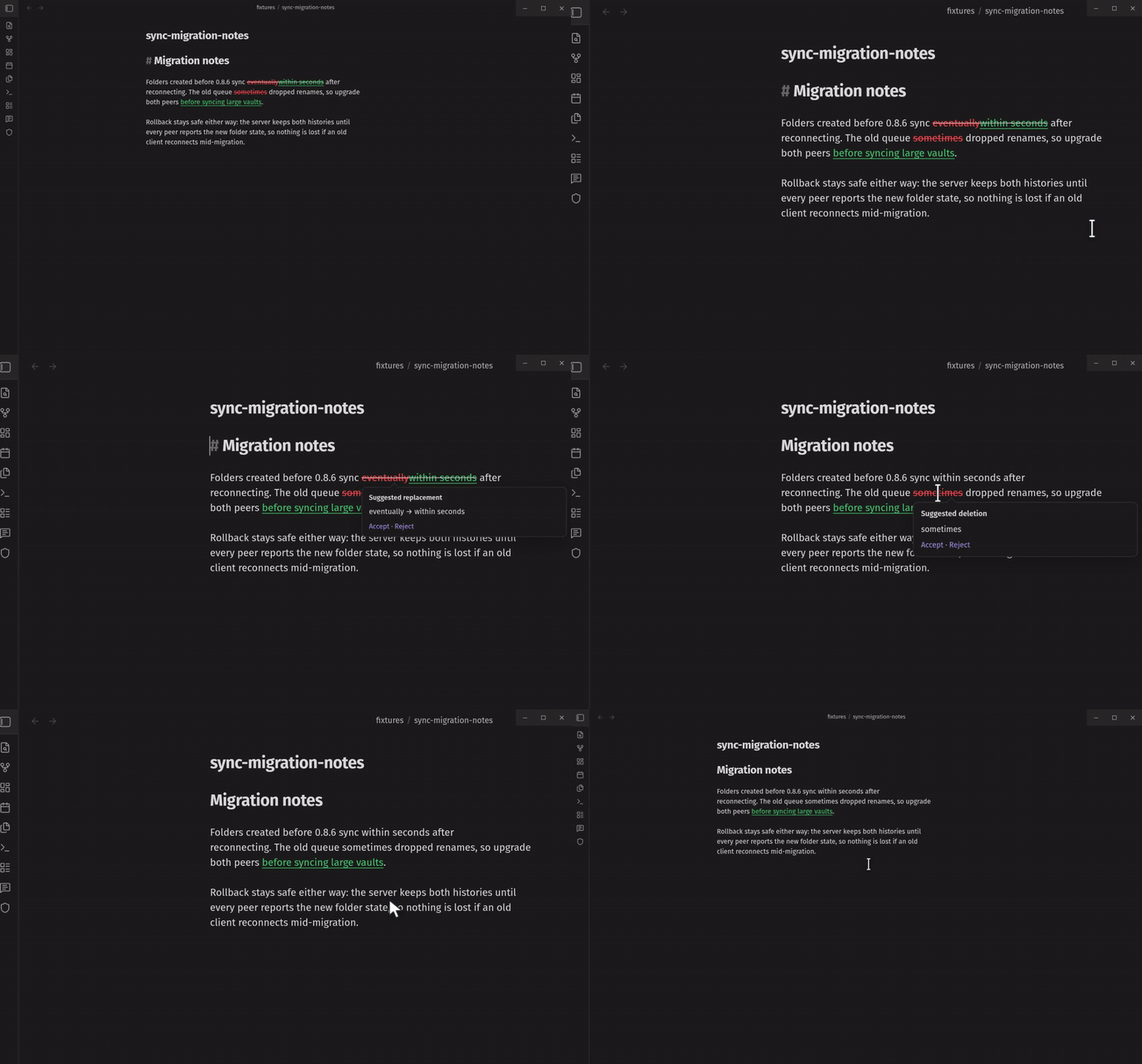
Accept or reject in place, or accept everything at once when the review is done.
The sidebar
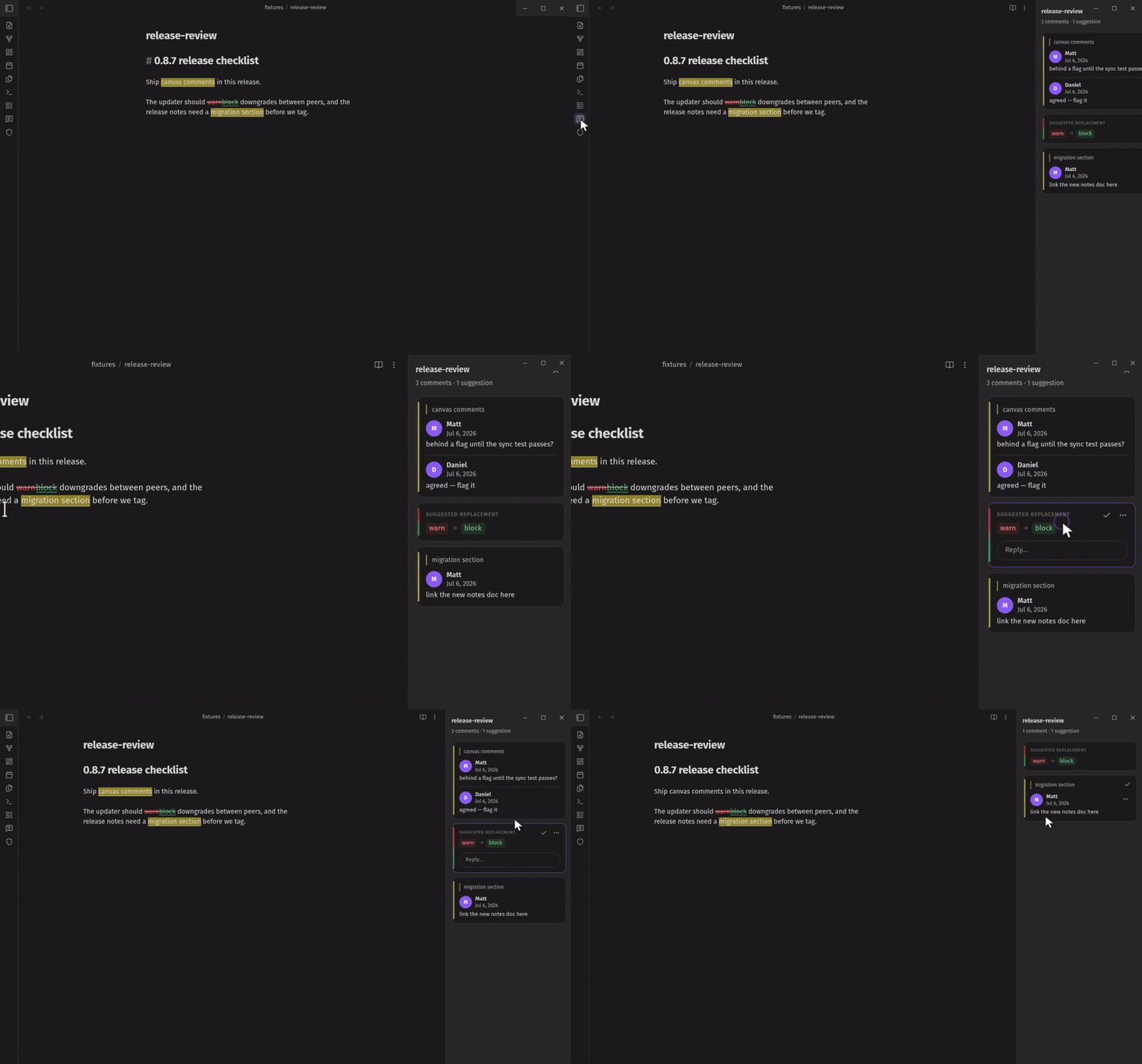
The sidebar lists the note's comments, suggestions, and highlights. Resolving a thread removes its markup from the note.
Identity
Relay Comments integrates with Relay and Obsidian Sync to provide user identity.
You can also add identities to the plugin's data.json. Each entry maps an ID to a
name, a picture, and a color. This allows an agent to self-register its identity:
{
  "identities": [
    {
      "id": "mqvxlopr0ocsmgv",
      "name": "Shelly",
      "picture": "https://avatars.relay.md/?seed=as235jcgbe",
      "color": "#7c3aed"
    }
  ]
}
The data.json file is automatically reloaded on change.
Readers without a matching identity see the inline author field as the name.
Agents
The relay-comments skill teaches agents to use CriticMarkup as well as monitor notes for comments to respond inline.
Canvas
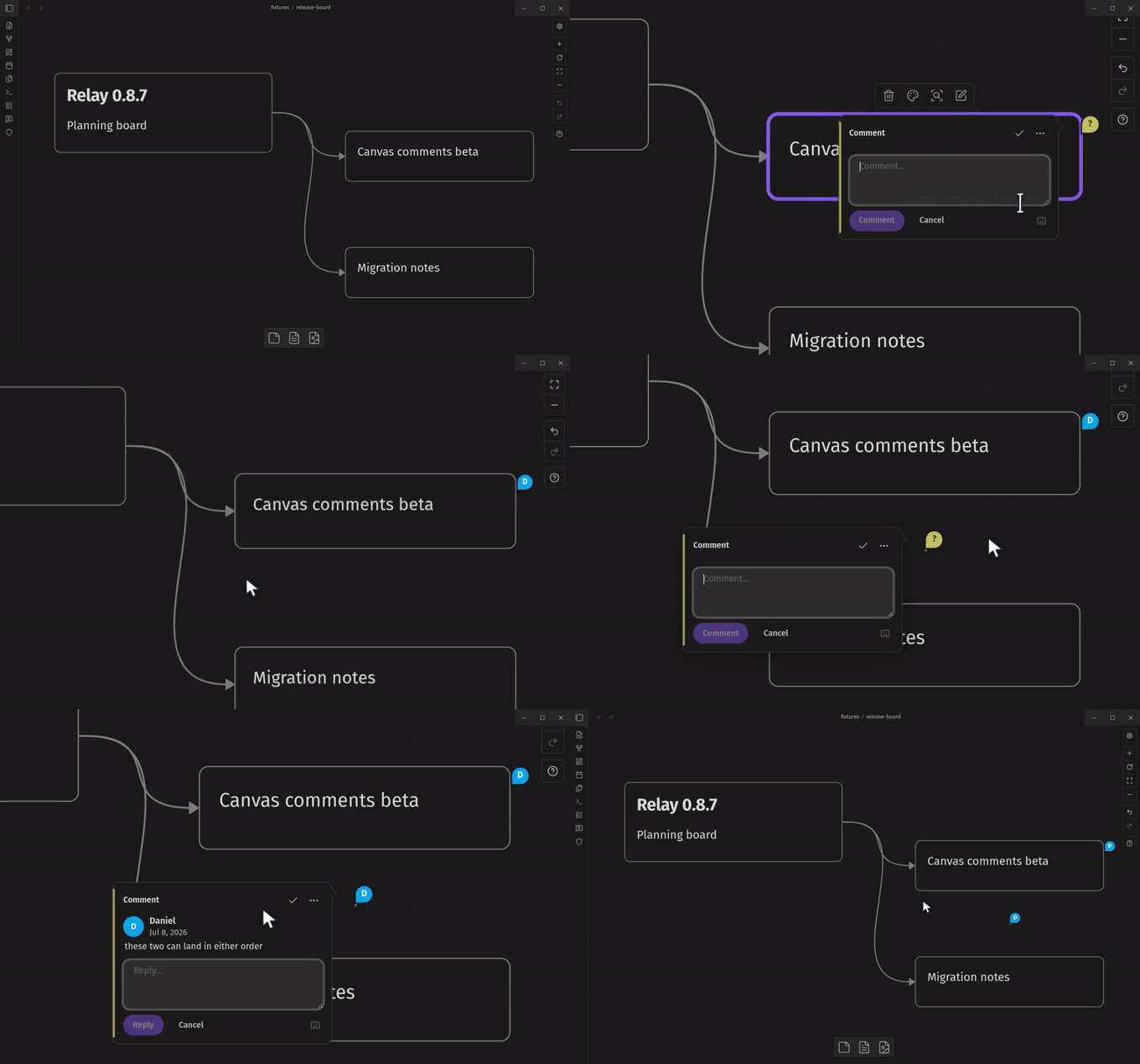
Place pins to add spatial feedback about the canvas layout. Comment on nodes or their contents.
Privacy
Relay-comments does not make any network requests or have any client-side telemetry.
Format
Review state is CriticMarkup:
| Mark | Syntax |
|---|---|
| Addition | {++inserted text++} |
| Deletion | {--removed text--} |
| Replacement | {~~old~>new~~} |
| Highlight | {==marked text==} |
| Comment | {>>comment text<<} |
Comments also attach to Obsidian's native ==highlight== syntax.
The author is stored in the comment:
{==the passage==}{{authorId="j4n8b2x0q7m1zk5" author="Bongo Cat">>Can we ground this sooner?<<}}
Installation
Install Relay Comments from the Obsidian community plugin catalog.
Development
npm install
npm run check   # typecheck src/
npm run build   # typecheck + produce main.js
Unit tests live in tests/unit/; npm test runs them. See
CONTRIBUTING.
License
For plugin developers
Search results and similarity scores are powered by semantic analysis of your plugin's README. If your plugin isn't appearing for searches you'd expect, try updating your README to clearly describe your plugin's purpose, features, and use cases.