SimpleDraw
approvedby whiteandgrey
A lightweight drawing plugin for simple flowcharts. - This plugin has not been manually reviewed by Obsidian staff.
SimpleDraw
轻量级流程图绘制插件,在 Obsidian 中直接创建和编辑 .simpledraw 文件。
A lightweight flowchart drawing plugin. Create and edit .simpledraw files directly in Obsidian.

🖥️ 桌面版已发布! 无需 Obsidian,独立运行。支持窗口分离、系统托盘、原生文件保存。
🖥️ Desktop version now available! Standalone app — no Obsidian needed. Multi-window, system tray, native file save.
🔗 https://github.com/whiteandgrey/SimpleDraw
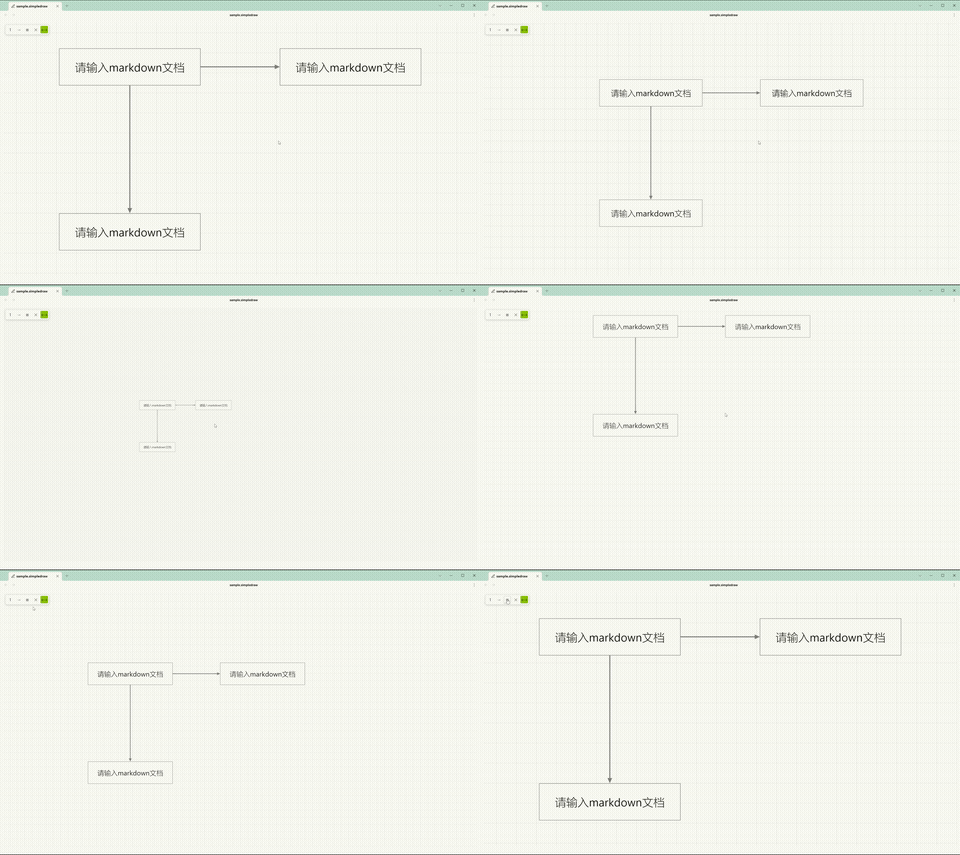
绘制样例
Drawing Example
使用教程
Usage Guide
画板操作
Canvas
移动:鼠标中键拖拽
Pan: Middle-click drag
缩放:Ctrl + 鼠标滚轮
Zoom: Ctrl + scroll wheel
文本框
Textbox
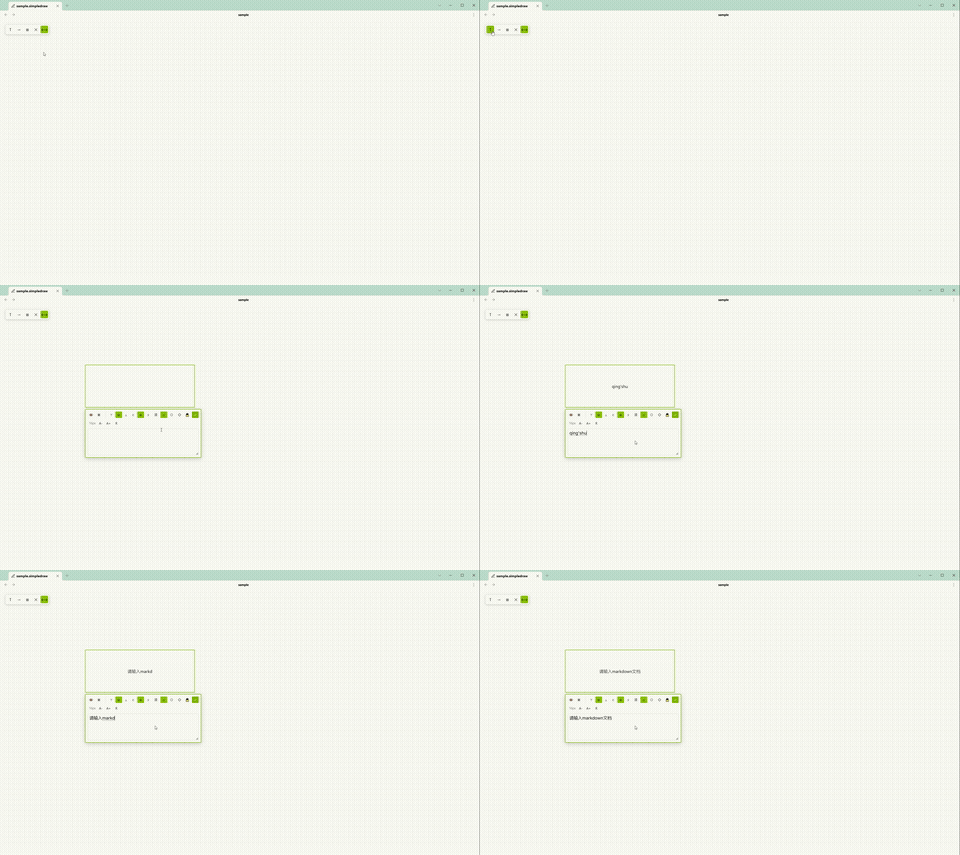
- 点击左上角 T 按钮,在画板点击两次确定位置。
Click the T button, then click twice on the canvas to place a textbox. - 双击文本框打开编辑器。
Double-click a textbox to open its editor. - 拖拽四角调整大小。
Drag the corners to resize. - 锁定:编辑器菜单点击 🔒。解锁:右键文本框 →「解锁」。
Lock: Click 🔒 in the editor. Unlock: Right-click → "Unlock".
箭头
Arrow
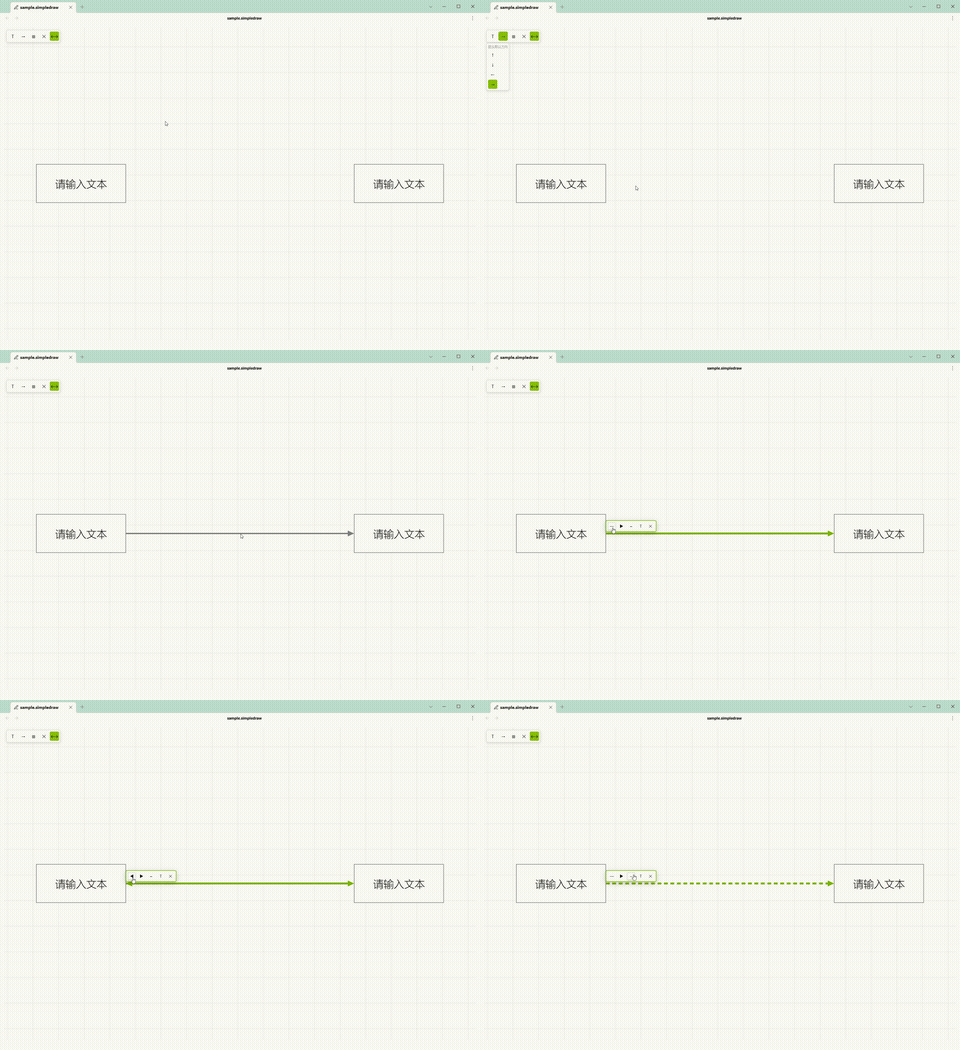
- 点击左上角 → 按钮,在画板点击起点和终点。
Click the → button, then click start and end points on the canvas. - 端点可自动吸附文本框锚点,也可自由放置。
Endpoints auto-snap to anchors or remain free. - 吸附箭头自动跟随锚点移动。
Snapped arrows automatically follow anchor movement. - 双击箭头弹出菜单:
Double-click an arrow to open its menu:- 首尾箭头显隐切换
- Start & End arrow toggle
- 实线/虚线切换
- Solid & Dashed toggle
- T 文字标签开关
- Label toggle
- 删除
- Delete
- 方向可通过菜单选择或键盘方向键 ←↑↓→ 切换。
Direction can be set via the menu or arrow keys.
文字标签
Arrow Label
双击箭头 → 点击 T 按钮 → 箭头中点出现可编辑文字,支持 Markdown,自动跟随箭头移动。
Double-click an arrow → click T → an editable label appears at the midpoint. Supports Markdown and auto-follows the arrow.
开关隐藏/显示(保留内容)。空内容时画布显示灰色提示「请输入 markdown 文本」。
Toggle to hide/show (content is preserved). Shows a placeholder when empty.
选择与编辑
Selection & Editing
选择:单击 / Ctrl+单击多选 / 拖拽框选。
Select: Click / Ctrl+click / drag box select.
复制粘贴:Ctrl+C / Ctrl+V,支持跨文件。
Copy/Paste: Ctrl+C / Ctrl+V, cross-file support.
外部文本:复制文字后到画板 Ctrl+V 自动创建文本框。
External Text: Paste external text on canvas to create a textbox.
删除:选中后按 Delete。
Delete: Select and press Delete.
撤销:Ctrl+Z。
Undo: Ctrl+Z.
重做:Ctrl+Shift+Z。
Redo: Ctrl+Shift+Z.
锚点方案
Anchor Scheme
在设置面板「吸附功能」中切换:
Switch in Settings → Snap:
- 方案一 Scheme 1(默认):8 锚点(4 角点 + 4 边中点)。8 anchors (4 corners + 4 midpoints).
- 方案二 Scheme 2:12 锚点(4 边中点 + 8 四分点),仅被箭头连接的四分点参与吸附。12 anchors (4 midpoints + 8 quarter points), only connected quarter points participate in snap.
功能
Features
文本框
Textbox
| 功能 Feature | 说明 Description |
|---|---|
| 形状 Shape | 矩形 / 椭圆 / 菱形 Rectangle / Ellipse / Diamond |
| 内容 Content | Markdown 渲染(支持数学公式、高亮等)Markdown rendering (math, highlight) |
| 填充 Fill | 开关切换,线框模式 Toggle, wireframe mode |
| 显隐 Visibility | 开关隐藏边框和填充 Hide border & fill |
| 文字方向 Writing Mode | 横排 / 竖排 Horizontal / Vertical |
| 文字对齐 Text Align | 水平(左/中/右)+ 垂直(上/中/下)Horizontal + Vertical |
| 字号 Font Size | A+ / A- / R 实时调整 Real-time adjustment |
| Markdown 快捷键 | Ctrl+B 加粗 / Ctrl+I 斜体 / Ctrl+U 删除线 / Ctrl+Shift+C 代码 / Ctrl+Shift+K 链接 / Ctrl+Shift+H 高亮 / Ctrl+Shift+M 行内公式 / Ctrl+Shift+Alt+M 行外公式 |
| 锁定 Lock | 🔒 锁定后不可编辑、移动、缩放、删除、选择、吸附 Prevents edit, move, resize, delete, select, snap |
箭头
Arrow
| 功能 Feature | 说明 Description |
|---|---|
| 路由 Routing | 正交避让(自动绕开文本框)Orthogonal obstacle avoidance |
| 吸附 Snap | 支持边中点 / 四分点锚点 Edge midpoint / quarter-point anchor |
| 形状 Shape | 实心三角 / 空心三角 / V 型 / 圆点 Triangle / Open Triangle / V-Shape / Circle |
| 端点控制 Endpoints | 首尾箭头独立显隐 Start/End arrow toggle |
| 线型 Line Style | 实线 / 虚线 Solid / Dashed |
| 方向 Direction | 菜单选择或键盘 ←↑↓→ Menu or arrow keys |
| 文字标签 Label | 箭头中点 Markdown 文字标签,自动跟随 Markdown label at path midpoint, auto-follows |
交互
Interaction
| 功能 Feature | 说明 Description |
|---|---|
| 画板 Canvas | 中键平移,Ctrl+滚轮缩放 Middle-click pan, Ctrl+scroll zoom |
| 选取 Selection | 单击 / Ctrl+单击多选 / 拖拽框选 Click / Ctrl+click multi / drag box select |
| 移动 Move | 拖拽文本框 Drag textbox |
| 缩放 Resize | 拖拽四角 Drag corners |
| 吸附对齐 Alignment Snap | 拖拽时对齐边线(多优先级系统)Snap to edges with priority system |
| 调整大小吸附 Resize Snap | 角点拖拽时对齐边线 Corner drag snap to edges |
| 锚点方案 Anchor Scheme | 8 锚点 / 12 锚点 8 anchors / 12 anchors |
| 撤销/重做 Undo/Redo | Ctrl+Z / Ctrl+Shift+Z,最多 100 步 Up to 100 steps |
| 复制/粘贴 Copy/Paste | Ctrl+C/V 跨文件,外部纯文本自动创建文本框 Cross-file, external text → textbox |
右键菜单
Context Menu
文本框置顶 / 置底。解锁文本框。
Bring to Front / Send to Back. Unlock textbox.
导出
Export
PNG 导出 — DOM 截图,所见即所得,保留数学公式和代码块。
DOM screenshot, WYSIWYG, preserves math & code blocks.
选项:网格 / 透明背景。
Options: Grid / Transparent background.
多语言
i18n
中文 / English — 设置面板一键切换。
One-click switch in settings.
安装
Installation
- 下载
main.js、manifest.json、styles.css。
Downloadmain.js,manifest.json,styles.css. - 复制到
.obsidian/plugins/simple-draw/。
Copy to.obsidian/plugins/simple-draw/. - 在 Obsidian 设置中启用插件。
Enable the plugin in Obsidian settings. - 在文件夹上右键 →「插入 SimpleDraw」新建
.simpledraw文件。
Right-click a folder → "Insert SimpleDraw" to create a.simpledrawfile.
设置
Settings
| 设置项 Setting | 说明 Description |
|---|---|
| 语言 Language | 中文 / English |
| 显示画板纹路 Show Grid | 网格背景 Grid background |
| 箭头线粗细 Arrow Stroke Width | 1-5px |
| 箭头大小 Arrow Head Size | 6-20px |
| 箭头形状 Arrow Shape | 实心三角 / 空心三角 / V 型 / 圆点 Triangle / Open Triangle / V-Shape / Circle |
| 显示箭头连接点 Show Anchor Dots | 箭头端点小圆点标记 Dot markers at arrow endpoints |
| 默认字号 Default Font Size | 新文本框默认字号 8-72px |
| 锚点方案 Anchor Scheme | 8 锚点 / 12 锚点 8 anchors / 12 anchors |
| 吸附预览圆圈大小 Snap Preview Radius | 箭头插入模式吸附预览圆圈 4-20px |
| 吸附对齐 Snap Enabled | 开启/关闭 On/Off |
| 快捷键 Shortcuts | 自定义 Markdown 格式快捷键 Custom Markdown shortcuts |
技术架构
Architecture
src/
├── main.ts          入口 — 注册视图、命令、功能区、文件菜单、设置选项卡
                     Plugin entry: register view, commands, ribbon, file menu, settings tab
├── view.ts          视图层 — DOM、事件、渲染循环、编辑器、PNG 导出
                     View layer: DOM, events, render loop, editors, PNG export
├── engine.ts        核心引擎 — 选择、历史记录、坐标变换、吸附、箭头路由
                     Core engine: selection, history, transforms, snap, arrow routing
├── types.ts         数据类型 — 枚举、常量
                     Data types: enums, constants
├── settings.ts      设置接口 — 默认值
                     Settings interface: defaults
├── settingsTab.ts   设置选项卡 UI
                     Settings tab UI
└── locale.ts        国际化 — 中文 / English
                     i18n: Chinese / English
许可
License
MIT
For plugin developers
Search results and similarity scores are powered by semantic analysis of your plugin's README. If your plugin isn't appearing for searches you'd expect, try updating your README to clearly describe your plugin's purpose, features, and use cases.