Timeline Schedule
approvedby ebonsignori
Inline timelines generated from human-readable time strings, e.g. 'Walk dog (30min)' in a ```schedule codeblock.
Obsidian Timeline Schedule
Inline timelines generated from human-readable time strings, e.g. 'Walk dog (30min)' in a ```schedule codeblock in Obsidian.
You can set if you want to enable pretty preview and/or autofill from the plugin's settings.
Only autofill, no pretty preview
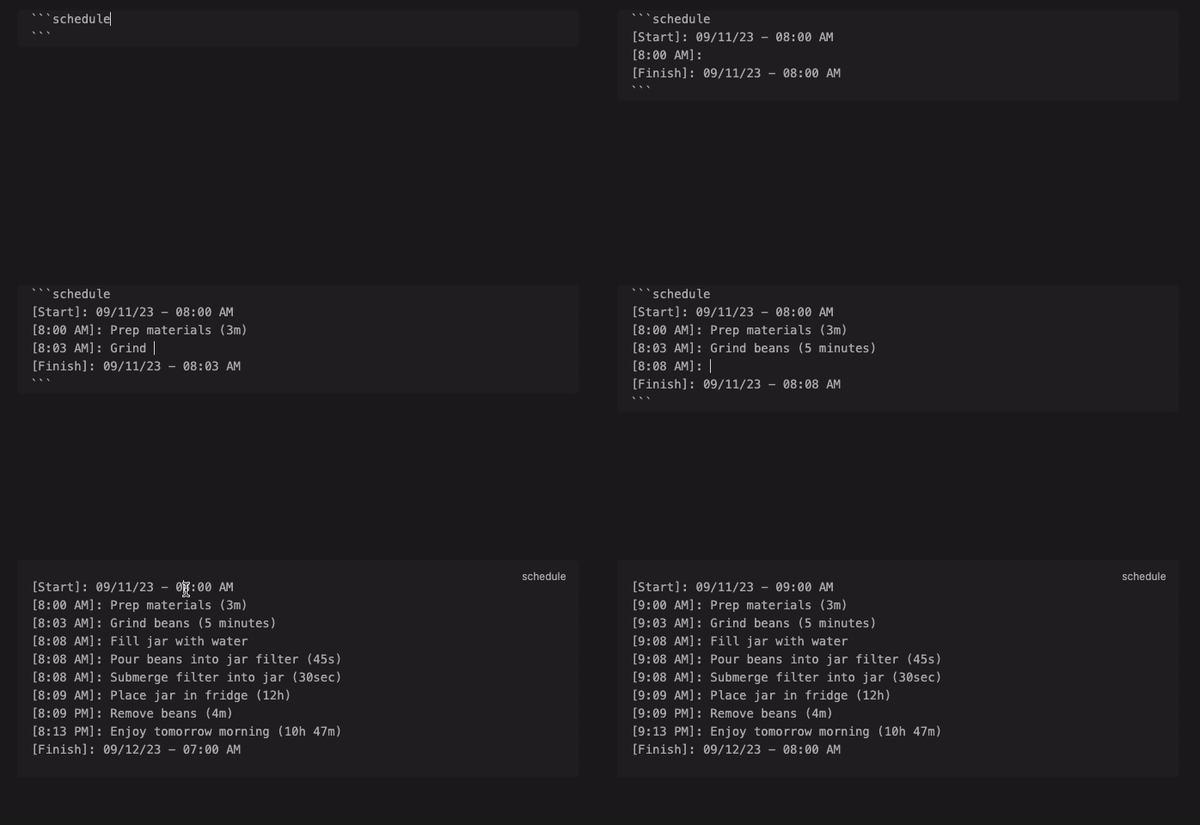
A [Start] and [Finish] block will always be present during autofill, and each line between them will be prepended with a time block e.g. [9:30 AM]:.
Each human-readable time string you add to the end of a line will be added to the next time block.
For instance, Grind beans (3m) sets the time from [7:05] to [7:08] in the next line.
In this mode, when your cursor exits the codeblock it will preview as a standard Obsidian code block.
While possible, autofill is not recommended within callouts. I recommend writing your schedule outside of a callout, then pasting the codeblock in a callout to be rendered in pretty preview.
Only pretty preview, no autofill

In this mode, you don't need date blocks, e.g. ([Start], [Finish]), the start date is set from whatever you put at the beginning e.g. "Start: 08/10/2023 08:00 AM"
If you omit a start line, the current date & time will be used.
Both autofill and pretty preview (default)
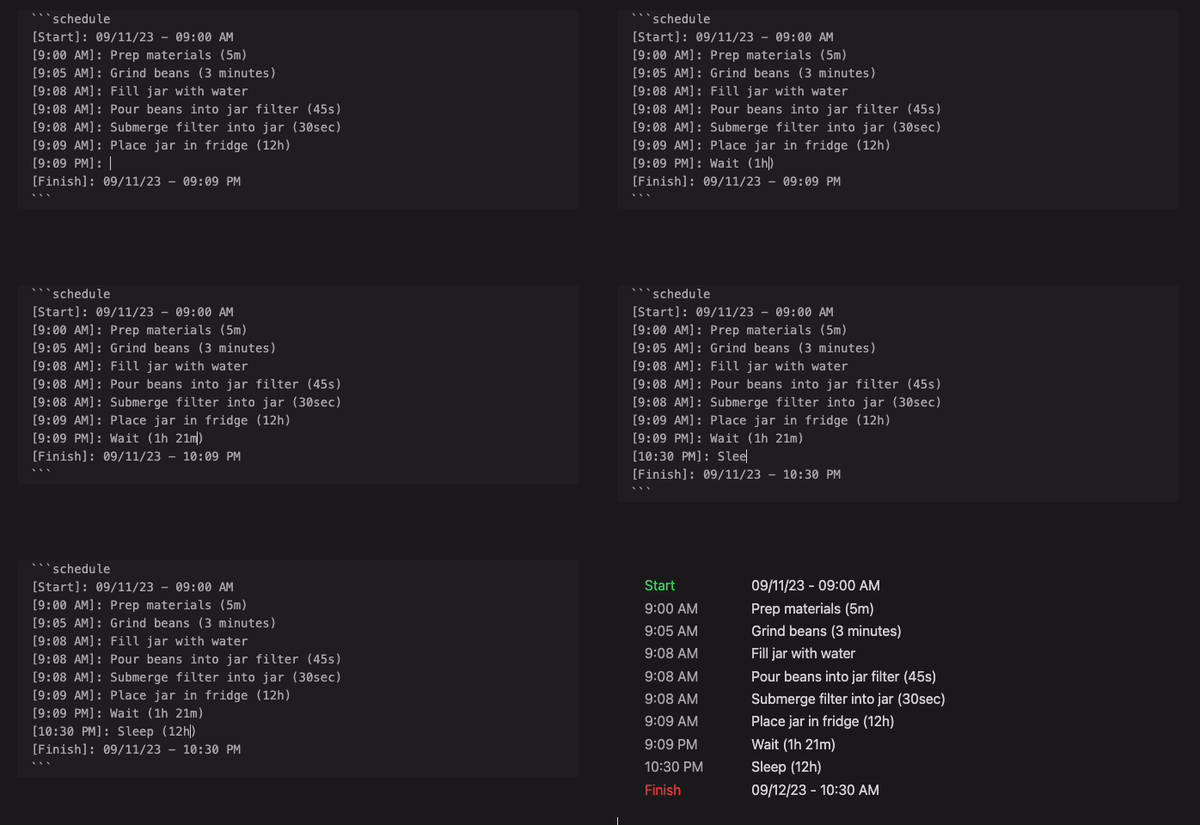
You can change the name for Start and Finish as well as the formats of the start, end, and event dates in the plugin's settings.
Styling
See styles.css for a list of classes you can override.
Installing
Search "Timeline Schedule" via the built-in community plugin browser in Obsidian.
Contributing
Please open an issue with any suggestions or bug reports.
See developer docs if you'd like to open a PR.
Acknowledgements
The Obsidian team for creating a wonderful product :purple_heart:
For plugin developers
Search results and similarity scores are powered by semantic analysis of your plugin's README. If your plugin isn't appearing for searches you'd expect, try updating your README to clearly describe your plugin's purpose, features, and use cases.