Note Heatmap
unlistedby hzlume
GitHub-style note activity heatmap with periodic notes and Git diff integration.
Obsidian Note Heatmap


Visualize your note activity with a GitHub-style heatmap. Track writing habits and discover patterns in your knowledge management.
Why Note Heatmap?
Unlike Contribution Graph which maps one entry to one date, Note Heatmap supports list-format dates to track activity across multiple days:
last-modified:
  - 2026-04-01T10:30:00
  - 2026-04-05T17:20:10
  - 2026-04-10T11:30:00
A note edited on three different days contributes to all three days — not just the latest one.
Features
Heatmap — GitHub Contributions-style annual activity grid with 5-level color depth. Click any day to see modified notes, click a month for a monthly summary.
Periodic Notes — Click dates to jump to daily notes, months to monthly notes, year number to yearly notes. Supports hover preview. Folder paths and filename formats are fully customizable.
Flexible Date Tracking — Reads frontmatter date fields to track modifications. Supports ISO 8601, YYYY-MM-DD, list format, and Obsidian date objects. New notes are auto-identified via the created field. Incremental cache for performance.
Git Diff (optional) — Quickly view per-file Git changes by commit, day, or month. Requires both Obsidian Git and Version History Diff plugins (soft dependency — heatmap works fine without them).
i18n — Chinese and English. Auto-detects Obsidian language setting.
Installation
Obsidian Community Plugins (Coming Soon)
Once approved, you will be able to:
- Settings → Community Plugins → Browse
- Search "Note Heatmap"
- Install and enable
BRAT (Beta Reviewers Auto-update Tool)
For early access before official approval:
- Install BRAT plugin
- Run command: "BRAT: Add a beta plugin for testing"
- Enter:
https://github.com/hzlume/obsidian-note-heatmap - Enable in Settings → Community Plugins
Manual
- Download
main.js,manifest.json, andstyles.cssfrom releases - Copy to
.obsidian/plugins/note-heatmap/ - Enable in Settings → Community Plugins
Configuration
| Setting | Description | Default |
|---|---|---|
| Target Field | Frontmatter field for modification dates | last-modified |
| Created Field | Frontmatter field for creation dates | created |
| Target Folder | Folder to track | (empty - whole vault) |
Supported Date Formats
last-modified: 2026-04-14T10:30:00   # ISO 8601
last-modified: 2026-04-14             # Date string
last-modified:                        # List (multiple dates)
  - 2026-04-14
  - 2026-04-15
last-modified:                        # List with time (multiple modifications)
  - 2026-04-14T10:30:00
  - 2026-04-15T11:30:00
Periodic Notes
| Type | Default Format | Example Path |
|---|---|---|
| Daily | YYYY-[daily]/YYYY-MM-[daily]/YYYY-MM-DD | 2026-daily/2026-04-daily/2026-04-14.md |
| Monthly | YYYY-[monthly]/YYYY-MM | 2026-monthly/2026-04.md |
| Yearly | YYYY | 2026.md |
Each type can be enabled/disabled independently. Folder paths are customizable.
Git Diff
Enable in settings after installing Obsidian Git. When enabled, a "View Diff" button appears next to each note in the result panel.
Usage
- Open: Click the 📅 icon in the left sidebar, or run "Note Heatmap: Open" from the command palette
- Navigate years: Use the ‹ › buttons
- View day activity: Click any heatmap square
- View month summary: Click a month label
- Open yearly note: Click the year number (requires yearly note enabled)
- Refresh: Click the refresh button
Plugin Integration
Obsidian Git (soft dependency) — Required for Git Diff features. Without it, the heatmap still works; only diff viewing is unavailable.
Version History Diff — If installed, diff views open in its UI for a richer experience with automatic commit selection.
Log Keeper — Automatically generates timestamps in list format as you type. Perfect for tracking multiple modifications throughout the day:
last-modified:
  - 2026-04-14T10:30:00
  - 2026-04-14T14:15:00
  - 2026-04-14T16:45:00
Linter / Templater — Use to auto-populate frontmatter date fields:
---
created: <% tp.date.now("YYYY-MM-DD") %>
last-modified: <% tp.date.now("YYYY-MM-DD") %>
---
Screenshots
Annual Heatmap
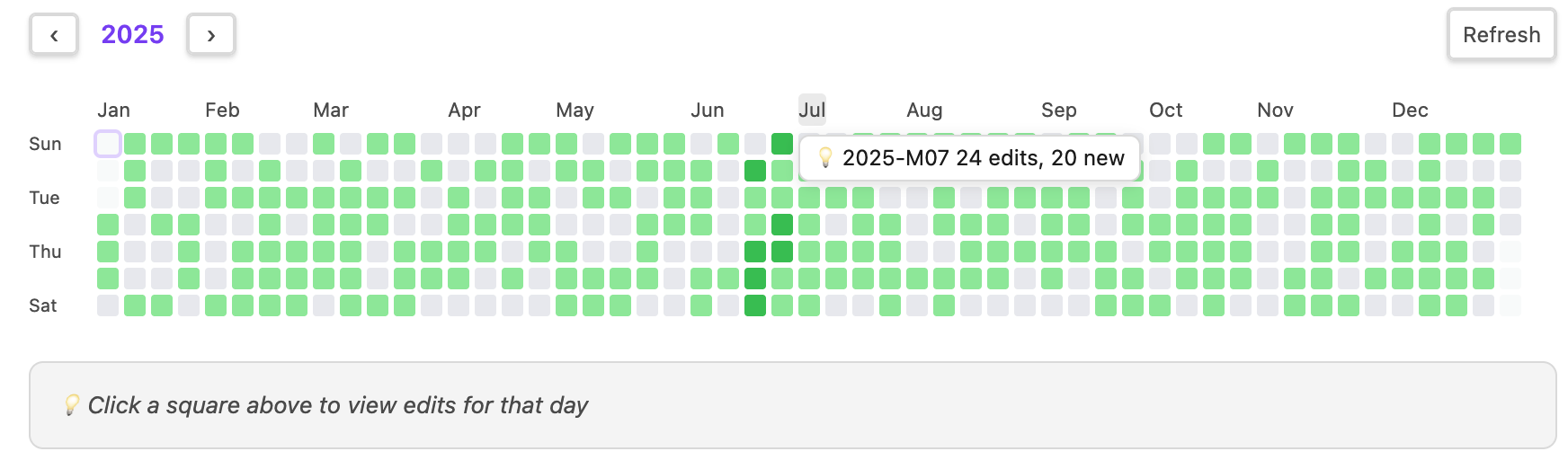
GitHub Contributions-style annual activity grid with 5-level color depth. Click any date to see modified notes, click a month label for monthly summary.
Day View
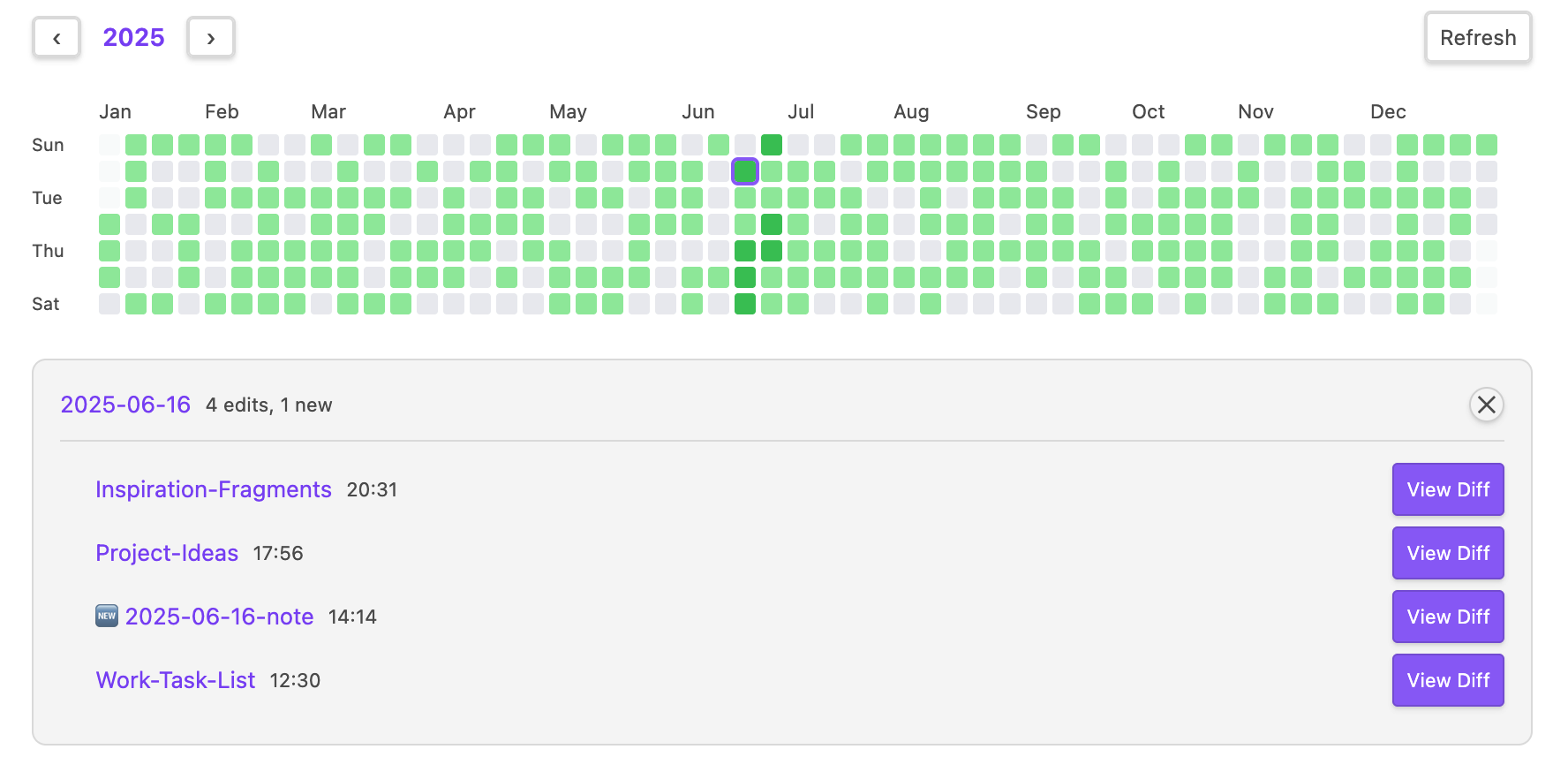
Click any square in the heatmap to view all notes modified on that day, showing last modified time next to each note name.
Hover Preview
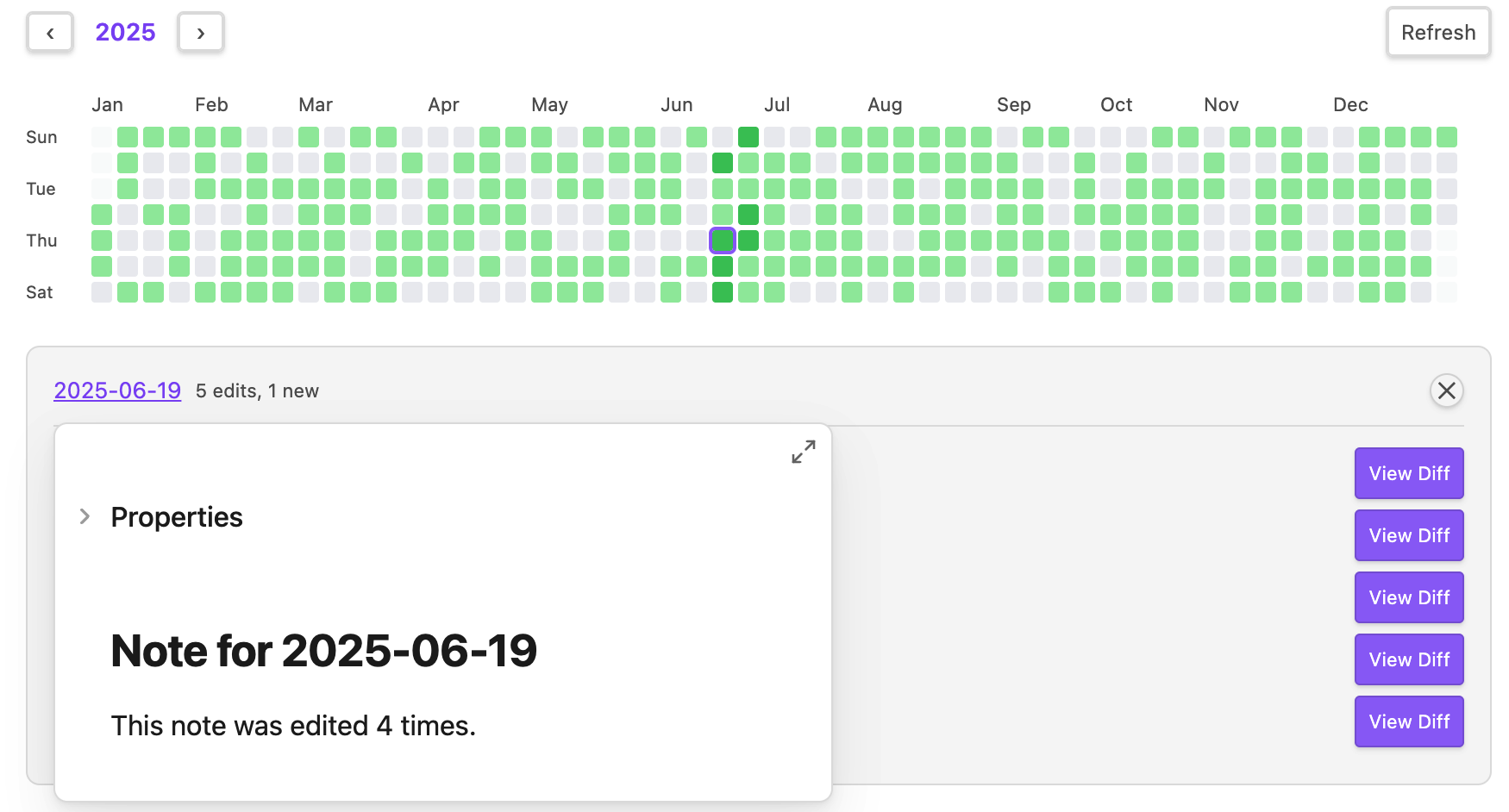
Hover over note links to quickly preview content via Obsidian's native hover preview.
Month View with Search & Sort
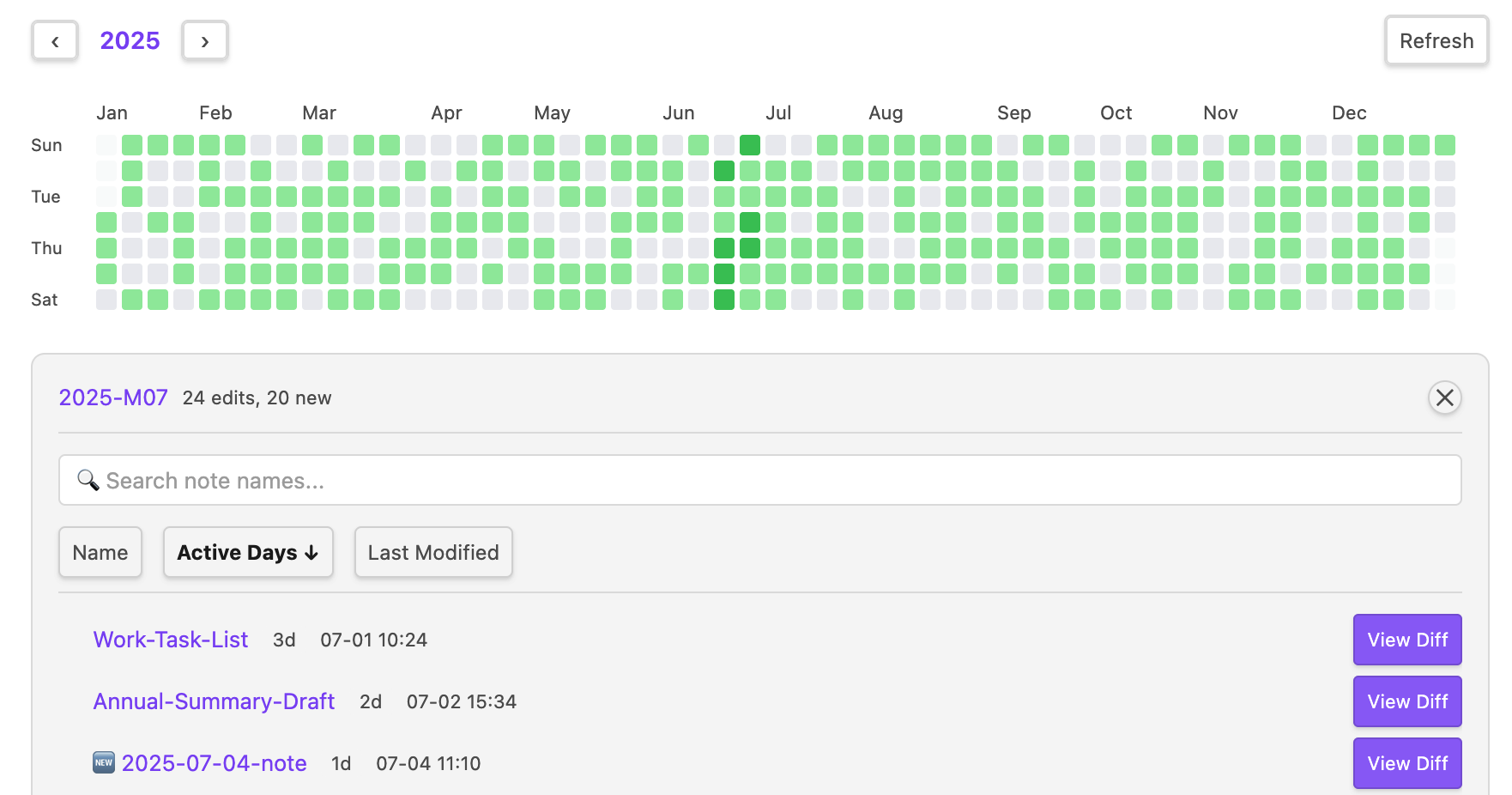
Click a month label to see monthly activity statistics. Supports sorting by name, active days, or last modified time, with search filtering.
Git Diff Integration
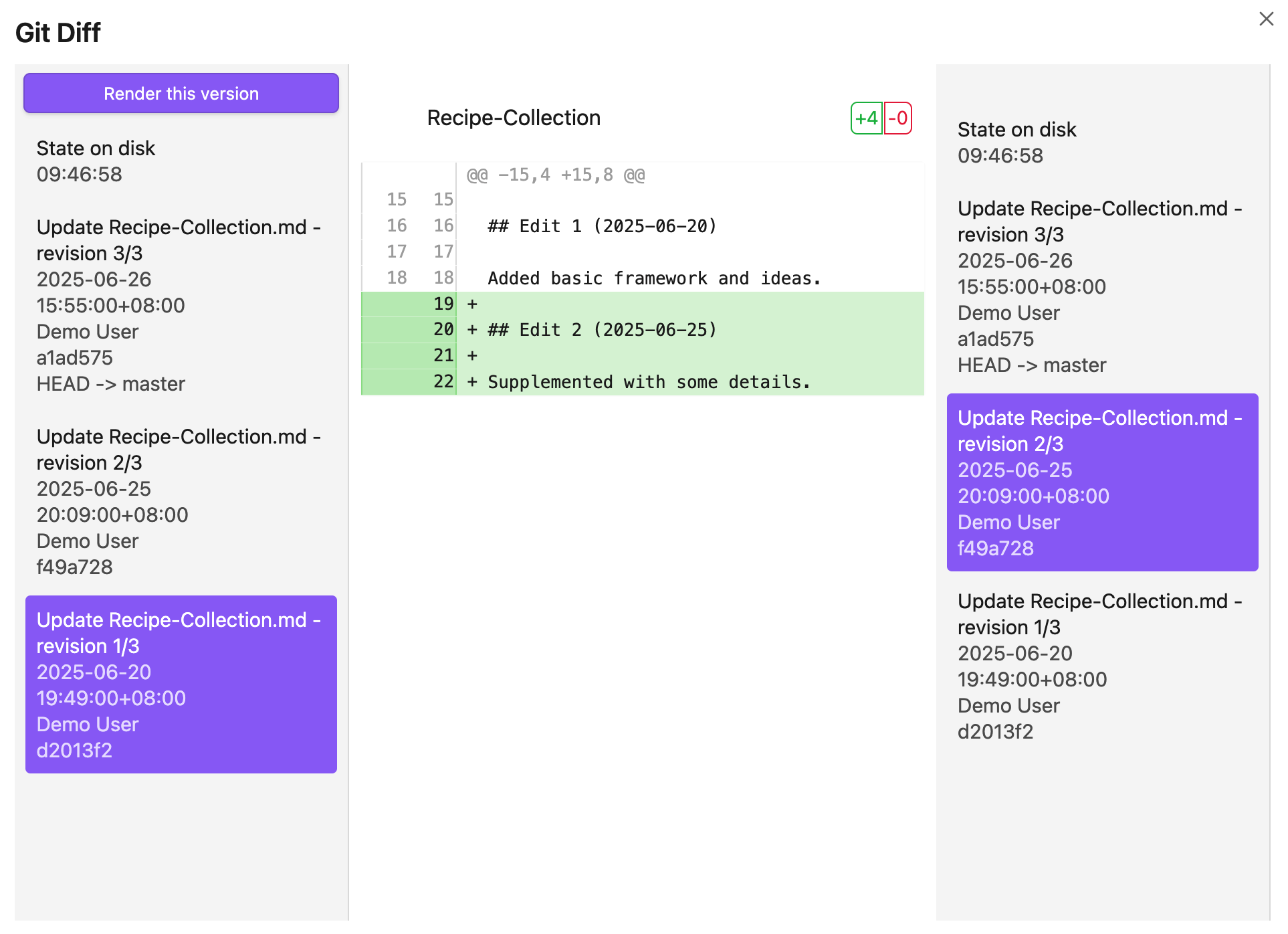
After installing Obsidian Git, click the "View Diff" button to see version history in Version History Diff.
Development
npm install
npm run dev     # Watch mode (auto-reloads plugin)
npm run build   # Production build
Note: The build script automatically copies styles.css to the vault plugin folder.
Project Structure
src/                  # Source code
├── main.ts           # Plugin entry & lifecycle
├── settings.ts       # Settings interface & defaults
├── settingTab.ts     # Settings UI
├── heatmapView.ts    # Heatmap view (main UI)
├── dataCache.ts      # Data cache (incremental updates)
├── gitService.ts     # Git service (via Obsidian Git API)
├── vhdUtils.ts       # Version History Diff utilities
└── i18n/             # Internationalization
    ├── index.ts
    ├── en.ts
    └── zh.ts

styles.css            # Plugin styles (auto-copied to vault)
Changelog
See GitHub Releases for version history.
License
For plugin developers
Search results and similarity scores are powered by semantic analysis of your plugin's README. If your plugin isn't appearing for searches you'd expect, try updating your README to clearly describe your plugin's purpose, features, and use cases.