WeekGrid
unlistedby chris
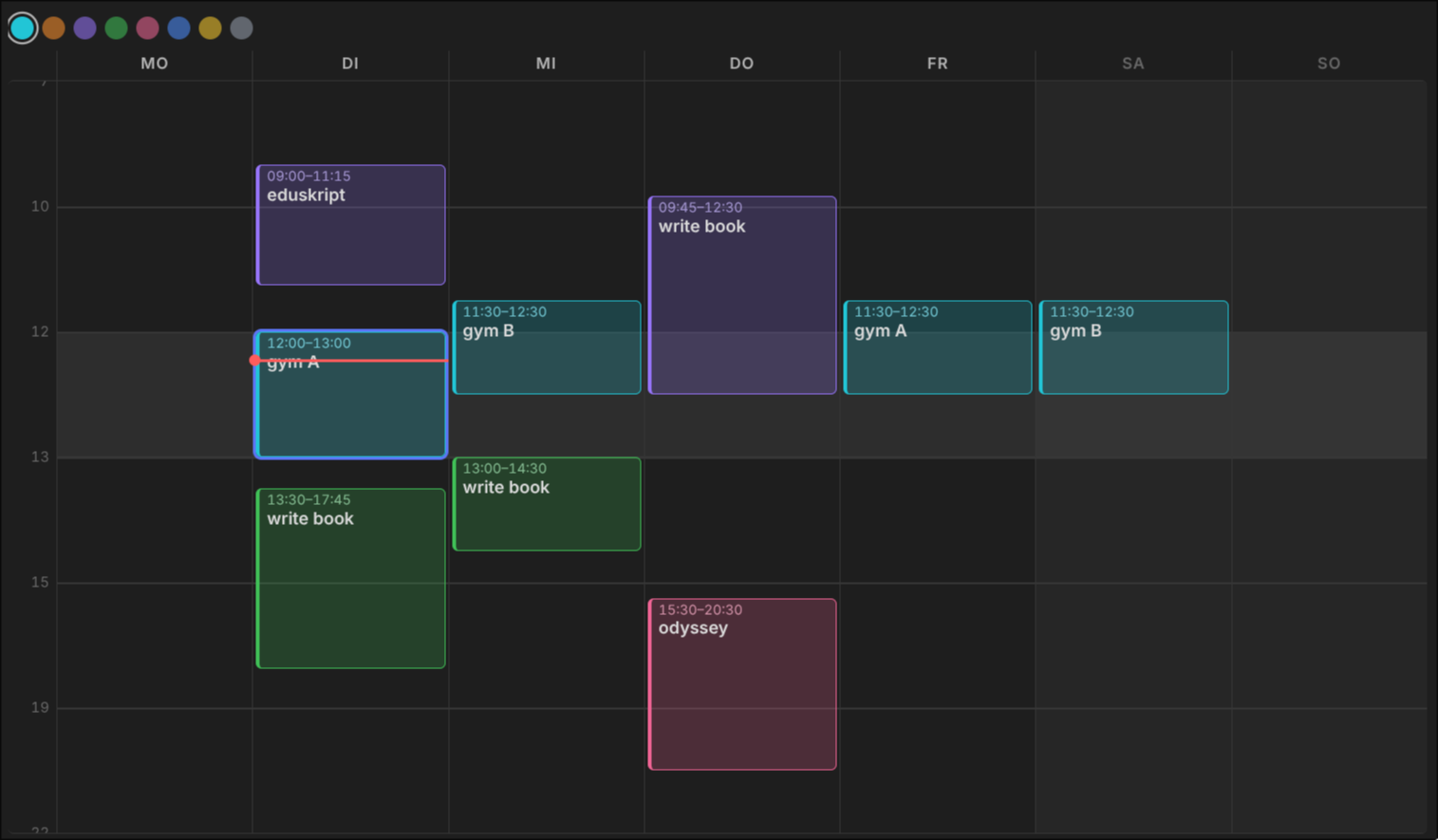
Drag-to-draw weekly schedule grid with colored blocks. No save button, data lives in a vault JSON file.
WeekGrid
A quick'n'dirty Obsidian plugin: a generic Monday–Sunday week grid you can scribble colored blocks onto. Built in an afternoon to draft weeks, not to replace a calendar.
No dates, no sync, no save button. It's a whiteboard shaped like a week.
Why
Real calendars want dates, invitations, reminders and a save dialog. Drafting a typical week needs none of that — just drag a box, name it, move it, done.
Usage
Put a code block into any note:
```weekgrid
id: default
```
Then:
| Action | Result |
|---|---|
| Drag on a column | new block (click without dragging = 60 min) |
| Double-click a block | edit the title (Enter to commit, Esc to cancel) |
| Drag a block | move it, across days too |
| Drag top/bottom edge | resize |
| Hover a block | copy + delete buttons |
Click a block, then 1–8 | recolor · Del deletes · Esc deselects |
| Swatches above the grid | color for the next block |
Every change is written immediately to 4_system/weekgrid.json in your vault — no save button anywhere. Put the vault in Syncthing/Dropbox and the week follows you around.
A red line marks the current time in today's column.
Options
All optional, one per line in the code block:
id: default      # board name — different id = separate week
marks: 7 10 12 13 15 19 22   # the only horizontal lines drawn
midday: 12-13    # shaded band (or: none)
snap: 15         # minutes
height: 44       # half a band's height in px
Bands between marks all get the same pixel height regardless of duration — 7–10 is as tall as 10–12. That's deliberate: mornings deserve as much drafting space as afternoons. Time inside a band still maps proportionally.
Install
Not in the community store. Copy main.js, manifest.json and styles.css into <vault>/.obsidian/plugins/weekgrid/ and enable it under Settings → Community plugins.
Caveats
Quick'n'dirty means quick'n'dirty:
- Plain JS, no build step, no tests.
- Full re-render on every pointer move. Fine at this size.
- Board data is one JSON file. Two devices editing at once = whoever saves last wins.
- Desktop-tested only, though pointer events should behave on mobile.
MIT.
For plugin developers
Search results and similarity scores are powered by semantic analysis of your plugin's README. If your plugin isn't appearing for searches you'd expect, try updating your README to clearly describe your plugin's purpose, features, and use cases.