Writing Tracker Heatmap Streaks
approvedby viszkit
Daily word goal webhook + minimal sidebar heatmap with detailed stats view. - This plugin has not been manually reviewed by Obsidian staff.
Writing Tracker Heatmap Streaks
Writing Tracker Heatmap Streaks is an Obsidian plugin that tracks the new words you write each day, sends a webhook when you hit your goal, and shows your writing history in a compact heatmap sidebar with a detailed stats view.
Features
- Track daily new words instead of total file length.
- Count each Han character as one word, matching Obsidian's Chinese word count behavior.
- Exclude reference/generated-note folders or count only selected writing folders.
- Send a webhook when the configured daily word goal is reached.
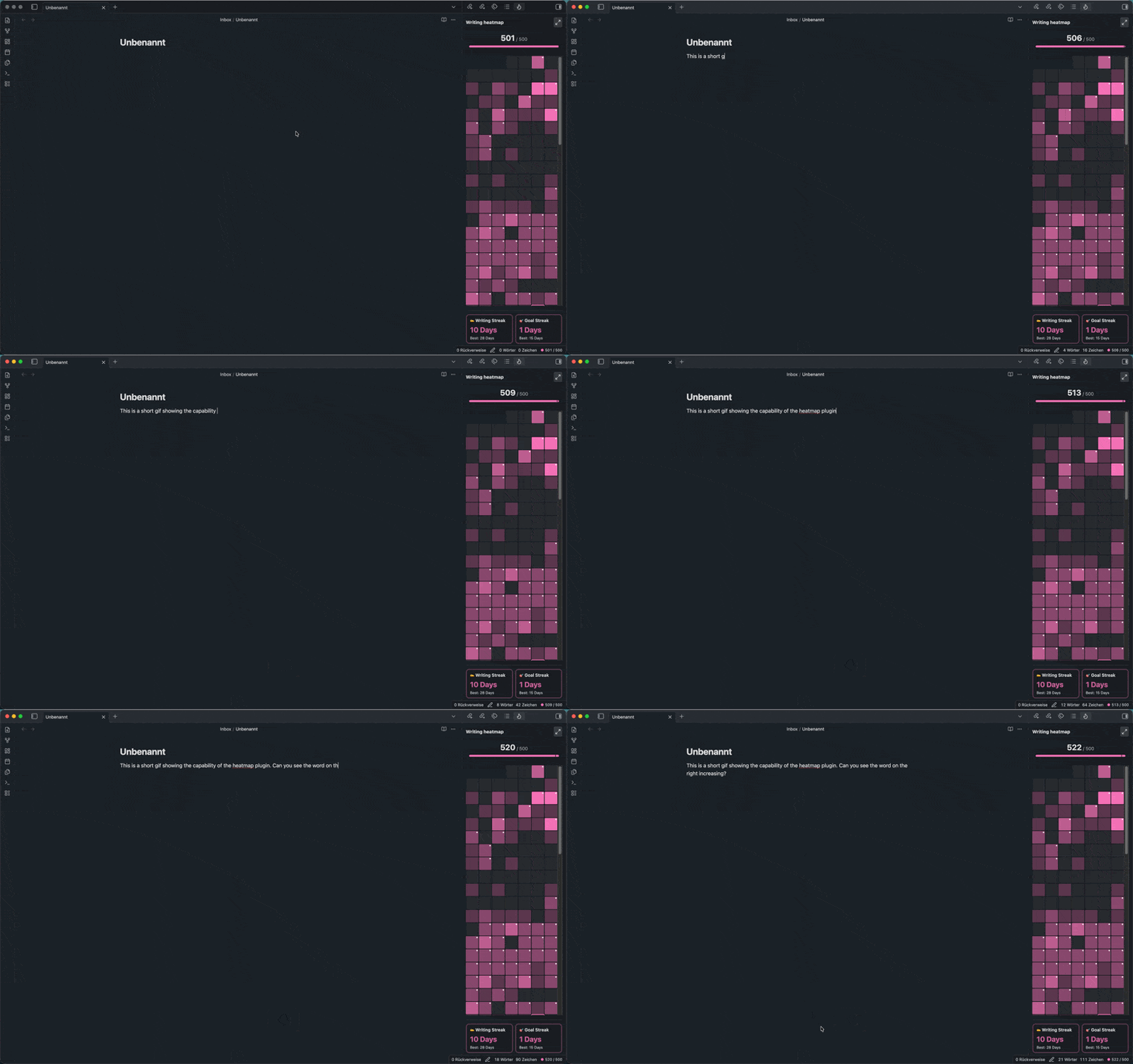
- View a sidebar heatmap with today's count and current streaks.
- Click a sidebar heatmap day to open the matching daily note, with the active daily note highlighted in the heatmap.
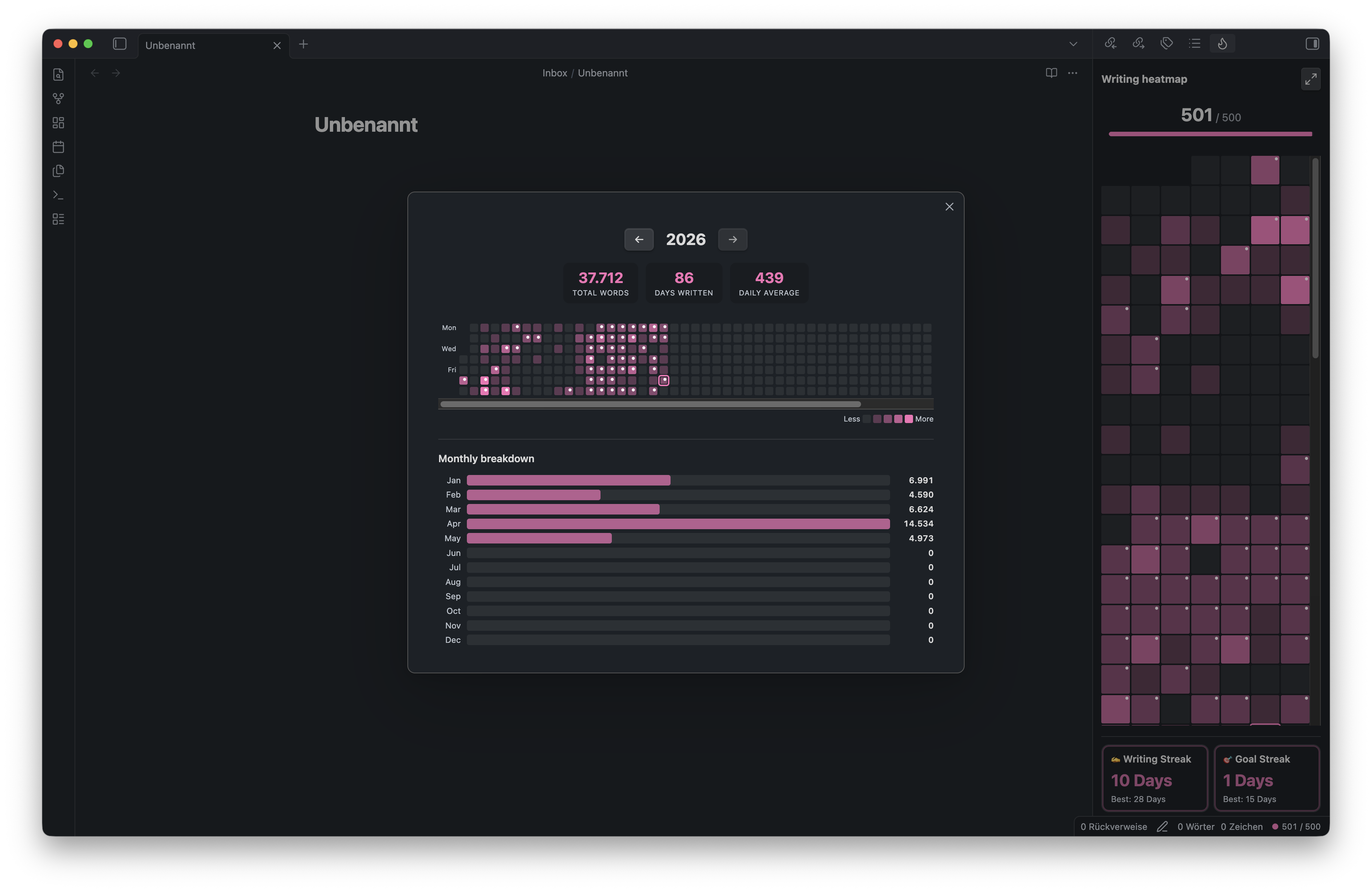
- Open a detailed stats modal with yearly history and monthly totals.
- Import past word counts from configured daily notes.
Installation
Install Writing Tracker Heatmap Streaks from Obsidian's community plugins browser:
- Open Settings -> Community plugins in Obsidian.
- Browse or search for Writing Tracker Heatmap Streaks.
- Install and enable the plugin.
Usage
The plugin tracks your current daily word count in the status bar. Words are counted as growth from each note's daily baseline, and if you delete older text below that baseline, the baseline lowers so future writing starts counting from the new length. The sidebar heatmap can be opened when needed, and each day is shaded based on progress toward your daily word goal. Days where the goal was reached use the strongest shade, while days at 150% or more receive a brighter glow.
Click a day in the sidebar heatmap to open its daily note. The plugin uses your Periodic Notes daily settings first, then Obsidian's core Daily Notes settings, and resolves the note from the configured folder and Moment-style date format. Date tokens follow Obsidian's locale, so localized month and weekday names such as Mai or Dienstag are supported. If the expected daily note is missing or daily notes are not configured, Obsidian shows a notice instead of failing silently.
Commands:
Open writing heatmapOpen writing statsShow today's word countImport word counts from daily notes
Settings:
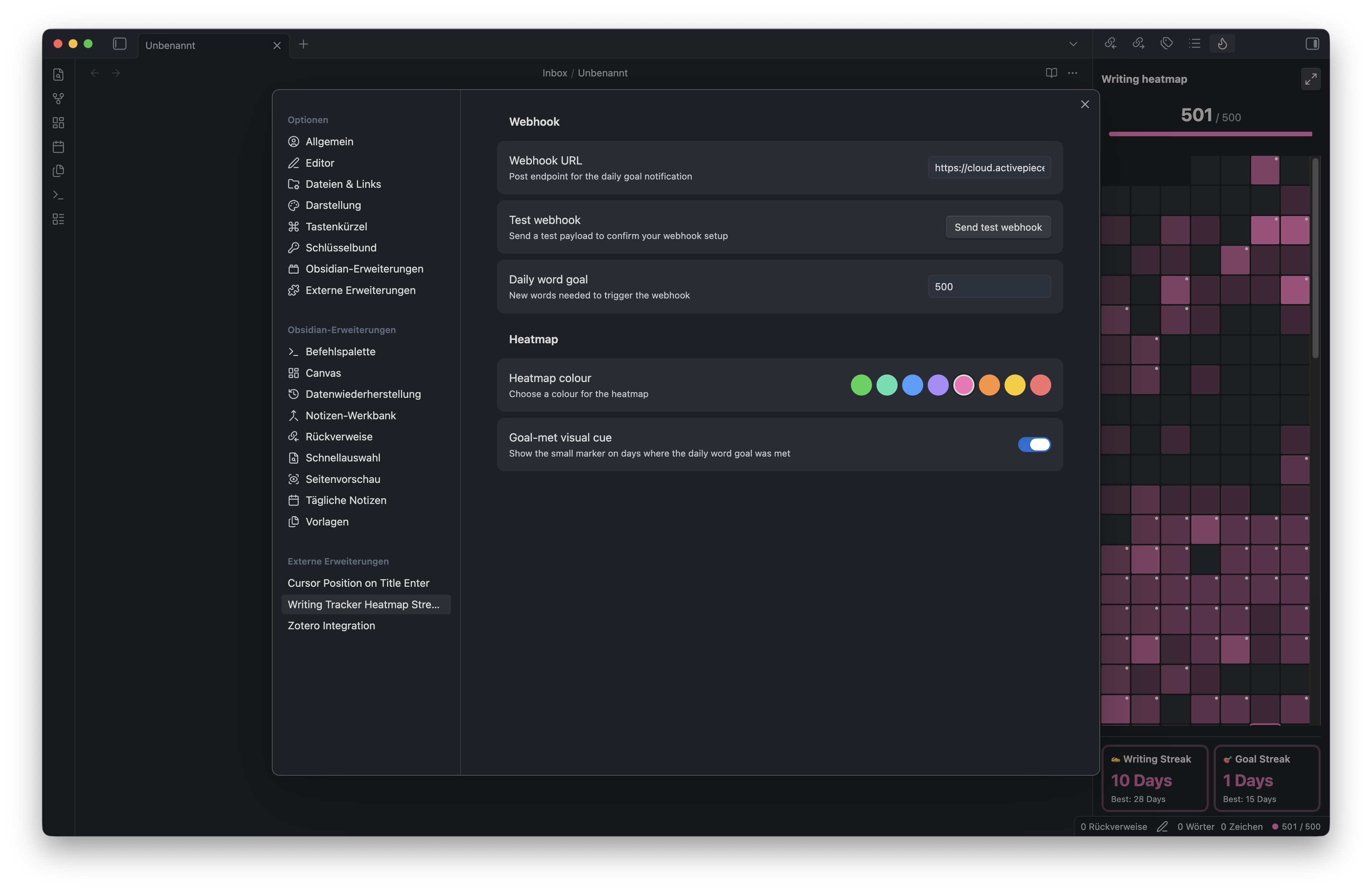
- Webhook URL: endpoint to call when the daily goal is met.
- Daily word goal: number of new words required before the webhook fires.
- Heatmap colour: choose one of the built-in color presets.
- Goal-met visual cue: show or hide the marker on days where the goal was reached.
- Only include listed folders: toggle folder filtering between excluding the listed folders and counting only the listed folders.
- Folder list: one folder path per line, such as
Zettelkasten/Notes/. Changing the list or mode removes newly filtered notes from today's active count.
When the goal is reached, the plugin sends a POST request with a JSON payload like:
{
  "event": "daily_word_goal_reached",
  "goal": 500,
  "actual": 512,
  "date": "2026-03-27",
  "timestamp": "2026-03-27T14:23:01.000Z",
  "test": false
}
Data and privacy
- Plugin data is stored in your vault under
.obsidian/plugins/word-goal-webhook/data.json. - To reduce the risk of losing long-term writing history after a short sync-reset session, the plugin keeps three guarded local backups next to the main data file:
data.backup-1.json,data.backup-2.json, anddata.backup-3.json. Backup rotation starts only after the data has at least two non-zero history days, so a fresh or one-day reset state should not replace older useful backups. - If you sync your vault with iCloud, Dropbox, OneDrive, or another file-sync service, make sure the plugin data file is fully synced and available locally before starting Obsidian. If the sync provider temporarily presents
data.jsonas missing, empty, stale, or conflicted, Obsidian can load the plugin as if it were a fresh install and a later save may overwrite your previous progress. - For iCloud specifically, keep your vault in
iCloud Drive/Obsidian/<Vault Name>, mark the Obsidian folder as Keep Downloaded where available, avoid mixing iCloud with another sync service for the same vault, and consider Obsidian Sync or regular backups if the writing history is important to you. - The plugin makes network requests only when you configure a webhook URL. It sends
POSTrequests only to the URL you enter when your daily goal is reached or when you click Send test webhook. - Webhook payloads include the event name, configured daily goal, actual word count, date, timestamp, and whether the payload is a test.
- Daily-note opening and daily-note word count import check only the expected daily-note paths from your configured folder and date format. The plugin does not enumerate every file in the vault.
- The plugin does not require an account, payment, ads, or telemetry.
- The source code in this repository is open source.
Development
npm install
npm run build
npm run deploy:runtime
npm run deploy:runtime copies only main.js, manifest.json, and styles.css into the local Obsidian plugin folder and removes development-only files from that installed copy. Set OBSIDIAN_PLUGIN_DIR to deploy to a different vault.
Create releases by pushing a version tag that matches the manifest version. The GitHub release workflow builds from source, runs tests, uploads main.js, manifest.json, and styles.css, and creates GitHub artifact attestations for those release assets.
License
For plugin developers
Search results and similarity scores are powered by semantic analysis of your plugin's README. If your plugin isn't appearing for searches you'd expect, try updating your README to clearly describe your plugin's purpose, features, and use cases.