Sankey
approvedby finnromaneessen
Create Sankey diagrams in your notes.
Sankey Diagrams for Obsidian
Create Sankey diagrams in Obsidian.
Usage
To generate a Sankey diagram, create a sankey code block.
Sankey diagrams consist of links and nodes that can be specified using YAML.
Links
Links are created using a source, a target and a value.
links:
- source: A
  target: B
  value: 1
A link value can be set to ? to have it calculated automatically. The plugin will infer the value using conservation of flow: what enters a node must equal what leaves it. A ? value can be resolved as long as it is the only unknown on one side of a node.
links:
  - source: Income
    target: Budget
    value: 3000
  - source: Budget
    target: Rent
    value: 1200
  - source: Budget
    target: Savings
    value: ?   # resolved as 3000 - 1200 = 1800
Chains are supported — resolving one unknown can unlock others. An error is shown in place of the diagram if a value cannot be resolved.
Nodes
Nodes can be explicitly created to add a specific color to a node. If none or not all nodes are added to the code block, the rest of the nodes will be inferred from the link targets and sources.
nodes:
- name: A
  color: blue
Examples
Basic example
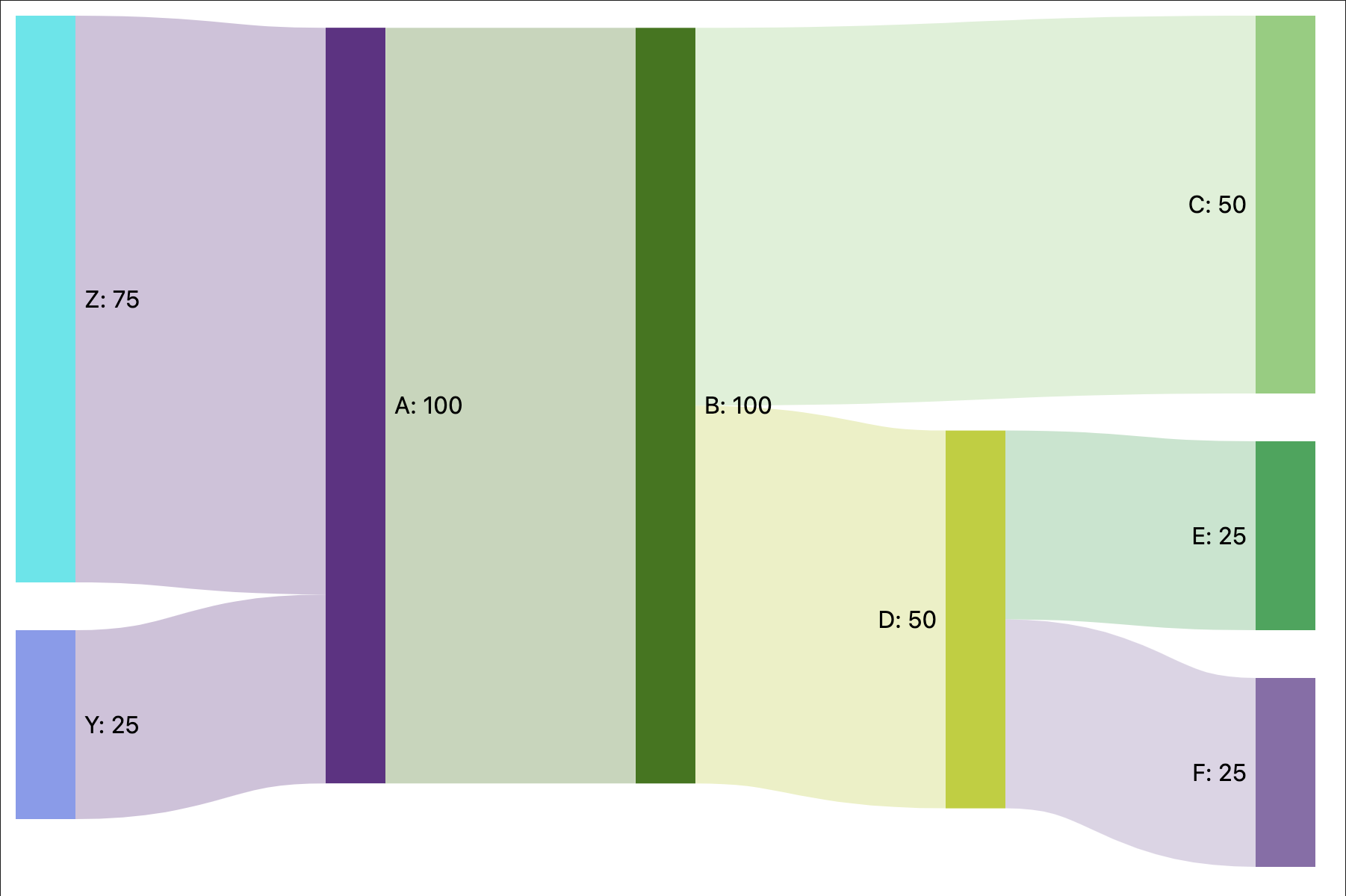
A simple example using only links.
links:
- source: A
  target: B
  value: 100
- source: B
  target: C
  value: 50
- source: B
  target: D
  value: 50
- source: D
  target: E
  value: 25
- source: D
  target: F
  value: 25
- source: Z
  target: A
  value: 75
- source: Y
  target: A
  value: 25
Results in:
Node colors
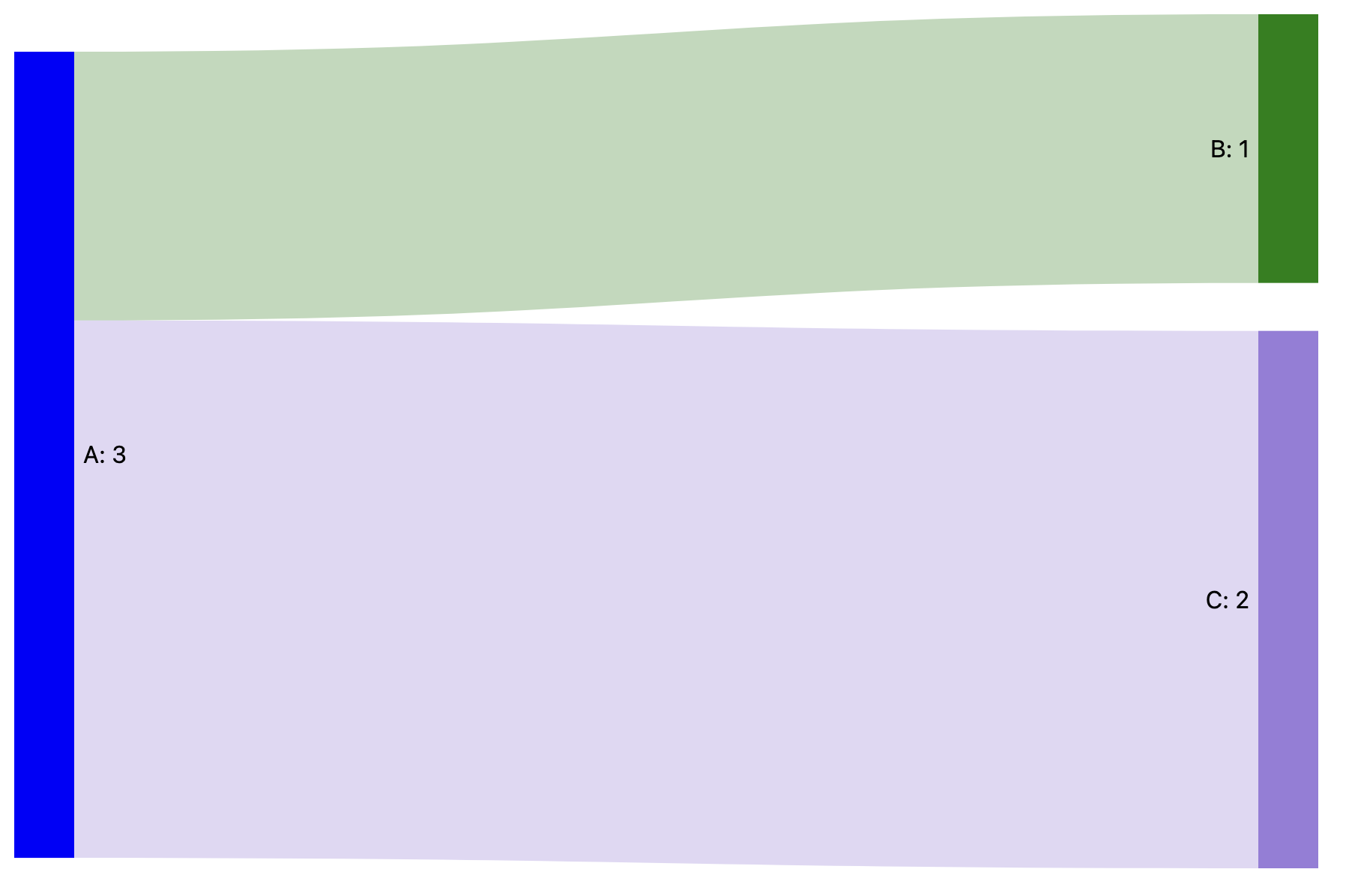
An example specifying the colors for nodes A and B.
nodes:
- name: A
  color: blue
- name: B
  color: green
links:
- source: A
  target: B
  value: 1
- source: A
  target: C
  value: 2
Results in:
For plugin developers
Search results and similarity scores are powered by semantic analysis of your plugin's README. If your plugin isn't appearing for searches you'd expect, try updating your README to clearly describe your plugin's purpose, features, and use cases.