Save History
approvedby Gugl
Save, restore, compare, export, and import file versions; use autosave and custom settings for each file. - This plugin has not been manually reviewed by Obsidian staff.
★ 6 stars↓ 2,427 downloadsUpdated 2mo agoMIT
Save History
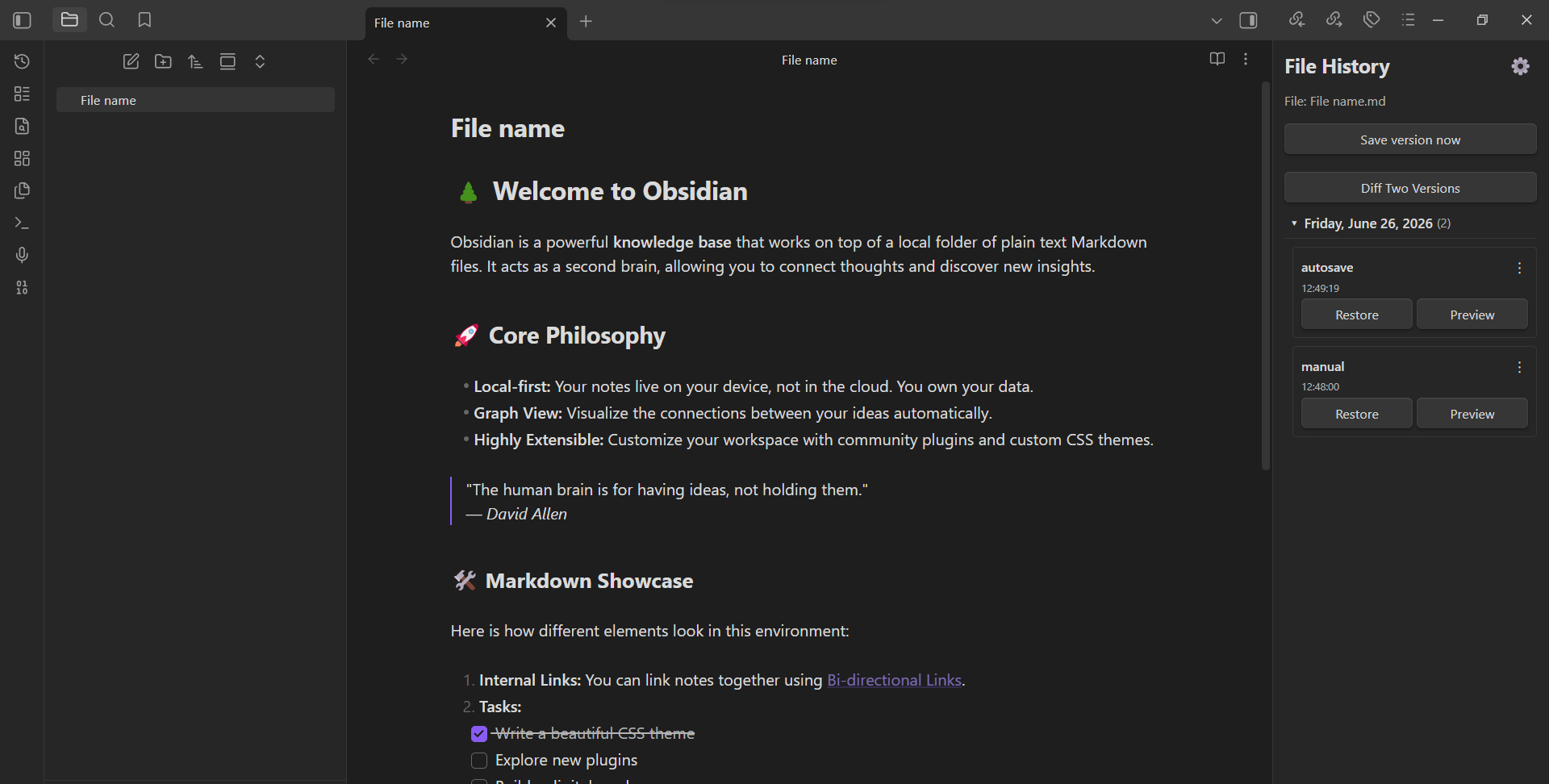
Obsidian plugin for saving and restoring file versions.
Features
- Manual version saving — save the current state of a file at any time
- Version restore — restore any previously saved version with one click
- Pre-restore backup — before restoring, the current state is automatically saved as a backup
- Diff comparison — compare any two versions or a version with the current file (with character-level highlighting)
- Preview modal — preview a version before restoring (draggable and resizable)
- Version grouping — group versions by day, week, month, or year (collapsible)
- Rename labels — give custom names to saved versions
- Bulk delete — select and delete multiple versions at once
- Export / Import — export a single version or all versions of a file; import previously exported versions
- Autosave — automatically save versions at a configurable interval
- Autosave on tab close — save a version when closing a file tab
- Per-file settings — override autosave interval, autosave on tab close, max autosave versions, and grouping per file
- Max autosave versions — limit how many autosaved versions are kept per file
- Allowed file extensions — choose which file types are tracked (
.mdalways included) - Multi-language — English, Russian, and Spanish interface
- Customizable snapshot folder — change where versions are stored in the vault
- Customizable export folder — fallback folder for exports when browser picker is unavailable
- File rename tracking — snapshots follow renamed files and folders
- File delete cleanup — snapshots are automatically removed when a file is deleted
- Ribbon icon — quick access to the history sidebar
- Restore last unsaved version command — quickly restore the pre-restore backup
Installation
From GitHub Releases
- Download the latest release zip from Releases
- Extract
main.jsandmanifest.jsoninto your vault's.obsidian/plugins/save history/folder - Enable the plugin in Obsidian settings → Community plugins
Manual
- Clone this repository
- Run
npm install - Run
npm run build - Copy
main.jsandmanifest.jsonto your vault's.obsidian/plugins/save history/folder
Usage
- Open a file in Obsidian
- Use the sidebar panel "File History" to view and manage versions
- Or use commands from the command palette:
- Save version now — save the current state
- Restore version — open the restore modal
- Open history sidebar — open the version list panel
- Restore last unsaved version — restore the pre-restore backup
- Right-click a file in the file explorer to export or import versions
Development
npm install
npm run build
To watch for changes:
npm run watch
License
MIT
For plugin developers
Search results and similarity scores are powered by semantic analysis of your plugin's README. If your plugin isn't appearing for searches you'd expect, try updating your README to clearly describe your plugin's purpose, features, and use cases.