by theluckystrike
Convert version 3.8 Zettelkasten archives into notes with keywords, links, and note sequences.
Zettelkasten Archive Import
Convert a version 3.8 Zettelkasten 3 archive (a .zkn3 file) into Markdown notes. Each live note keeps its original one-based position as its file name, its text, its keywords, its note links, its manual cross-references and its note sequence. Check the preview and report, then create notes in a vault folder.
The plugin reads the archive on your device and does not change it. The import needs no account and no network connection. The screenshots use a small synthetic archive.
Features
Preview live notes and the report
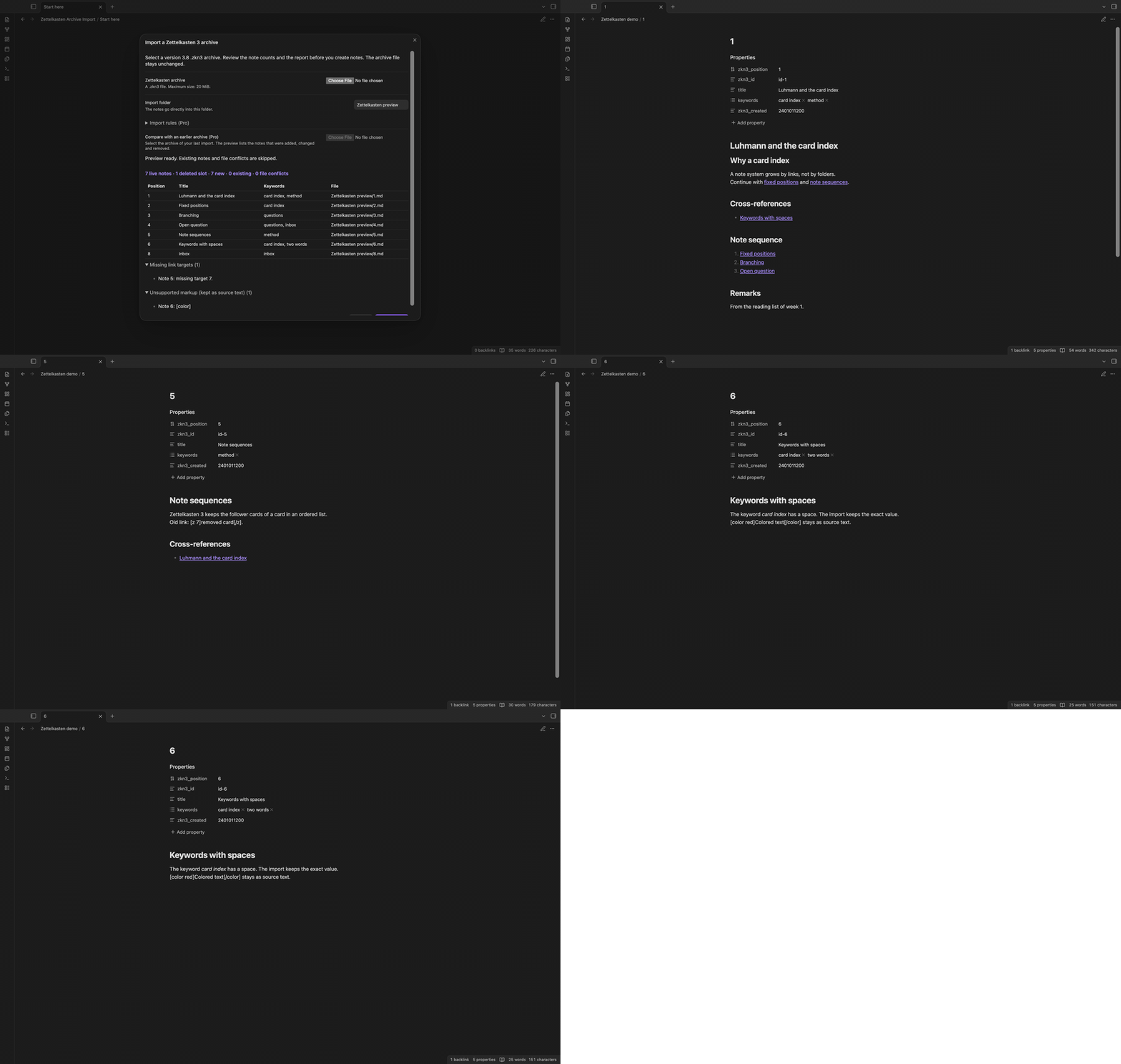
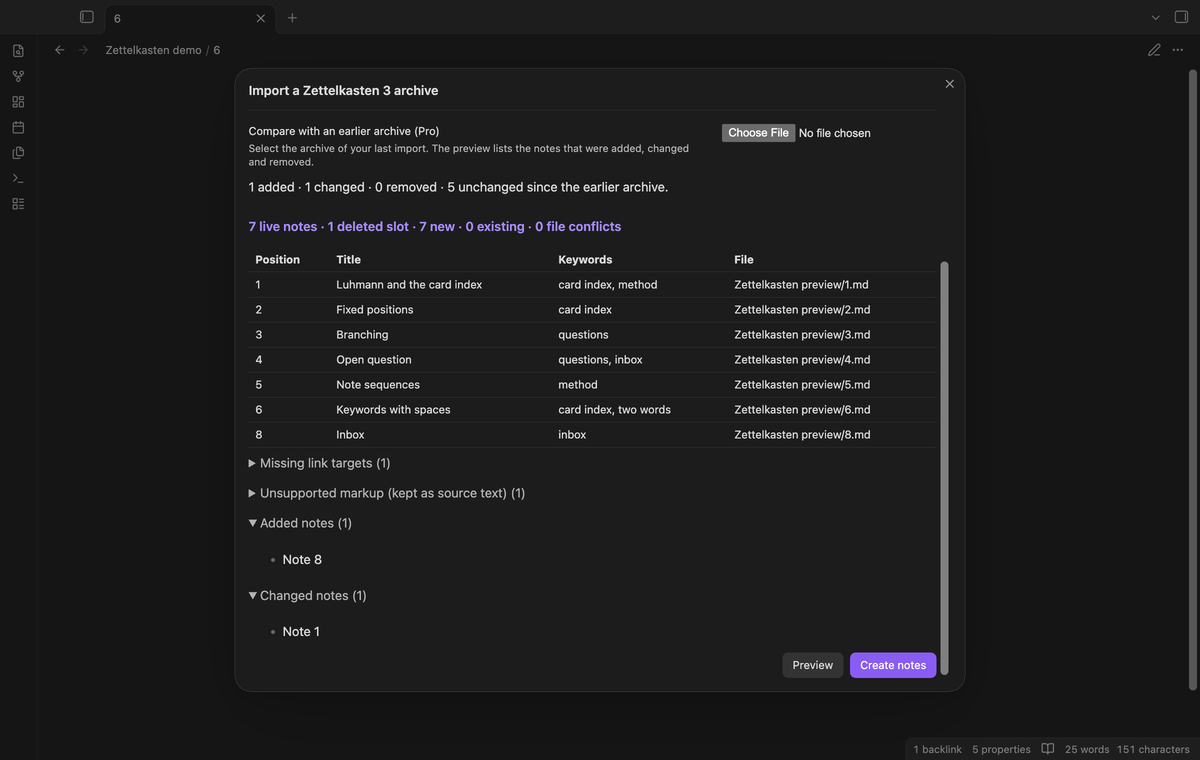
The preview shows the count of live notes, deleted slots, new notes, existing notes and file conflicts. A table shows up to eight notes. The plugin converts the notes in memory for the preview, so the report is complete before the first write.
The report lists missing link targets, unsupported markup, source warnings (for example attachments that the import does not copy) and file conflicts.
Stable file names, links and note sequences
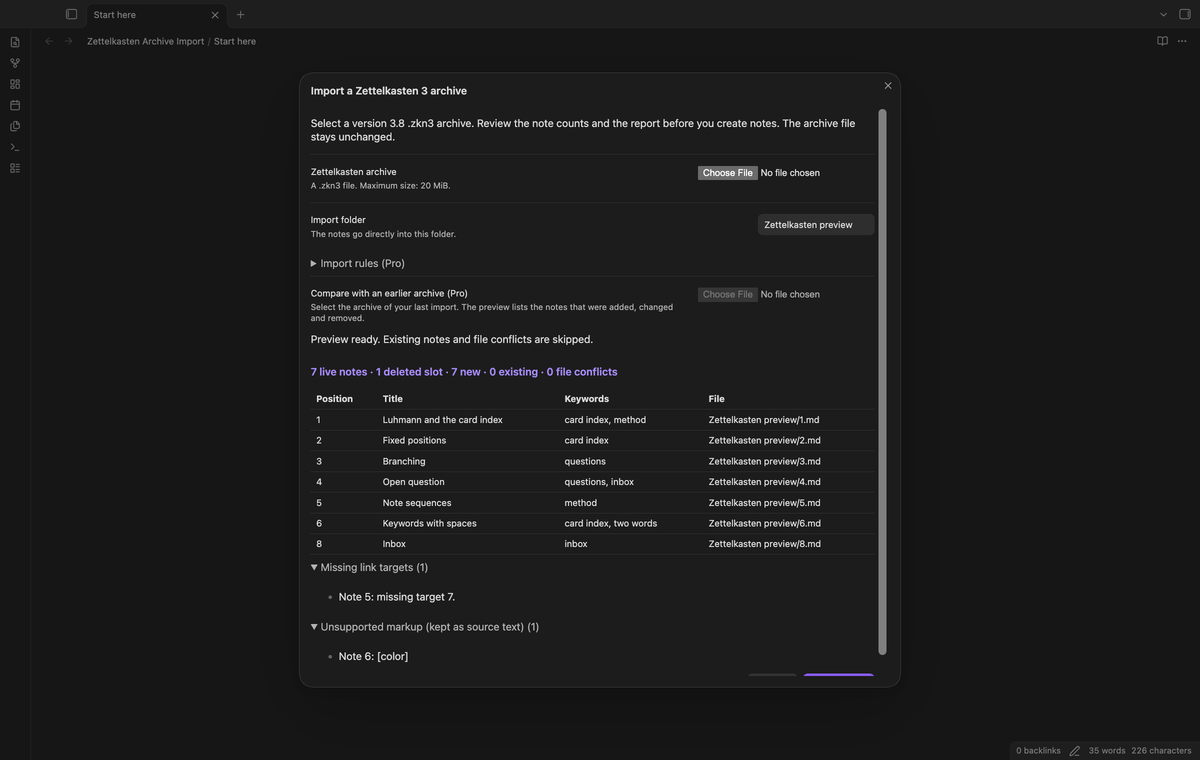
Zettelkasten 3 keeps a deleted note as an empty slot, and the other notes keep their numbers. The import does the same. An archive with a deleted slot 2 gives 1.md and 3.md, and note 3 keeps its number. The zkn3_position property holds the position.
A note link such as [z 3]Other[/z] becomes [[3|Other]]. Manual cross-references go into a "Cross-references" section. Follower notes go into a "Note sequence" section as a numbered list, in the source order. A link to a deleted or absent slot keeps its source text, for example [z 2]Gone[/z], and the report names the missing target. The plugin does not link it to a different note.
Exact keywords and basic markup
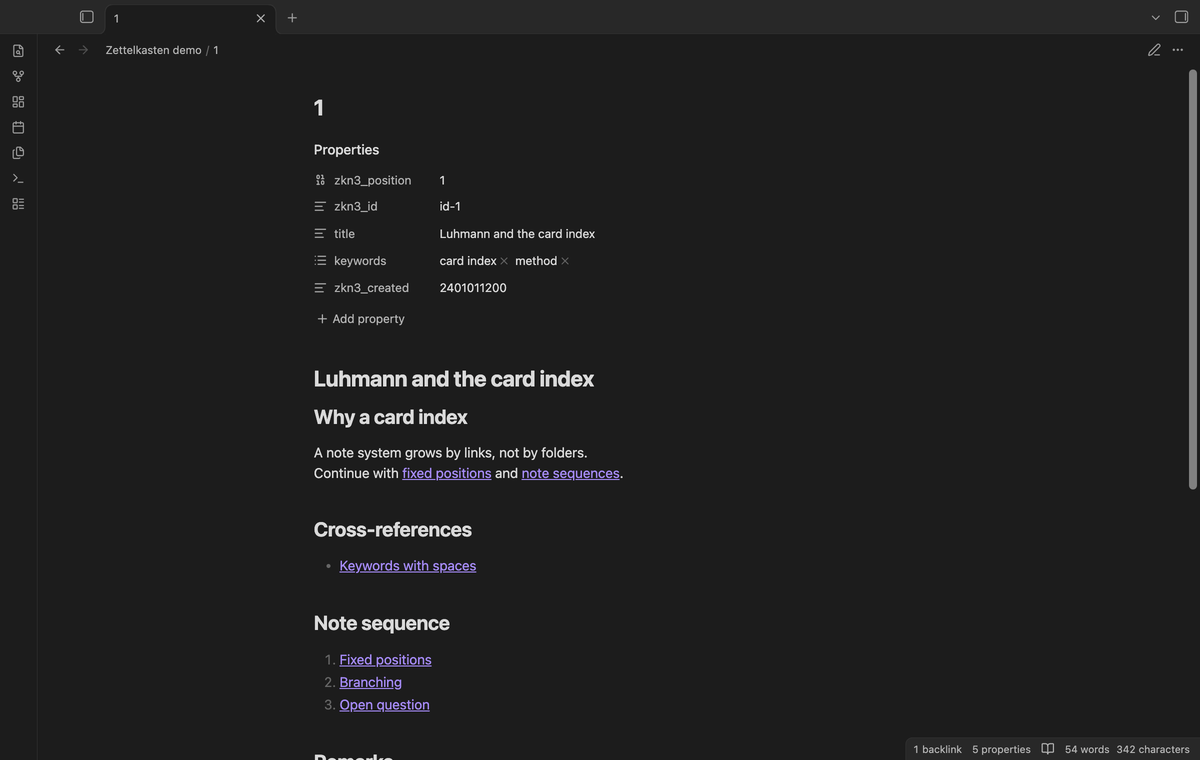
Keywords go into a keywords list property with their exact values. The keywords two words and two-words stay as two values, and a keyword with a slash stays unchanged. Tags are not made unless you turn on the Pro rule for tags.
The import converts this markup: [br] to a line break, [f] and [b] to bold, [k] and [i] to italic, [h1] to [h6] to headings, [q] to a quote, and [z n] to a note link. Markdown text stays unchanged. [color], [u] and [sup] stay as source text and the report lists them. Other unsupported markup stays as source text. Remarks go into a "Remarks" section.
Saved keyword and file name rules (Pro)
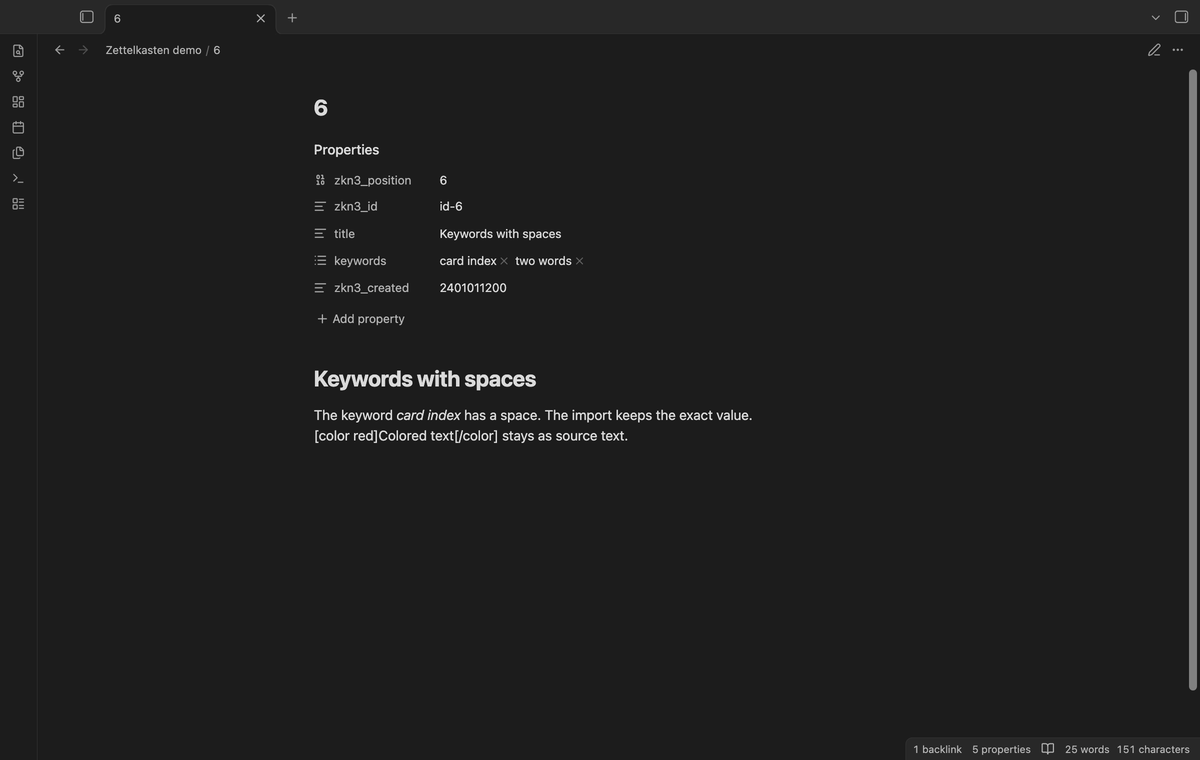
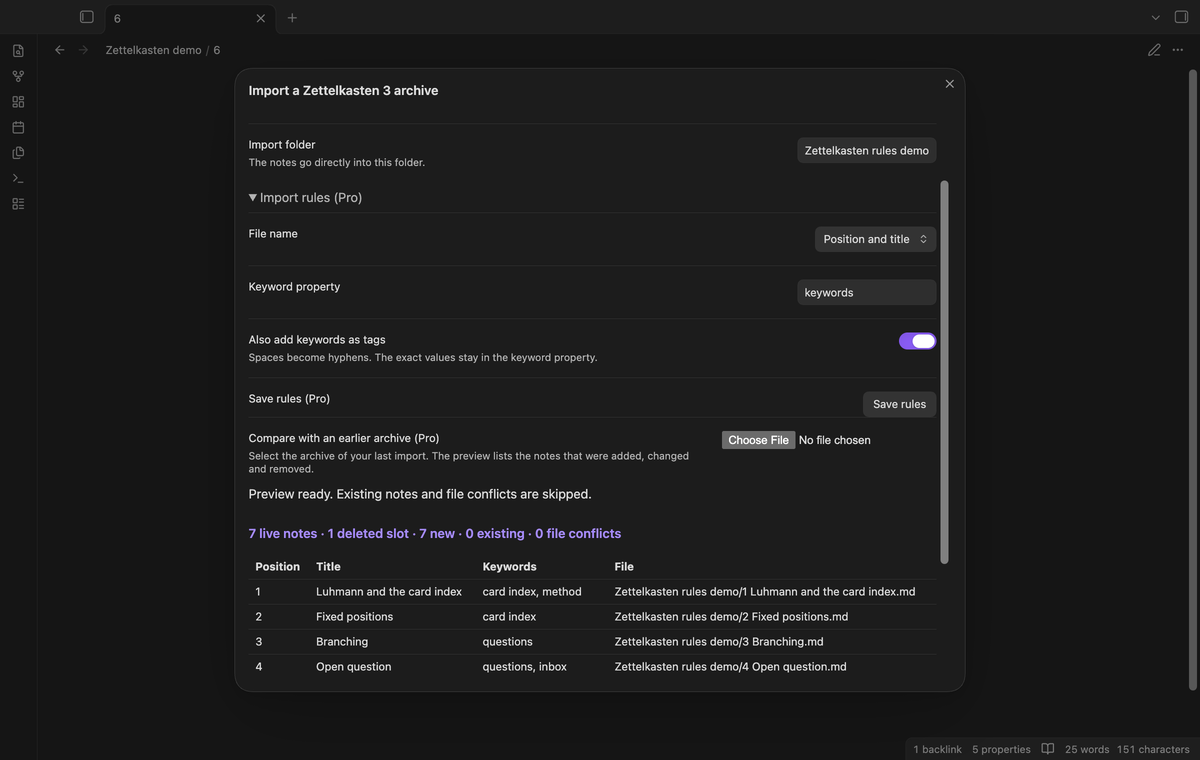
Free imports name the files by position and put keywords in the keywords property. With Pro, the "Import rules (Pro)" section in the import window has three rules. "Position and title" adds the note title to the file name, for example 1 Start.md. "Keyword property" sets a different property name. "Also add keywords as tags" adds a tag for each keyword; spaces become hyphens and the exact values stay in the keyword property. Select "Save rules" to keep the rules for the next import.
Note links follow the file name rule. When Pro turns off, the import uses the free rules again.
Compare two archives before a later import (Pro)
Select a later archive, then select the archive of your last import in "Compare with an earlier archive (Pro)". The window lists the notes that were added, changed and removed, by position. The comparison writes nothing. A later import creates the added notes and skips the notes that already exist in the folder. It does not update a changed note.
Install
For manual installation, copy main.js, manifest.json and styles.css from a release into <vault>/.obsidian/plugins/zettelkasten-archive-import/. Enable the plugin in Community plugins. Obsidian 1.13.4 or later is necessary.
Usage
- In Zettelkasten 3, save your data. Keep a copy of the
.zkn3file. - Run the command
Zettelkasten Archive Import: Import a Zettelkasten 3 archive. - Select the
.zkn3file. The plugin reads and checks the complete file before it shows the preview. - Check the import folder, the counts and the report. Change the folder if necessary, then select Preview again.
- Select Create notes. The status line shows the progress. Select Stop import to stop after the current batch of 50 notes.
- Read the result counts. Expand "Import errors" if the result shows errors. Select Open first note to check a note.
A second import of the same archive into the same folder skips the notes that exist. The plugin finds renamed notes by their zkn3_position property directly in that folder. A note that you move to a different folder or a note without that property is not found. An unrelated file at an output path is a file conflict and stays unchanged.
Settings
The settings tab sets the default import folder and has the GitHub Sponsors controls. The import window has the import folder and the Pro rules. A completed import saves its folder for the next import. Saved rules go into the local settings file of the plugin.
FAQ
Which archives does the plugin reject?
The plugin rejects an archive before a vault write if it has a different version than 3.8, malformed XML, a document type or an entity, a parent path or an absolute path in the ZIP, duplicate member names, encryption, a checksum error or two notes with the same zknid. Limits are 20 MiB for the archive file and 100 MiB of expanded data.
What does the import not copy?
This version does not copy authors, attachments, images, bookmarks, desktop outlines or the BibTeX file. Time stamps stay as text in zkn3_created and zkn3_edited. The report lists attachment links and authors.
What happens if a write fails or I stop the import?
The result shows the created notes, the skipped notes, the errors and the count of notes that the import did not check. The notes that the import created stay in the folder. Correct the problem and run the import again. It skips the notes that exist.
What did you test?
Unit tests use synthetic .zkn3 archives and an in-memory vault. They check a 75-note archive, a deleted slot, note links, cross-references, note sequences, exact keywords, heading and quote markup, a repeat import, file conflicts, rejected archives, size limits, stop between batches, write errors and the Pro guards. Desktop end-to-end tests pass on Obsidian 1.13.4 and 1.14.4. They check the file picker, the real XML parser, link resolution, repeat imports and Pro access after sign out.
The two official public sample archives and a local deleted-slot fixture pass the unit and desktop tests. We did not test a real archive with note sequences, an archive with 23,000 notes, a phone or tablet, the phone file picker, a light theme, a live payment or a live GitHub sign in. The plugin uses no Node or Electron API, but we did not test it on a mobile device.
Payment, account and network
The core features are free. Pro features need a GitHub Sponsors sponsorship of theluckystrike: $5 a month or more, or $15 once. A total payment of $15 meets the payment requirement for Pro without further payment. Sign-in and the checks below still apply. Your notes stay readable and editable with or without Pro.
GitHub handles the payment. Sponsor at https://github.com/sponsors/theluckystrike. You need no account for the free features. Pro needs the GitHub account that sponsors.
Until you select "Sign in with GitHub" in the settings, Zettelkasten Archive Import makes no network requests. Sign in uses the GitHub device flow. Zettelkasten Archive Import sends its public client ID and the scope read:user to https://github.com/login/device/code and shows you a code. While you enter the code at https://github.com/login/device, it asks https://github.com/login/oauth/access_token every few seconds to check the sign-in status. The scope permits profile reads only. GitHub needs this access to show the sponsorship tier. It grants no repository scope and no write access.
After sign in, Zettelkasten Archive Import sends one query to https://api.github.com/graphql. It checks if the signed-in account sponsors theluckystrike. It asks for the tier and the total payment to theluckystrike. The plugin reuses a successful check for 7 days. Failed checks can retry after 6 hours. Select Refresh to request an earlier check. It sends no note content, file names or other vault data, and it has no telemetry.
After a successful check, Pro can work offline for up to 14 days. Sign out or a negative sponsorship answer turns Pro off. The plugin stores the GitHub token through the secret storage API of Obsidian. It does not put the token in its saved settings or its local sponsorship data. The local storage of this device keeps your GitHub login, the tier and the time of the last check. Sign out clears the token. You can also revoke the access in your GitHub settings, under Applications.
Support
Report a problem in the repository issues with the app version and the error text. Remove private note text before you share an archive. Publisher: theluckystrike, notemods.com. License: MIT. The official test archives have their upstream license in tests/fixtures/ZETTELKASTEN-LICENSE.
For plugin developers
Search results and similarity scores are powered by semantic analysis of your plugin's README. If your plugin isn't appearing for searches you'd expect, try updating your README to clearly describe your plugin's purpose, features, and use cases.